
 Use cases
 Messaging
 Taxi Companies
 Private Transport
 Transportation Entrepreneurs
 Last Mile
 SuperApp
 Software
 Taxi dispatch
 Corporate transportation
 Auction
 Products
 Booking Software
 Dispatch Platform
 Driver App
 Passenger App
 Web Widget
 Functions
 Schedule & Booking
 Driver Management
 Custom
 Corporate Portal
 Security & Support
 Resources
 Learn
Learn



Partner Web Panel: Order Approval (Delivery Module)
When an order reaches the system, it automatically appears in the partner's web panel under the active orders module with a "Pending" status. From there, the partner can see the full breakdown: requested items, total price, delivery fee, customer details, and the order date.
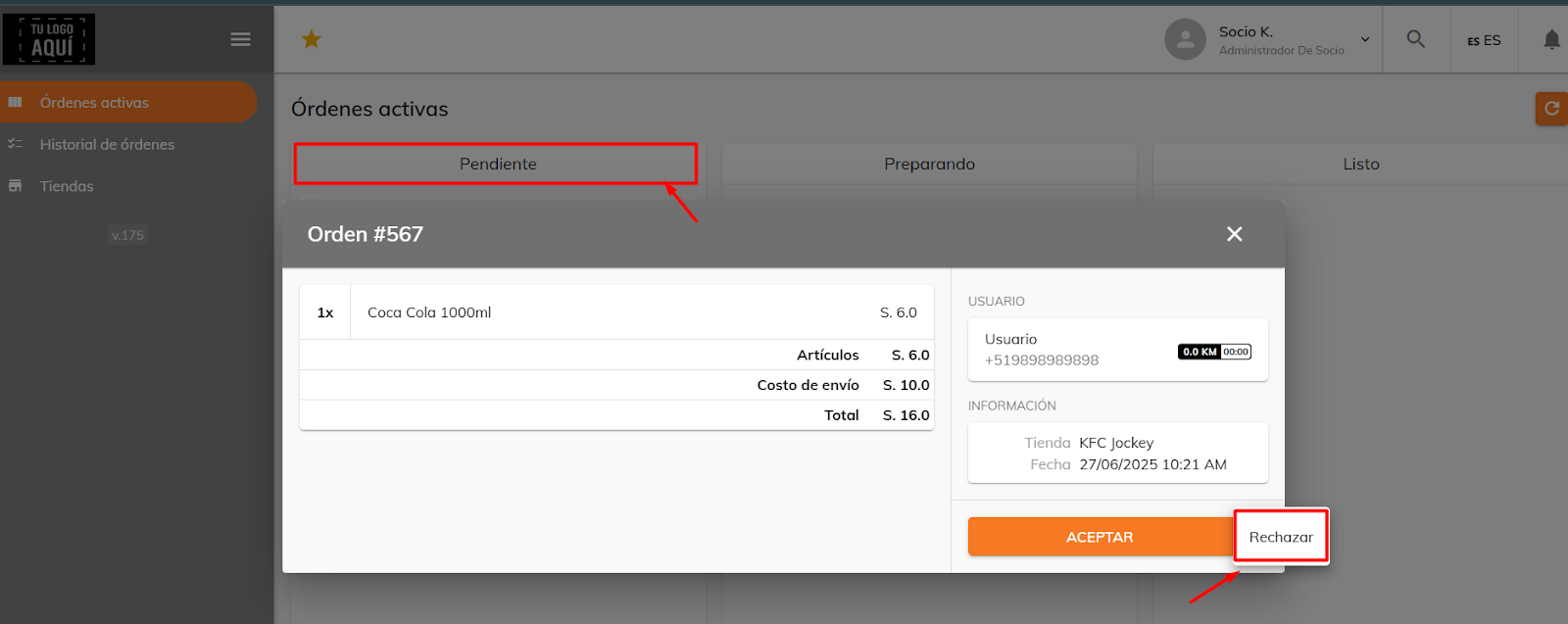
The partner can accept or reject the order. If they accept it, the order moves to the "Preparing" status. At this point the order details remain visible, but no driver has been assigned yet.
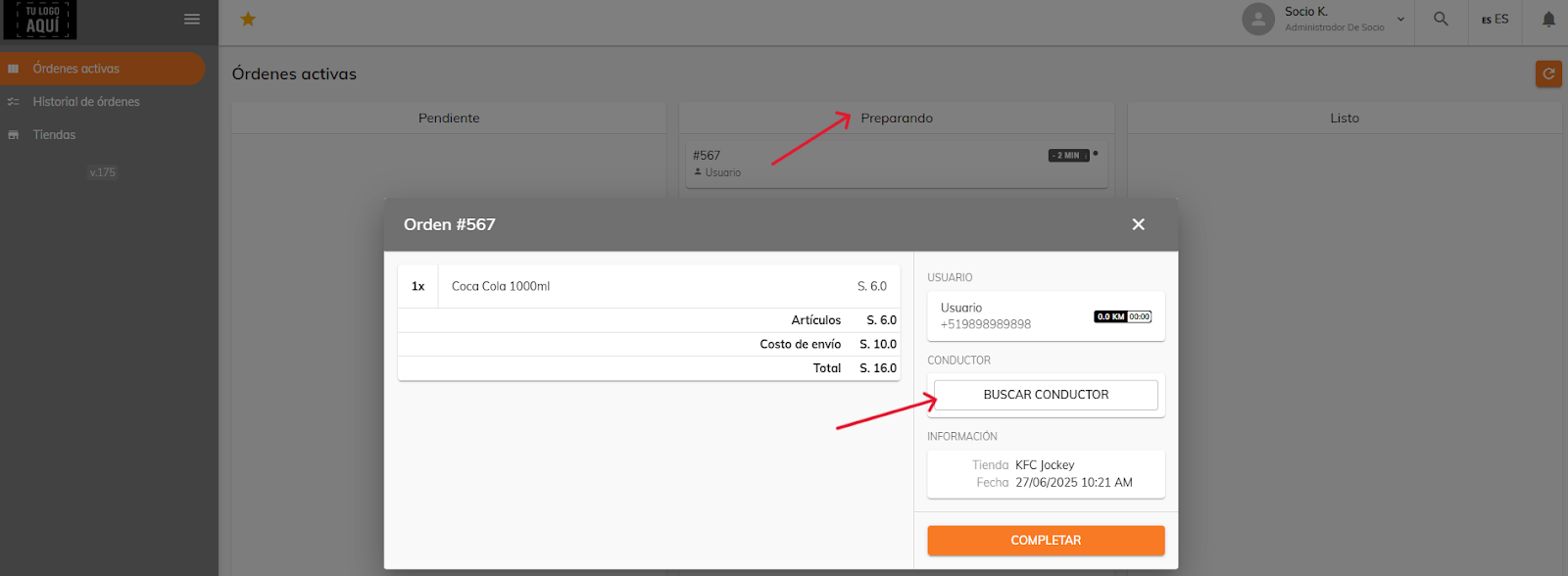
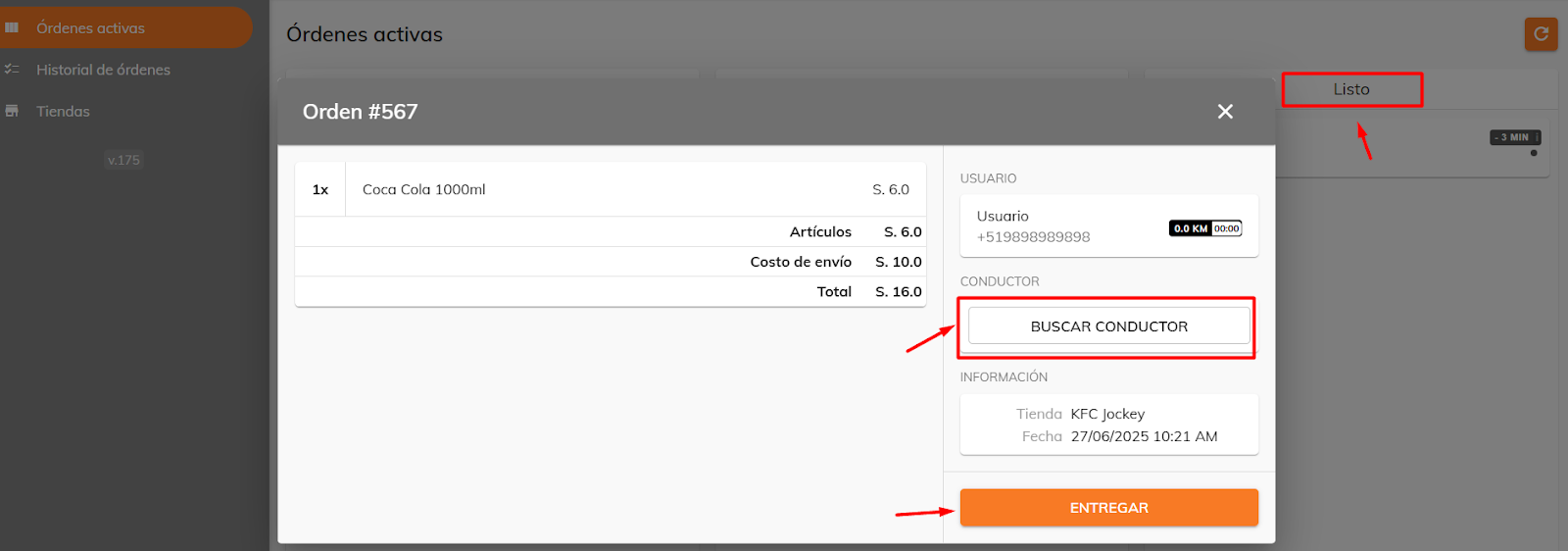
The partner can choose to start the automatic driver search right away, or wait until the order is fully prepared to do so. They can also mark it directly as "Delivered," and the system will automatically search for an available driver.
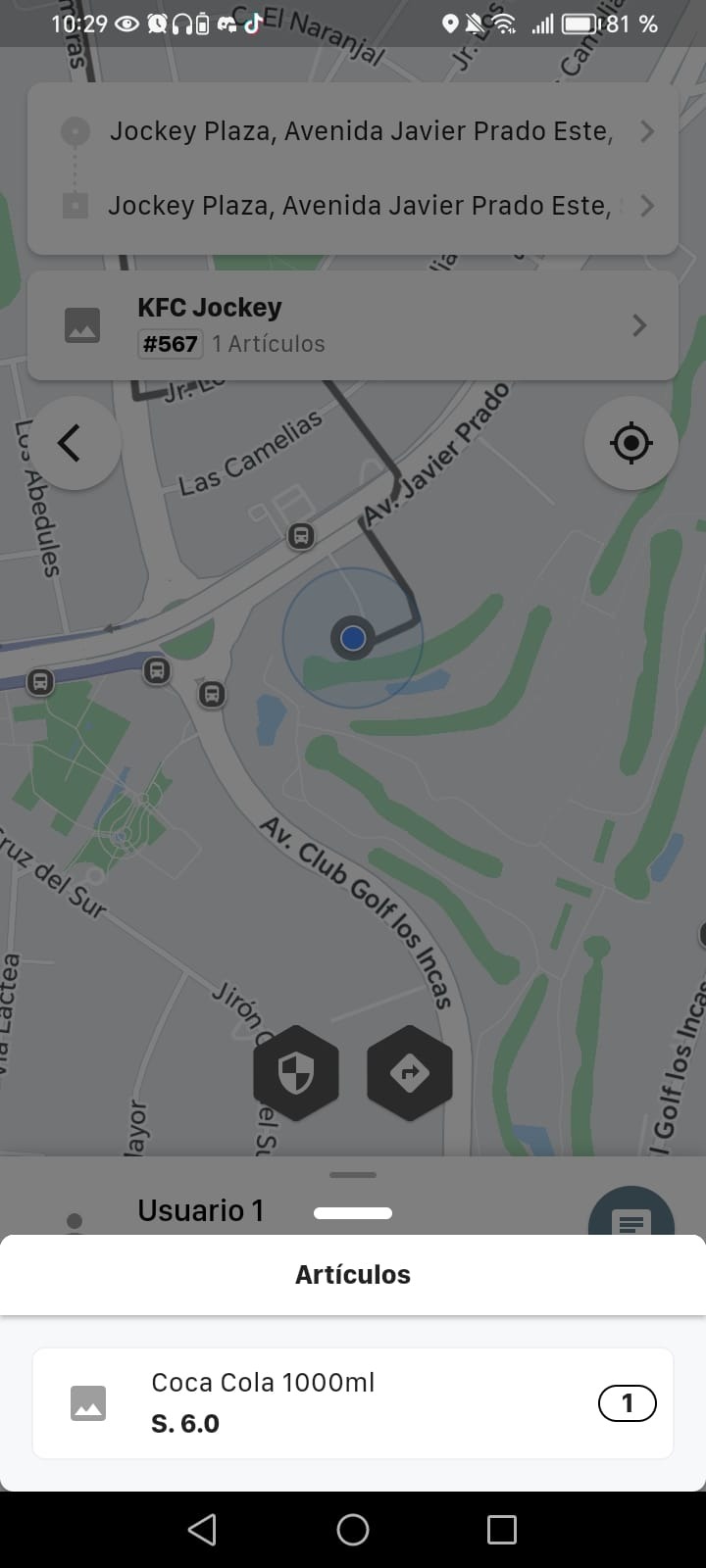
The driver who accepts the service will see a flow similar to taxi trips, but with the added detail of the order breakdown placed by the customer. This includes the items, the instructions, and the amounts. Meanwhile, the customer can track the status of their order in real time.
Was this article helpful?
Delivery Panel
- Initial Setup: Store Types, Store Categories, and Product Categories
- Create a Partner
- Partner Web Panel: Order Approval (Delivery Module)
- Customer App: Placing an Order (Delivery Module)