
 Use cases
 Messaging
 Taxi Companies
 Private Transport
 Transportation Entrepreneurs
 Last Mile
 SuperApp
 Software
 Taxi dispatch
 Corporate transportation
 Auction
 Products
 Booking Software
 Dispatch Platform
 Driver App
 Passenger App
 Web Widget
 Functions
 Schedule & Booking
 Driver Management
 Custom
 Corporate Portal
 Security & Support
 Resources
 Learn
Learn



Publishing apps under your own account or ToolRides' account
1. Publishing options
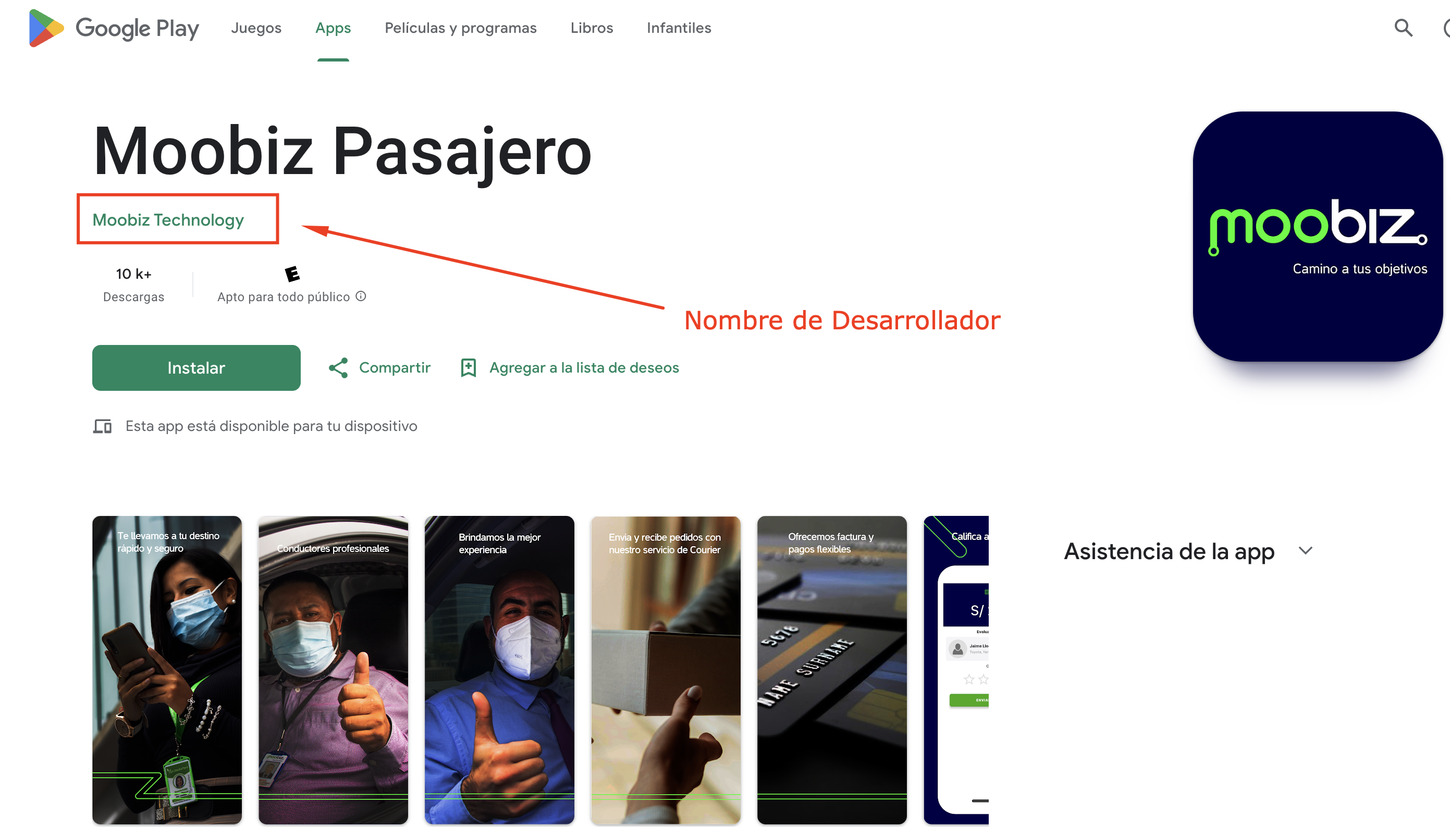
a) Publishing under the client's own account
The apps are published under the client's developer account, using their name or company name as the official publisher on Google Play and the App Store.
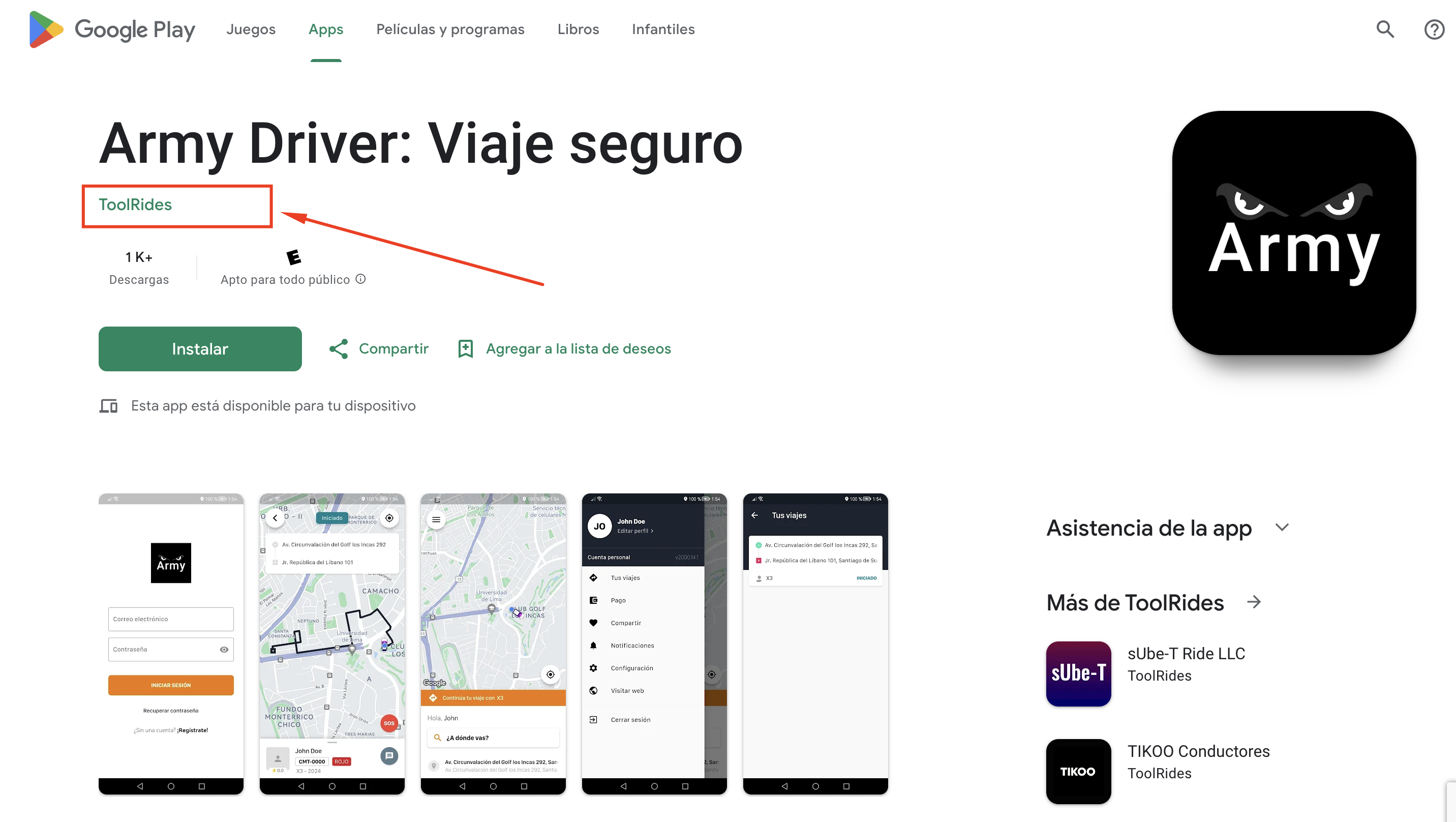
b) Publishing under ToolRides' account
The apps are published under ToolRides' account, showing ToolRides as the visible developer in the stores.
2. Pros and cons of each option
| Client's own account | ToolRides' account | |
|---|---|---|
| Developer name | Company name as the developer | ToolRides name as the developer |
| Control | Control over the app, statistics, and reviews | Control over the app, statistics, and reviews |
| Updates | May require management by the client | ToolRides handles all updates. |
| Costs | Annual cost for developer accounts | No extra cost for accounts |
| Time to publish | Depends on each store's approval time | Faster publishing thanks to being a long-standing member. |
| Technical support | ToolRides assists with setup and publishing | ToolRides handles the entire process |
| Renewals | The client manages account renewals | ToolRides takes care of it |
3. What it means for users
Own account:
Users will see the company's (client's) name as the developer in the store. The company's icon, name, and legal details will be the ones shown.ToolRides account:
Users will see ToolRides as the developer in the store, while the app's icon and name can be customized with the client's details.
4. Limitations and considerations
Own account
Google Play:
Requires a one-time payment of USD $25 to create the developer account.
You must verify your identity and have a Google (Gmail) account.
App Store (Apple):
Annual payment of USD $99 for an individual or company developer account.
The verification and publishing process is more rigorous (Apple requires tax/business information).
Management:
The client must handle renewals, permissions, and potential blocks.
The client receives notifications directly from the stores (suspensions, legal updates, etc.).
Greater flexibility for custom integrations or advanced configuration.
ToolRides account
Costs included:
ToolRides covers the cost and manages the account.
Responsibility:
ToolRides handles support and publishing. The client doesn't have to get involved in the store's technical or administrative processes.
Migration:
If the client later wants to transfer the app to their own account, a new publishing process may be required.
5. Recommendations
Companies looking for branding and autonomy:
We recommend publishing under your own account.Companies that prioritize speed and less management:
We recommend the ToolRides account for fast launches with no paperwork.
6. Basic steps to publish under your own account
- Android (Google Play):
Create a developer account in Google Play Console (link here).
- Apple (App Store):
Create an account in Apple Developer (link here).
Was this article helpful?