
 Use cases
 Messaging
 Taxi Companies
 Private Transport
 Transportation Entrepreneurs
 Last Mile
 SuperApp
 Software
 Taxi dispatch
 Corporate transportation
 Auction
 Products
 Booking Software
 Dispatch Platform
 Driver App
 Passenger App
 Web Widget
 Functions
 Schedule & Booking
 Driver Management
 Custom
 Corporate Portal
 Security & Support
 Resources
 Learn
Learn



Trips in progress - Service auto-assignment
From the web panel, in the Trips in Progress module, you can auto-assign drivers to ongoing services.
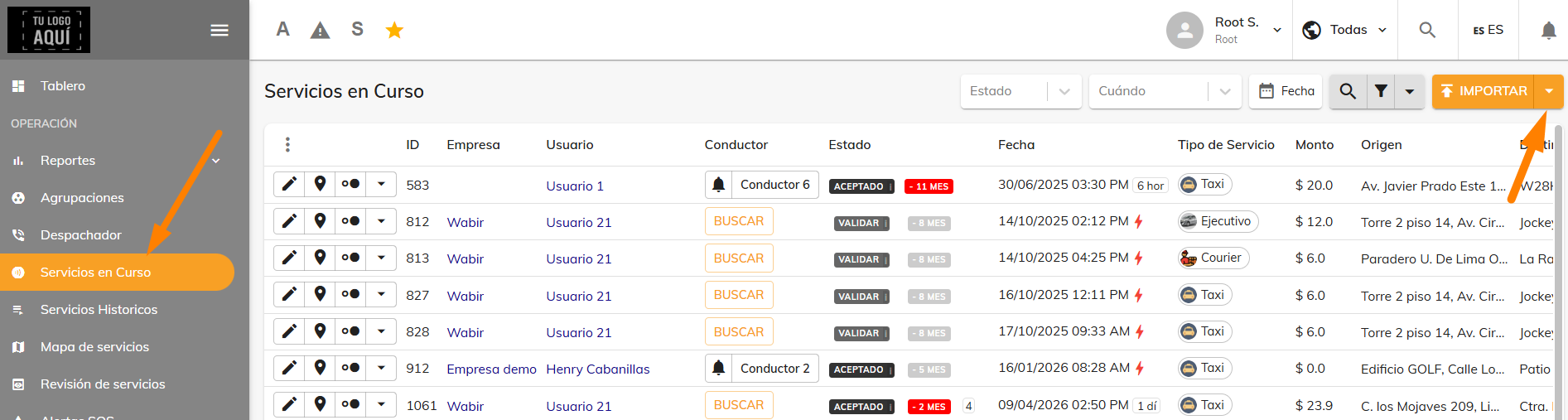
First, go to the Operations > Trips in Progress module and click the arrow button next to Import.
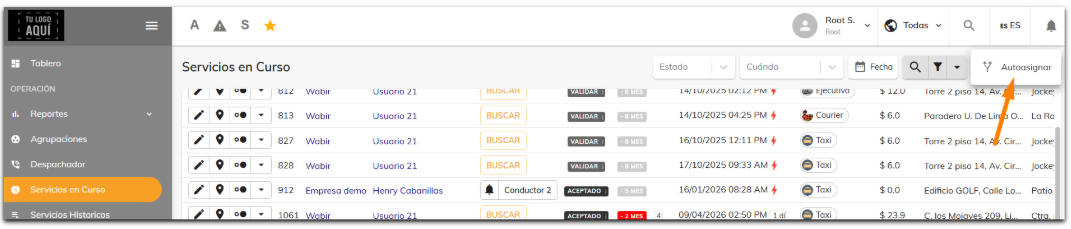
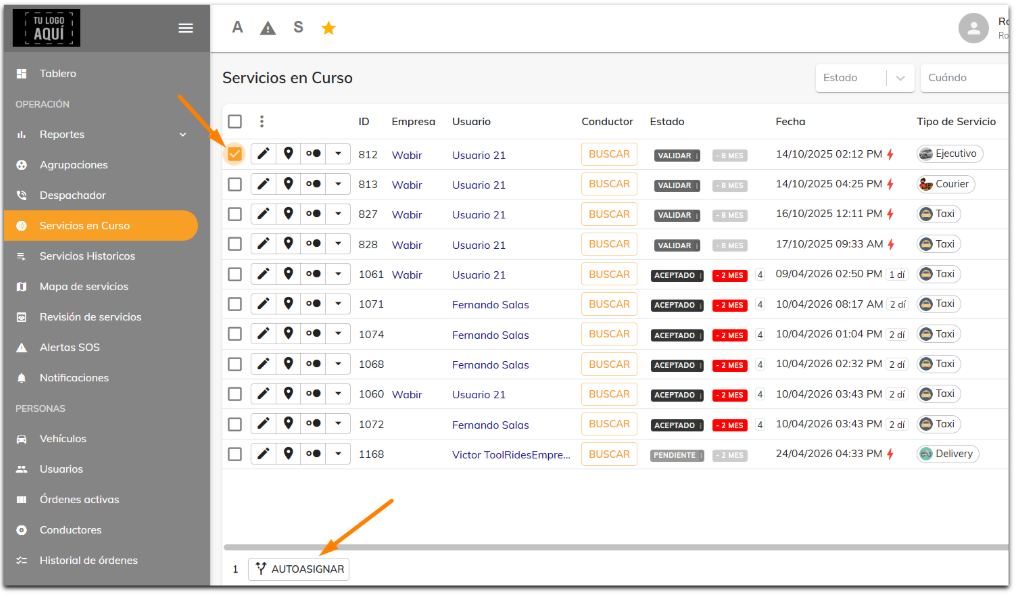
A set of checkboxes will appear that let you select the trips you want to assign. Once you've selected the trips, the Auto-assign button at the bottom becomes available.
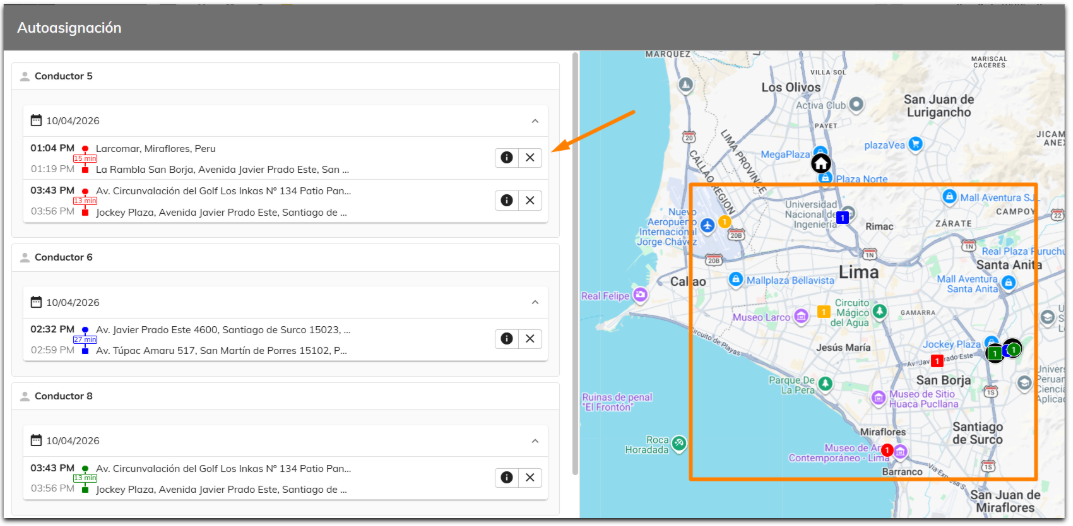
A window will open where you can see how the trips were automatically assigned to drivers. Right here you can unassign and also assign your preferred driver. You'll also have a map where you can view the trips and points, so you can assign the most suitable driver.
Was this article helpful?