
 Use cases
 Messaging
 Taxi Companies
 Private Transport
 Transportation Entrepreneurs
 Last Mile
 SuperApp
 Software
 Taxi dispatch
 Corporate transportation
 Auction
 Products
 Booking Software
 Dispatch Platform
 Driver App
 Passenger App
 Web Widget
 Functions
 Schedule & Booking
 Driver Management
 Custom
 Corporate Portal
 Security & Support
 Resources
 Learn
Learn



Setting up your "Surge Pricing"
There are two ways to set up surge pricing and apply it to your rate plans.
1. From the "Rate Plans" section
In the Maintenance > Settings > Pricing > Rate Plans module, you can edit the rate plan and set "Surge pricing" there.
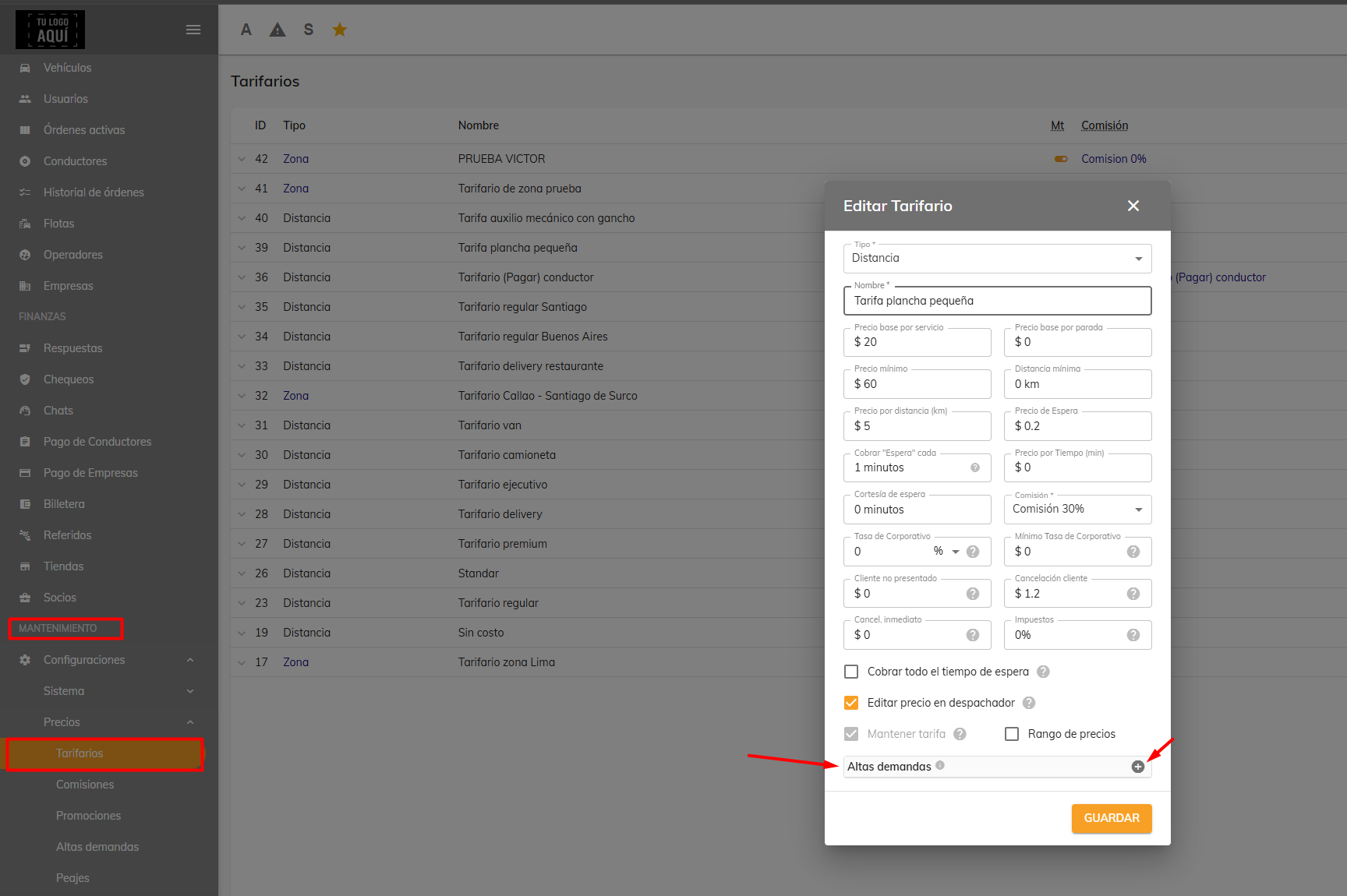
In this section, you can set the time range during which surge pricing kicks in. You can also choose whether every requested service is charged a percentage (%) or a fixed amount for all of them. This is applied at the moment a service is requested.
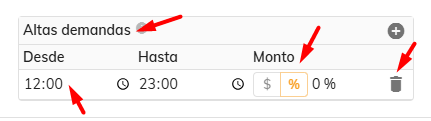
2. From the "Surge Pricing" section
In the Maintenance > Settings > Pricing > Surge Pricing module, you'll find another way to add a surge pricing window. Here you can configure it globally (for all branches) rather than individually.
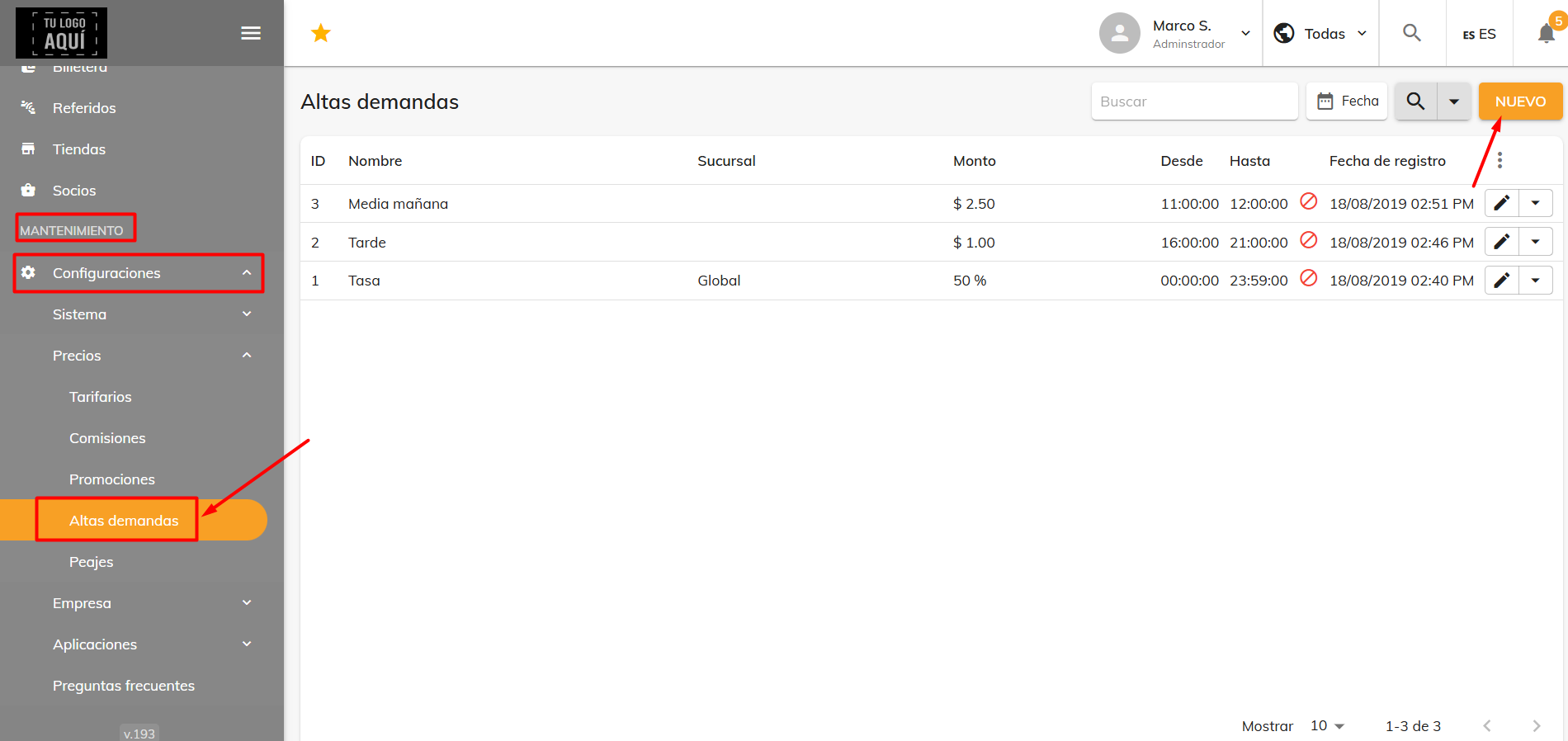
When we click "New," the following window opens, where we have to fill in, just like in Rate Plans, the time range during which we want it to kick in and whether we want it to be a fixed amount or a percentage (%).
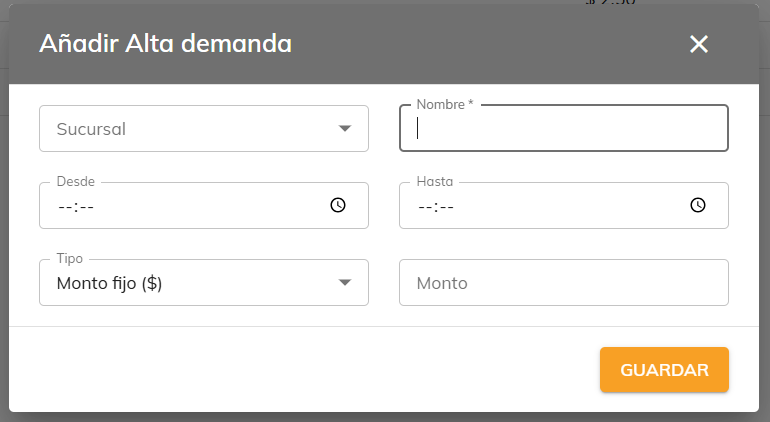
Keep in mind that if you set up surge pricing from "Rate Plans" and from the "Surge Pricing" section at the same time, the system will give priority to the time range set in "Rate Plans."
Was this article helpful?