
 Use cases
 Messaging
 Taxi Companies
 Private Transport
 Transportation Entrepreneurs
 Last Mile
 SuperApp
 Software
 Taxi dispatch
 Corporate transportation
 Auction
 Products
 Booking Software
 Dispatch Platform
 Driver App
 Passenger App
 Web Widget
 Functions
 Schedule & Booking
 Driver Management
 Custom
 Corporate Portal
 Security & Support
 Resources
 Learn
Learn



Driver App: Inaccurate Driver Location Issues
If you're seeing inaccurate location on the app map, the precise location feature may be turned off on your Android device. Below is a step-by-step guide to help you fix this and improve your location accuracy.
1. Make sure precise location is turned on
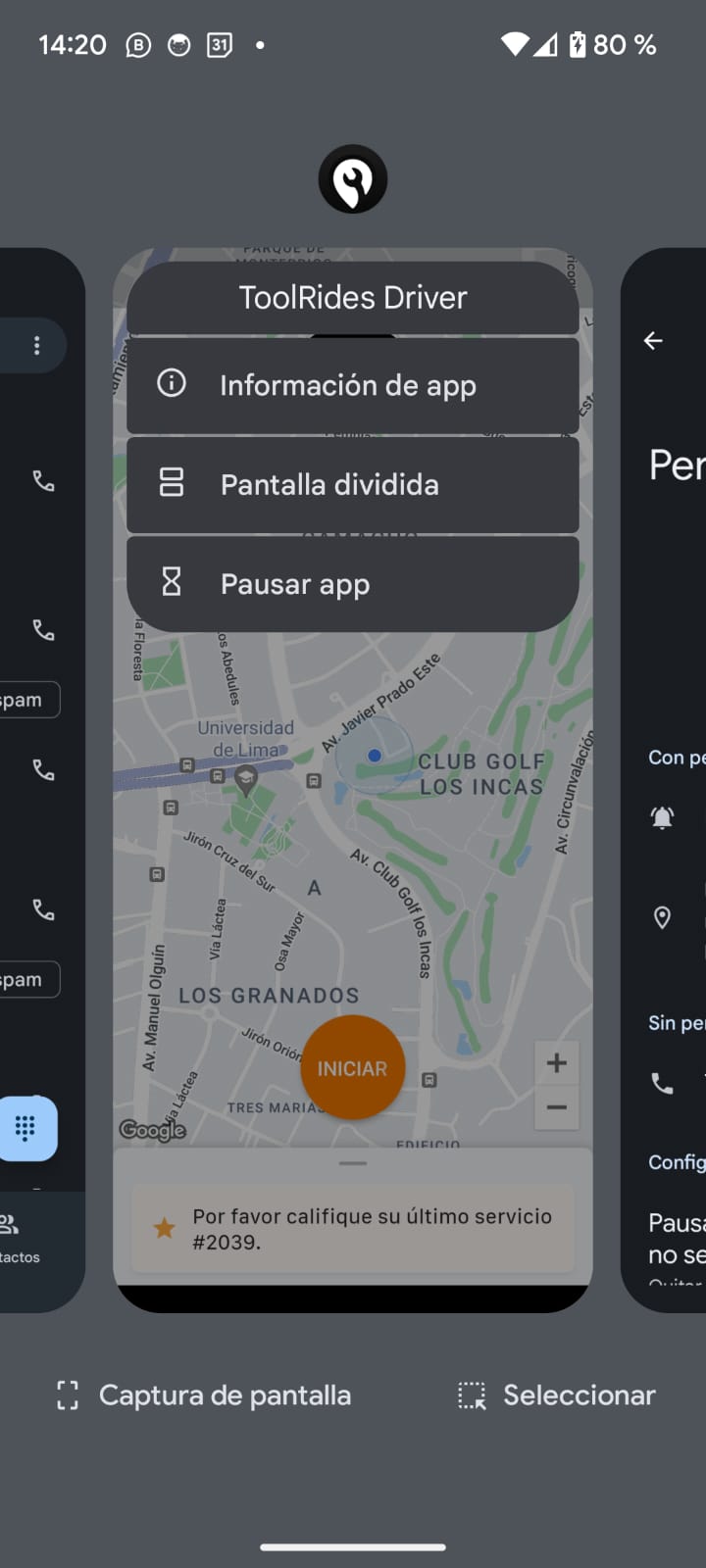
1.1. Open your app's Settings / Info:
- Swipe down from the top of the screen and tap the app icon, or find the app in your app drawer.
- Tap the "App info" option.
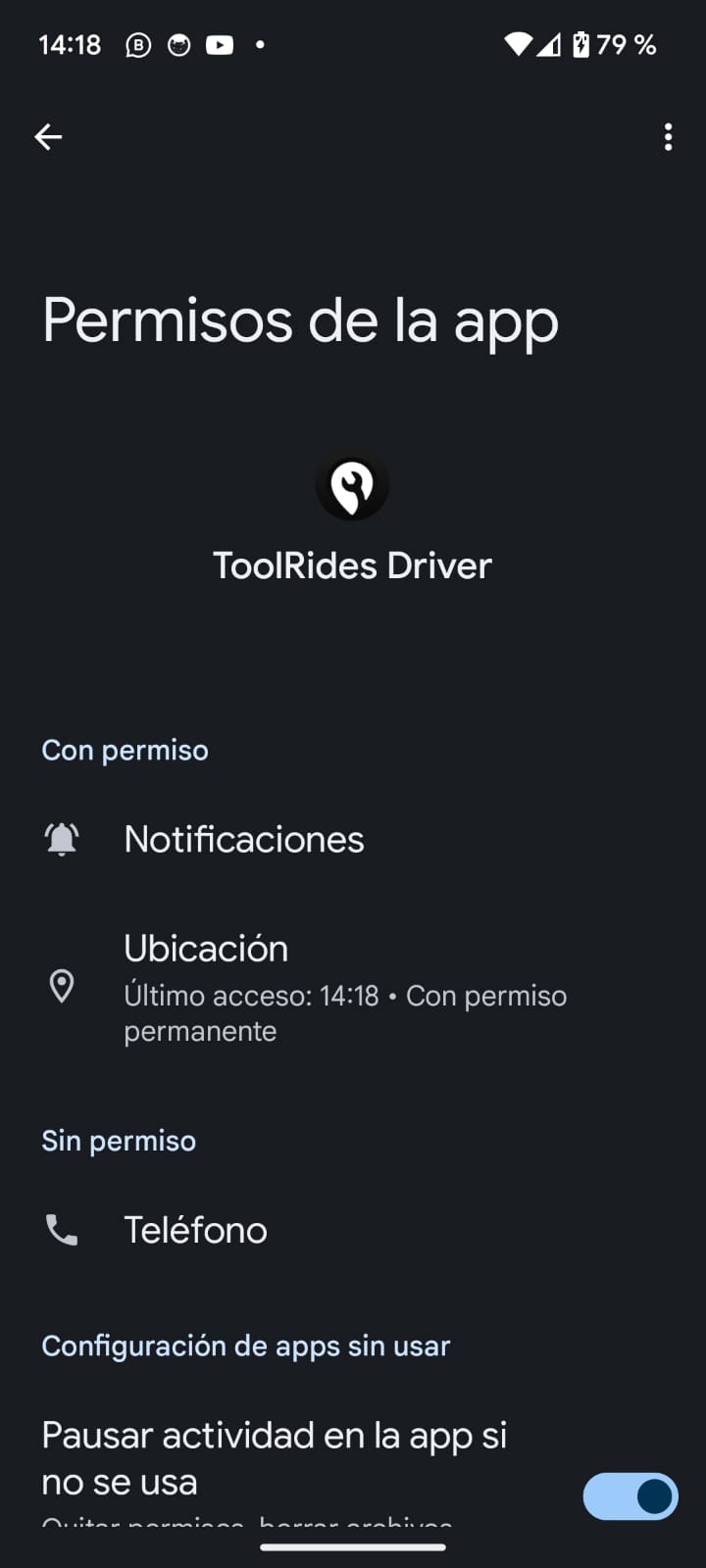
1.2. Go to the location option:
- In the Settings menu, scroll down and select Location.
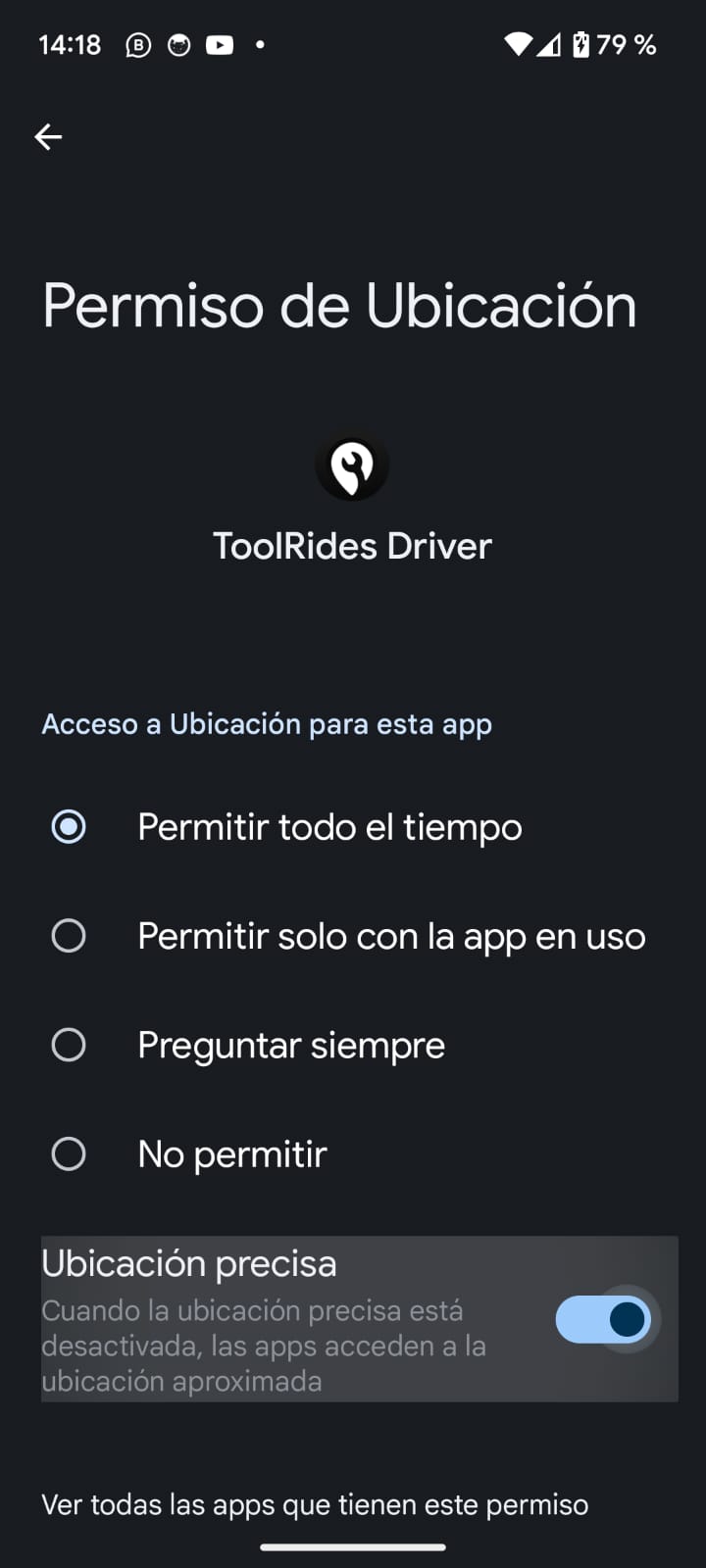
1.3. Turn on location:
- Make sure the Location toggle is on. If it isn't, turn it on.
1.4. Select "Google Location Accuracy":
- In the Location menu, find and select Precise Location / Google Location Accuracy.
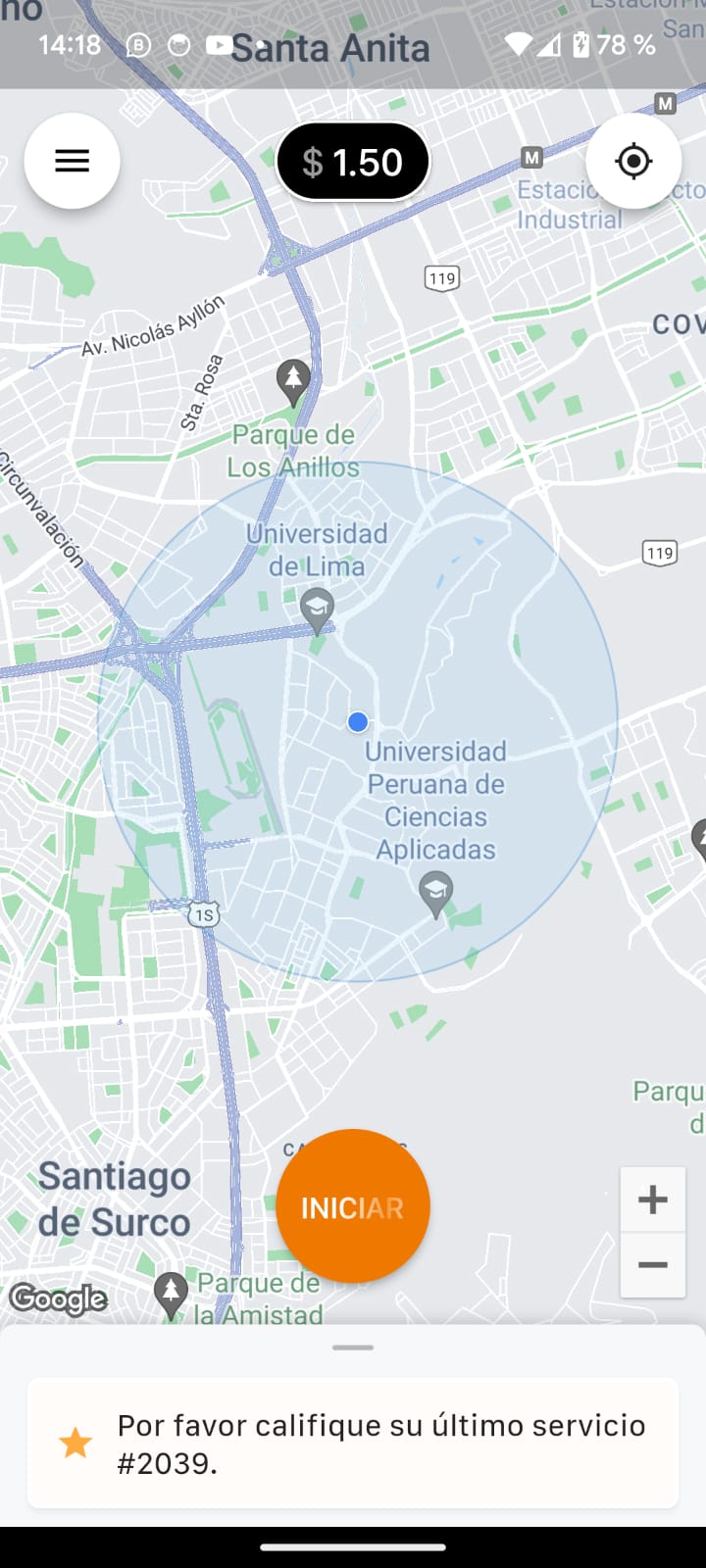
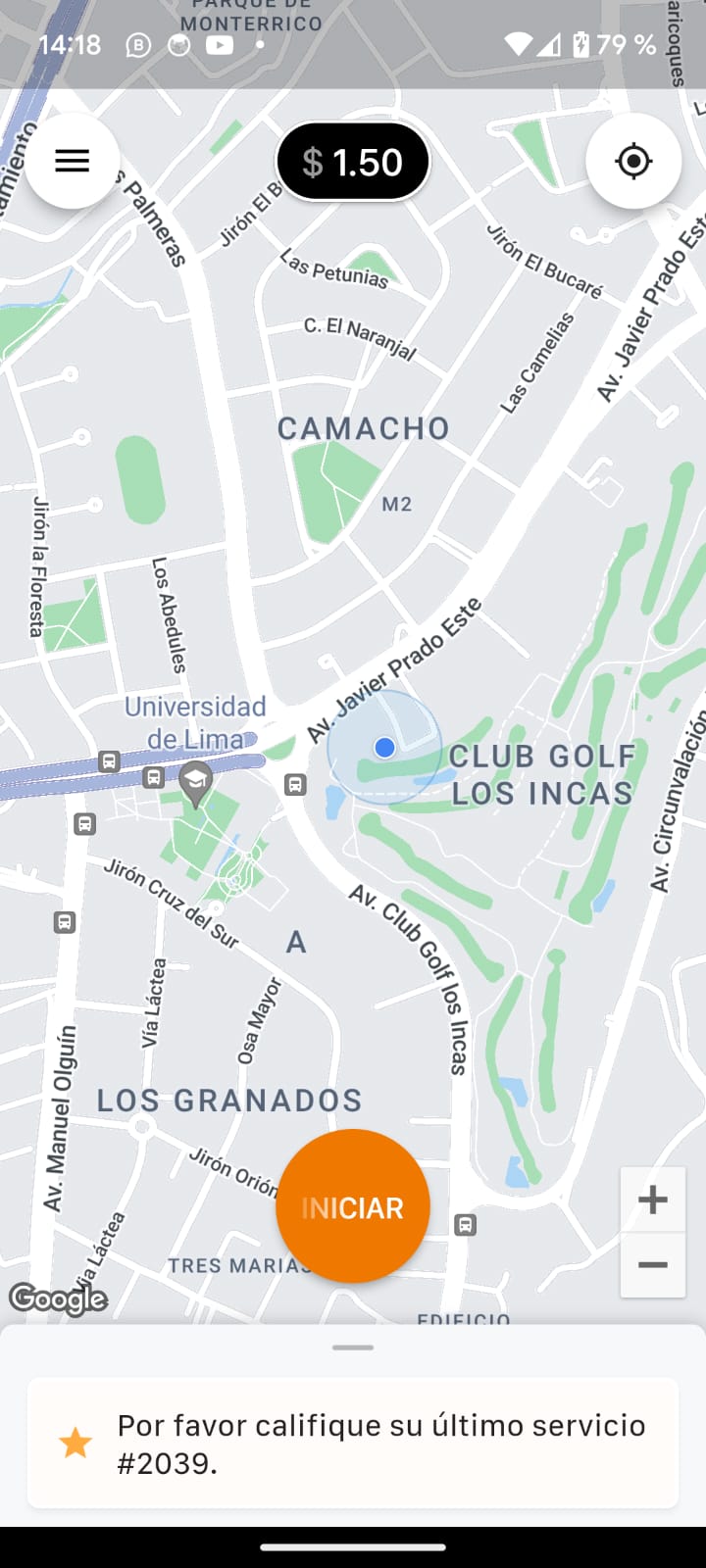
2. Check precise location in the driver app
The image on the left shows a very wide radius used to locate the driver. This means precise location is turned off. The image on the right shows a much smaller radius, which is what you should aim for.
3. Restart the app and device if the issue persists
3.1. Close and reopen the app:
- Fully close the app and open it again to make sure your settings changes have taken effect.
3.2. Restart your device:
- If the issue persists, try restarting your device to refresh all settings.
4. Other helpful tips
- Make sure you're in an area with a good GPS signal: tall buildings, bad weather, or underground areas can interfere with GPS accuracy.
- Keep the app up to date: make sure you have the latest version installed, since updates can include improvements to GPS handling.
5. Contact Technical Support
If you're still having location problems after following these steps, get in touch with us for additional help. Share details about the issue and let us know that you've already checked your location settings.
Was this article helpful?