
 Use cases
 Messaging
 Taxi Companies
 Private Transport
 Transportation Entrepreneurs
 Last Mile
 SuperApp
 Software
 Taxi dispatch
 Corporate transportation
 Auction
 Products
 Booking Software
 Dispatch Platform
 Driver App
 Passenger App
 Web Widget
 Functions
 Schedule & Booking
 Driver Management
 Custom
 Corporate Portal
 Security & Support
 Resources
 Learn
Learn



Wallet - Driver
What is the wallet? The wallet in the app is a virtual wallet that the driver can top up with real money. This wallet has several functions, and here we'll explain what they are.
Enabling the driver wallet
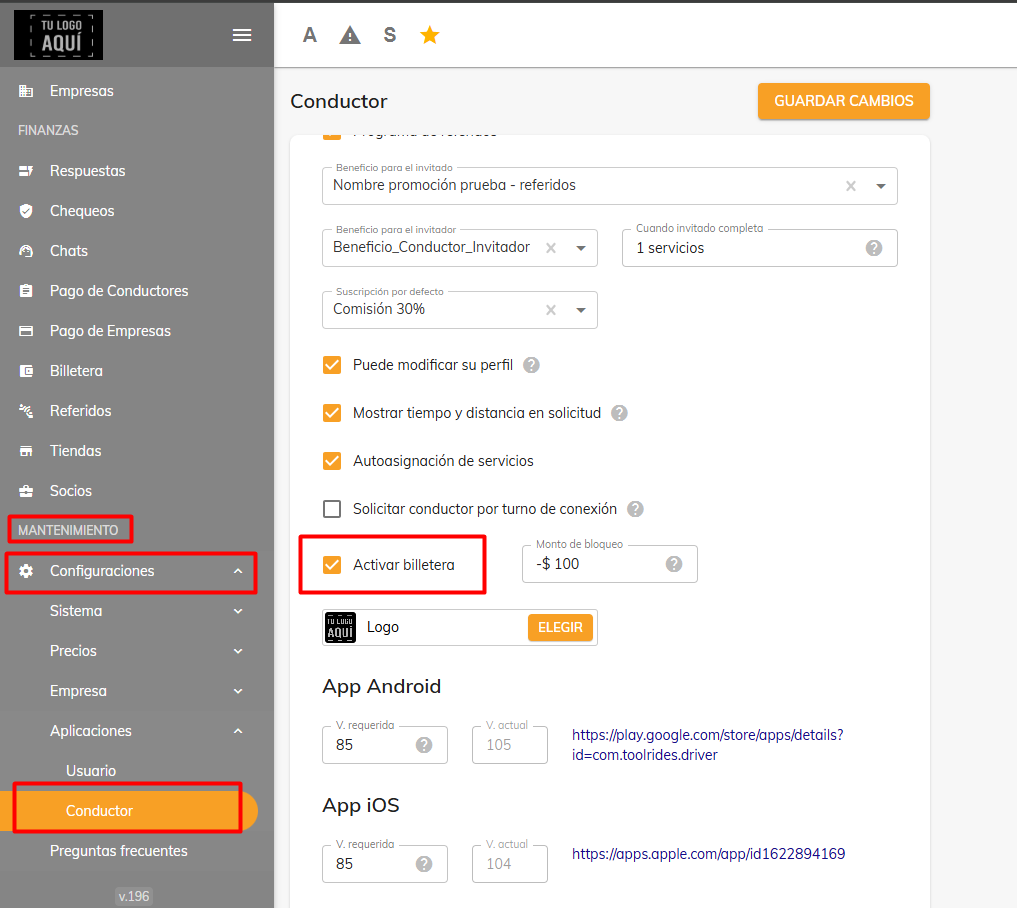
From the web panel, in the Maintenance > Settings > Driver module, you have the option to turn the in-app wallet on or off.
Using the wallet to collect commission on cash trips
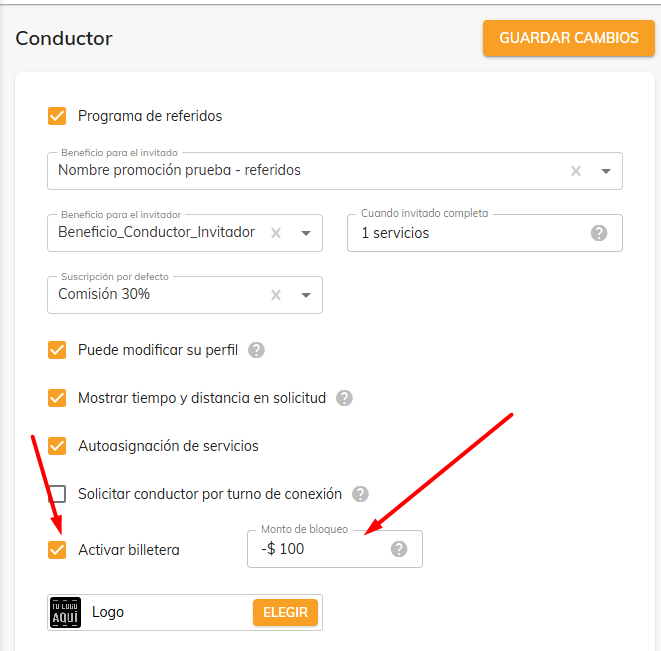
You can use the driver's wallet to collect the commission you set in your rate card. As a safety measure, you can also set a blocking threshold, so that once the driver reaches or exceeds that amount, they can no longer accept cash trips until they top up their wallet.
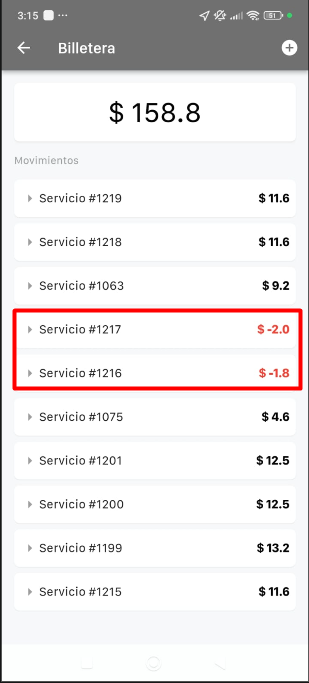
This way, you can see the commission for cash trips being deducted right in the driver app's wallet.
Manual and automatic wallet top-ups
To keep drivers from hitting the blocking threshold, they can top up any amount they choose in two ways: manually or automatically. You can decide which method to use with your drivers.
Manual top-up: To top up manually, the driver goes to Menu > Wallet and taps the + symbol.
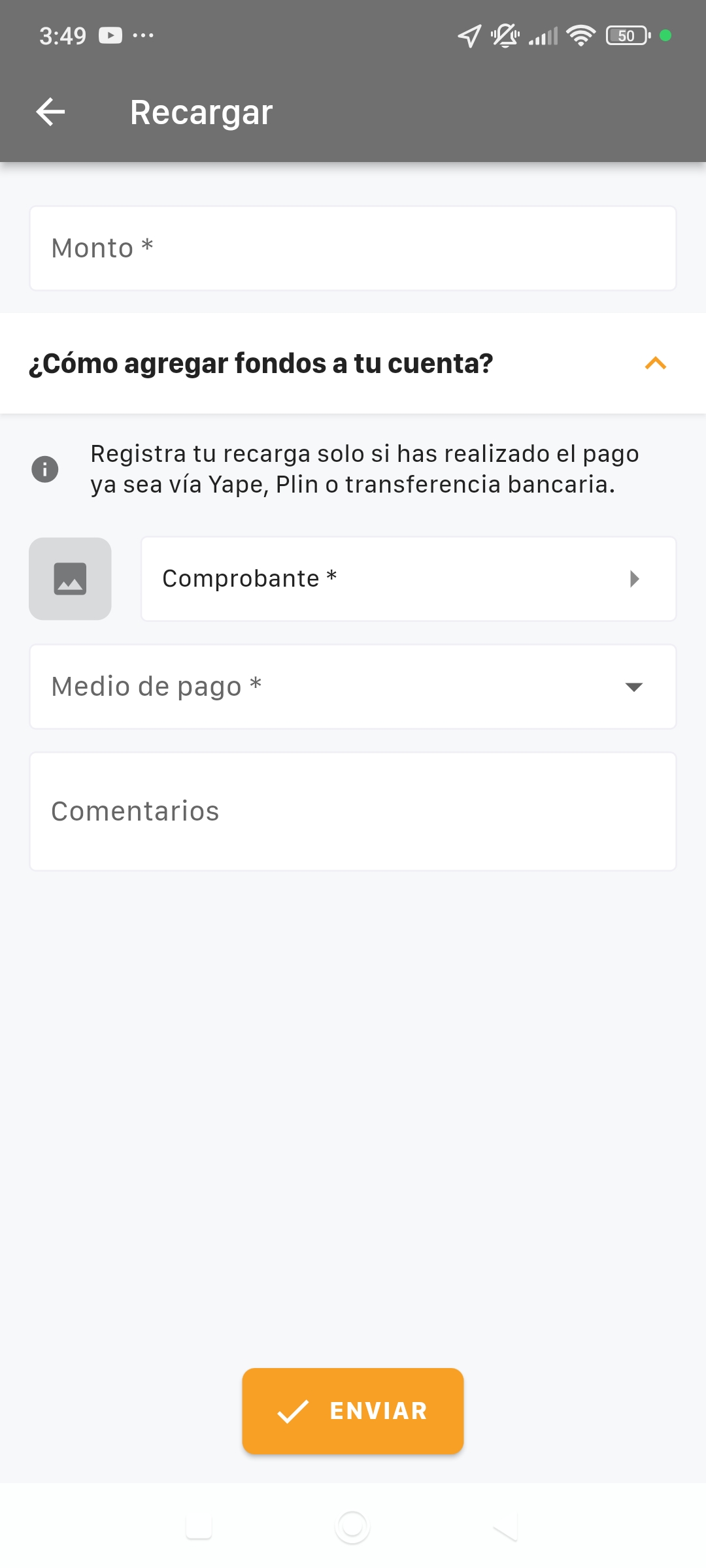
Amount: Enter the amount you're going to add.
Receipt: Upload a photo or screenshot of the payment made.
Payment method: Select the method used to make the payment.
Comments: The driver can add any extra comment about the top-up.
Once the driver submits the top-up, it shows as "Pending," which means the company has to approve it before it's applied to the wallet.
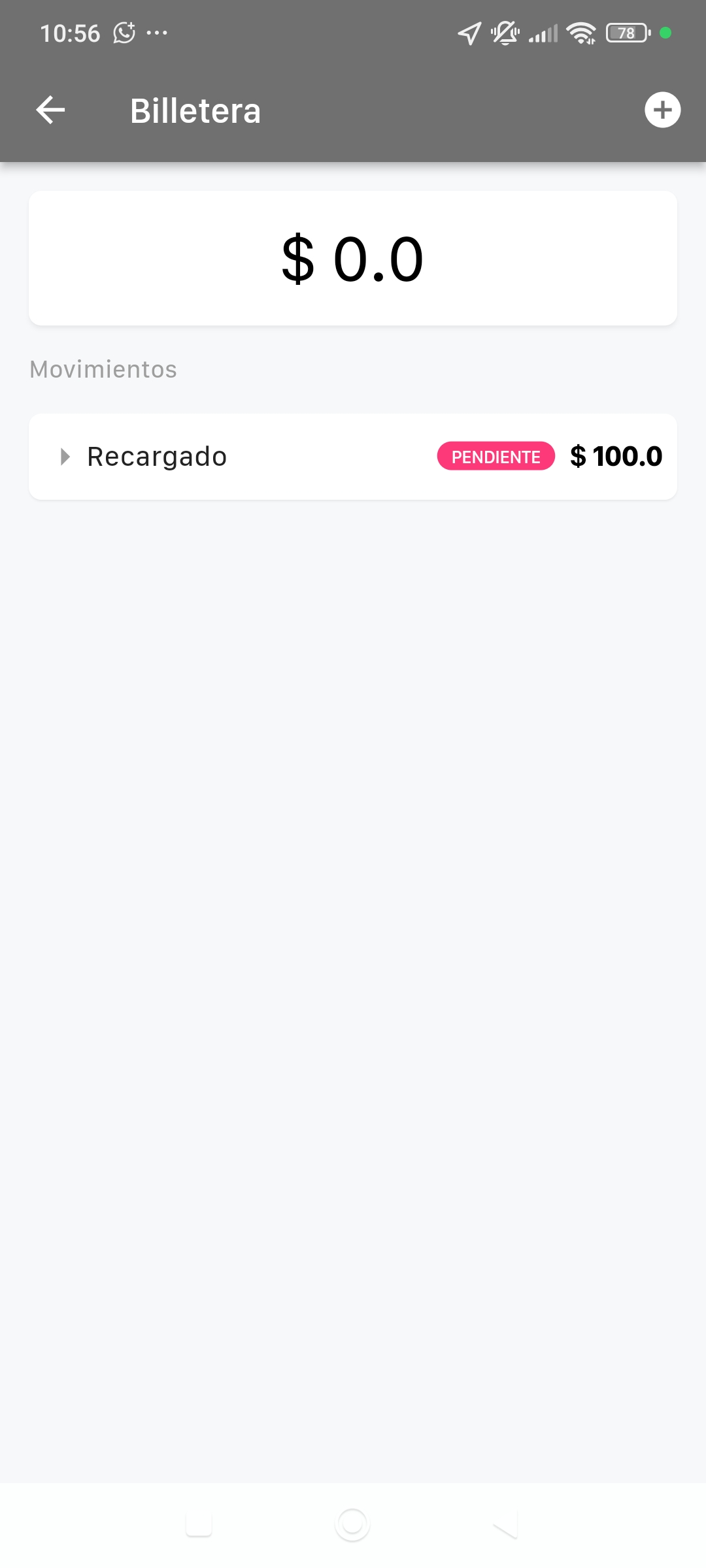
In the web panel, go to the Finance > Wallet module. There you can see the Approved, Rejected, and Pending requests.
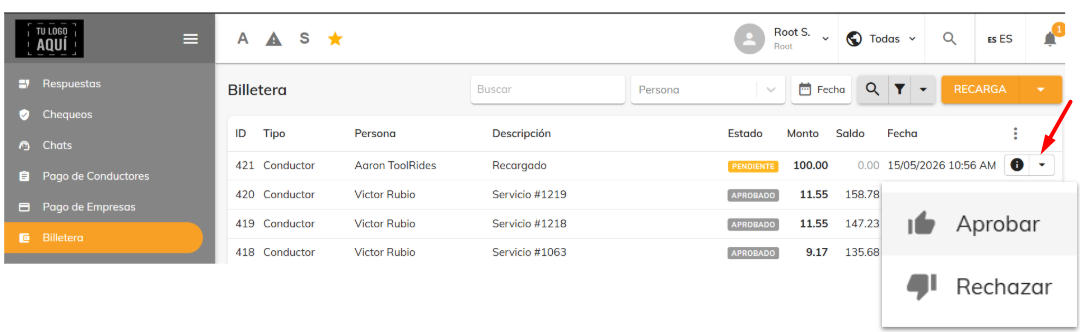
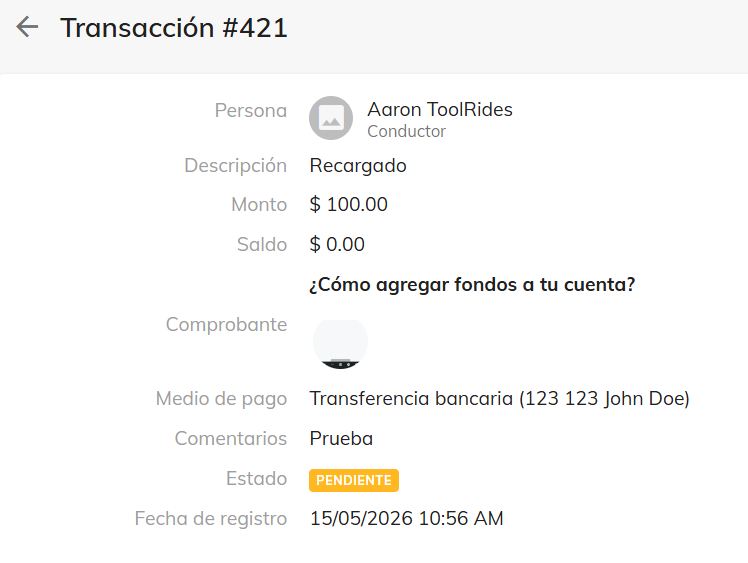
The "Information" (i) button opens a window where you can see all the information the driver entered in the app, including the photo.
Automatic top-up: To top up automatically, the driver goes to Menu > Wallet and taps the + symbol.
First, you need to add a card as a payment method.
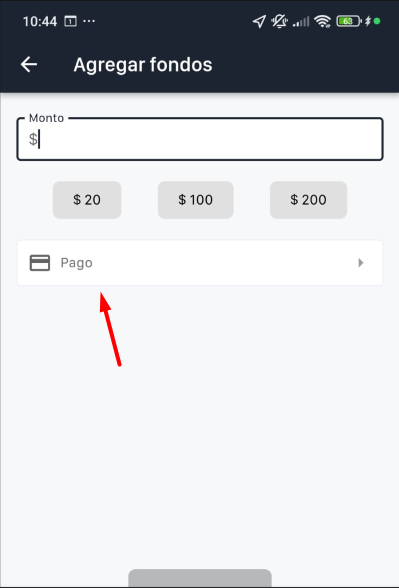
The driver must fill in all the fields to add their card. (Card details are protected by the payment gateway you choose.)
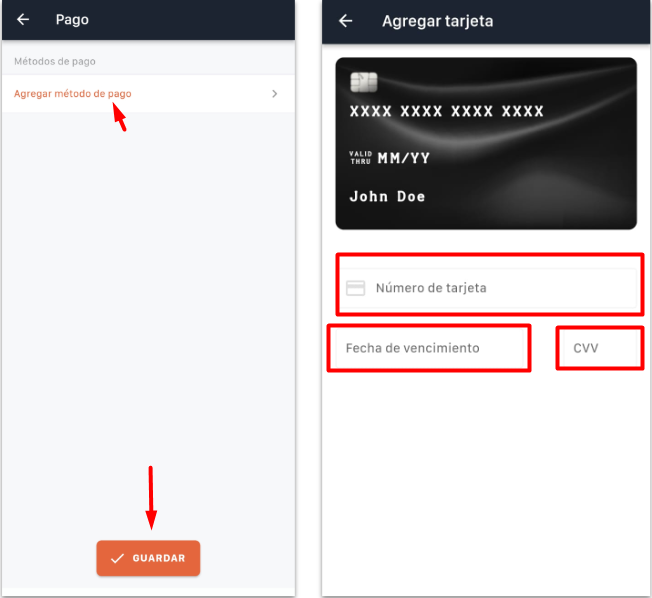
Once the top-up is made, it's approved automatically and appears in the wallet.
Was this article helpful?