
 Use cases
 Messaging
 Taxi Companies
 Private Transport
 Transportation Entrepreneurs
 Last Mile
 SuperApp
 Software
 Taxi dispatch
 Corporate transportation
 Auction
 Products
 Booking Software
 Dispatch Platform
 Driver App
 Passenger App
 Web Widget
 Functions
 Schedule & Booking
 Driver Management
 Custom
 Corporate Portal
 Security & Support
 Resources
 Learn
Learn



Share a trip link - Passenger App
To share trips from the passenger app, follow these steps:
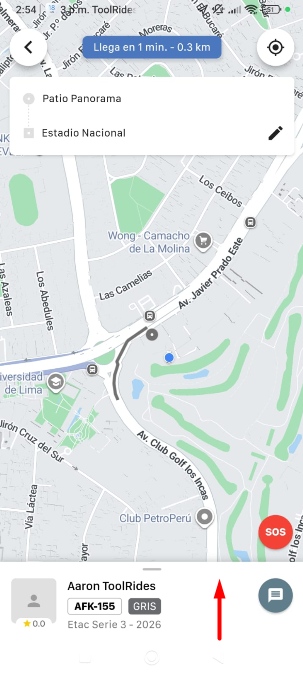
1) Swipe up the info panel once you have a driver assigned.
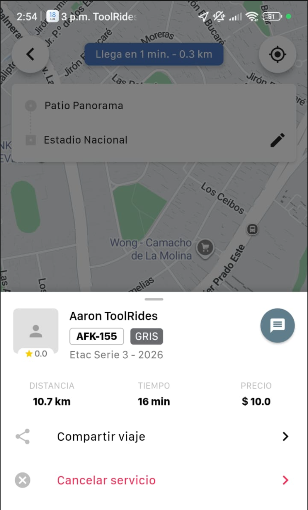
2) Tap the button that says Share Trip.
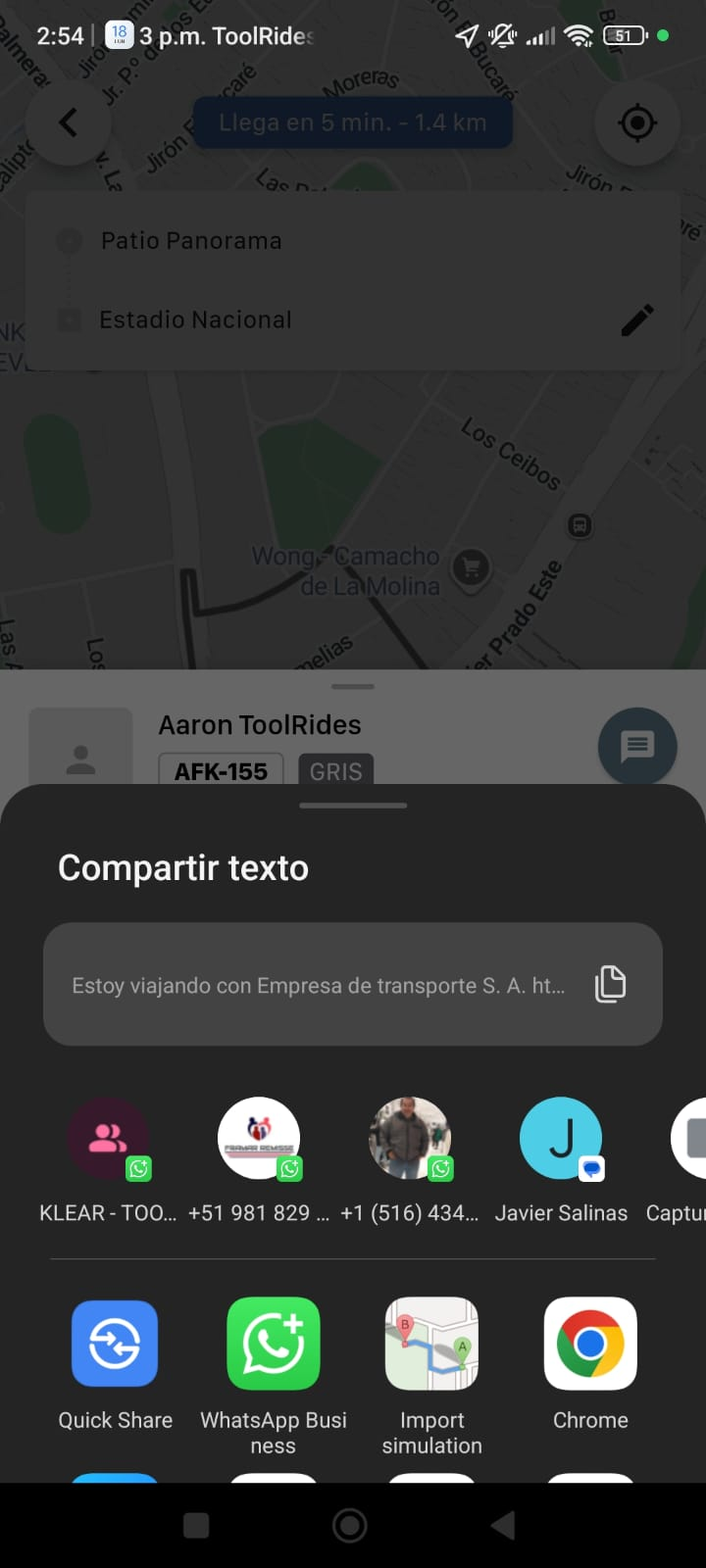
3) A window will open where you can pick a WhatsApp contact to share with, along with other sharing options.
4) Share the link in the WhatsApp chat or on the social network of your choice.
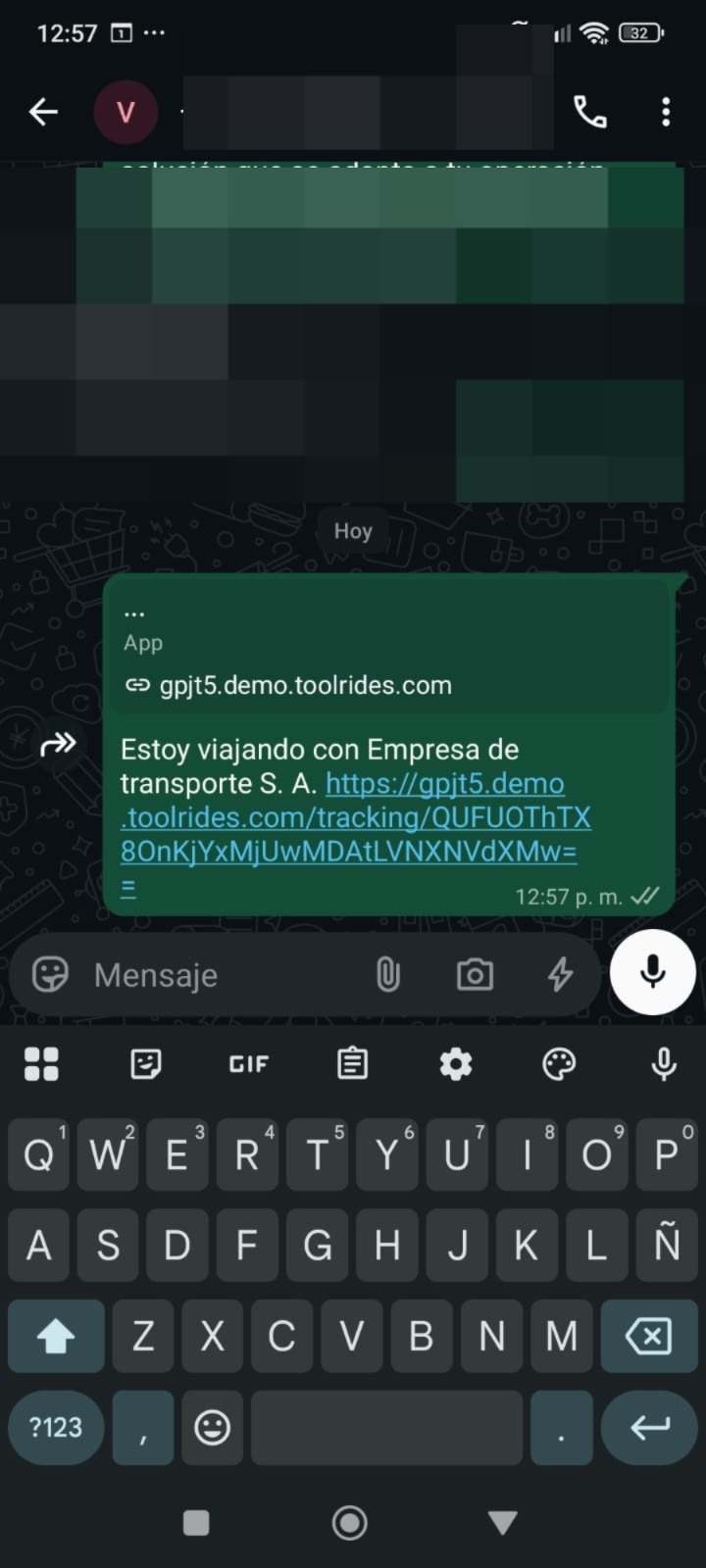
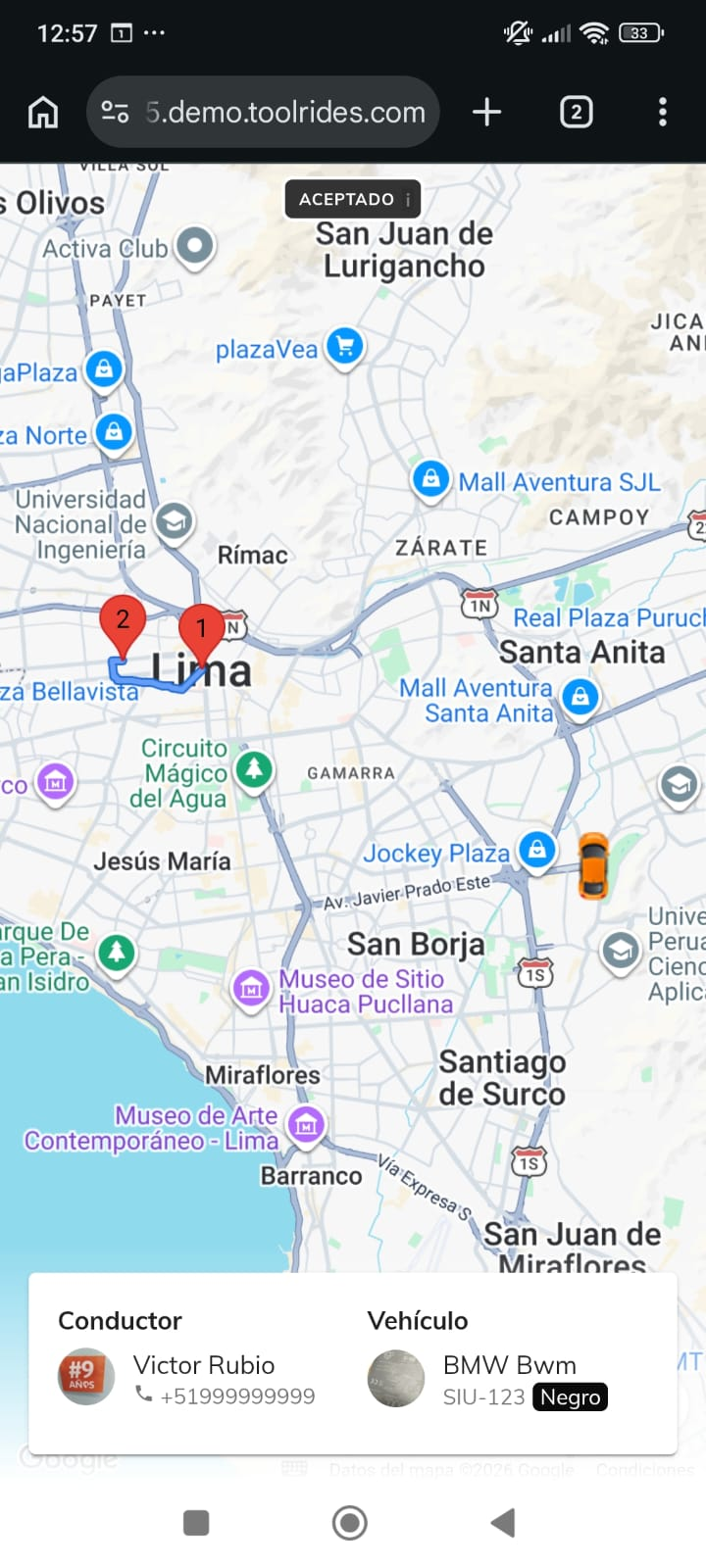
5) This is how the trip in progress will look, showing the driver's location and details in real time.
Was this article helpful?