
 Use cases
 Messaging
 Taxi Companies
 Private Transport
 Transportation Entrepreneurs
 Last Mile
 SuperApp
 Software
 Taxi dispatch
 Corporate transportation
 Auction
 Products
 Booking Software
 Dispatch Platform
 Driver App
 Passenger App
 Web Widget
 Functions
 Schedule & Booking
 Driver Management
 Custom
 Corporate Portal
 Security & Support
 Resources
 Learn
Learn



Wallet - Passenger
What is the wallet? The in-app wallet is a virtual wallet that passengers can top up with real money. Its purpose is to let passengers use that balance as a payment method when requesting a ride.
Enabling the wallet for a passenger
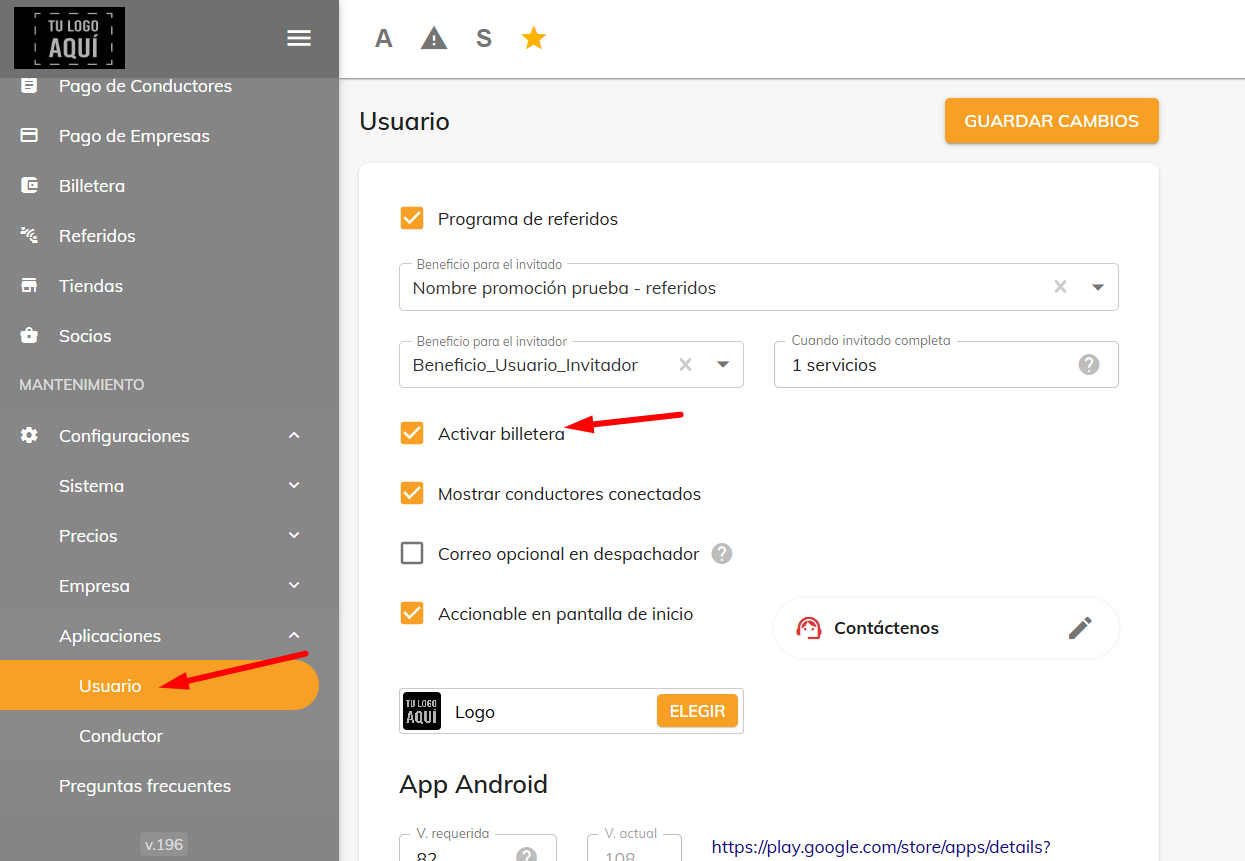
From the web panel, under Maintenance > Settings > User, you have the option to enable or disable the wallet in the app.
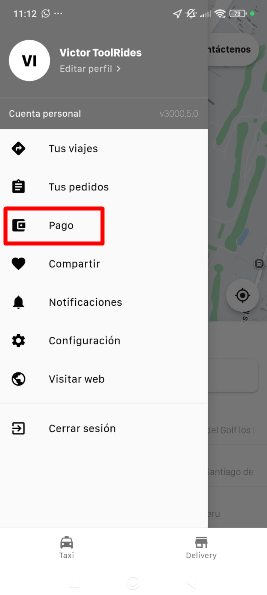
Automatic top-up: To top up automatically, the passenger needs to go to Menu > Payment and tap the + symbol.
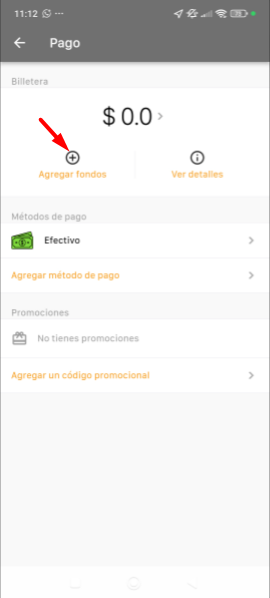
Next, you need to add a card as a payment method.
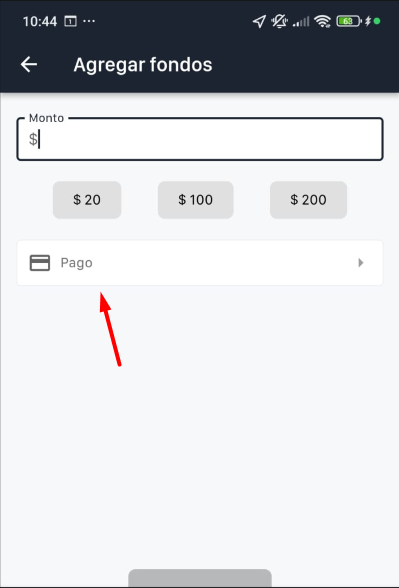
The driver will need to fill in all the fields to add their card. (The card details are protected by the payment gateway you choose.)
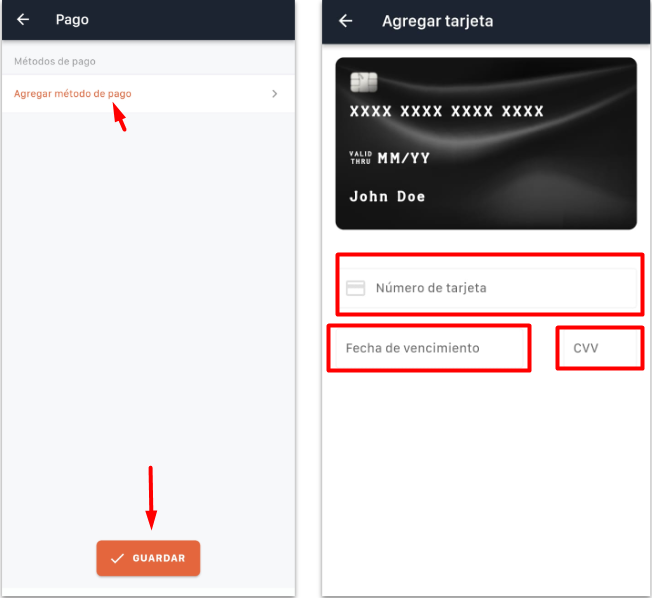
Once the top-up is made, it will be approved automatically and will appear in the wallet.
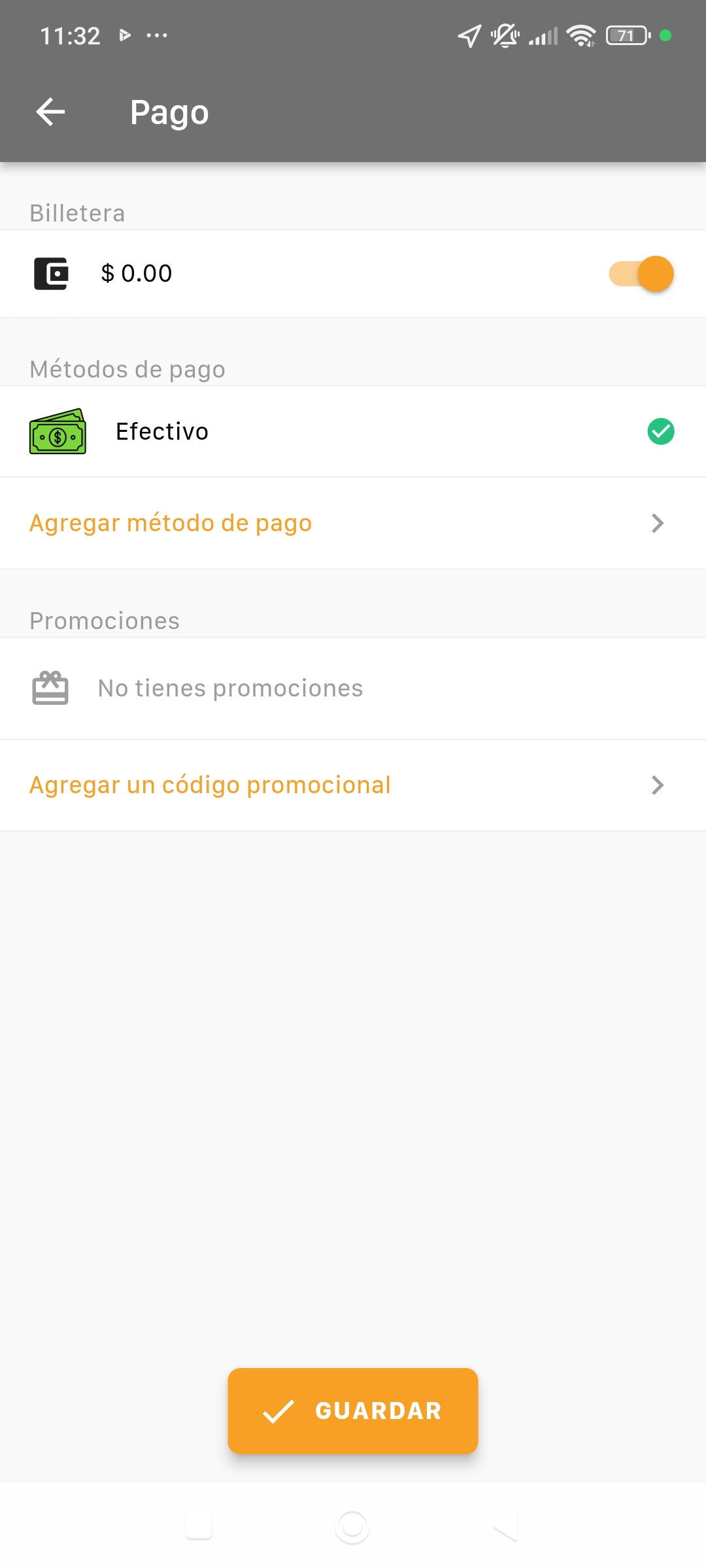
Finally, when you request a ride, you'll need to turn on the wallet option so that rides are charged to your balance.
Was this article helpful?