
 Use cases
 Messaging
 Taxi Companies
 Private Transport
 Transportation Entrepreneurs
 Last Mile
 SuperApp
 Software
 Taxi dispatch
 Corporate transportation
 Auction
 Products
 Booking Software
 Dispatch Platform
 Driver App
 Passenger App
 Web Widget
 Functions
 Schedule & Booking
 Driver Management
 Custom
 Corporate Portal
 Security & Support
 Resources
 Learn
Learn



Set up driver delivery proofs
Go to the Forms module under Settings > Forms, 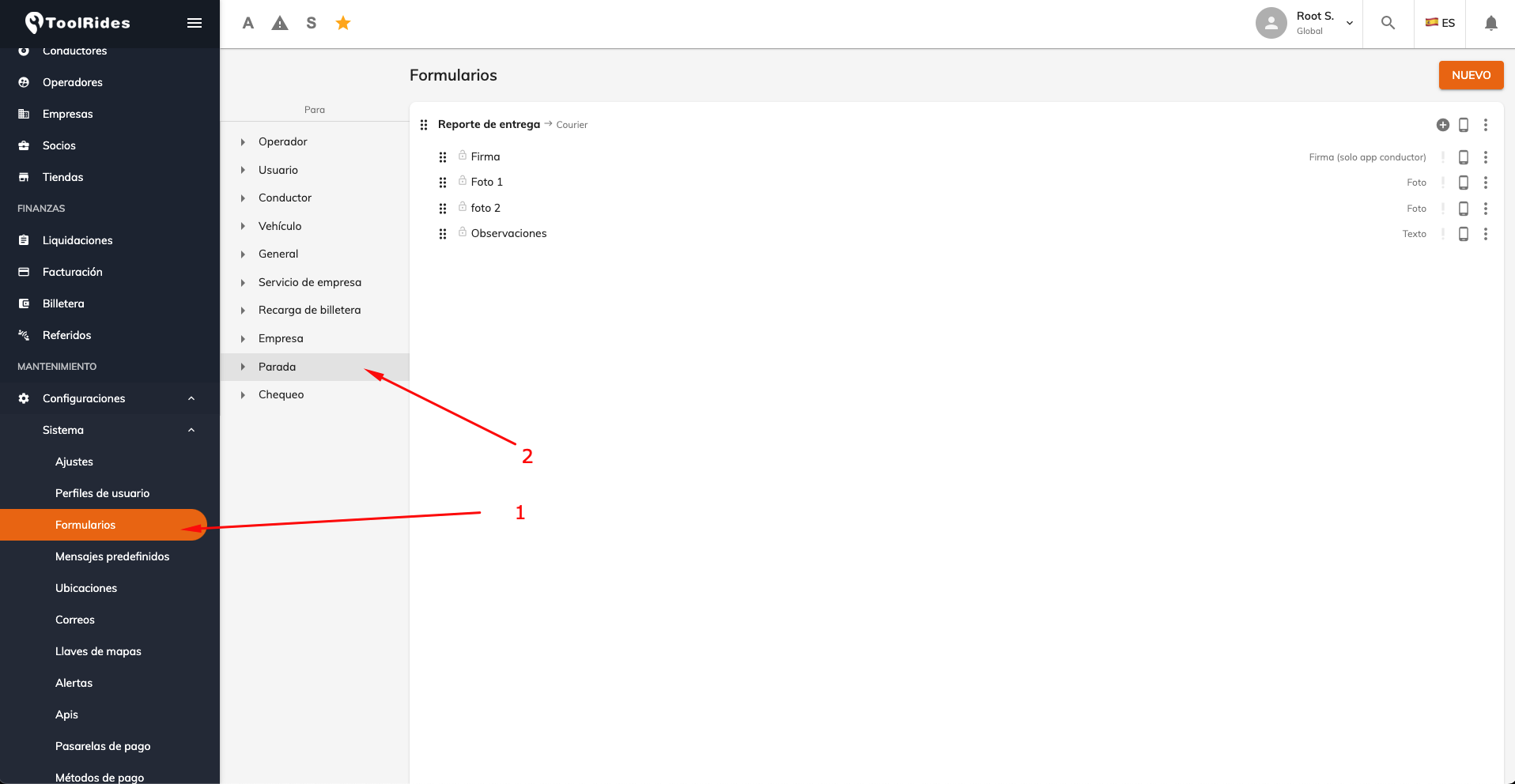
Register a new form if one doesn't already exist.
You'll need to set which Product the delivery proof will be available for; if you don't choose one, it will appear for all of them.
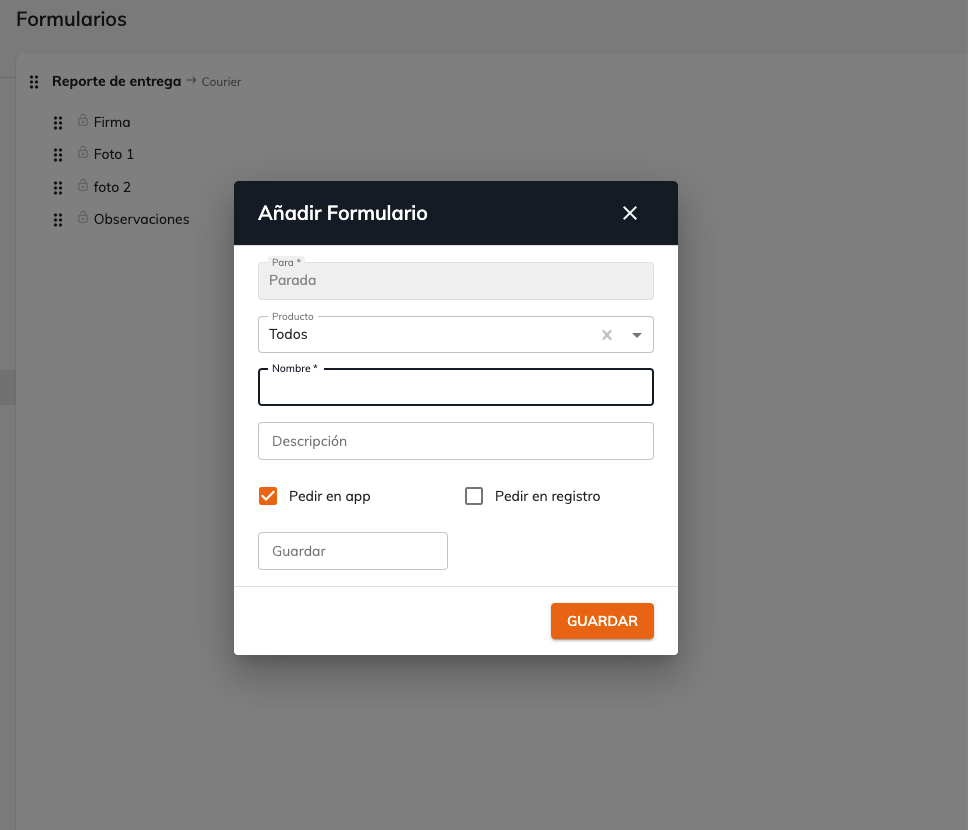
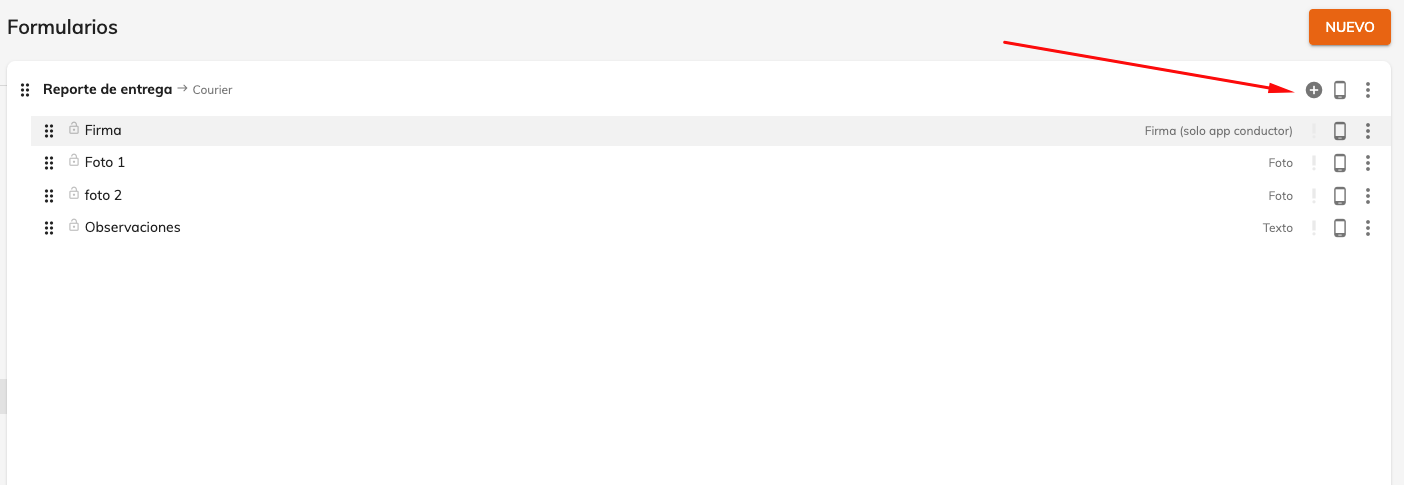
Add a new field. This can let the driver upload a photo, a digital signature, text, or any other type of field needed at delivery time.
When adding a new field, you'll need to choose its type, a descriptive title, whether it's Required (mandatory), and whether it will be available from the App.
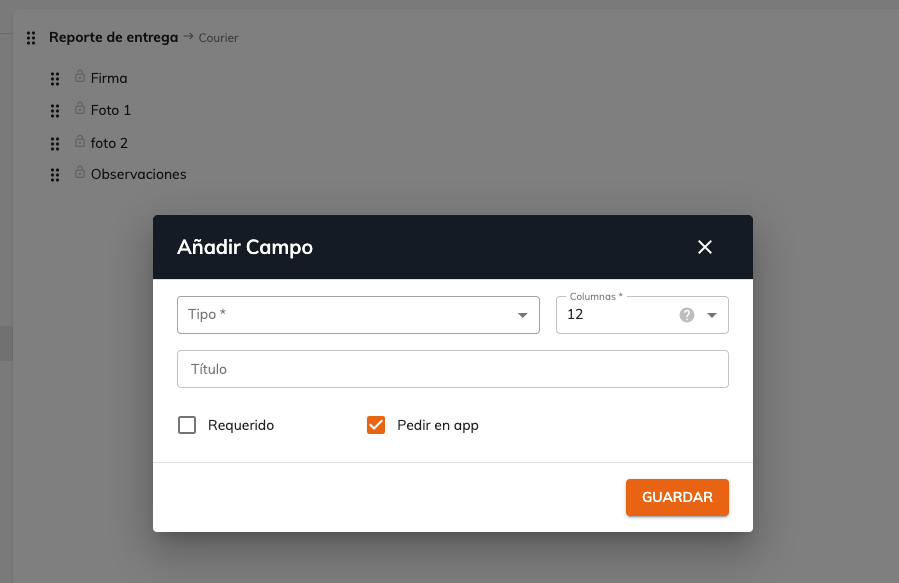
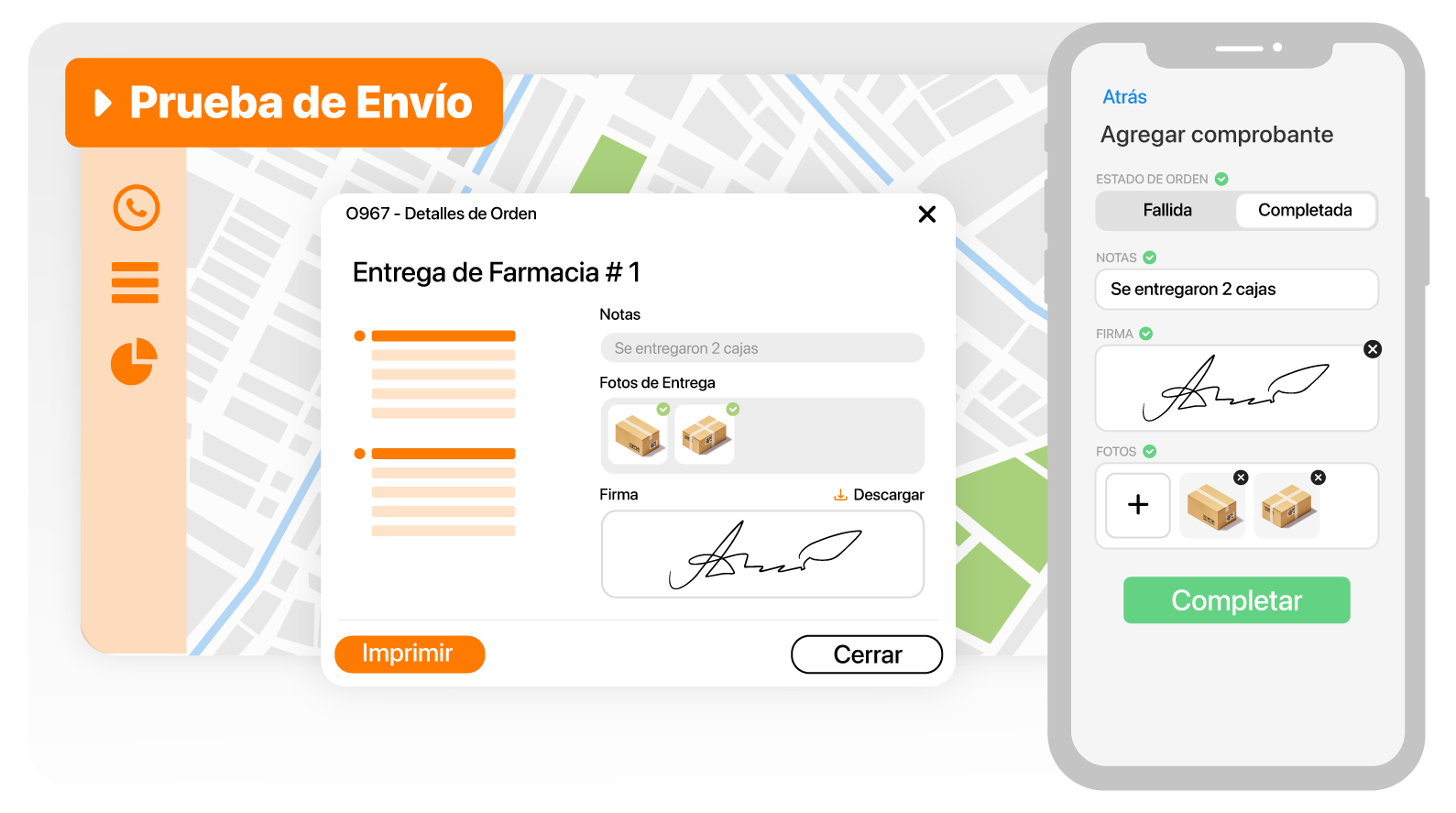
It would look like this. Now, from the driver App, once a service of the selected product type is completed, the driver will need to fill in the configured "Delivery report" fields.

Was this article helpful?