
 Use cases
 Messaging
 Taxi Companies
 Private Transport
 Transportation Entrepreneurs
 Last Mile
 SuperApp
 Software
 Taxi dispatch
 Corporate transportation
 Auction
 Products
 Booking Software
 Dispatch Platform
 Driver App
 Passenger App
 Web Widget
 Functions
 Schedule & Booking
 Driver Management
 Custom
 Corporate Portal
 Security & Support
 Resources
 Learn
Learn



iOS: How to invite users to TestFlight
TestFlight is an Apple tool that lets users test apps before they're available on the App Store.
To invite users as testers on TestFlight, it's essential to make sure the user is registered in your App Store Connect account. You can find detailed instructions on how to invite users to your account here:
Go to https://appstoreconnect.apple.com/users
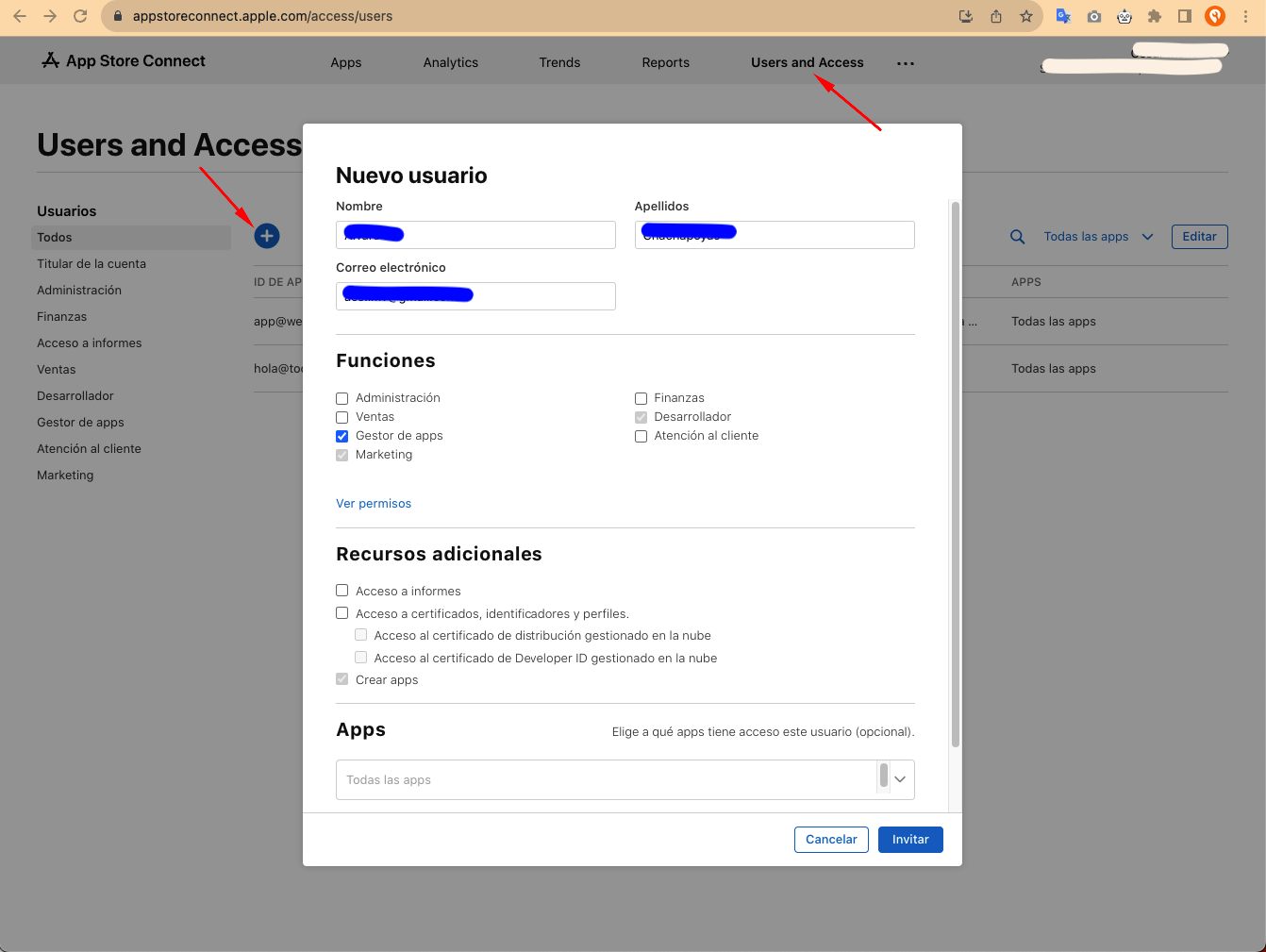
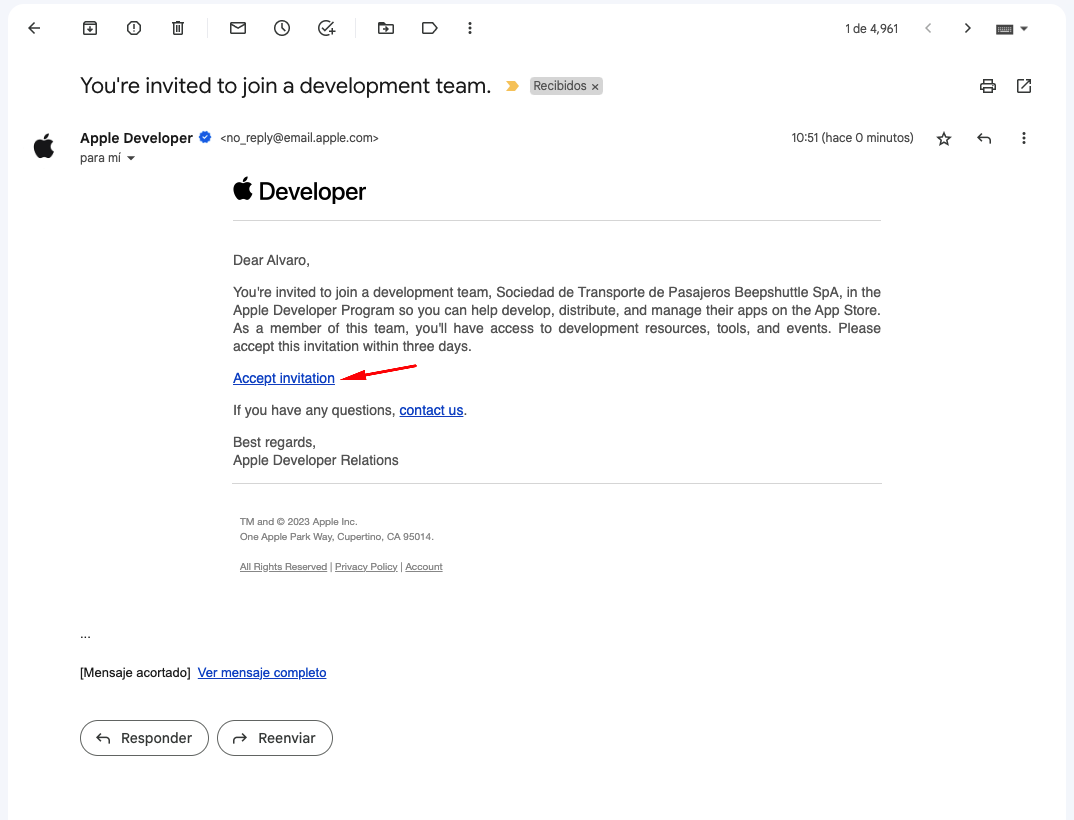
The user will then need to accept the invitation sent by email:
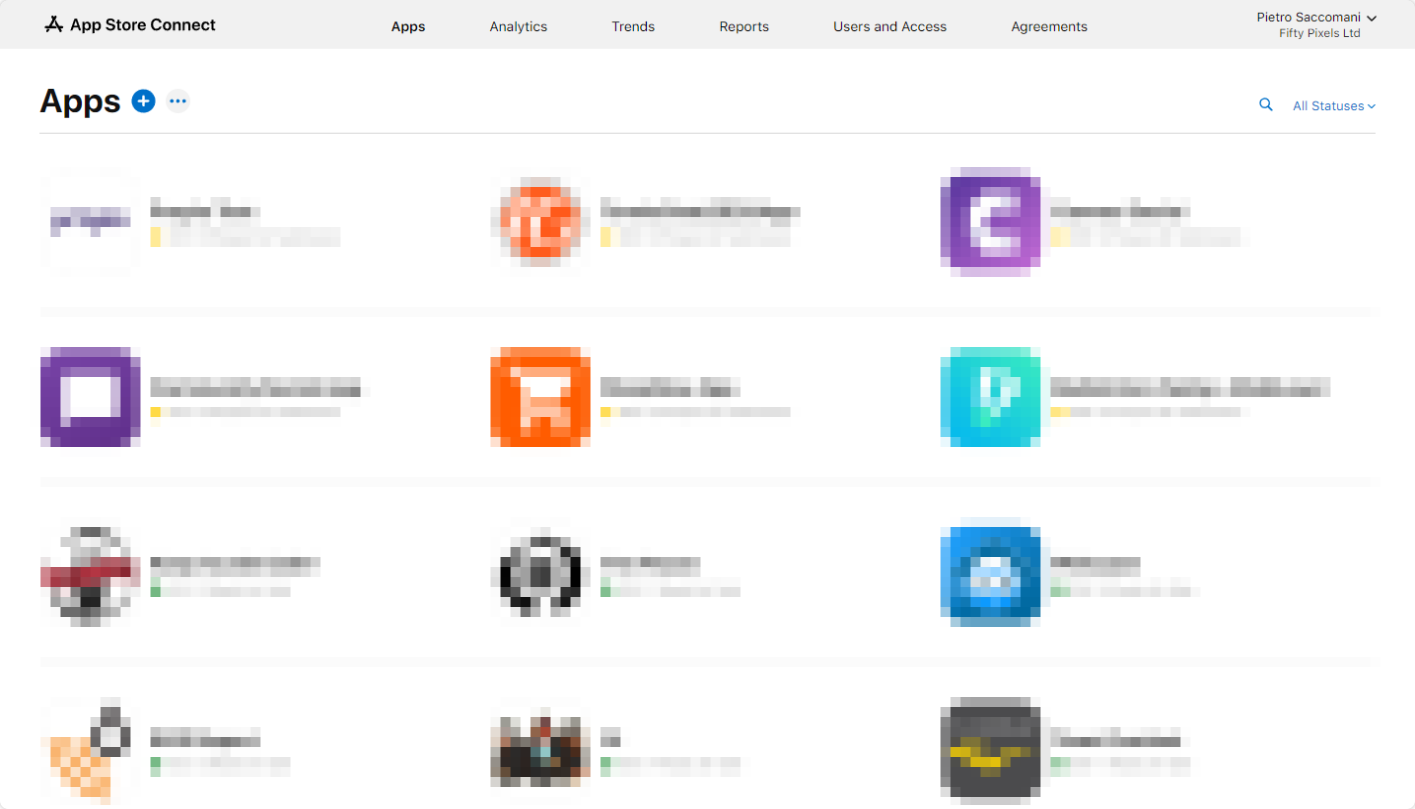
In App Store Connect, go to your app list and choose the app you want to invite your users to test. You can do this through this link: https://appstoreconnect.apple.com/apps
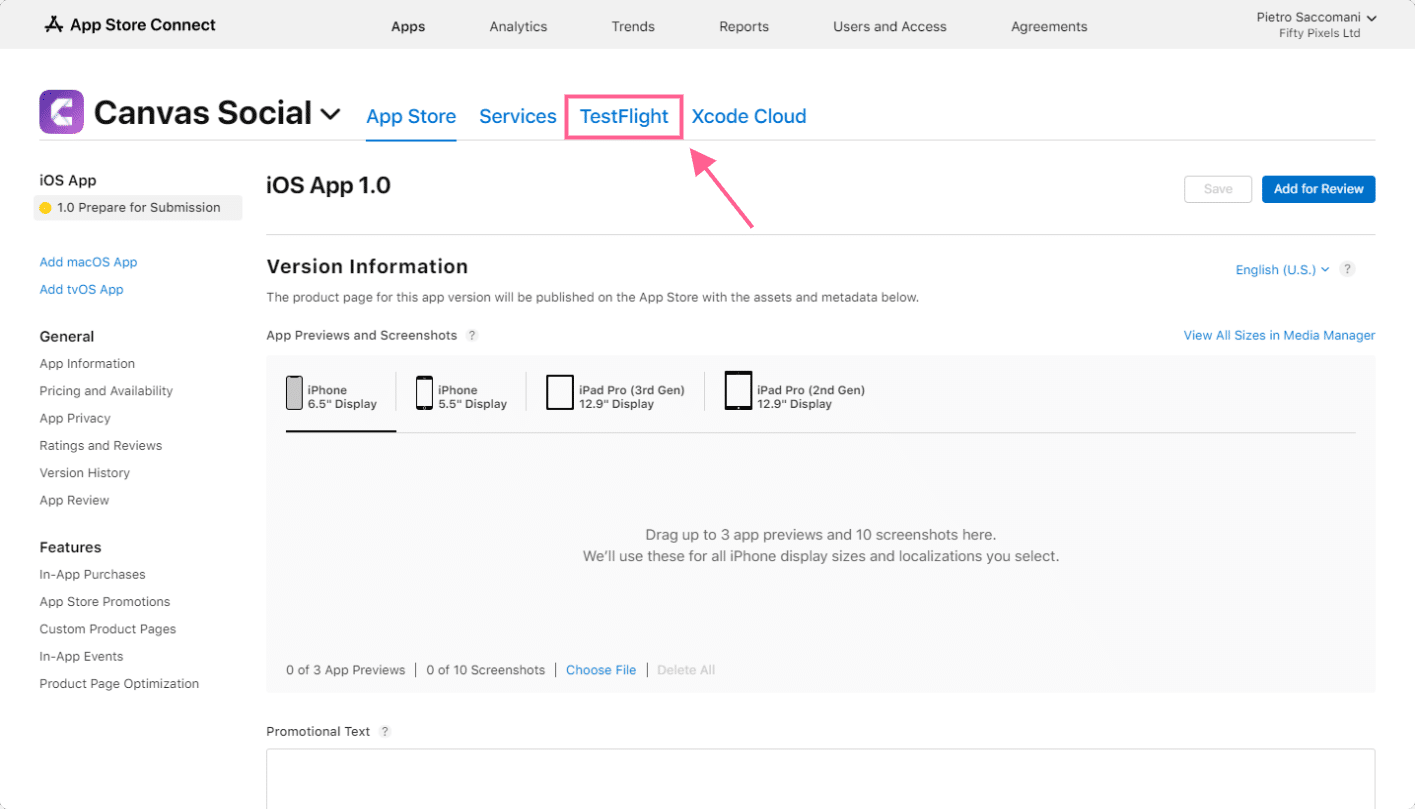
On the app's detail page, click the "TestFlight" tab.
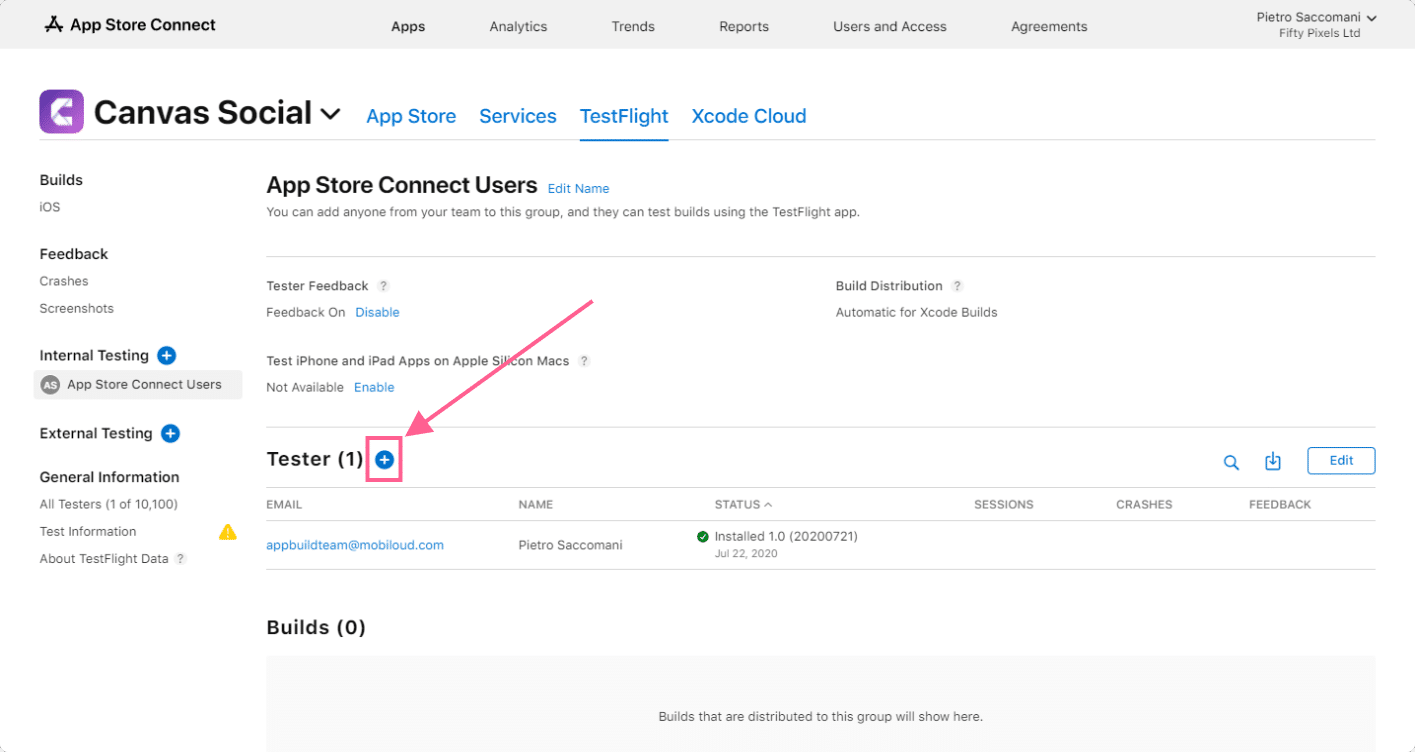
Once you're in the Internal Testing group, you can invite users by clicking the "+" icon.
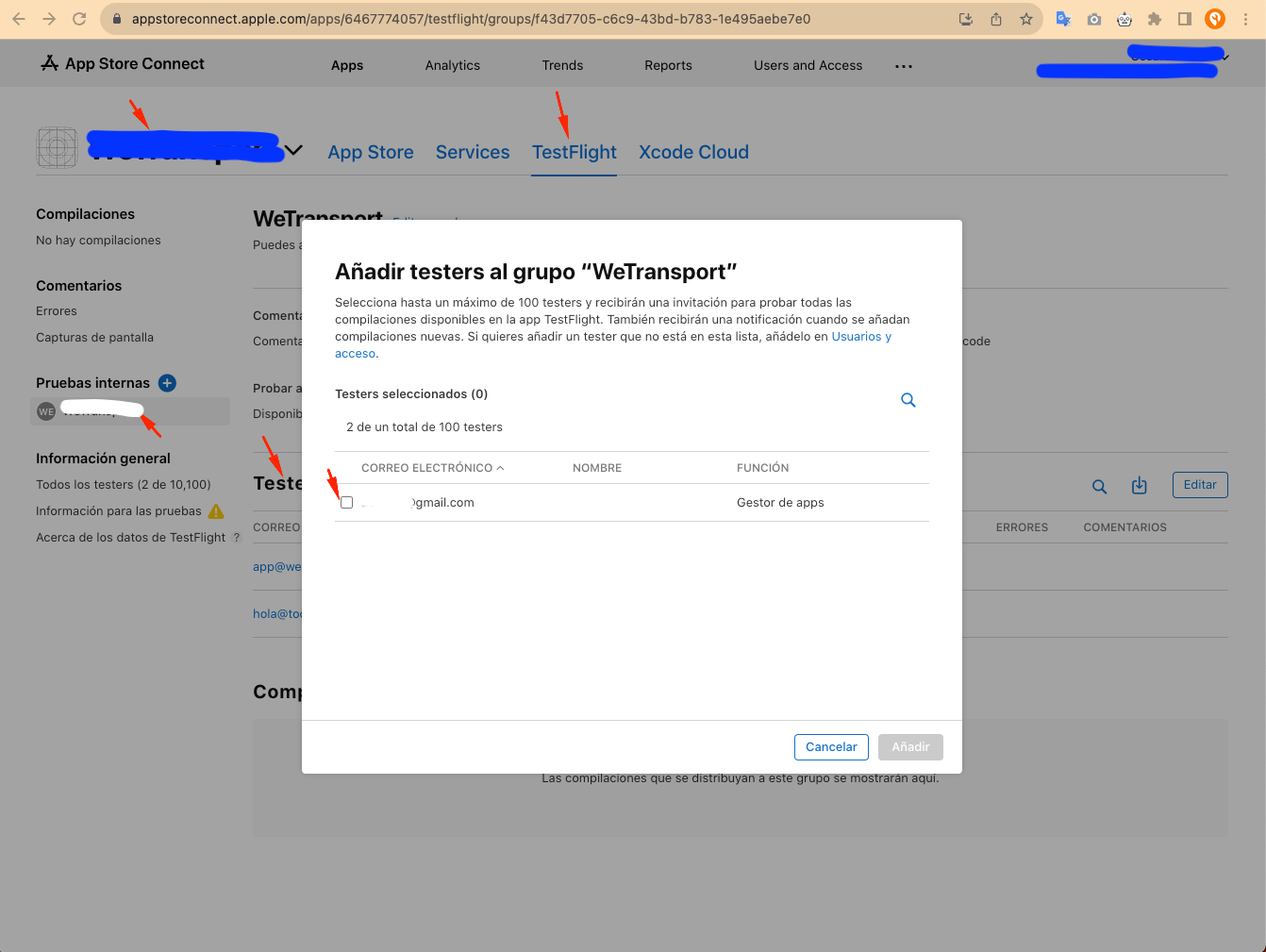
Select the users you want to add as testers for the app and click "Add."
The selected users will receive an invitation in their email. This invitation will contain a "Redeem Code" they can use in TestFlight to download and install your app for testing purposes.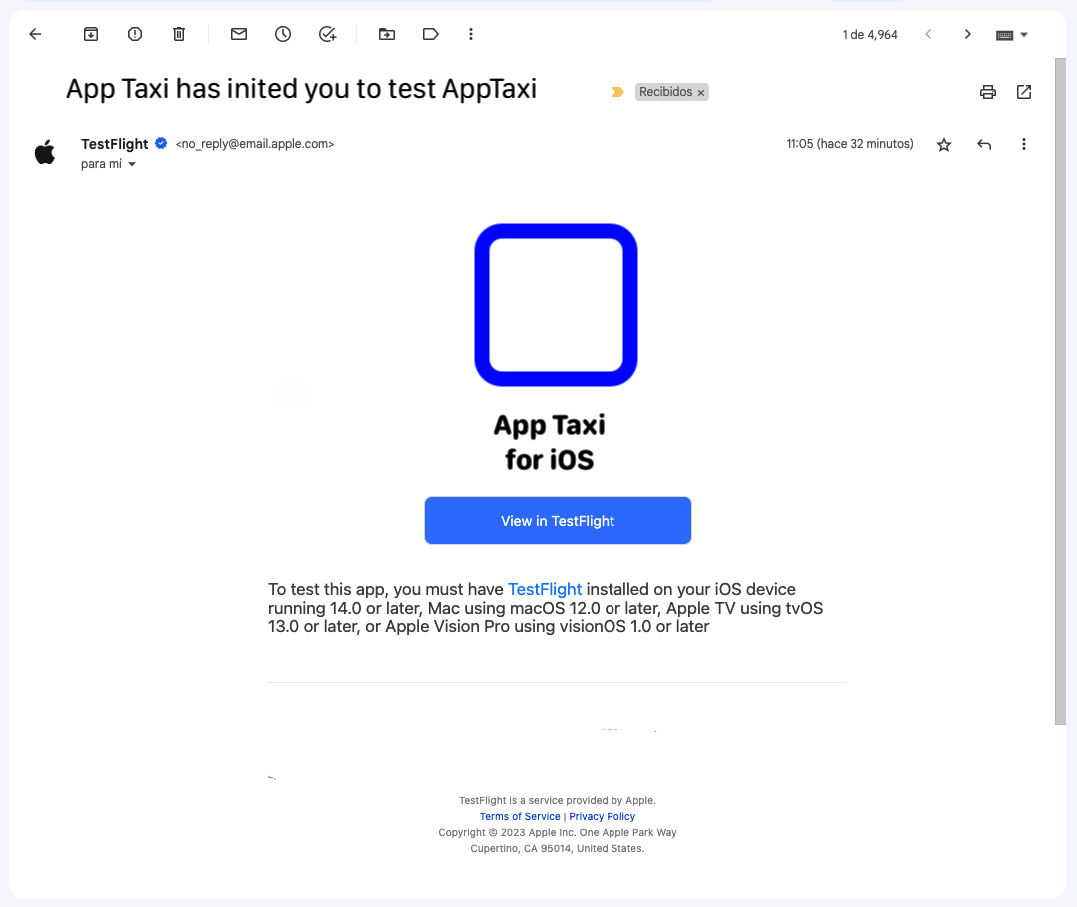
Was this article helpful?