
 Use cases
 Messaging
 Taxi Companies
 Private Transport
 Transportation Entrepreneurs
 Last Mile
 SuperApp
 Software
 Taxi dispatch
 Corporate transportation
 Auction
 Products
 Booking Software
 Dispatch Platform
 Driver App
 Passenger App
 Web Widget
 Functions
 Schedule & Booking
 Driver Management
 Custom
 Corporate Portal
 Security & Support
 Resources
 Learn
Learn



How to Transfer Apps to Another Google Play Developer Account
If you have apps you'd like to transfer to another Google Play developer account, you can submit a transfer request after reviewing the instructions below.
Find the transaction ID for the destination account
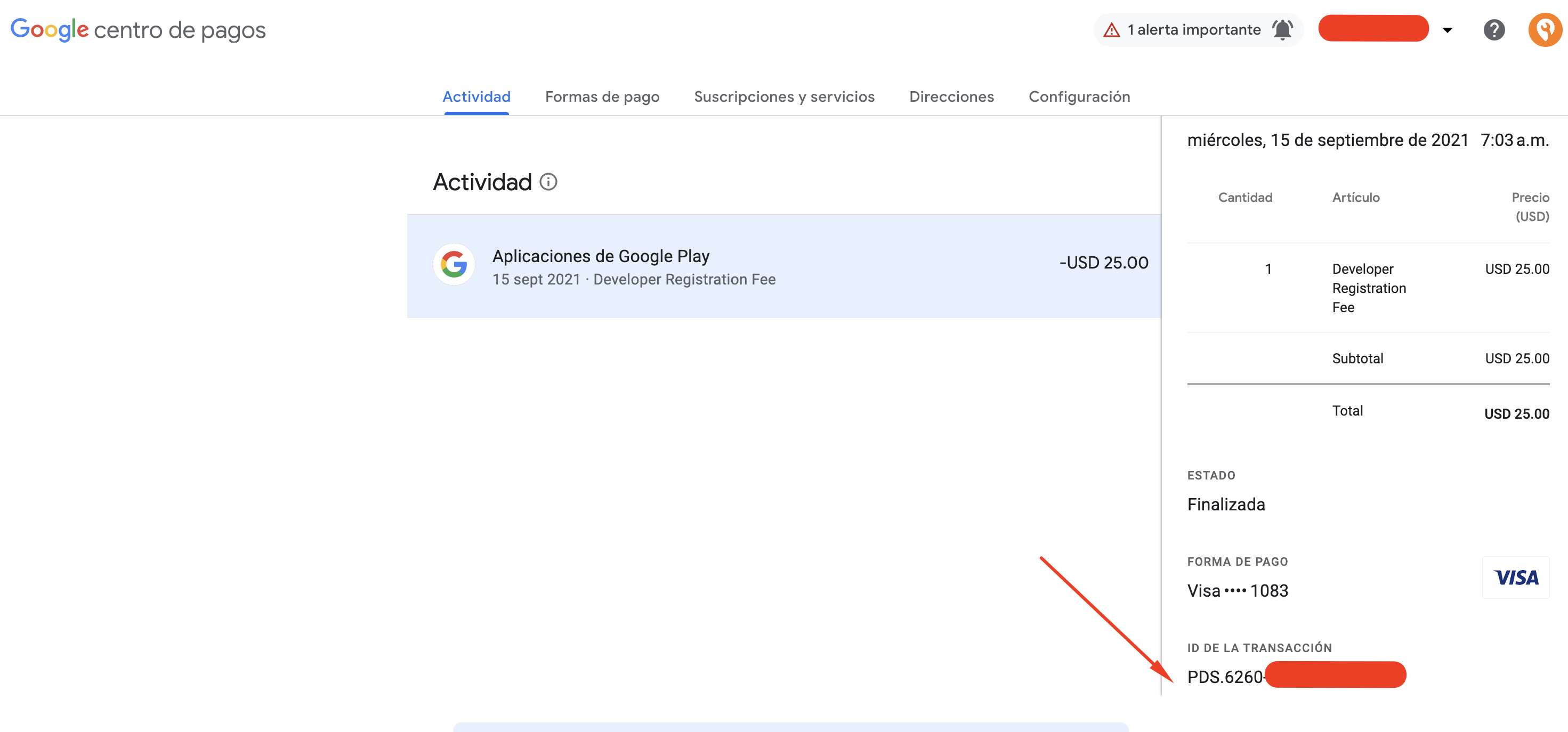
You'll need the registration transaction ID for both your account and the destination account. To find the transaction ID, look for the text "Developer registration fee" or something similar in the email inbox of the destination account owner.
If you can't find the receipt emailed to you with the transaction ID, do the following:
- Using the destination account owner's email address, sign in to Google Payments.
- In the left menu, select Activity.
- Find and select the transaction for your developer account registration.
- Note: Look for transactions that contain "Google Play Developer".
- The transaction ID appears near the bottom of the transaction details.
Registration transaction IDs usually take one of the following formats:
01234567890123456789.token.01234567890123450.G.123456789012345Registration-1234ab56-7c89-12d3-4567-8e91234567f8PDS.1234-5678-9012-3456
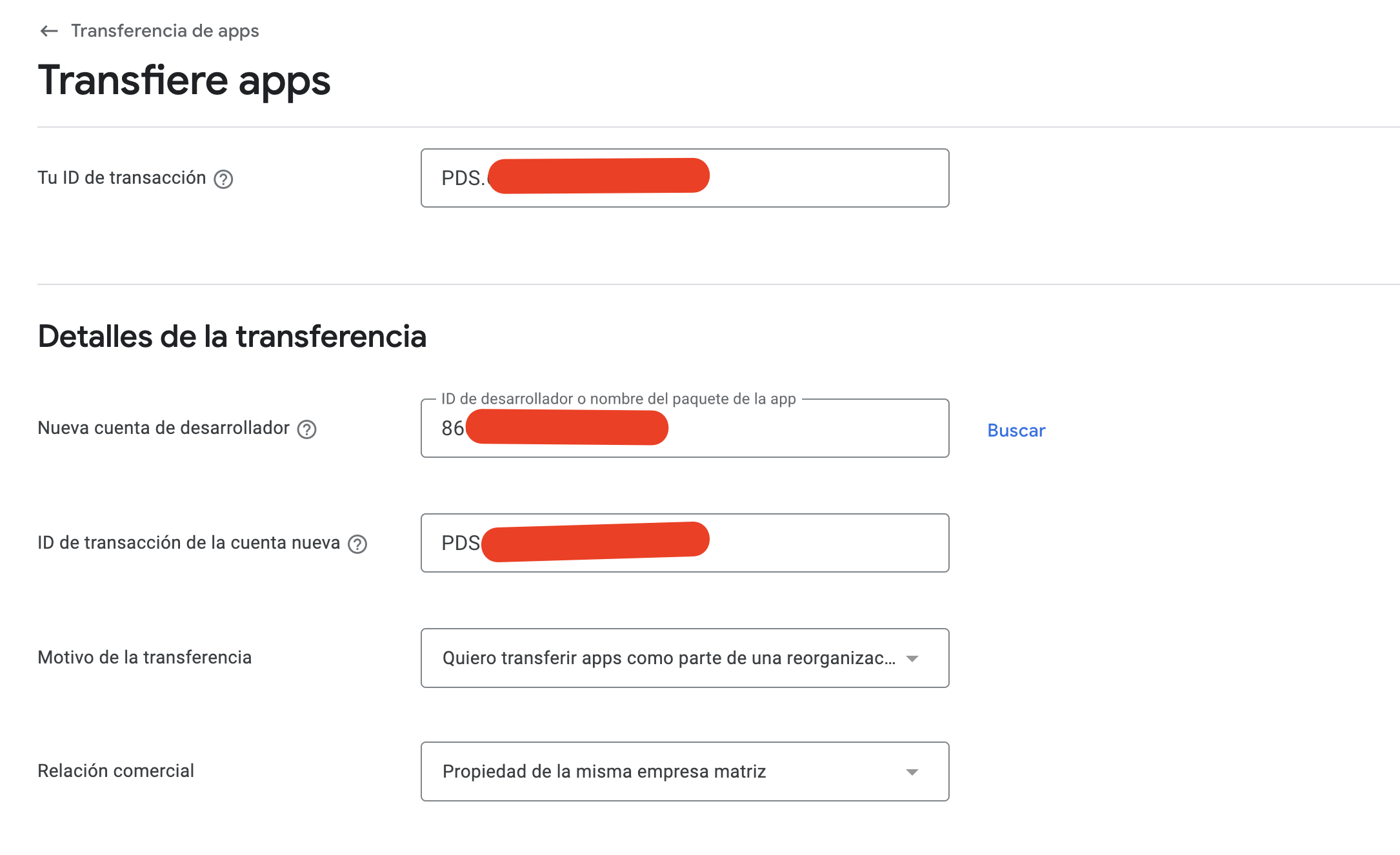
Important: When you provide your transaction ID during the app transfer request process, remove the first part of the order ID (for example, drop "0.G." or the digits before the words "token" or "Registration").
Submit the transfer request
Once you've completed the steps above, you're all set to submit your transfer request. The destination developer will receive this request to review and decide whether to approve it. Finally, our customer support team reviews and responds to transfer requests within 2 business days.
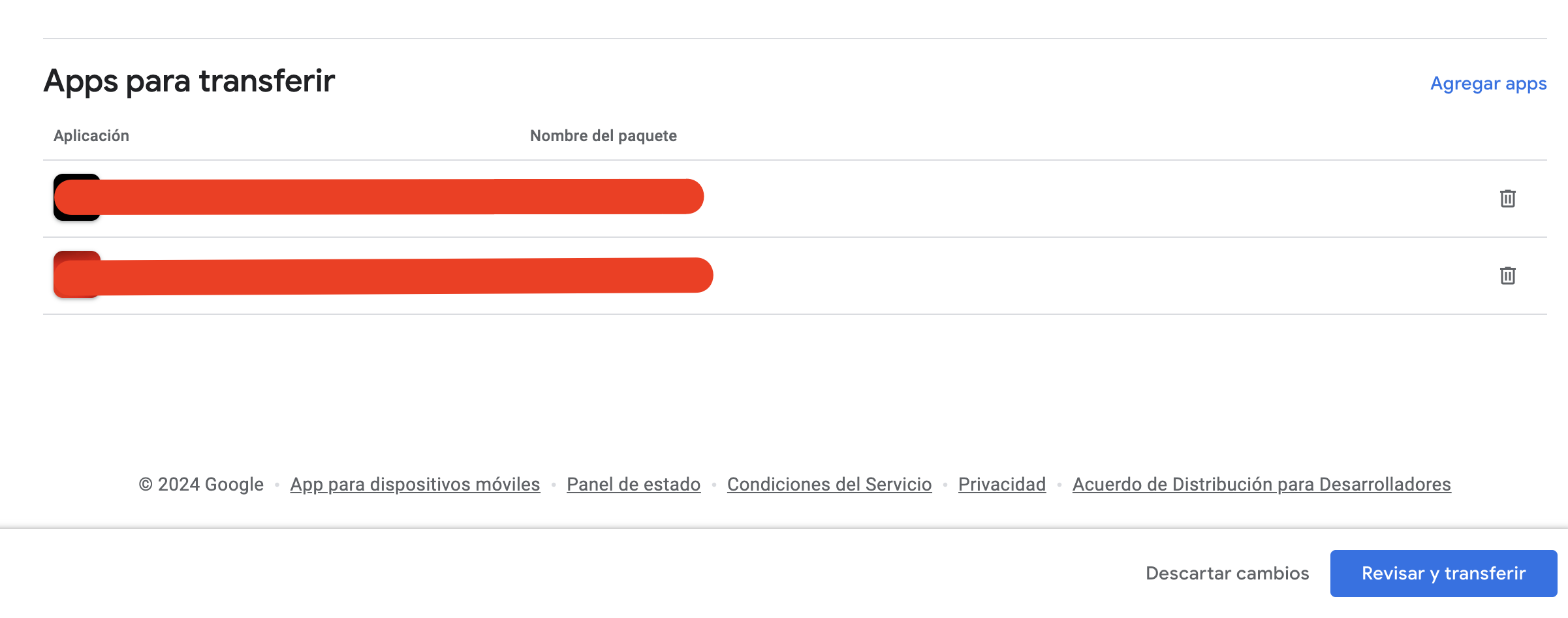
Add the Apps to Transfer
An email will arrive to accept the transfer of the Apps
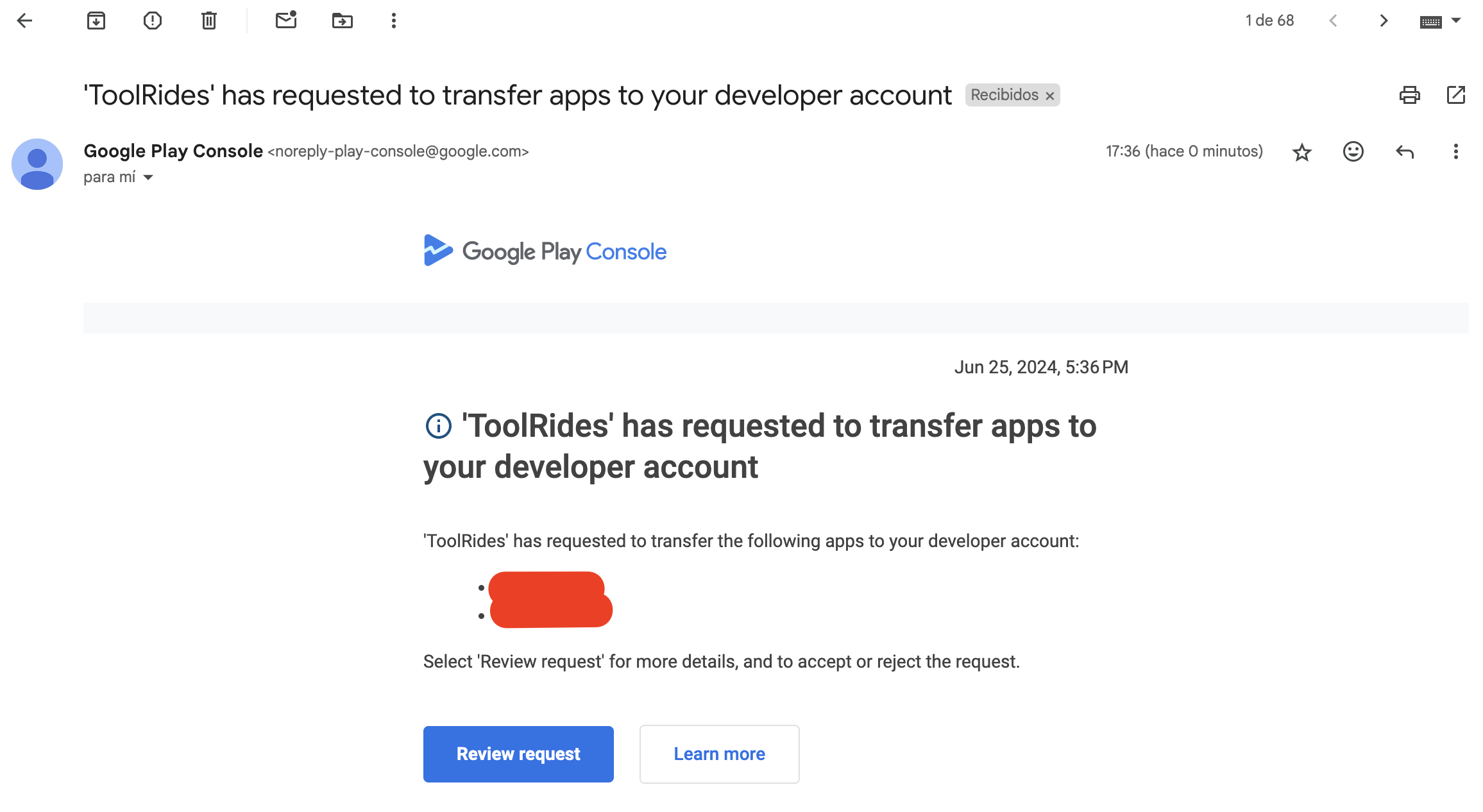
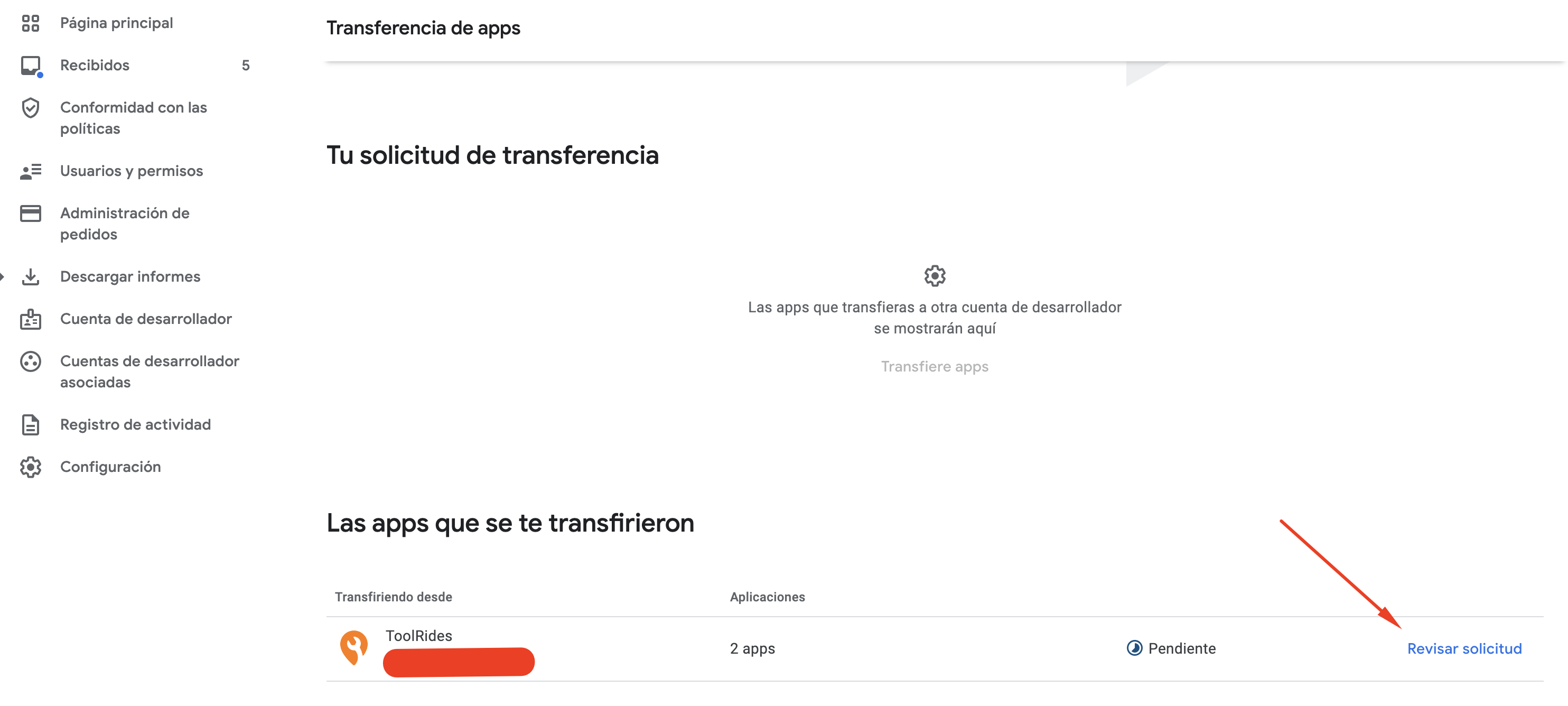
When you open the link, the following screen will appear in our Google Developer account. Click Review Request
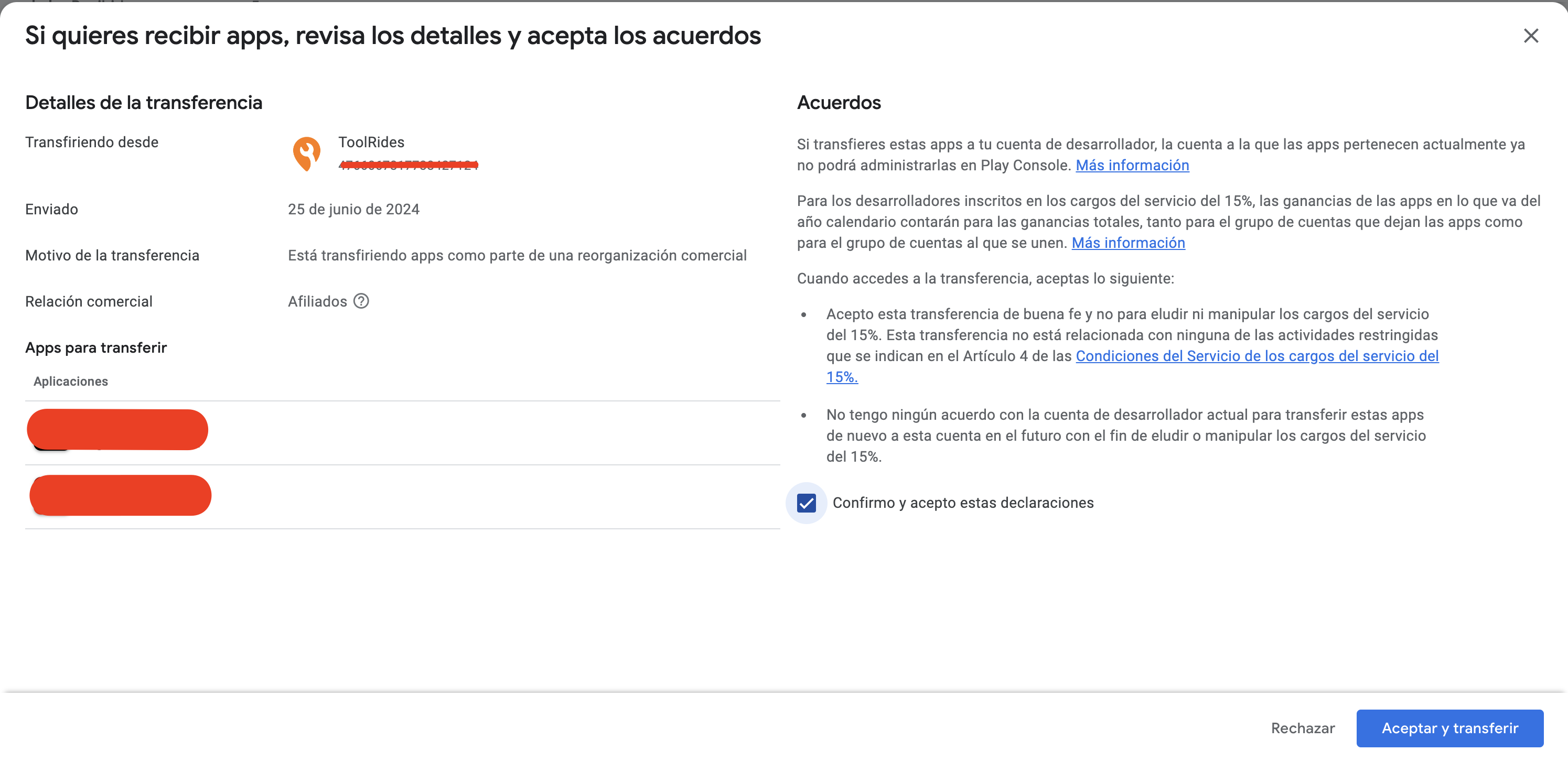
We accept the transfer
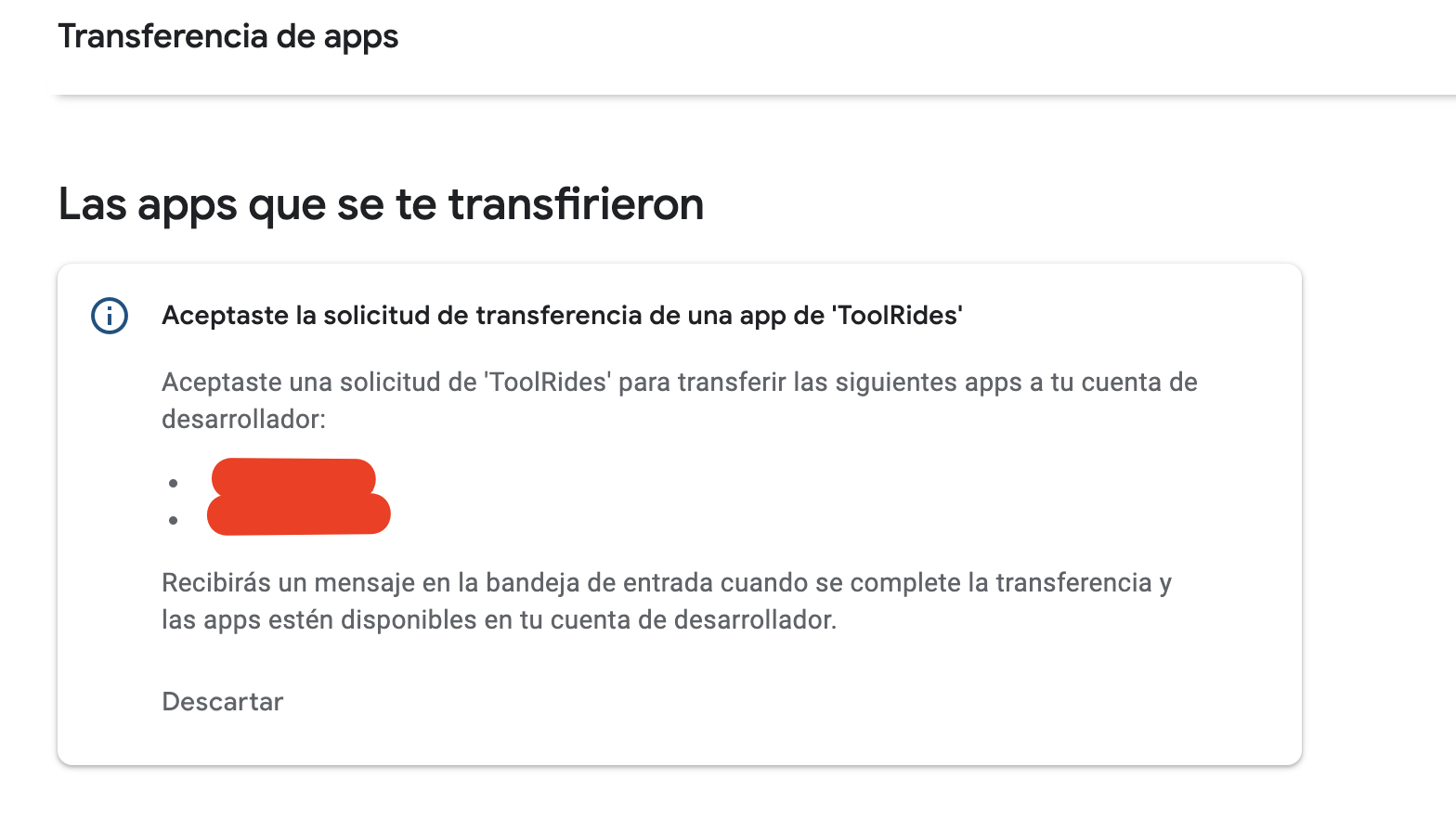
After accepting the transfer, the following message appears. Once the transaction is complete, Google will notify us by email.
Was this article helpful?
Apple & Android Developer Accounts
- iOS: How to invite users to TestFlight
- How do I create an Android developer account on Google Play?
- How do I create an Apple iOS developer account?
- How to Transfer Apps to Another Google Play Developer Account