
 Use cases
 Messaging
 Taxi Companies
 Private Transport
 Transportation Entrepreneurs
 Last Mile
 SuperApp
 Software
 Taxi dispatch
 Corporate transportation
 Auction
 Products
 Booking Software
 Dispatch Platform
 Driver App
 Passenger App
 Web Widget
 Functions
 Schedule & Booking
 Driver Management
 Custom
 Corporate Portal
 Security & Support
 Resources
 Learn
Learn



Adding extra charges when finishing a trip
To add extra charges in the driver app, first go to SETTINGS -> COMPANY -> SERVICE TYPES. From there, select the service type you want to edit and turn it on in the indicated checkbox.
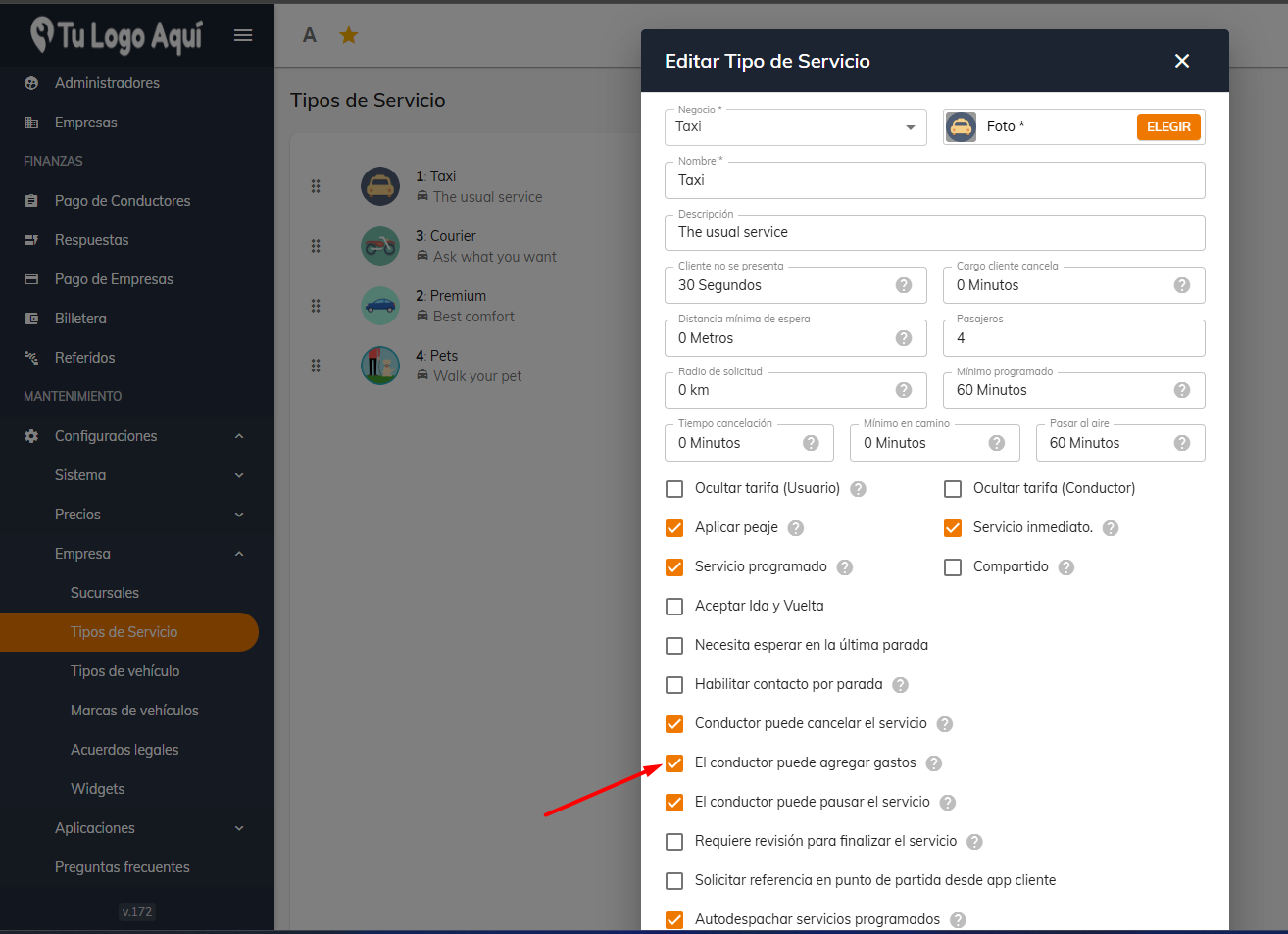
Now, when the driver finishes the trip, a button labeled "Charges" will appear, and tapping it shows the possible charges that can be billed to the customer, such as wait time, tolls, parking, and courier.
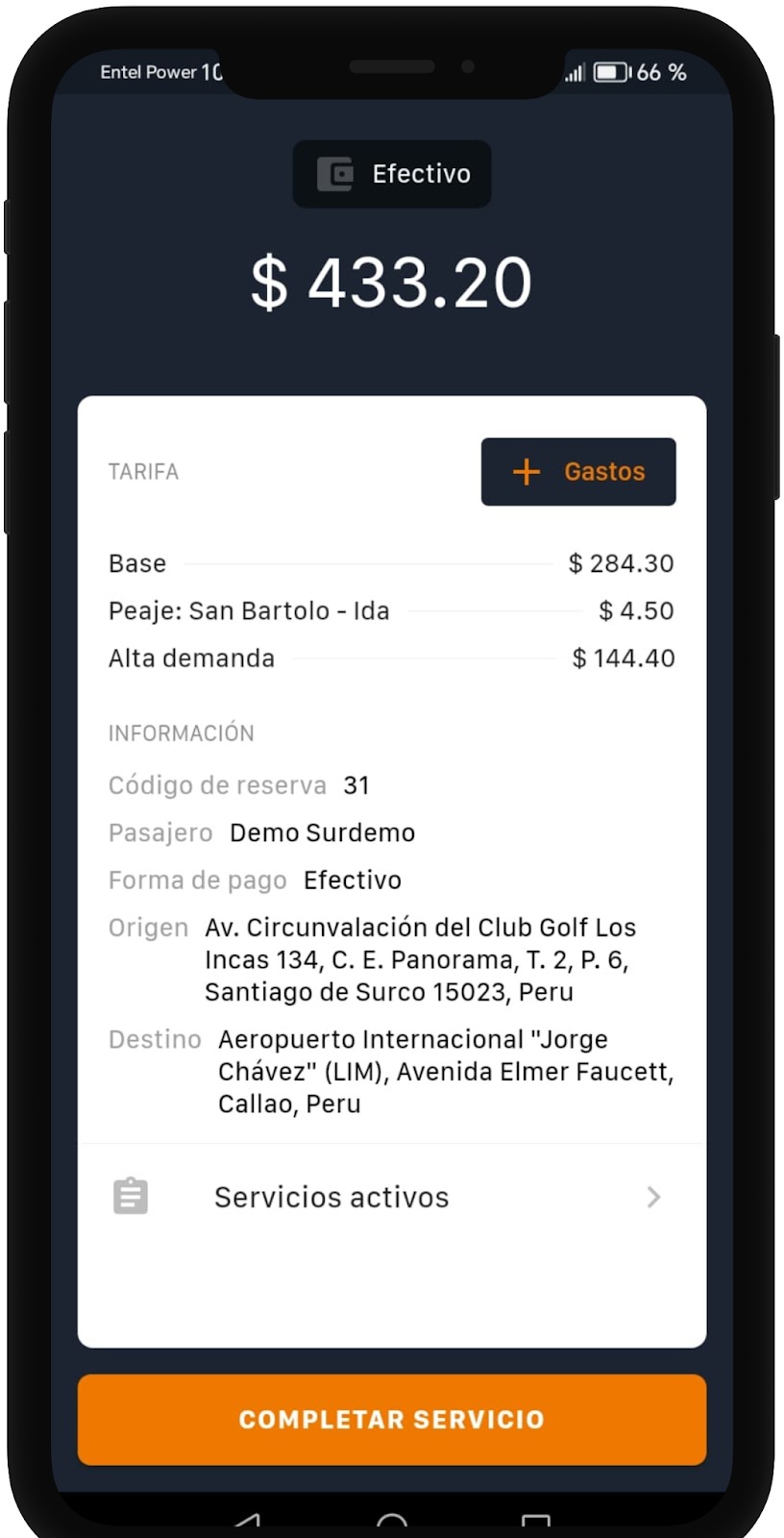
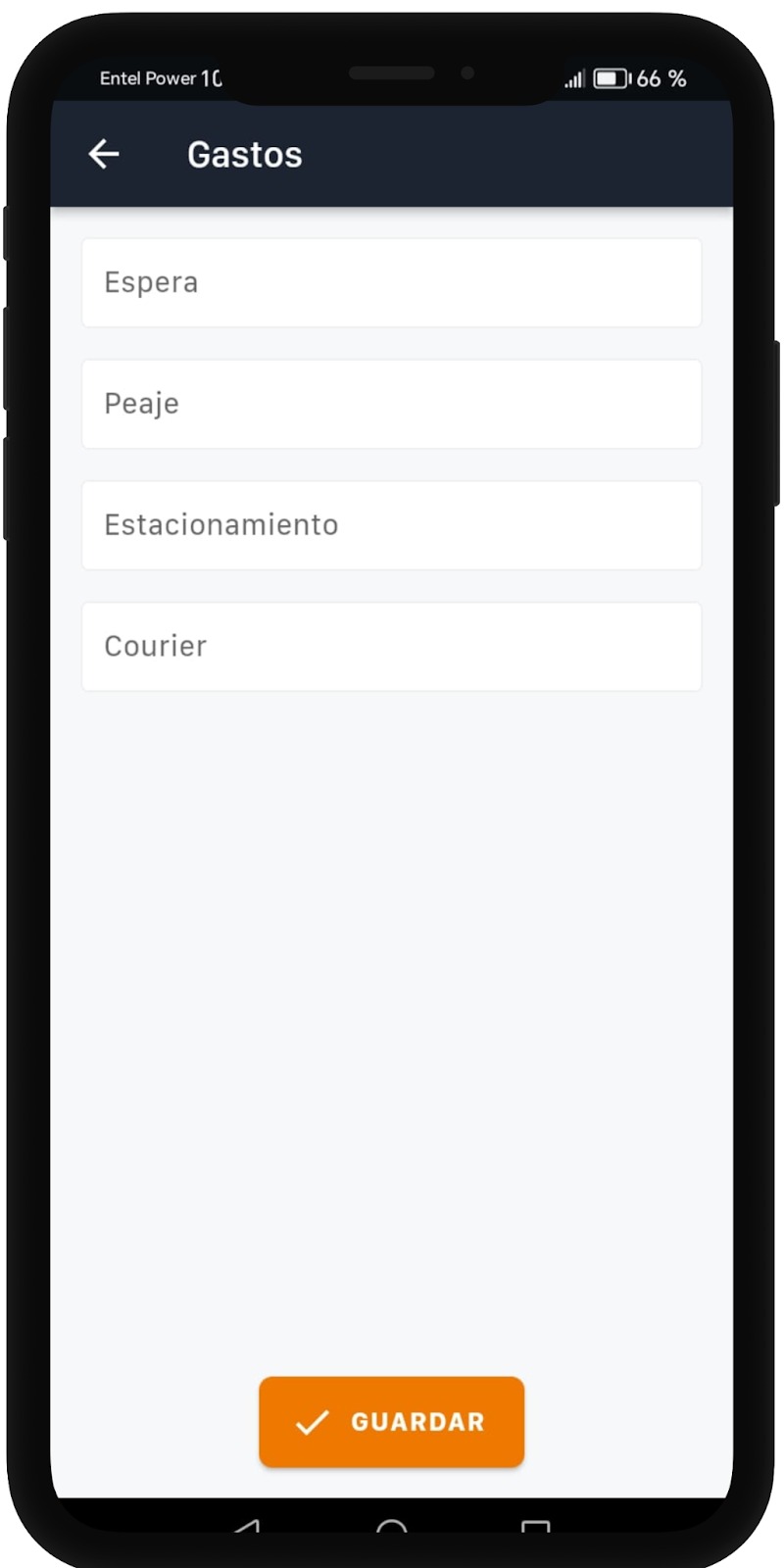
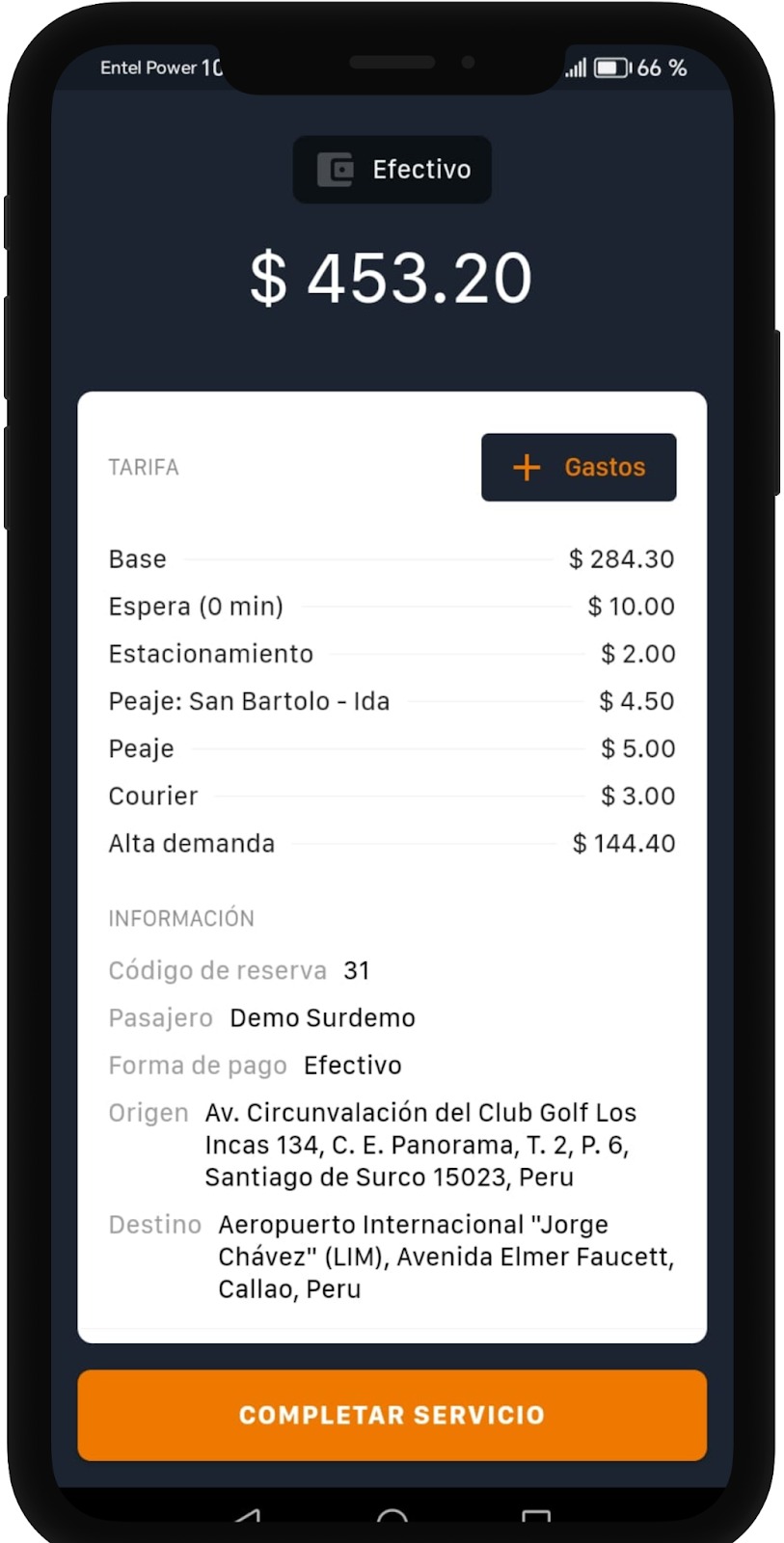
After entering the charges to be billed to the customer and tapping "Save", our fare updates with those charges.
Was this article helpful?
Drivers and Vehicles
- Web Panel: Registering Drivers and Vehicles
- Web Panel: Approving Drivers and Vehicles
- Web panel: trip self-assignment for drivers
- Forms: Additional fields for Drivers and Vehicles
- Web Panel: Set up connection shifts for drivers
- Driver Forms: Document Expiration
- Cancel a Trip from the Driver App When the Customer Is a No-Show
- Adding extra charges when finishing a trip
- Web Panel: Changing vehicle images
- Guide to auto-assignment in the web panel