
 Use cases
 Messaging
 Taxi Companies
 Private Transport
 Transportation Entrepreneurs
 Last Mile
 SuperApp
 Software
 Taxi dispatch
 Corporate transportation
 Auction
 Products
 Booking Software
 Dispatch Platform
 Driver App
 Passenger App
 Web Widget
 Functions
 Schedule & Booking
 Driver Management
 Custom
 Corporate Portal
 Security & Support
 Resources
 Learn
Learn



Cancel a Trip from the Driver App When the Customer Is a No-Show
This option lets the driver end a trip when the passenger doesn't show up at the pickup point. If the driver arrives at the agreed location and can't find the passenger, and the passenger doesn't answer calls or cancel the trip, the driver can trigger this option. Once it's activated, the system stops looking for other drivers for that pending trip.
1. Go to the Products or Service Types module and edit the records you want to enable the No-Show cancellation feature for.
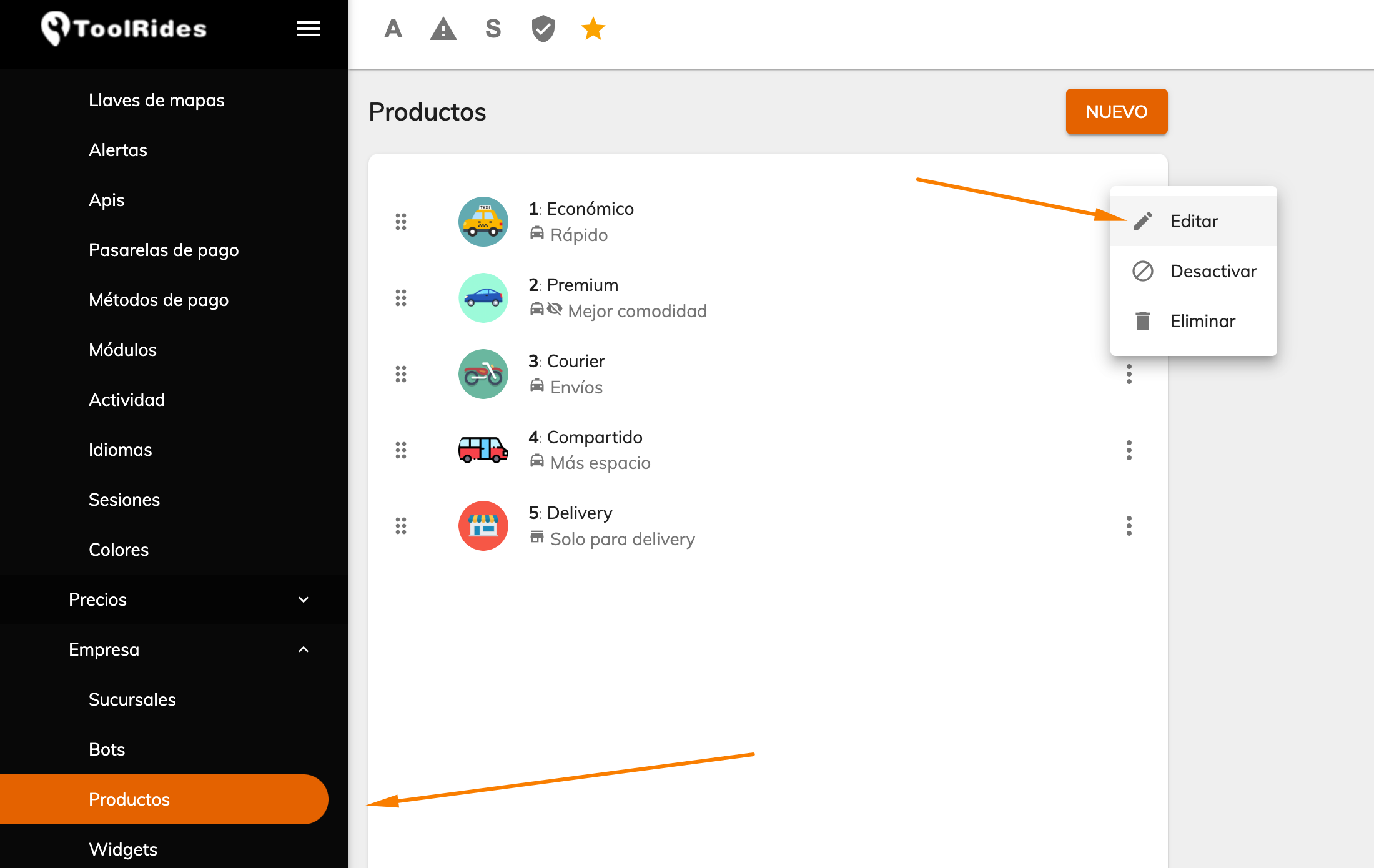
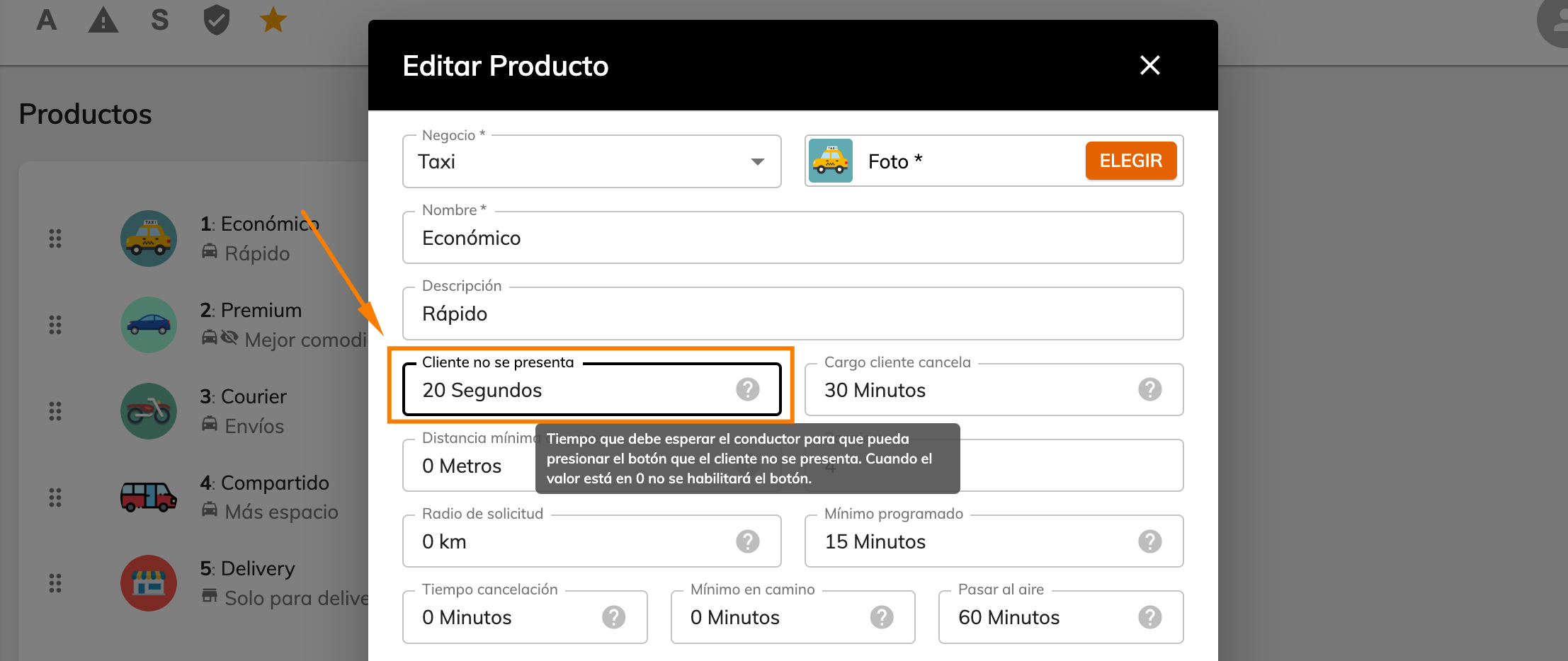
2. When you edit a Service Type, you'll see the following field in the form, which is set in seconds. This is the timer the driver uses once they reach the passenger's pickup point and tap "Wait" in the Driver App.
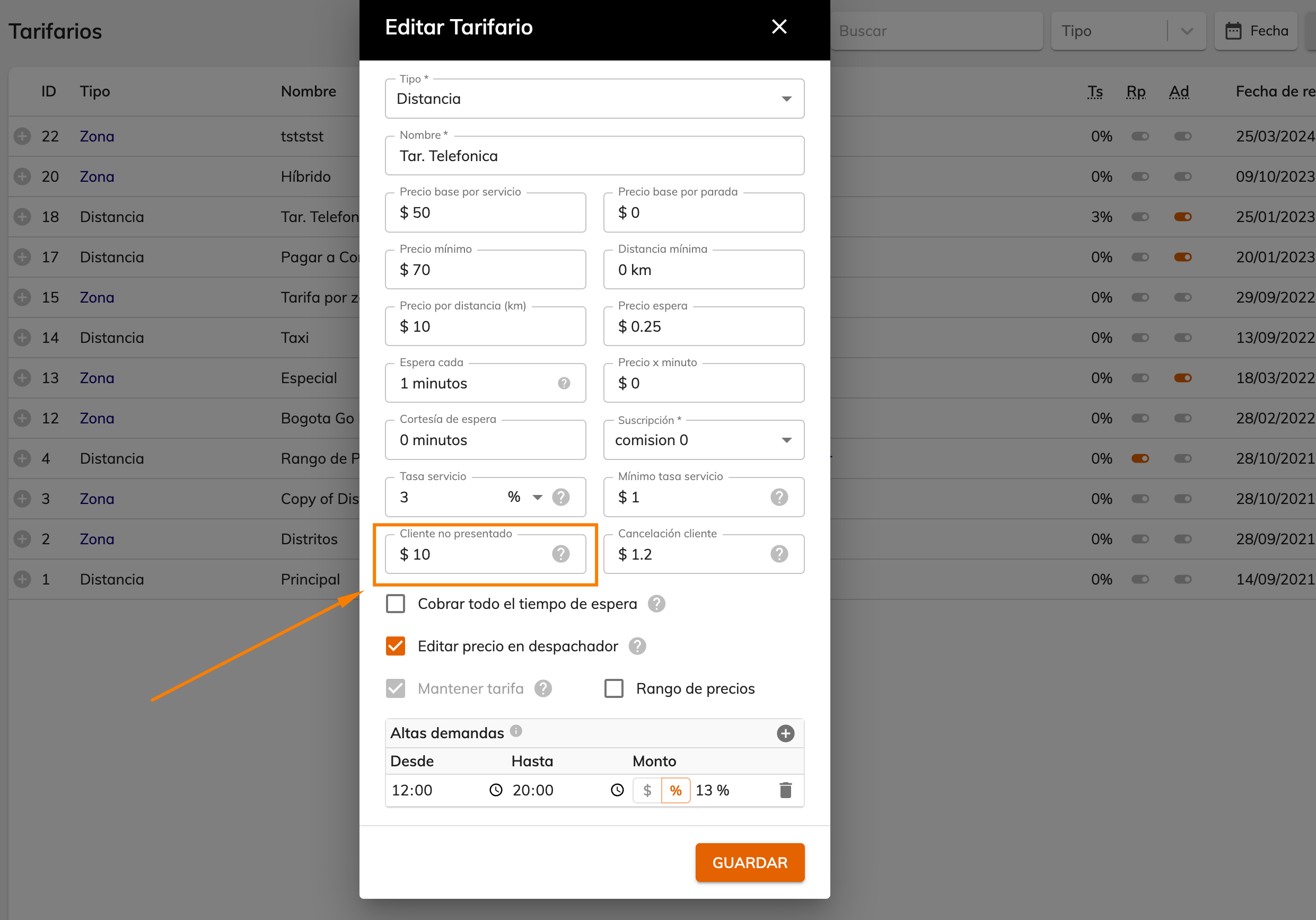
3. In Rate Cards, you can add the penalty amount charged to the passenger when the driver marks the trip as "Customer no-show."
Driver App
4. When the driver has a trip in progress and taps "Waiting," the "Customer no-show" option appears along with the timer you configured in step 2.
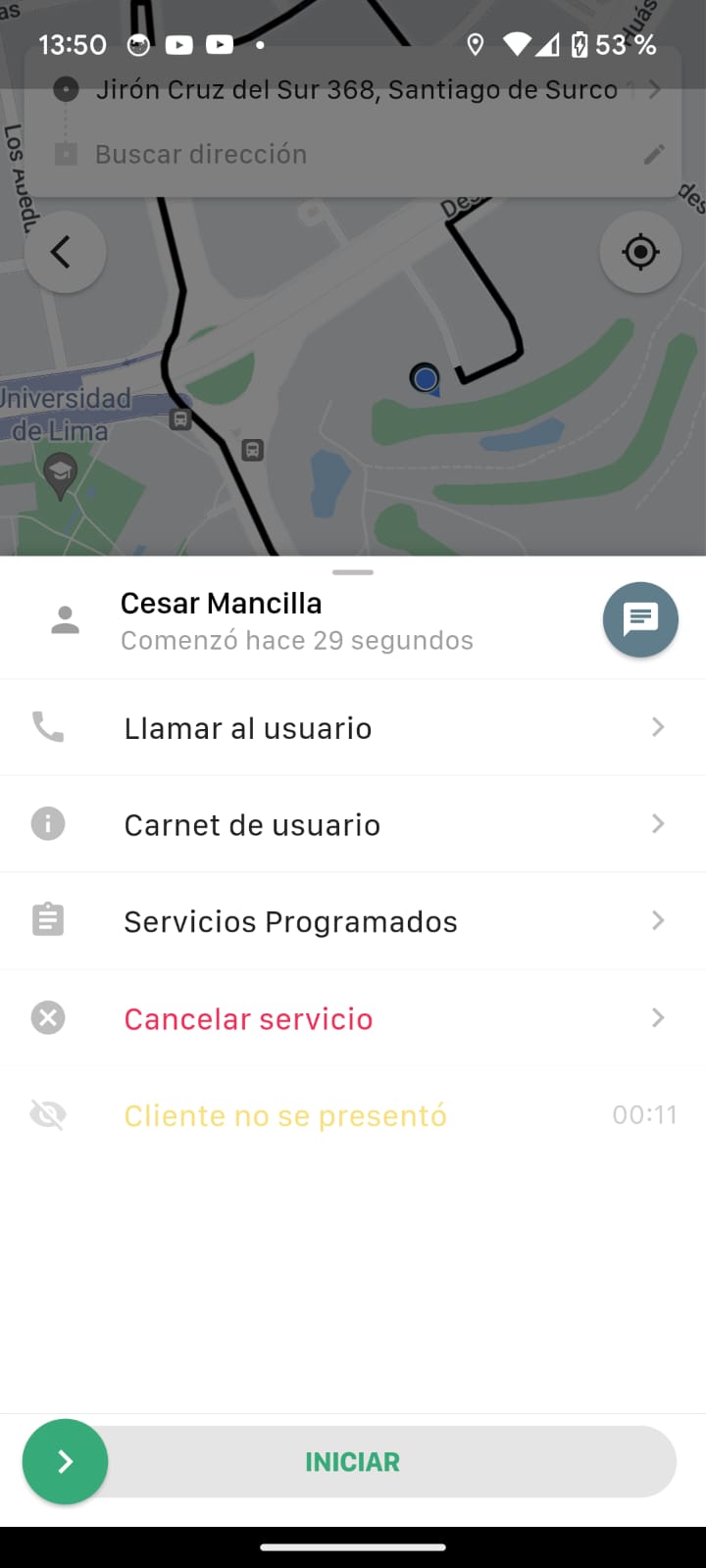
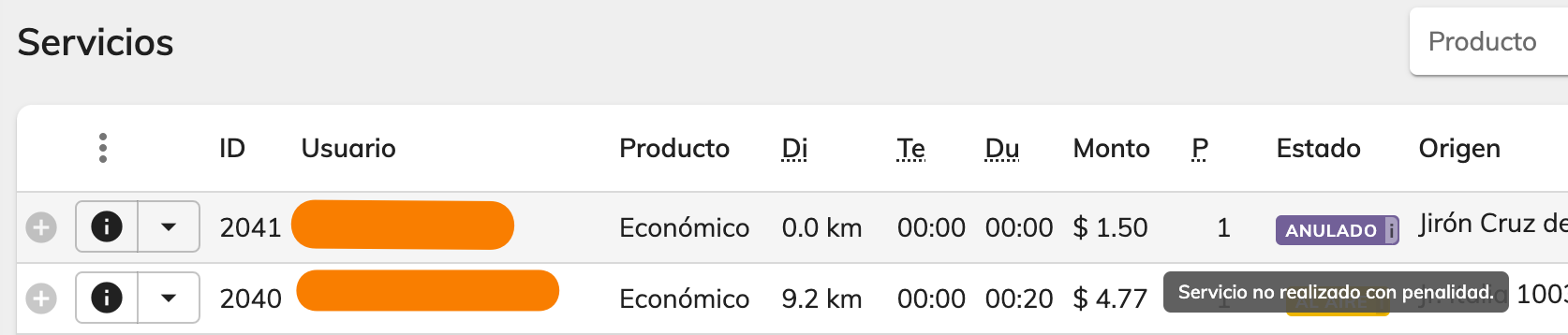
Once the set time has elapsed, the button becomes available. There's a confirmation step to prevent accidental taps, and once confirmed, the trip is marked as Voided in Trip History, applying the penalty to the customer if one was set.
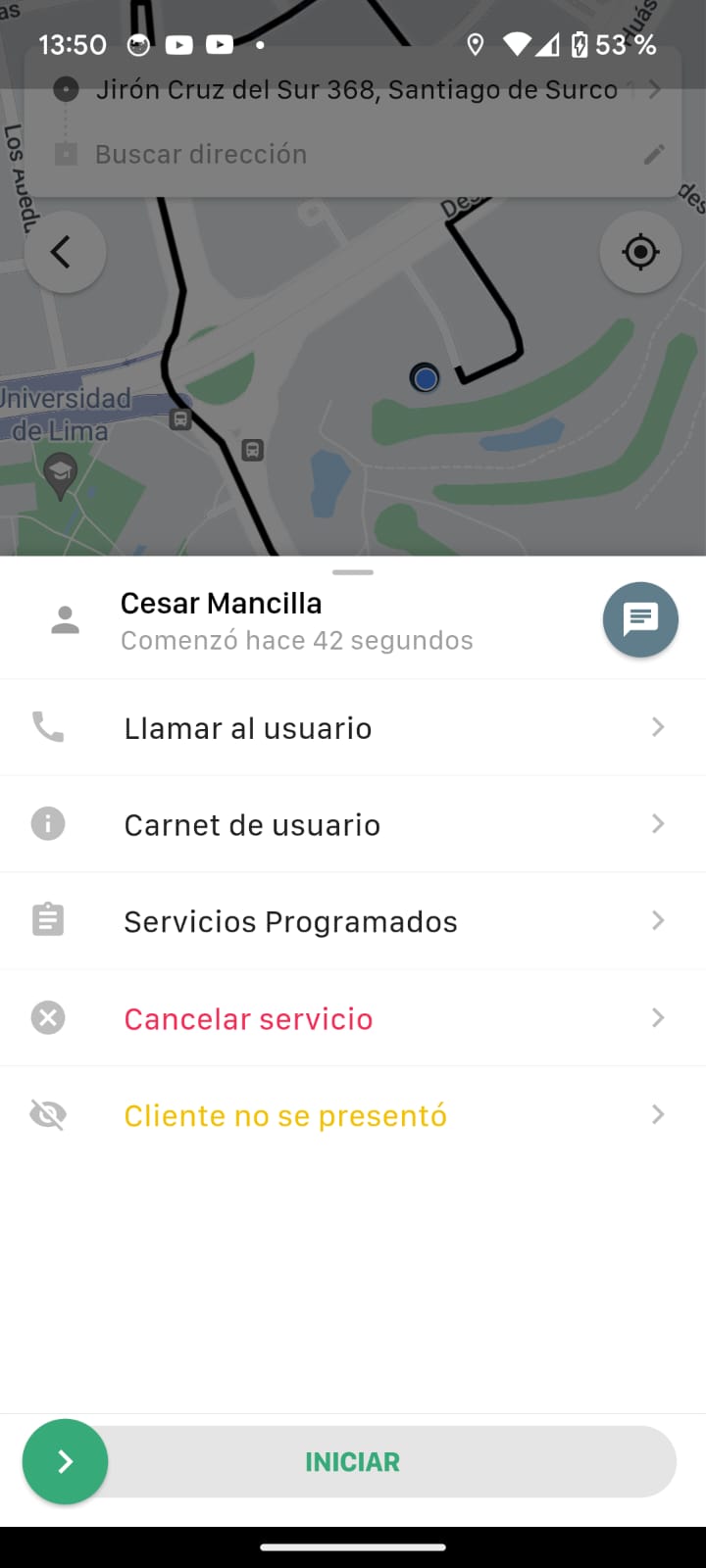
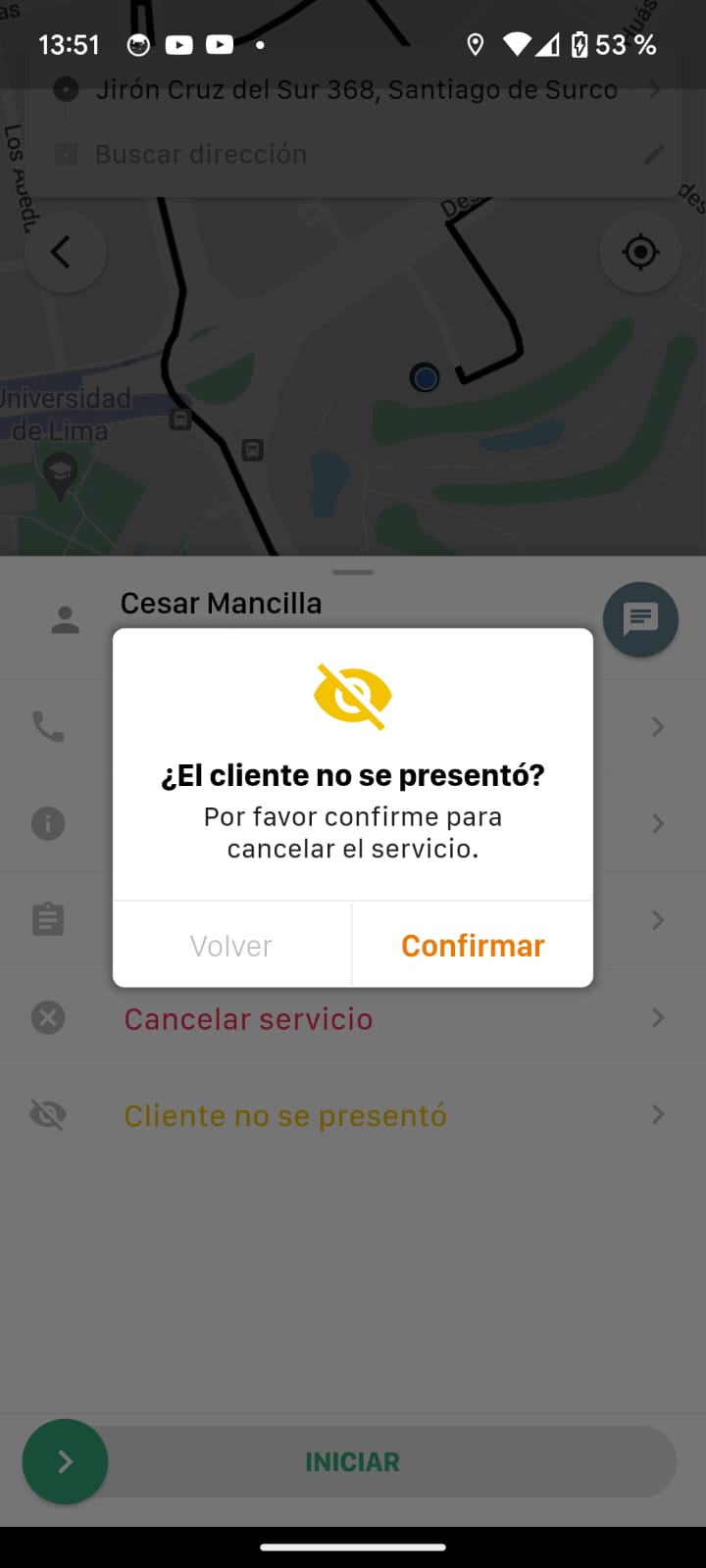
You'll find the trip in Trip History.
Was this article helpful?
Drivers and Vehicles
- Web Panel: Registering Drivers and Vehicles
- Web Panel: Approving Drivers and Vehicles
- Web panel: trip self-assignment for drivers
- Forms: Additional fields for Drivers and Vehicles
- Web Panel: Set up connection shifts for drivers
- Driver Forms: Document Expiration
- Cancel a Trip from the Driver App When the Customer Is a No-Show
- Adding extra charges when finishing a trip
- Web Panel: Changing vehicle images
- Guide to auto-assignment in the web panel