
 Use cases
 Messaging
 Taxi Companies
 Private Transport
 Transportation Entrepreneurs
 Last Mile
 SuperApp
 Software
 Taxi dispatch
 Corporate transportation
 Auction
 Products
 Booking Software
 Dispatch Platform
 Driver App
 Passenger App
 Web Widget
 Functions
 Schedule & Booking
 Driver Management
 Custom
 Corporate Portal
 Security & Support
 Resources
 Learn
Learn



Alert operators and/or drivers when a wallet is topped up
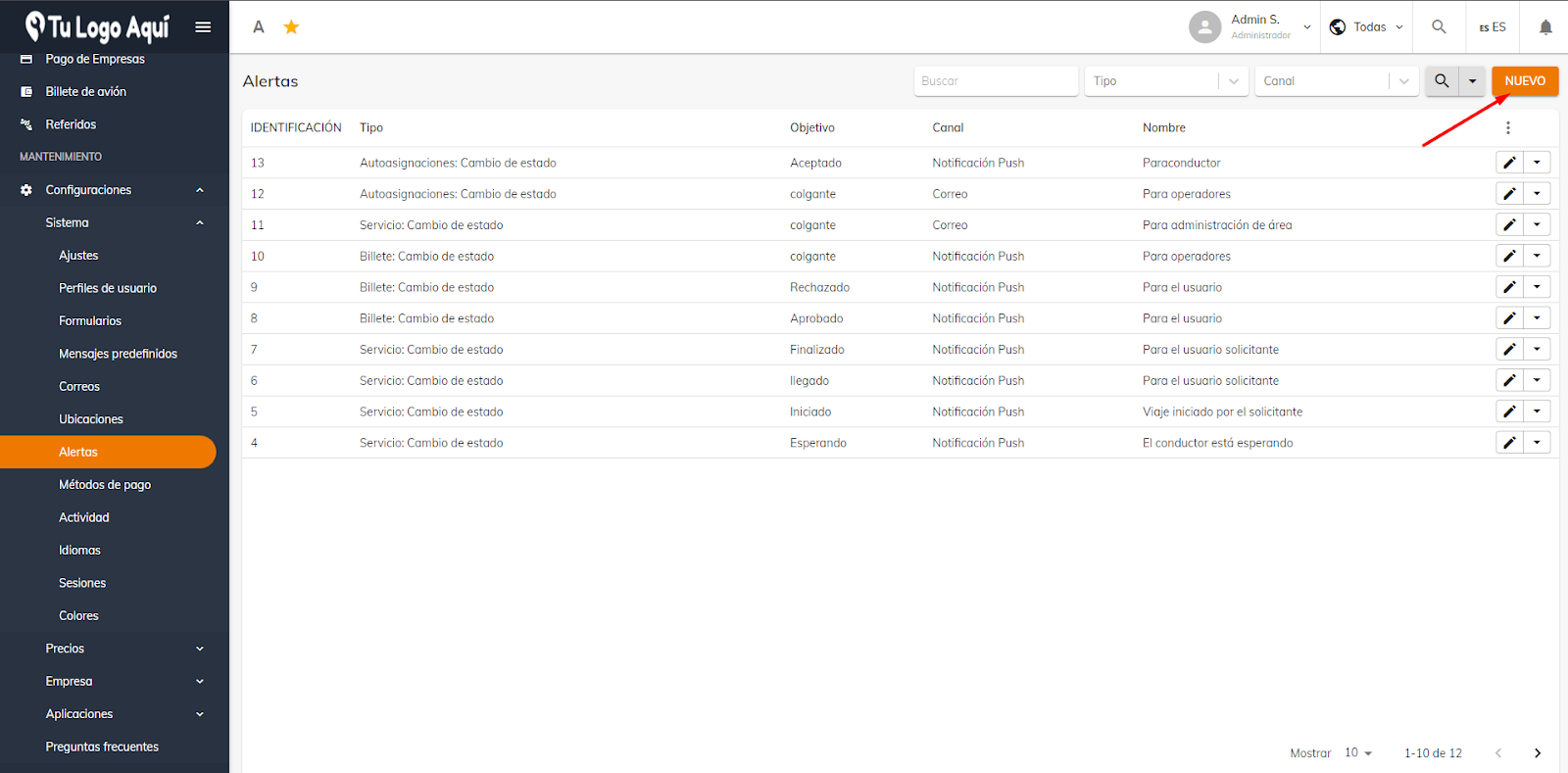
To create wallet alerts (status change), the first thing to do is go to Settings > System > Alerts. Then click "New."
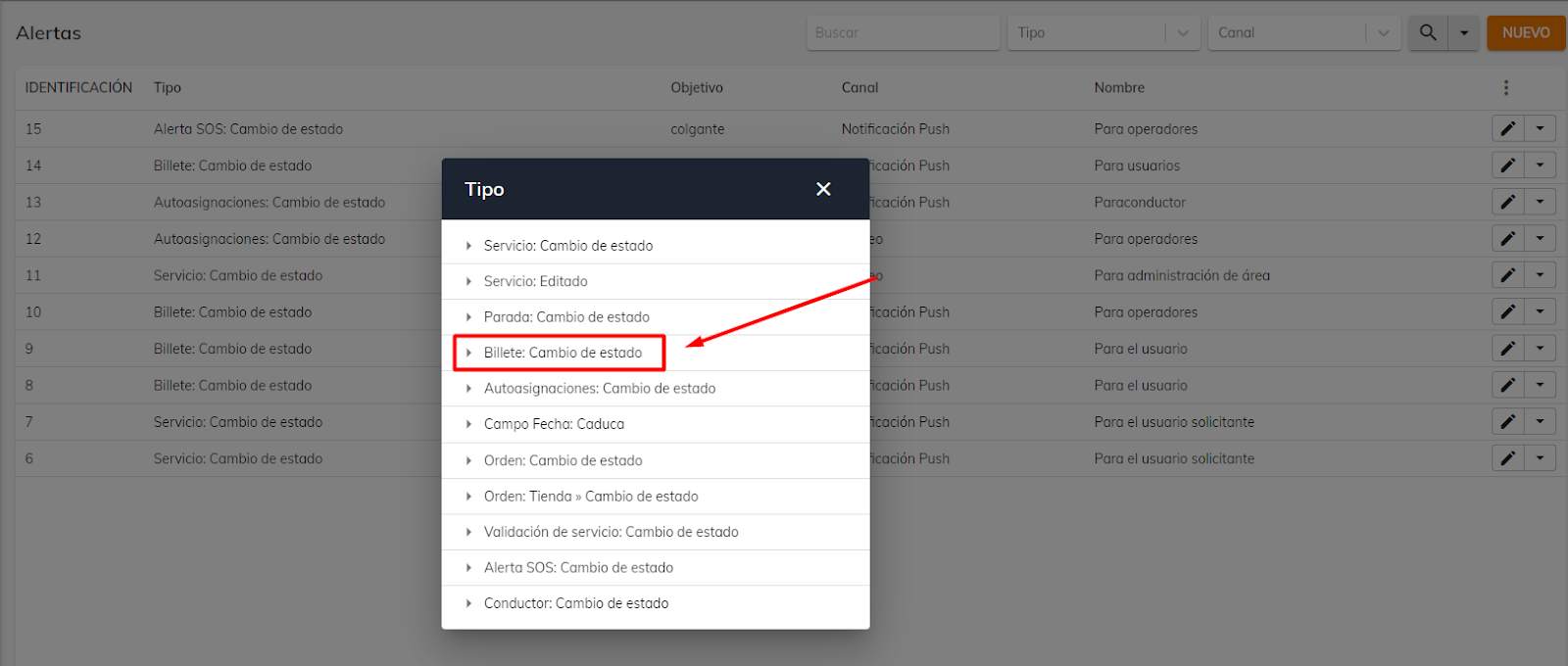
Select the type of alert you want; in this case, we'll choose wallet.
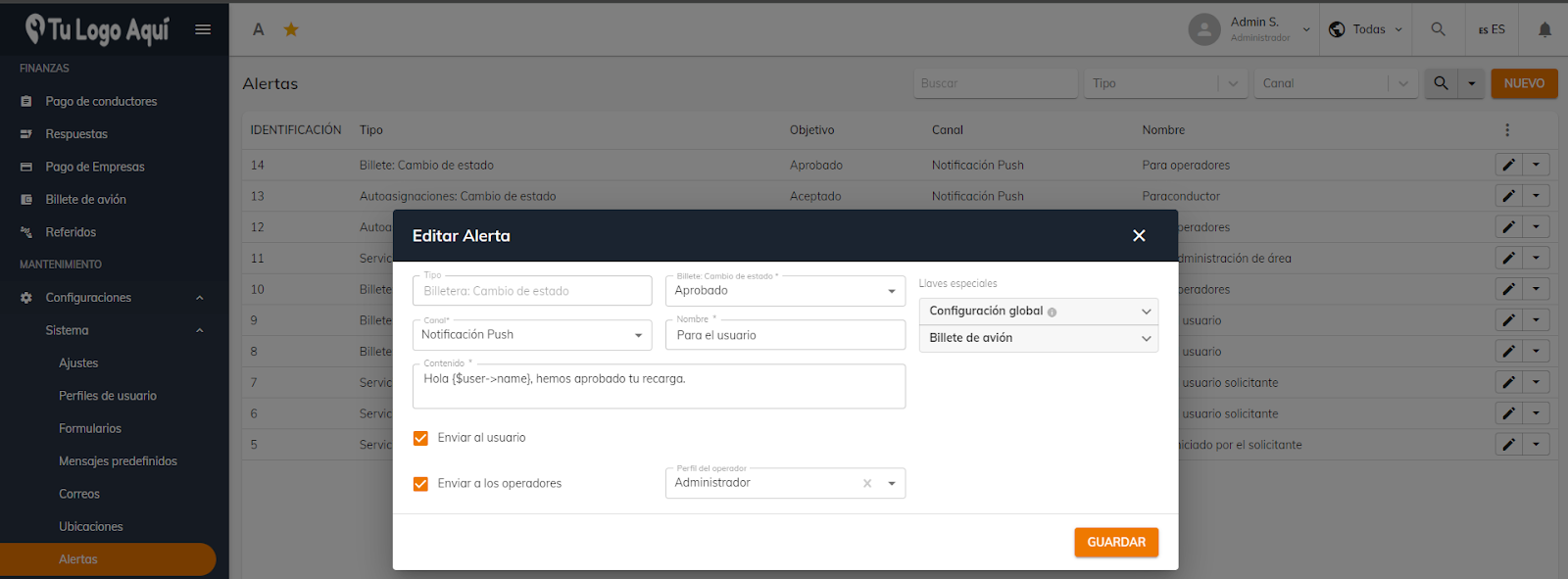
Next, you can pick the status change you want, the type of channel for receiving the notifications (how you want them to reach you), and give the alert a name.
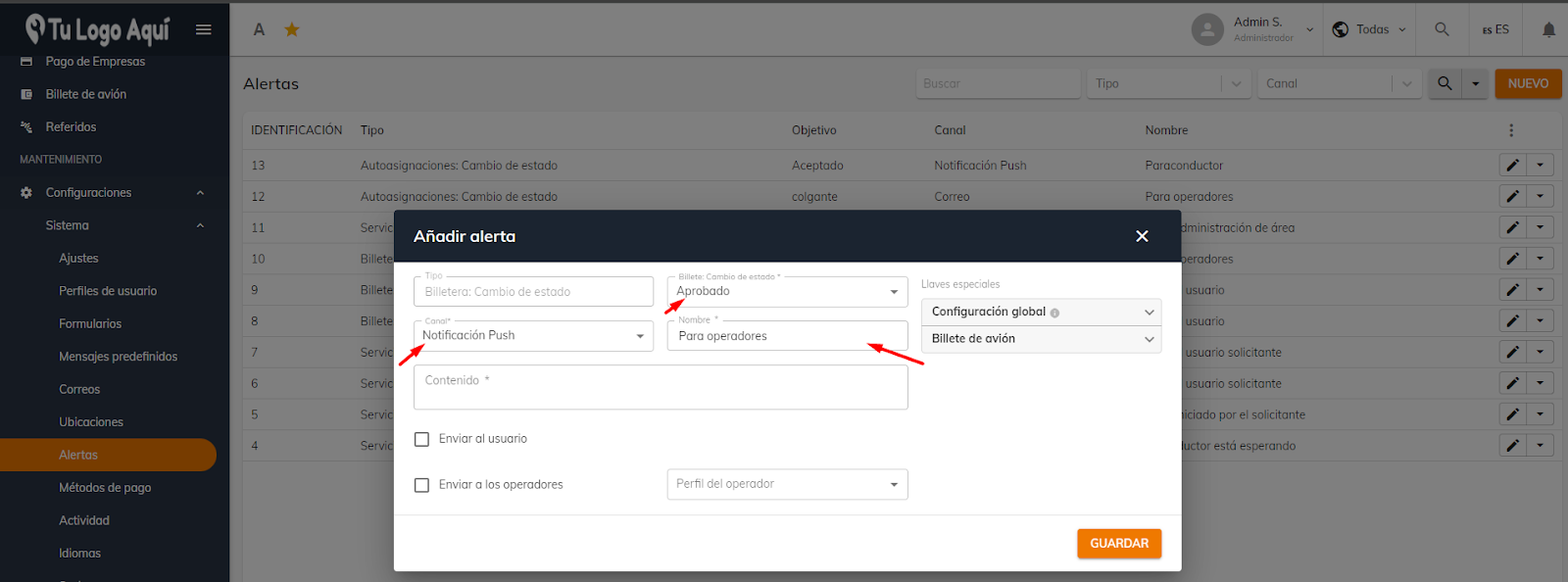
Push notification channel:
To fill in the content correctly, you can use the special keys that let you insert specific data, such as first name, last name, amount, and so on. Just click the relevant key; in this example, we'll use first name and last name.
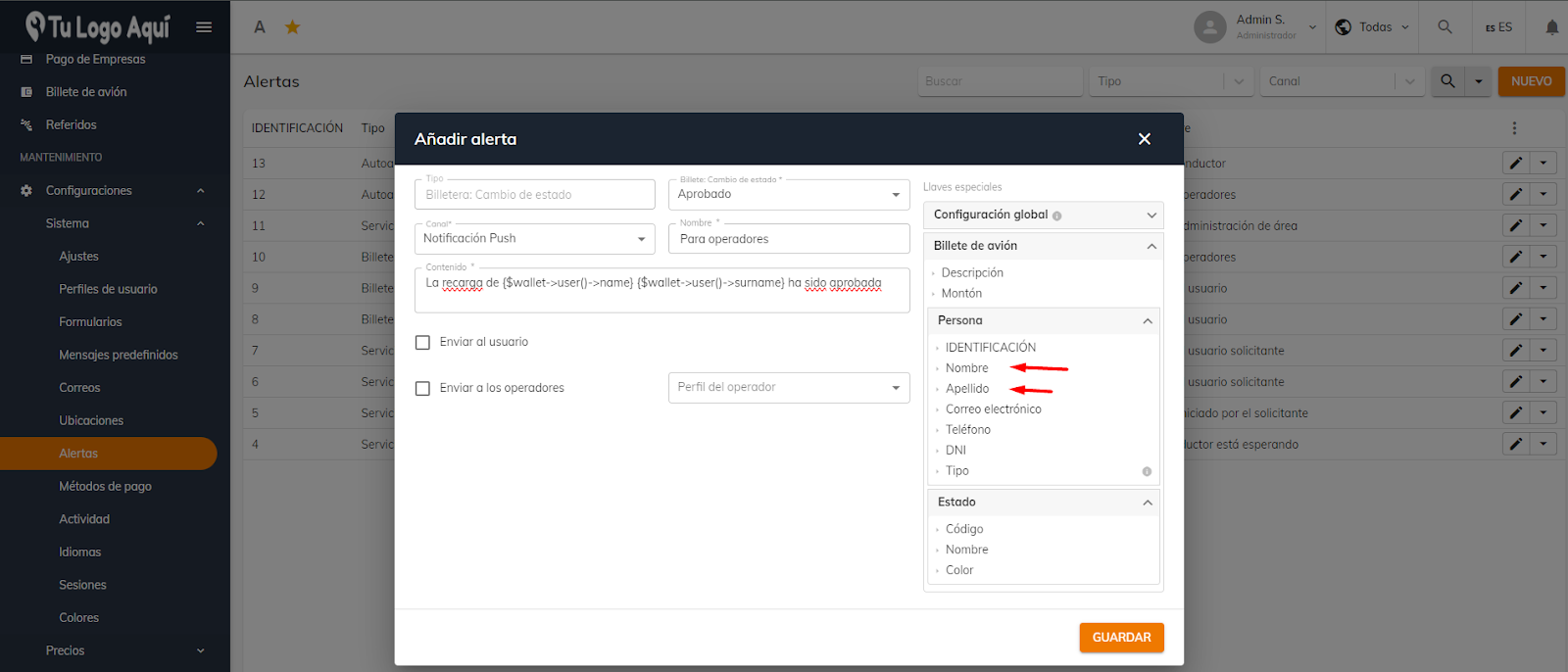
Email channel:
Unlike the push notification channel, here you can add a "Subject" field and use a rich text editor.
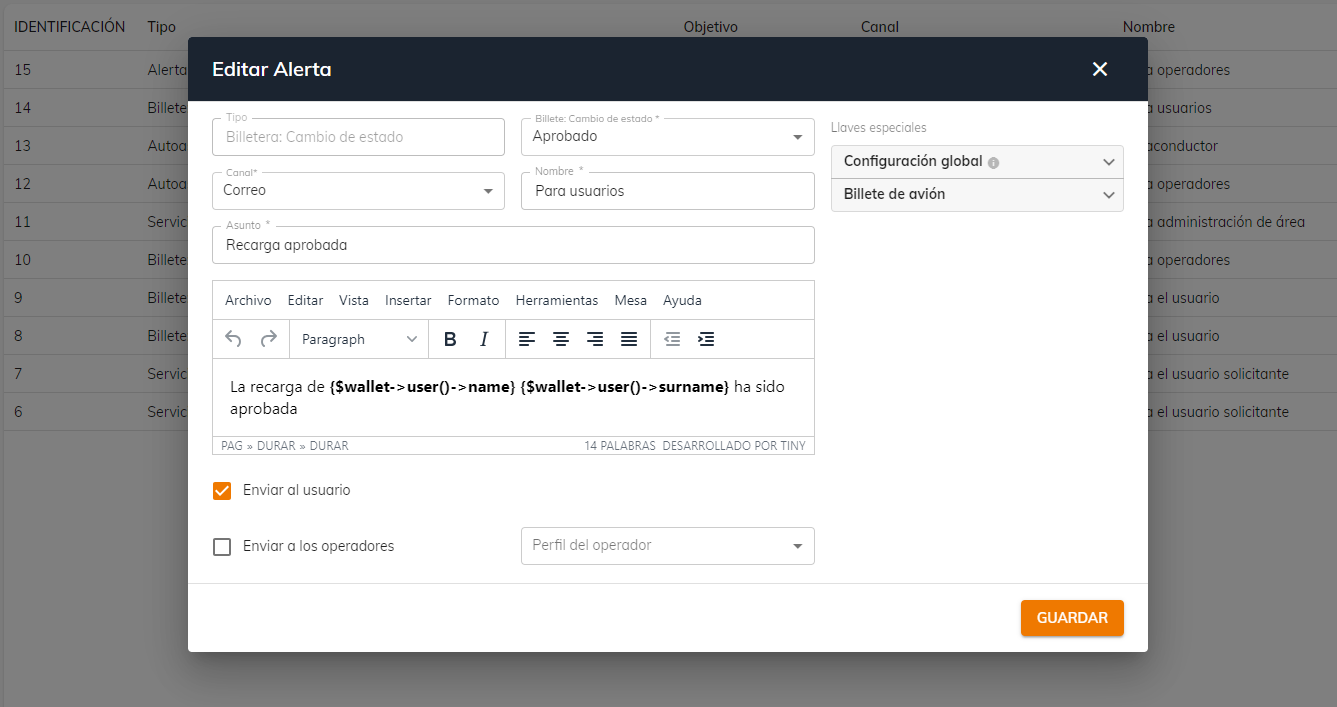
Finally, you can choose who should receive the alert: the users, the operators, or both. You can also specify which operator profile it should be sent to.
Was this article helpful?
Automated Alerts
- Setting up SOS Alerts
- Alert operators and/or drivers when a wallet is topped up
- Alerts for service changes