
 Use cases
 Messaging
 Taxi Companies
 Private Transport
 Transportation Entrepreneurs
 Last Mile
 SuperApp
 Software
 Taxi dispatch
 Corporate transportation
 Auction
 Products
 Booking Software
 Dispatch Platform
 Driver App
 Passenger App
 Web Widget
 Functions
 Schedule & Booking
 Driver Management
 Custom
 Corporate Portal
 Security & Support
 Resources
 Learn
Learn



Setting up zone-based pricing
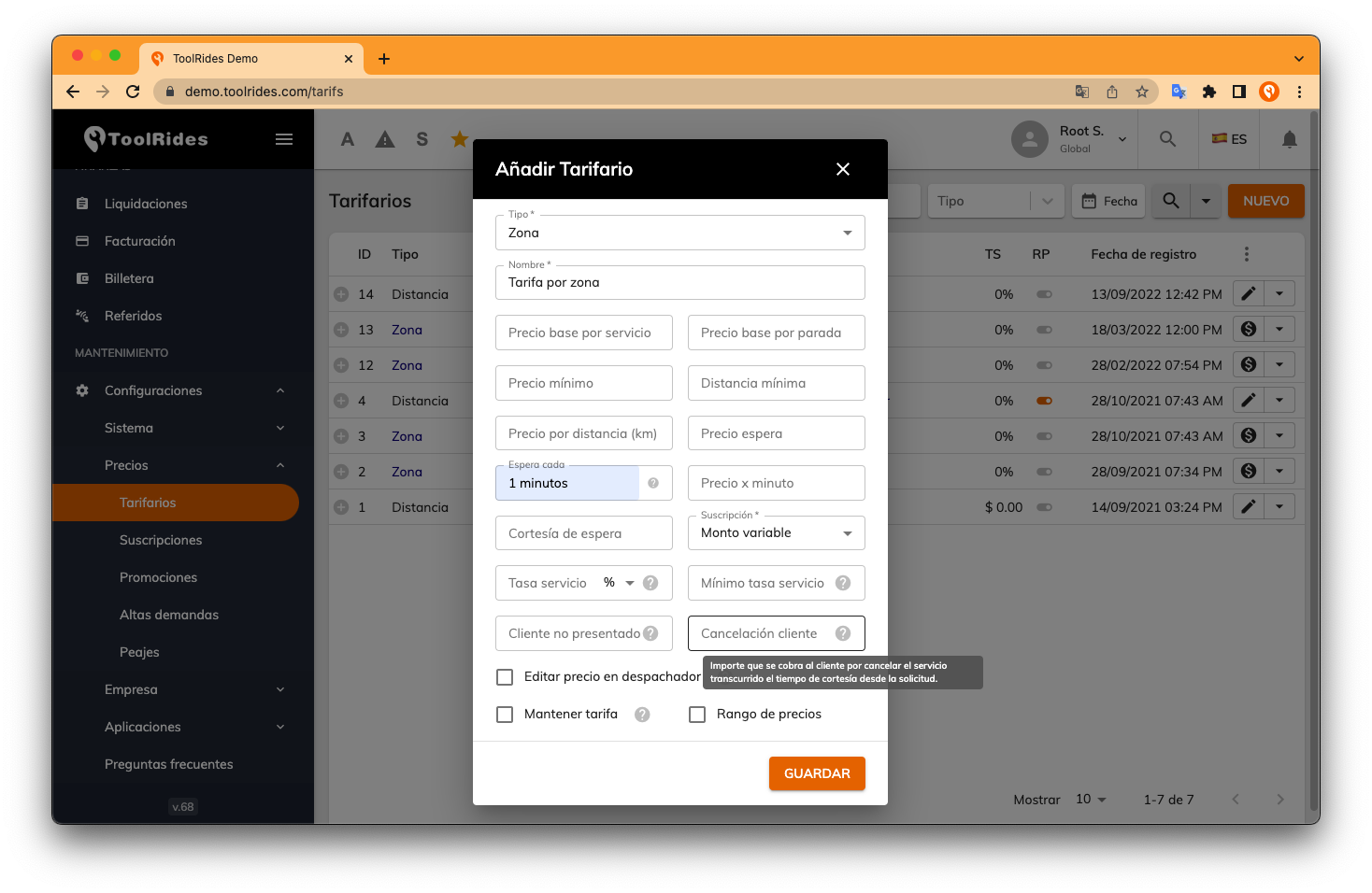
Zone-based rate cards let you charge each trip more accurately through a geofence setup that you define in every rate card.
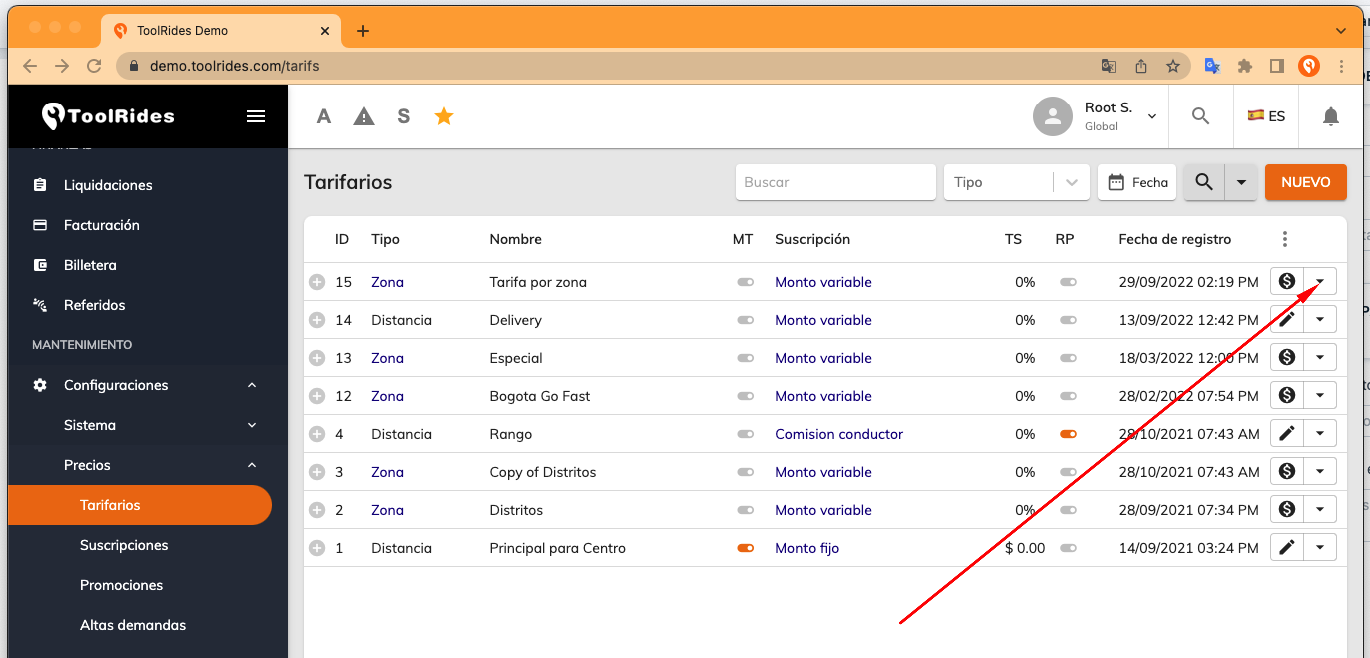
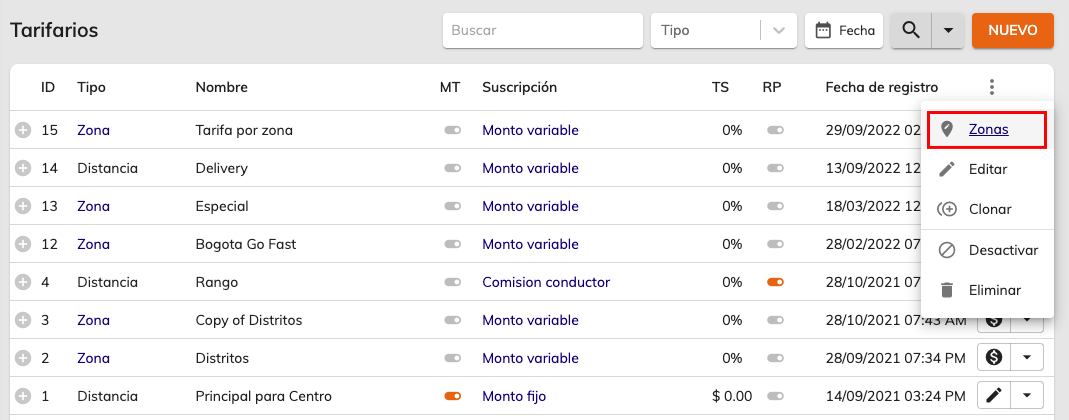
Next, choose the "Zones" option from the menu available in each rate card:
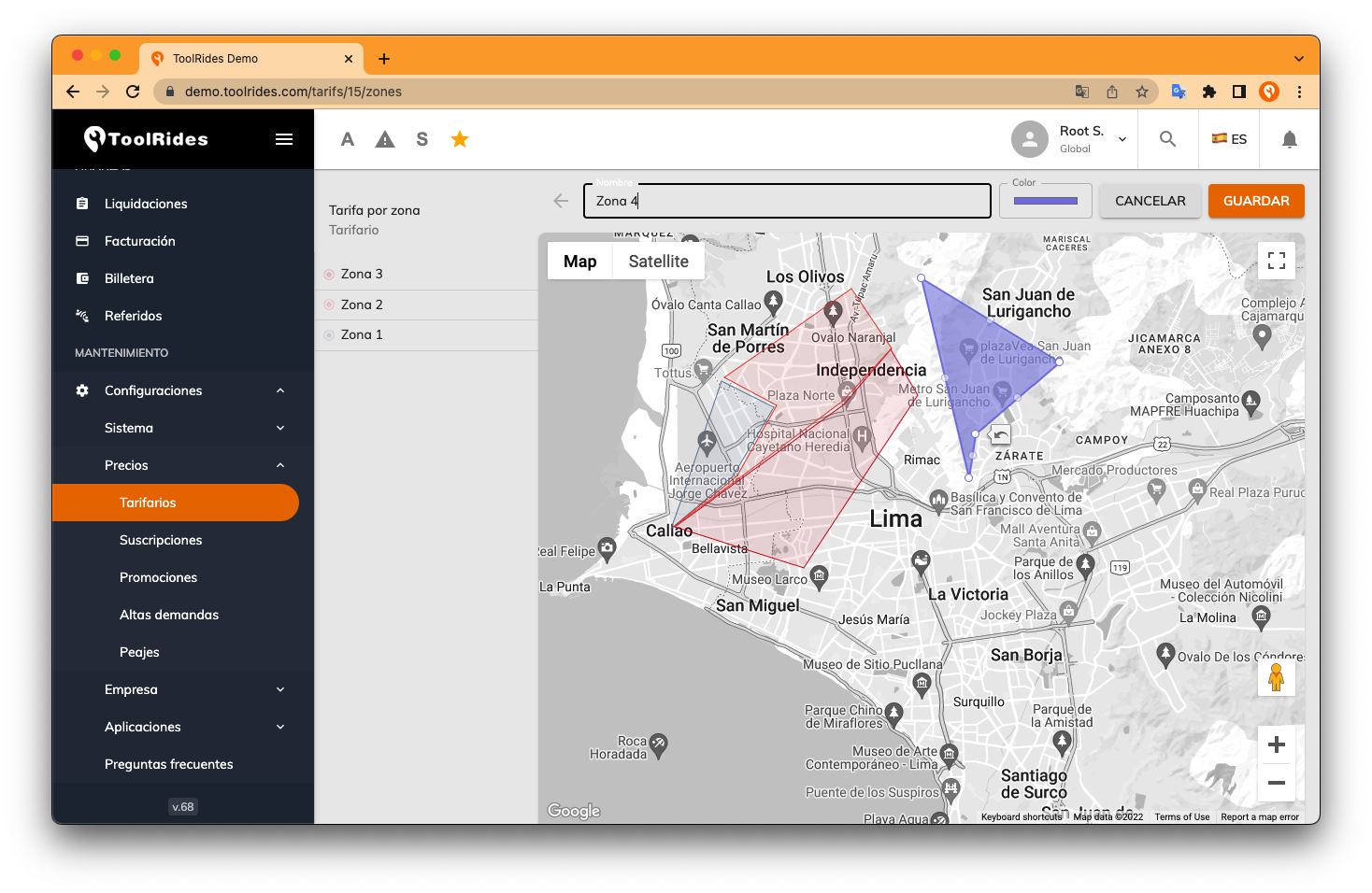
The Zones screen lets you create the geofences that serve as the basis for setting up services:

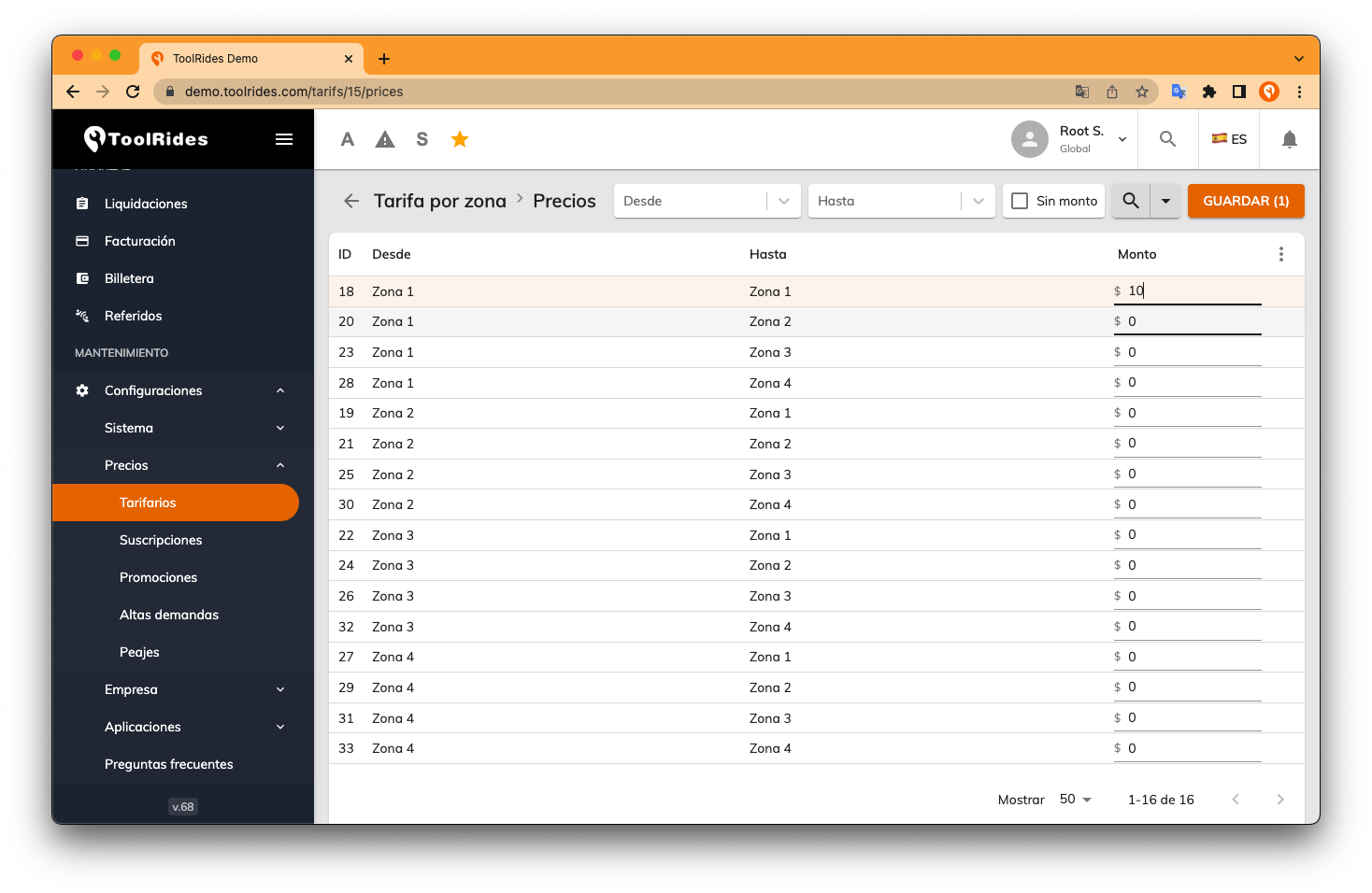
On the next screen, you can enter prices for each zone-to-zone combination as a matrix, so every quadrant can have its own price to all the quadrants you've created.
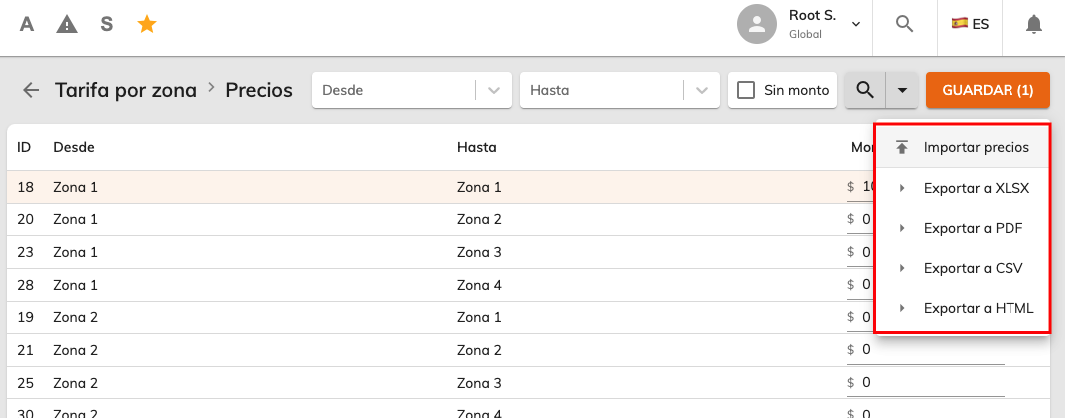
You can also export this rate card to Excel to fill in the information more easily and then re-import it.
Was this article helpful?
Getting Started
- General Settings
- Customize your company information
- Create branches and assign rate tables by service type and company
- Setting up a distance-based fare (price per KM)
- Tolls (Tags): Setting Up Zones and Pricing
- Setting up zone-based pricing
- Setting up service types
- Trip grouping settings
- Configure your time settings in the panel