
 Use cases
 Messaging
 Taxi Companies
 Private Transport
 Transportation Entrepreneurs
 Last Mile
 SuperApp
 Software
 Taxi dispatch
 Corporate transportation
 Auction
 Products
 Booking Software
 Dispatch Platform
 Driver App
 Passenger App
 Web Widget
 Functions
 Schedule & Booking
 Driver Management
 Custom
 Corporate Portal
 Security & Support
 Resources
 Learn
Learn



Forms - Corporate Service
From the web panel you can create and configure different forms under Maintenance > System > Forms. One of the form types you'll be able to set up is for Corporate Service.
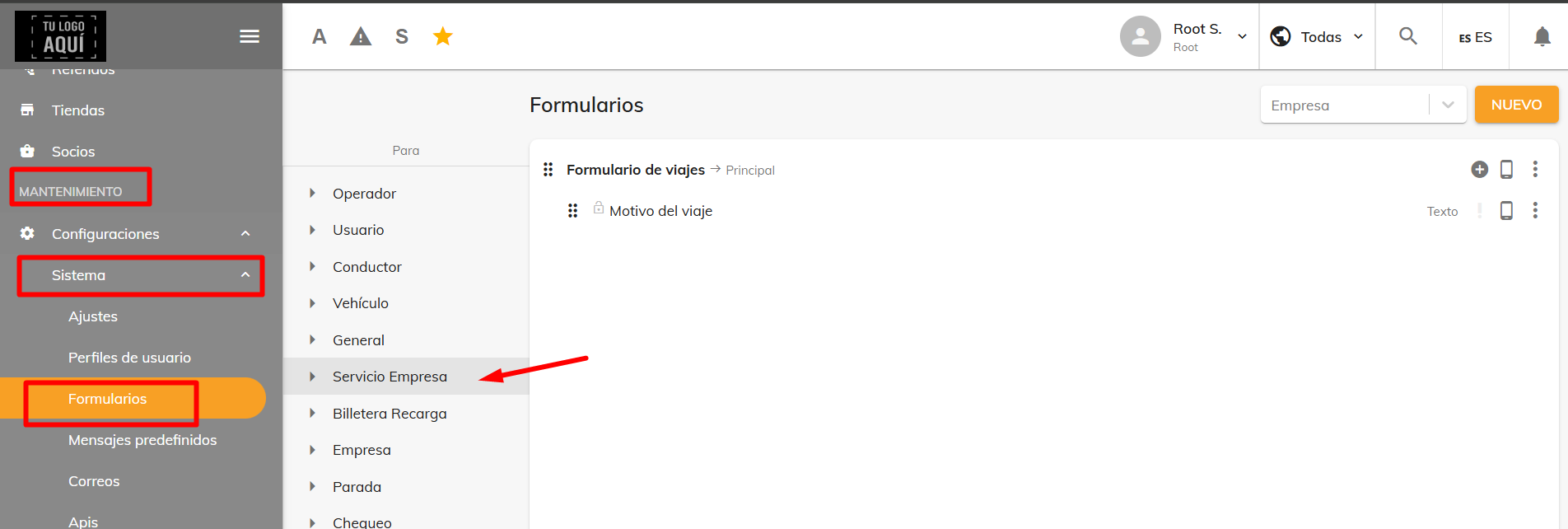
The forms and fields you create will be applied to the corresponding company you assign them to, and will appear when requesting a ride in the Dispatcher module and in the Passenger App.
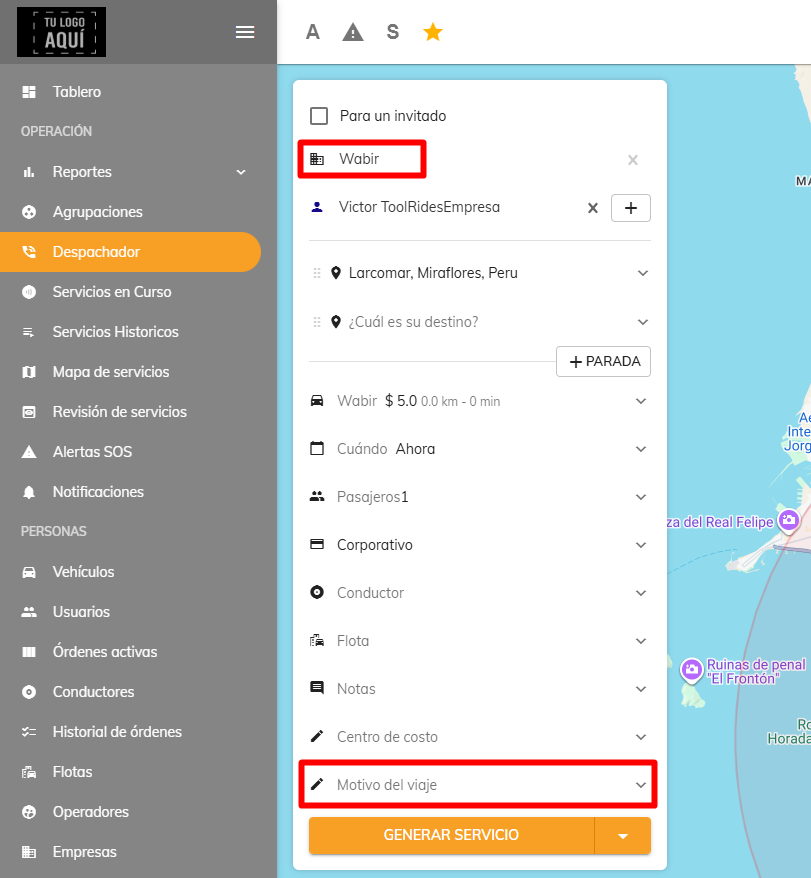
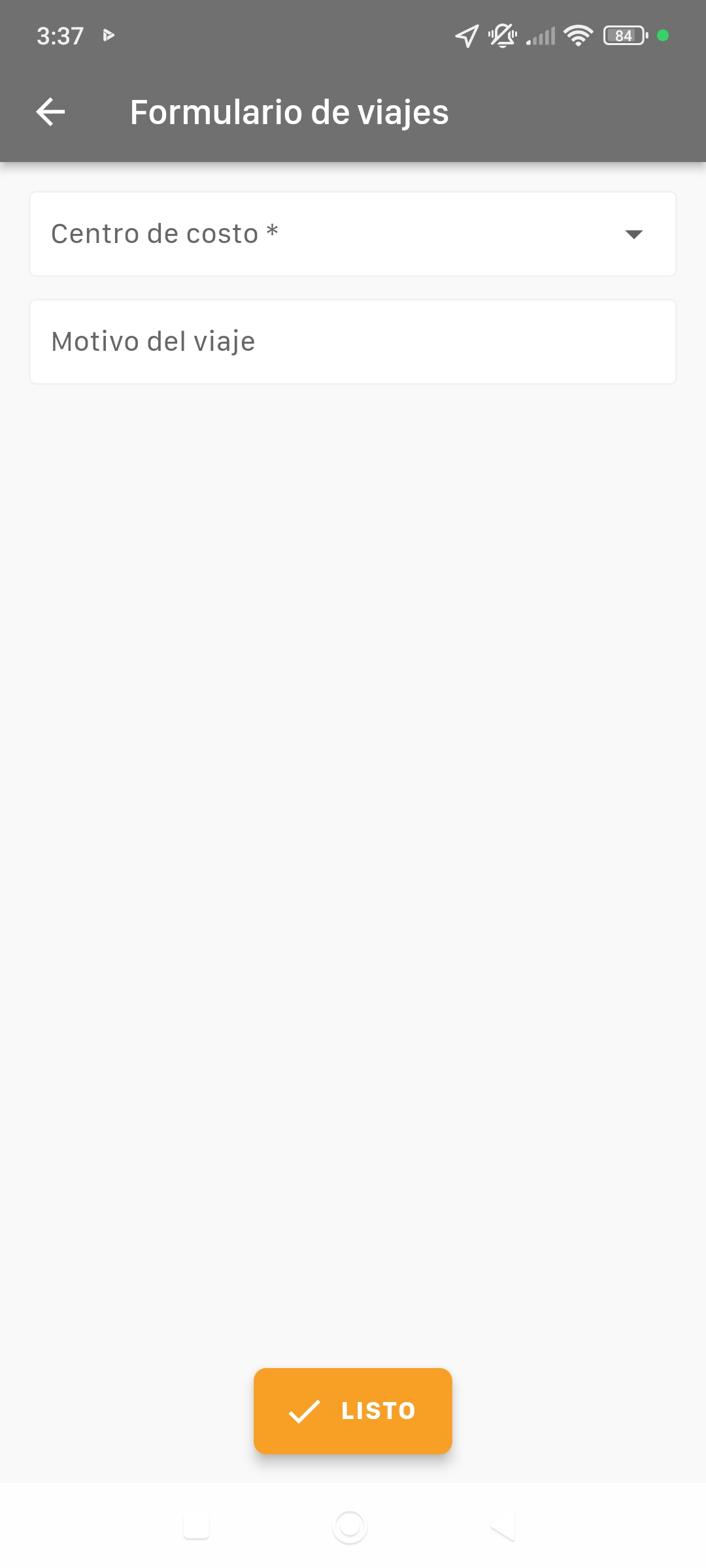
You can set fields as required so the ride can't proceed until they're filled in. This can also be configured per company, meaning it will only affect the passengers belonging to the company you select.
Was this article helpful?
Forms
- Forms - Company
- Forms - Corporate Service