
 Use cases
 Messaging
 Taxi Companies
 Private Transport
 Transportation Entrepreneurs
 Last Mile
 SuperApp
 Software
 Taxi dispatch
 Corporate transportation
 Auction
 Products
 Booking Software
 Dispatch Platform
 Driver App
 Passenger App
 Web Widget
 Functions
 Schedule & Booking
 Driver Management
 Custom
 Corporate Portal
 Security & Support
 Resources
 Learn
Learn



Bulk-deactivating users for a company
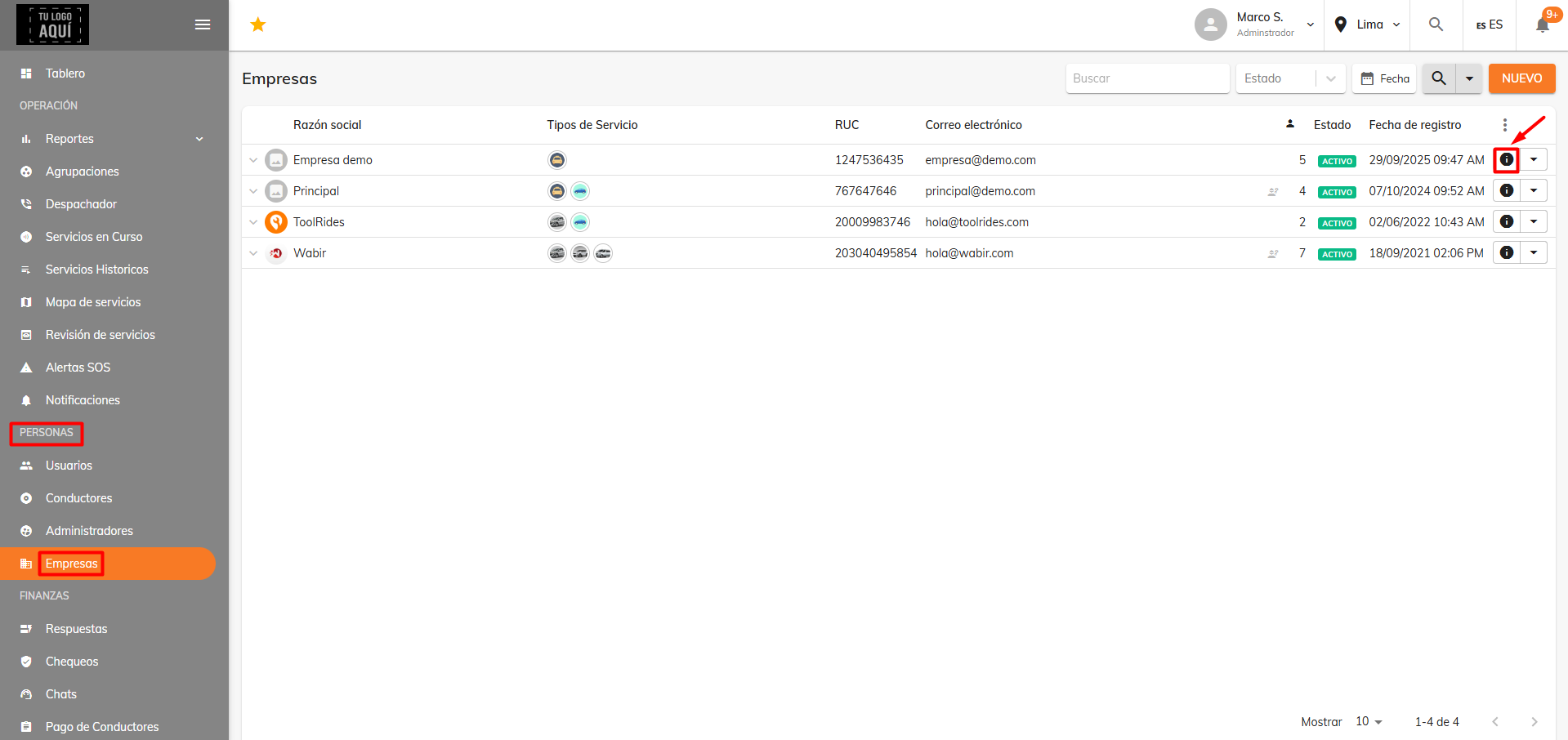
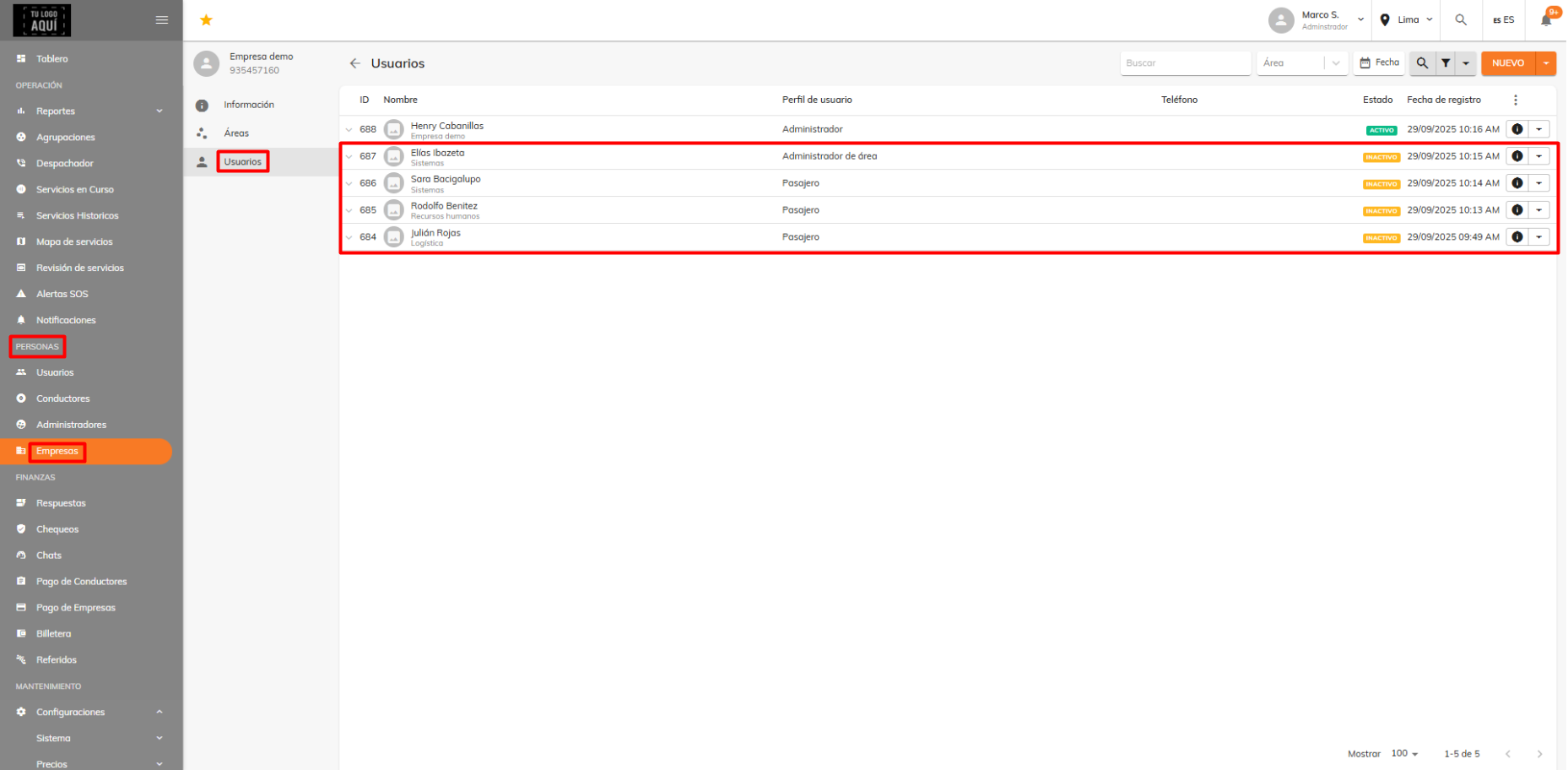
When you want to deactivate users for a company in bulk, go to People > Companies and find the company you want to edit.
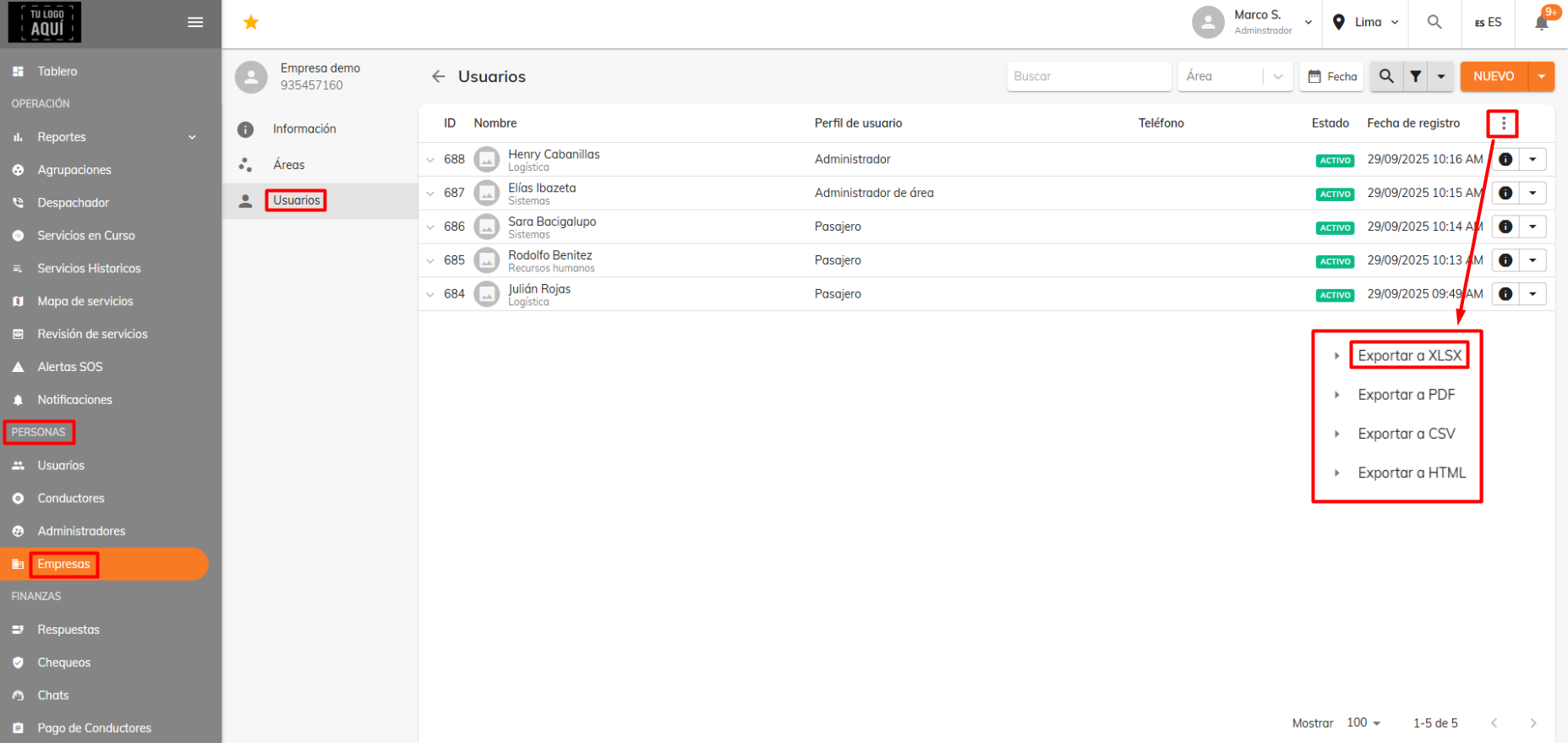
Open the "Users" section and download the user list as an Excel file.
Now edit the Excel file you downloaded so that only the users who should stay registered in the selected company remain; delete all the others.
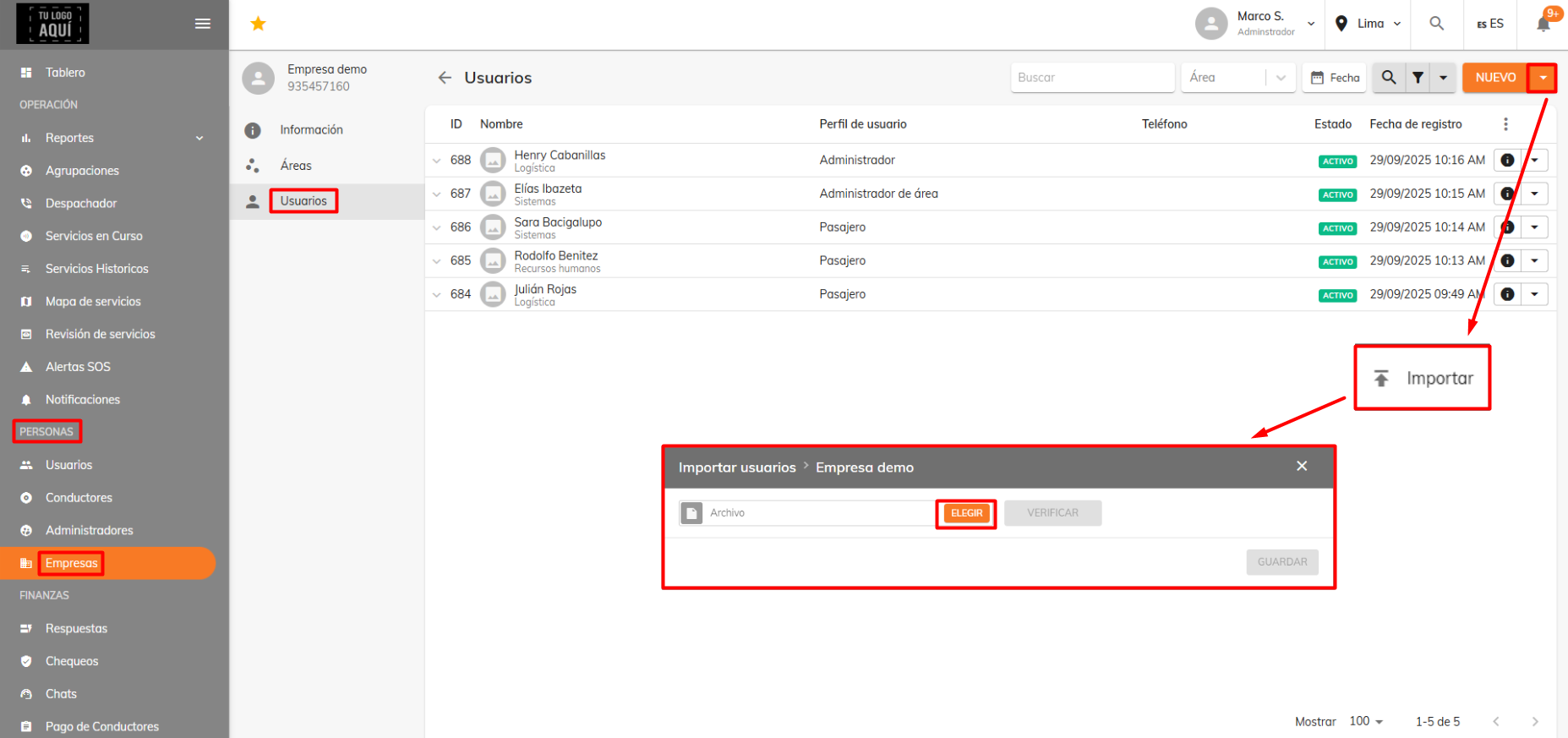
Then click the down arrow at the top right, next to the "New" button. Select the "Import" option and choose the Excel file you just edited.
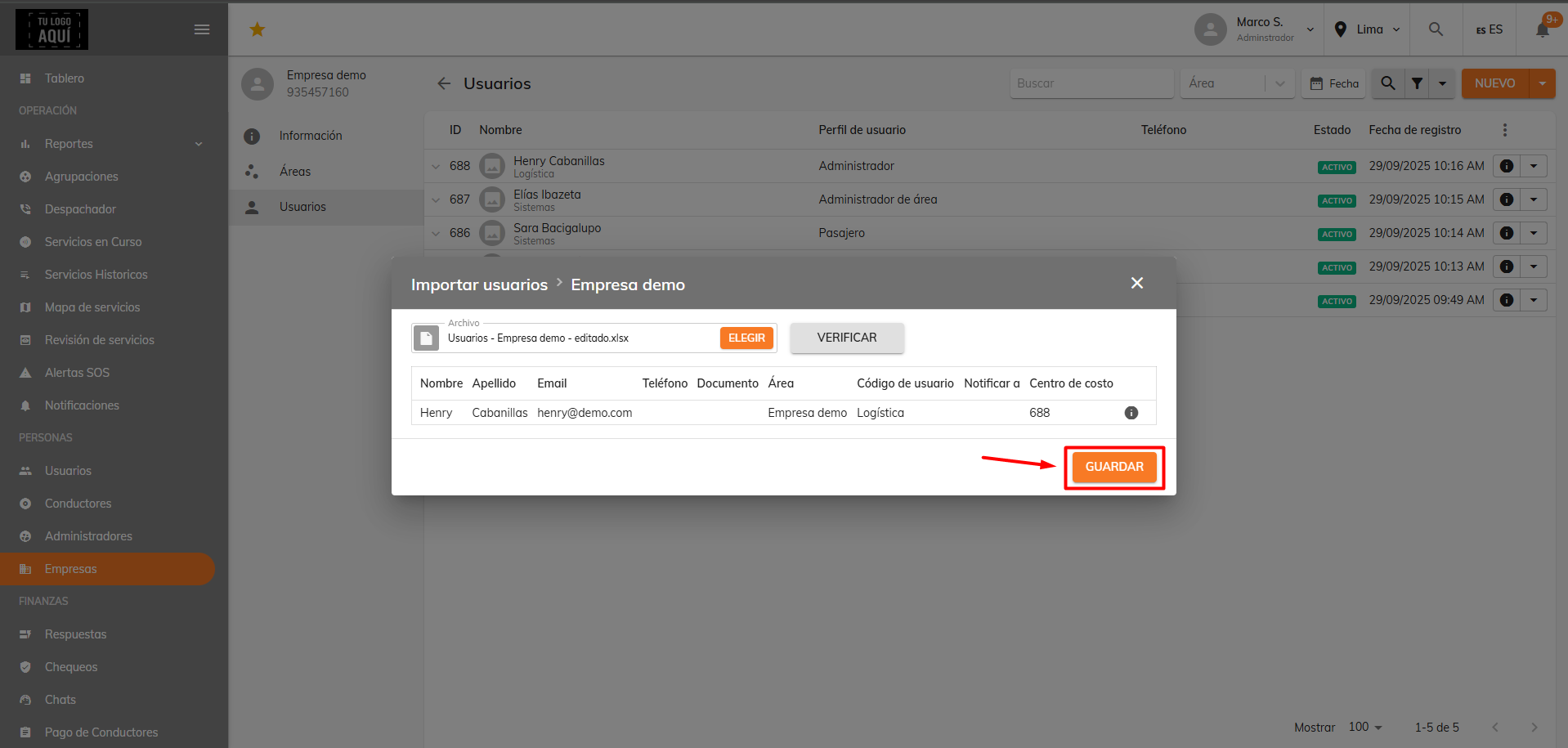
Once the new Excel file is recognized, click the "Save" button.
You should see a confirmation that the user list was updated.
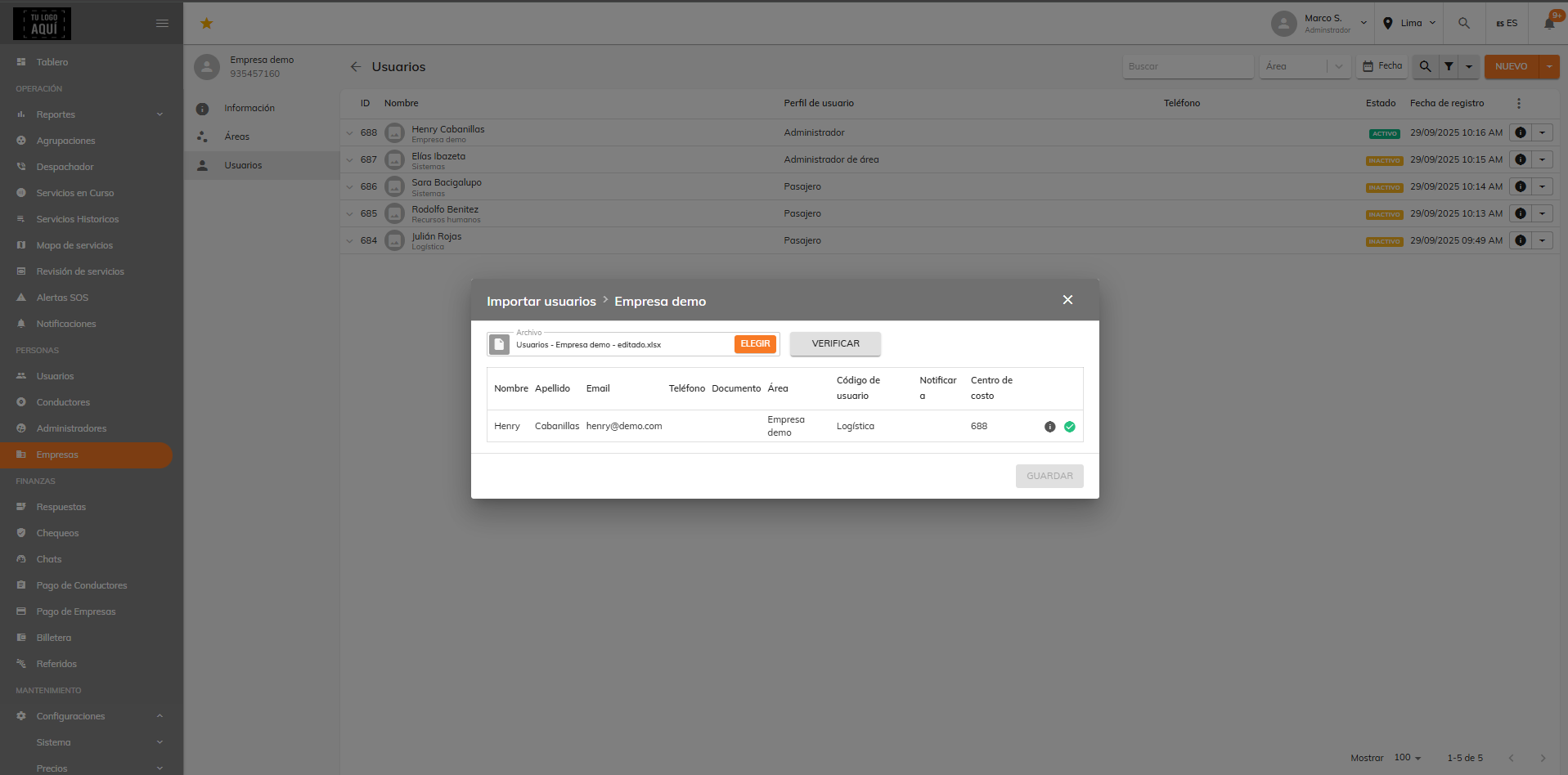
This way, the users you removed will now show as inactive.
Was this article helpful?
Companies (Corporate Services)
- Creating Companies and Corporate Users
- Signing In as a Company User: Admin / Passenger
- Corporate users: Changing your password
- Setting Up Trip Validation for Company Users
- Bulk user import for companies
- Bulk import of ride bookings
- Forms: Dynamic field for company rides
- Groupings
- Bulk-deactivating users for a company