
 Use cases
 Messaging
 Taxi Companies
 Private Transport
 Transportation Entrepreneurs
 Last Mile
 SuperApp
 Software
 Taxi dispatch
 Corporate transportation
 Auction
 Products
 Booking Software
 Dispatch Platform
 Driver App
 Passenger App
 Web Widget
 Functions
 Schedule & Booking
 Driver Management
 Custom
 Corporate Portal
 Security & Support
 Resources
 Learn
Learn



Bulk user import for companies
In this section we'll explain how to register a company's users in bulk. This speeds up the onboarding process by avoiding the manual registration of each user. From here, you can upload a file with the users' information and complete the registration quickly and efficiently.
The first thing we'll do is go to Companies, where we can see all the companies created. If you already have the template with the new users, one way to import them is to click the dropdown arrow on the company you want and select Import users.
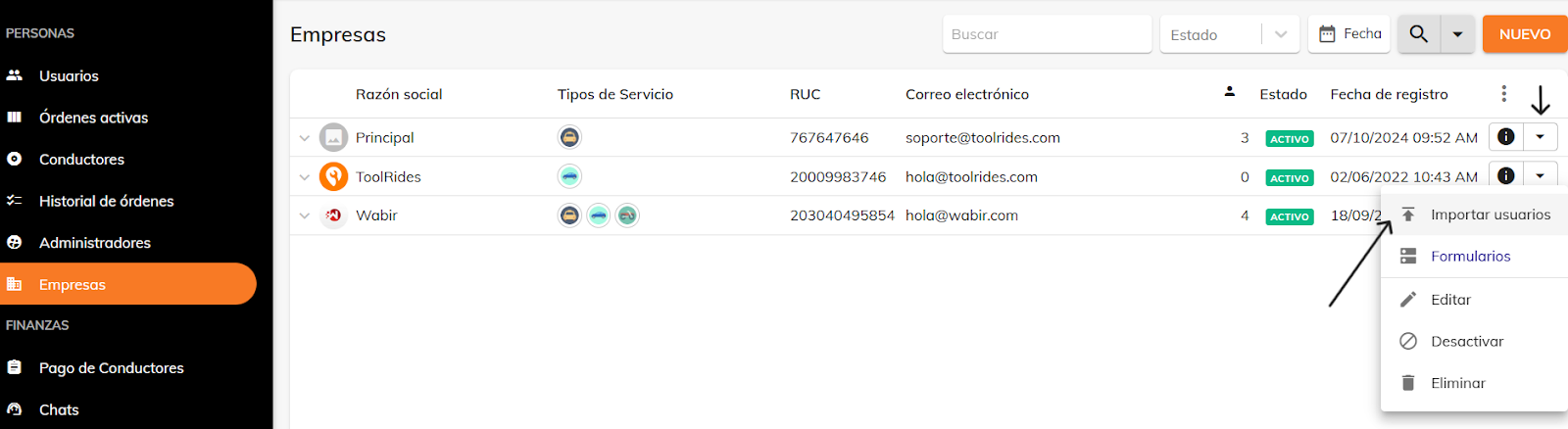
If you don't have the template yet, click the info icon for the company you'll import the users into, then click the Users section.
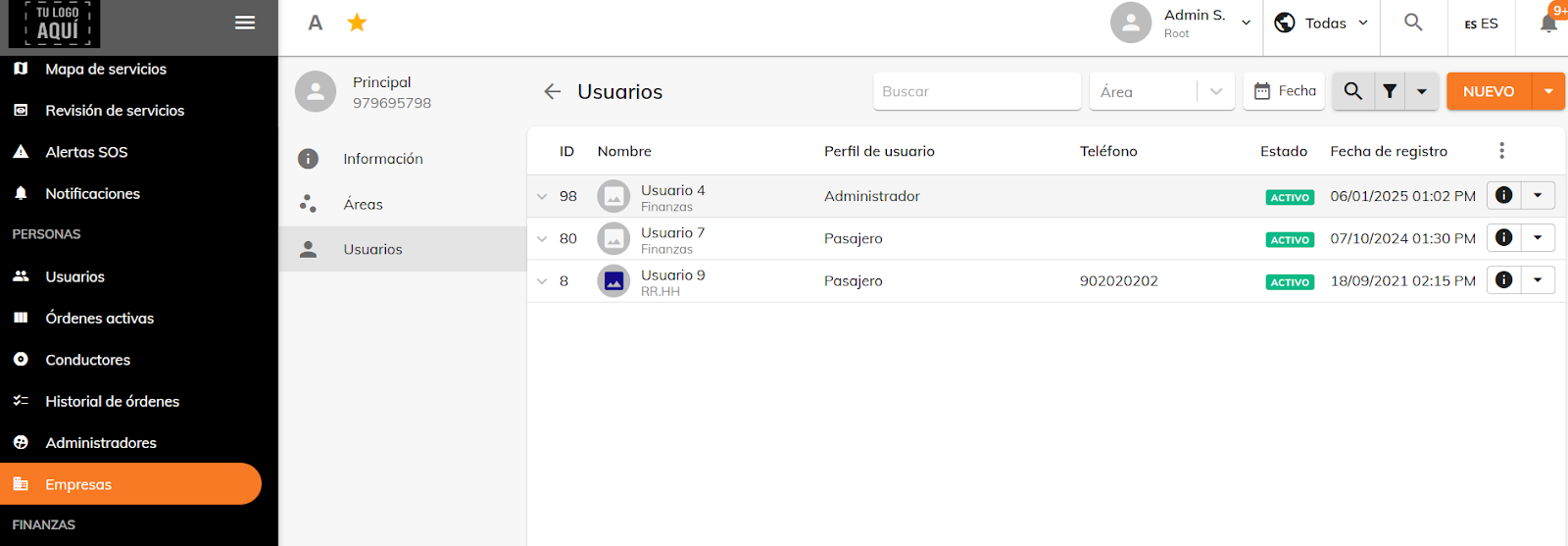
From the company's Users section, to learn the correct format for the file you'll upload in the import, first export the users already created for this company.

Then, in that file, add the details of the new users you want to import.

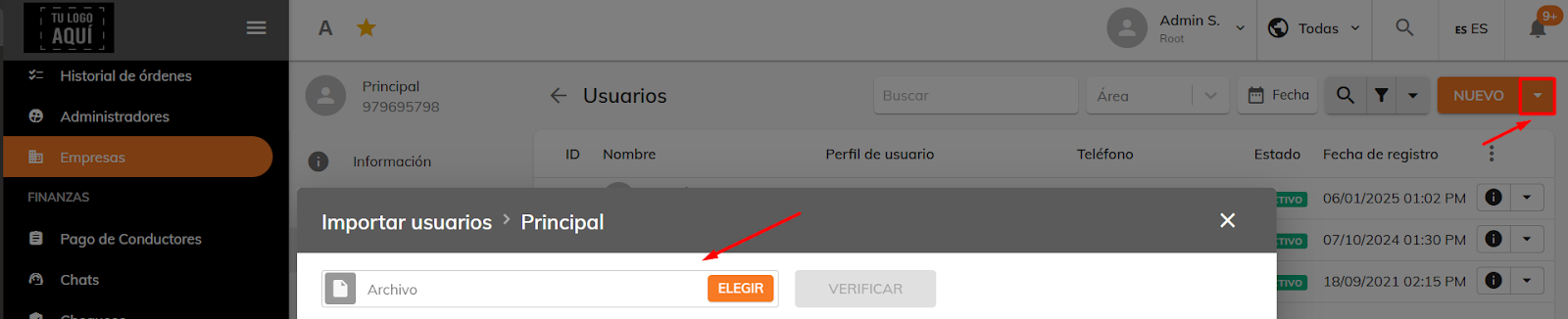
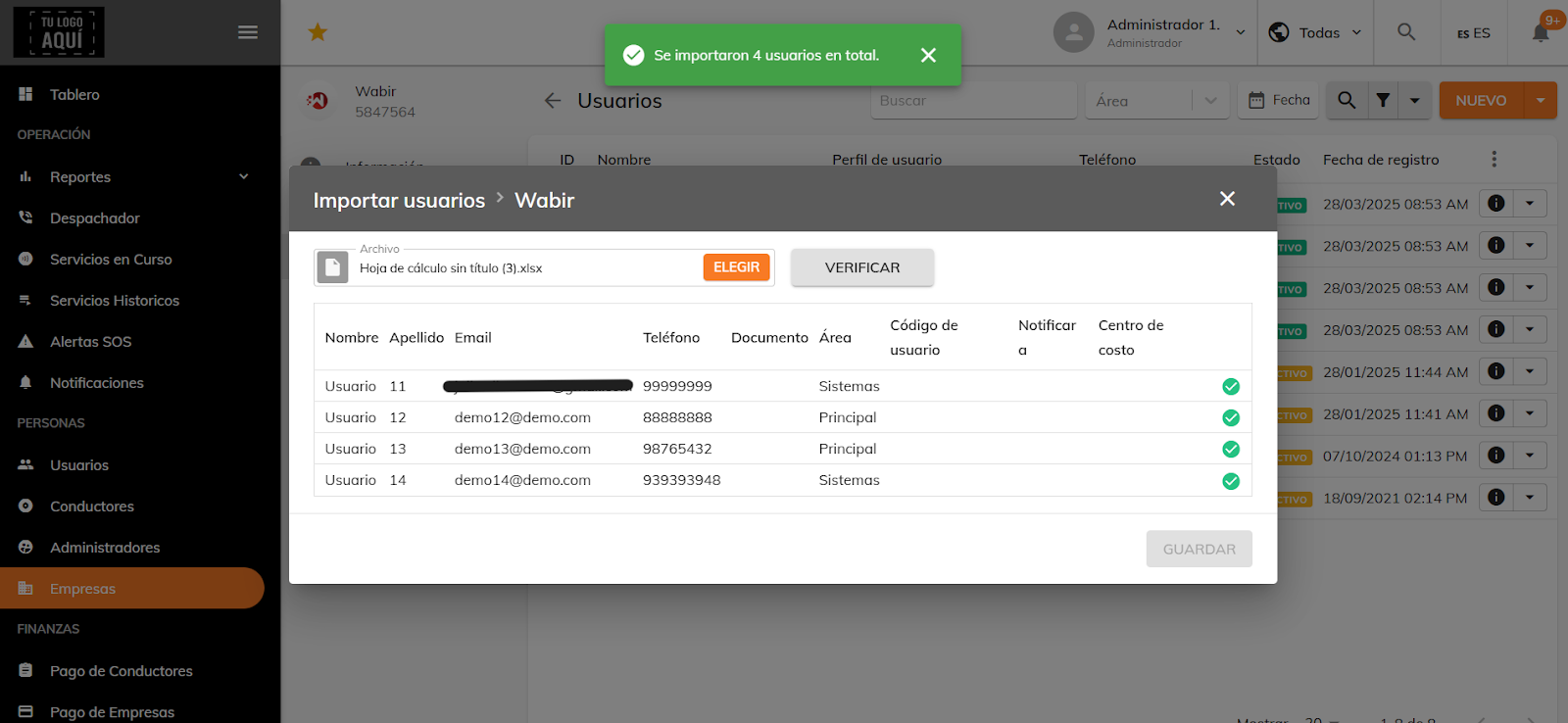
Next to the New button, click the dropdown arrow and select the Import option. When you do, a panel appears where you can upload the import file containing the new users.
If there's any error or issue with the import, the system will flag it so you can make the necessary changes. Once the errors are fixed, the verification step will let you upload the users.
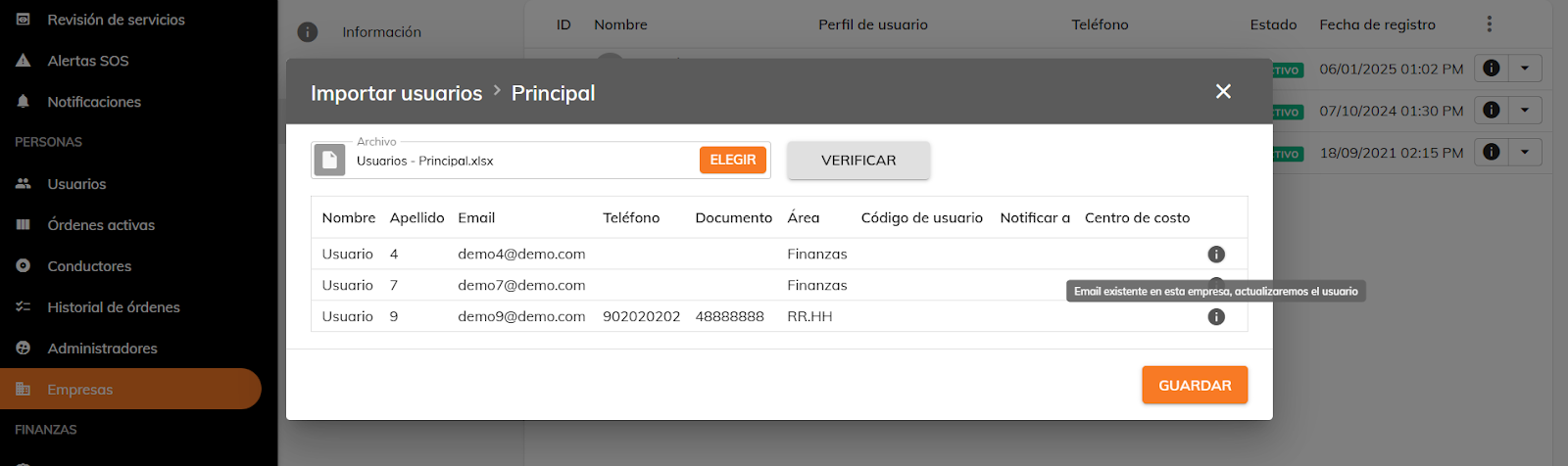
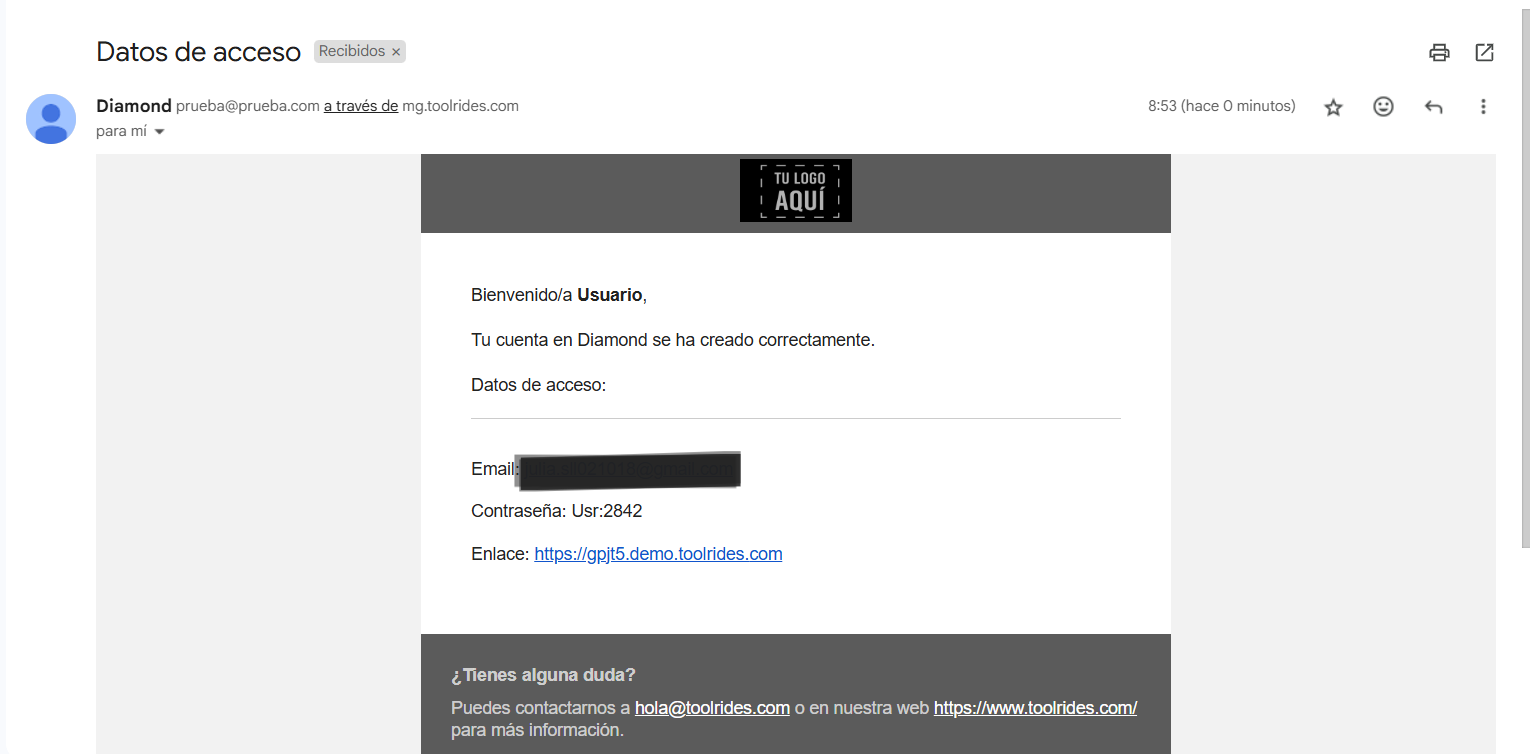
Once imported, the users will receive an email with their email address, login password, and a link to the web panel.
Was this article helpful?
Companies (Corporate Services)
- Creating Companies and Corporate Users
- Signing In as a Company User: Admin / Passenger
- Corporate users: Changing your password
- Setting Up Trip Validation for Company Users
- Bulk user import for companies
- Bulk import of ride bookings
- Forms: Dynamic field for company rides
- Groupings
- Bulk-deactivating users for a company