
 Use cases
 Messaging
 Taxi Companies
 Private Transport
 Transportation Entrepreneurs
 Last Mile
 SuperApp
 Software
 Taxi dispatch
 Corporate transportation
 Auction
 Products
 Booking Software
 Dispatch Platform
 Driver App
 Passenger App
 Web Widget
 Functions
 Schedule & Booking
 Driver Management
 Custom
 Corporate Portal
 Security & Support
 Resources
 Learn
Learn



Contact Us Section in the Passenger and Driver Apps
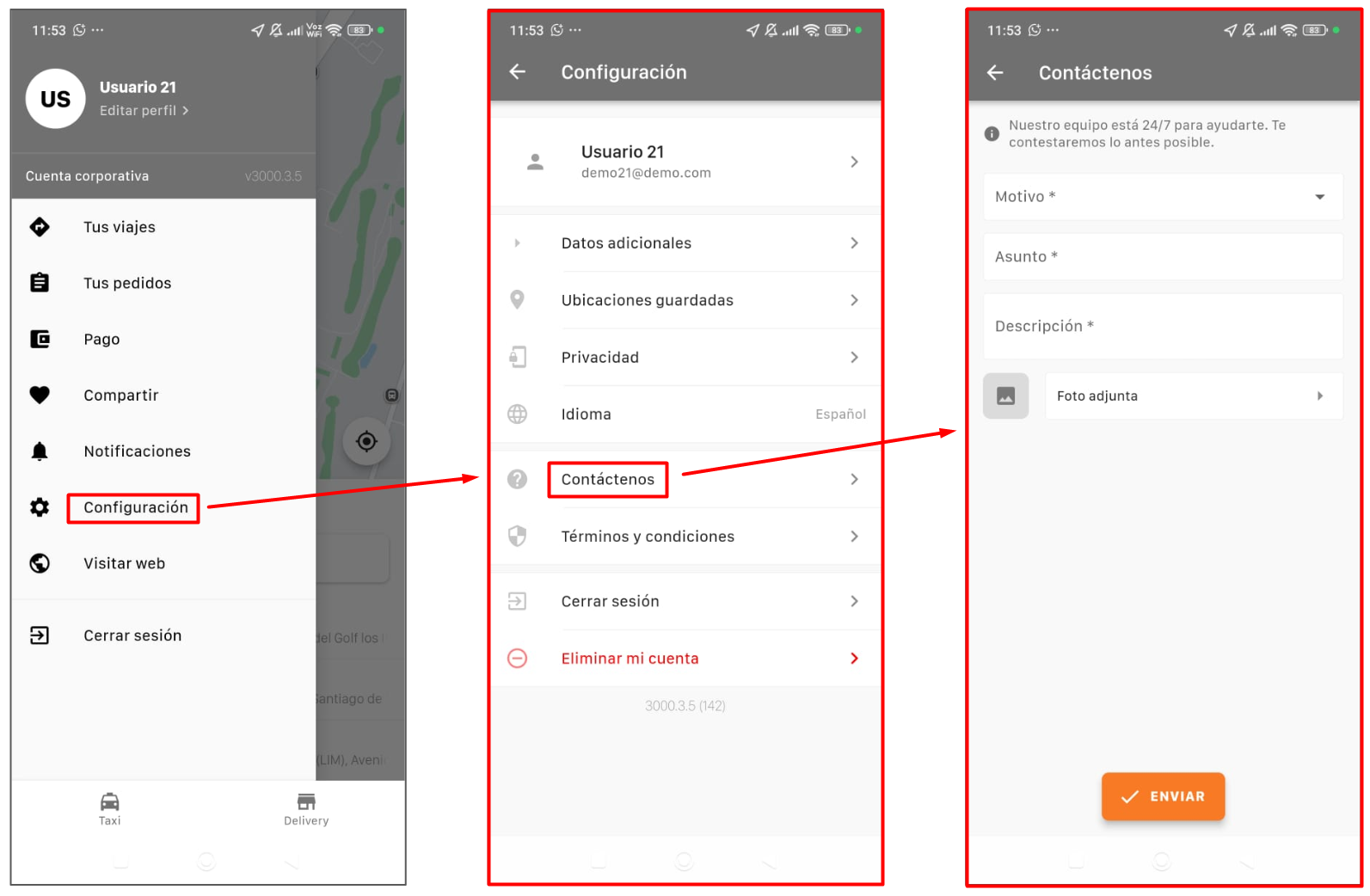
In the passenger and driver apps, users can go to Settings > Contact Us to fill out a form with dynamic fields and get in touch with the transport company.
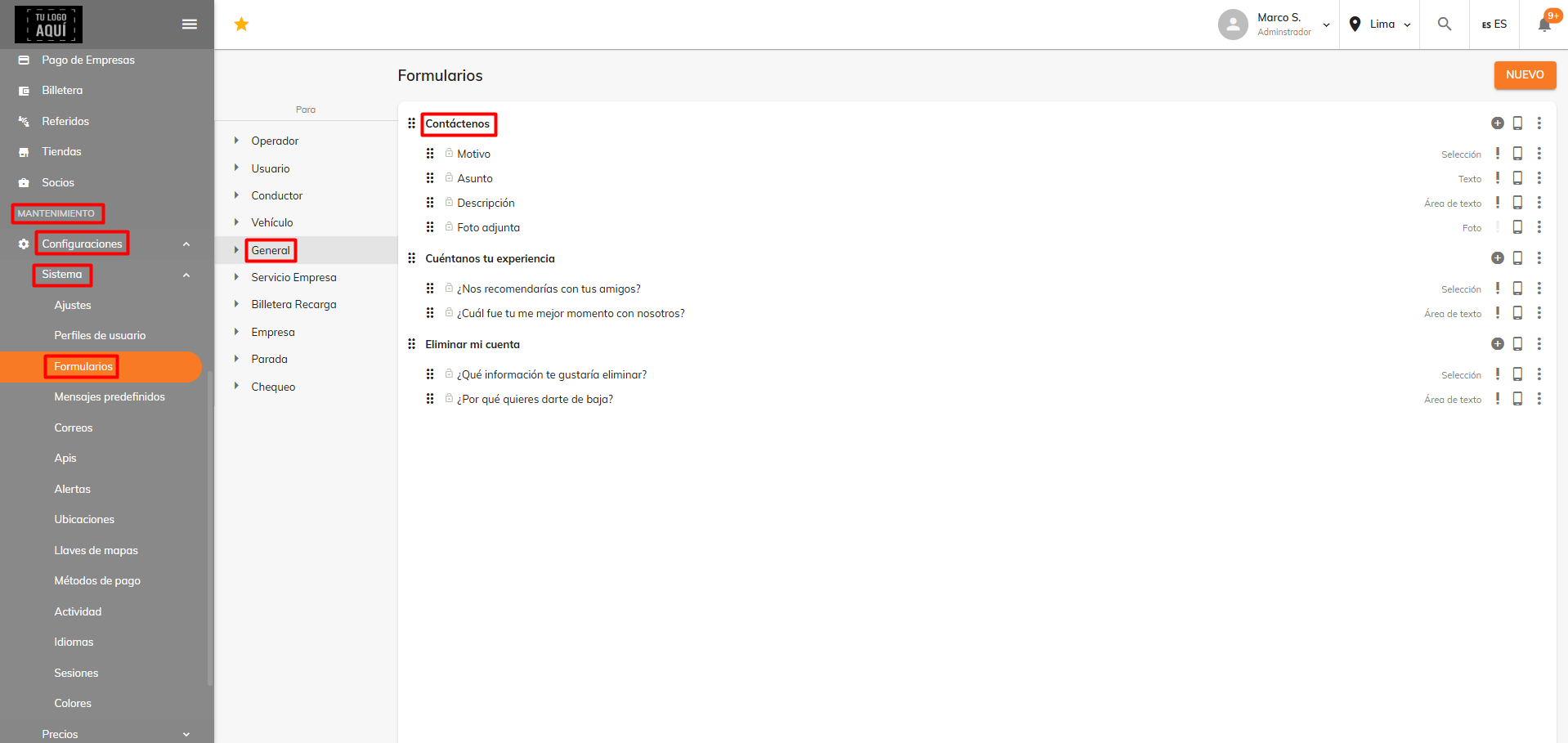
These dynamic fields can be edited in the "Contact Us" form from Maintenance > Settings > System > Forms > General in the web panel.
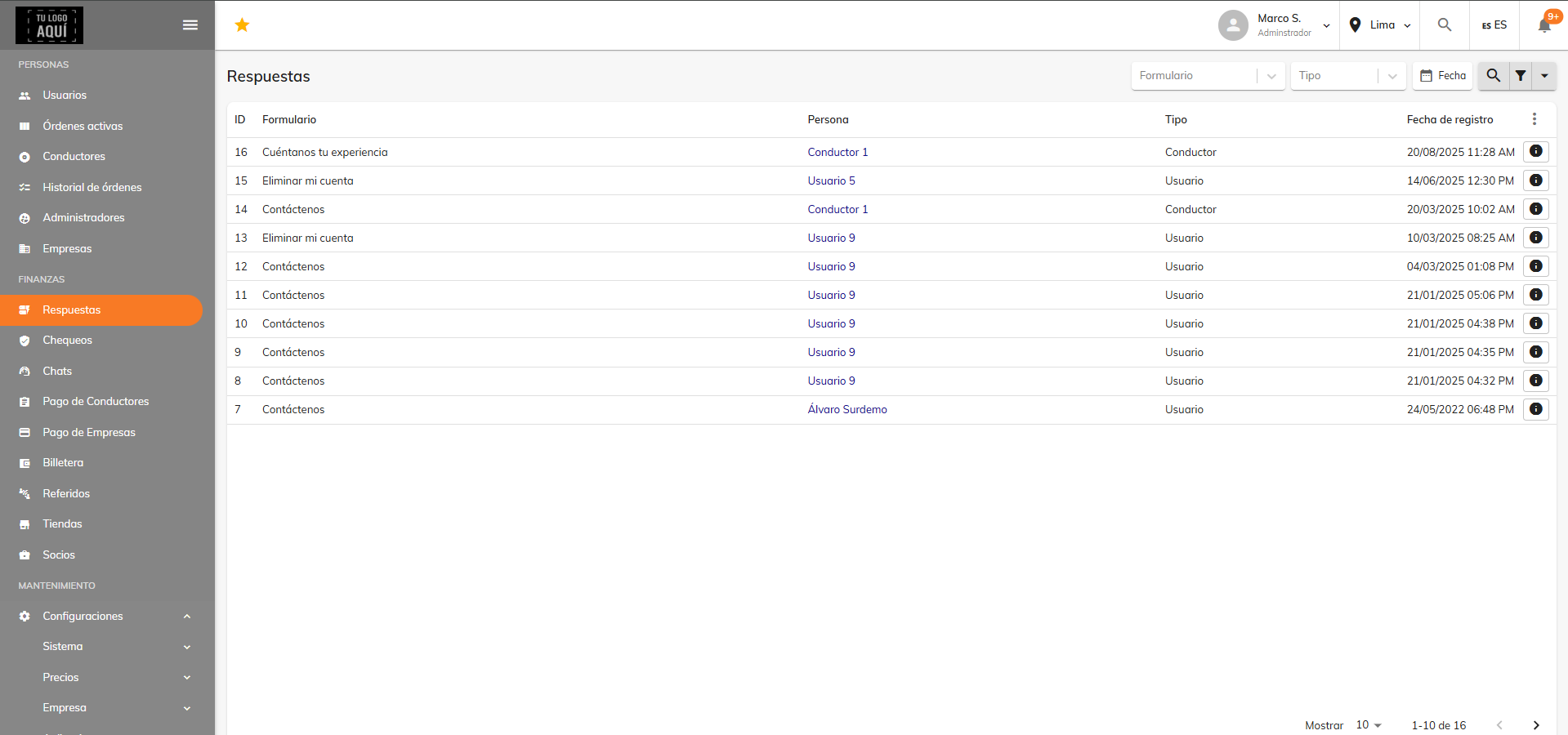
The responses submitted through this form can be viewed under Finance > Responses.
Was this article helpful?
Finance
- Digital Wallet: Top-Ups and Deductions for Drivers and Riders
- Referrals: benefits for users and drivers
- Driver settlement process (driver payouts)
- Promo code guide
- Create fleets and add workers
- Contact Us Section in the Passenger and Driver Apps