
 Use cases
 Messaging
 Taxi Companies
 Private Transport
 Transportation Entrepreneurs
 Last Mile
 SuperApp
 Software
 Taxi dispatch
 Corporate transportation
 Auction
 Products
 Booking Software
 Dispatch Platform
 Driver App
 Passenger App
 Web Widget
 Functions
 Schedule & Booking
 Driver Management
 Custom
 Corporate Portal
 Security & Support
 Resources
 Learn
Learn



Promo code guide
This code helps you offer promotions to your customers, whether they're new or not.
First, you need to create the promo code. To do this, go to Settings > Pricing > Promotions. Then create a new promotion by clicking "New".
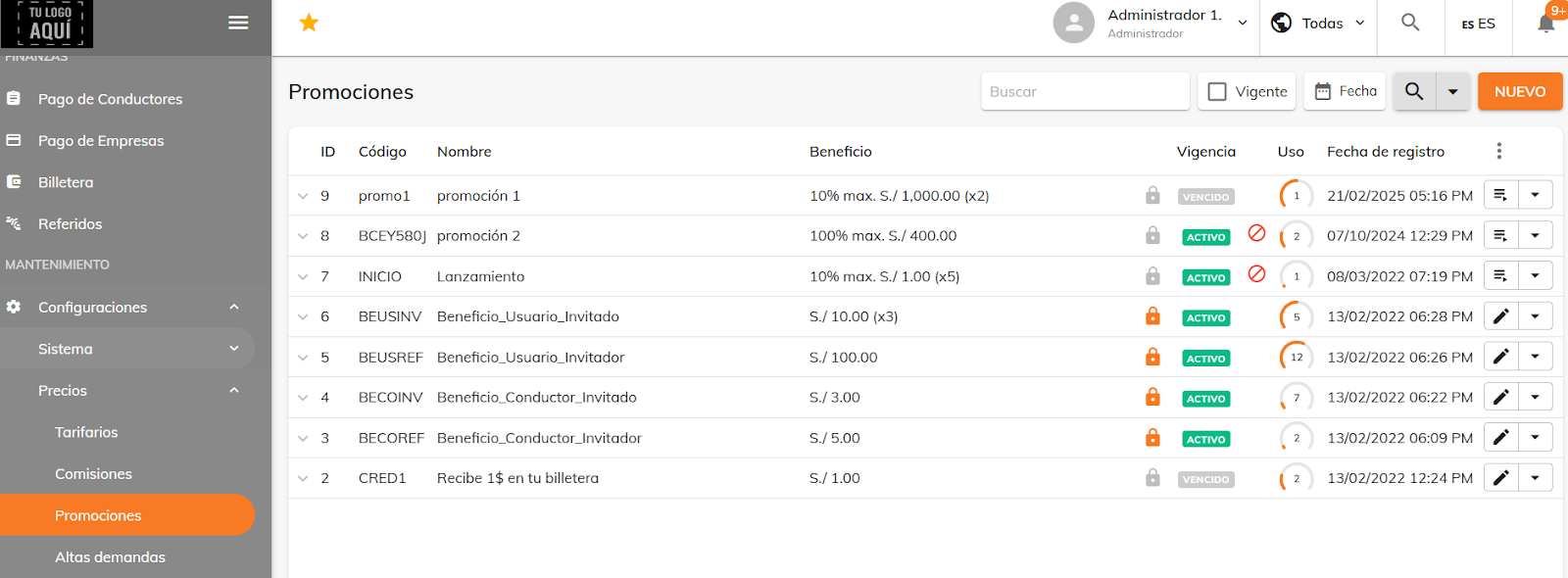
Next, fill in the relevant details, such as the branch where the promotion will be valid, the type of benefit (whether it applies to trips or to the wallet), a name, and you can also choose to create a custom code or let the system generate one automatically.
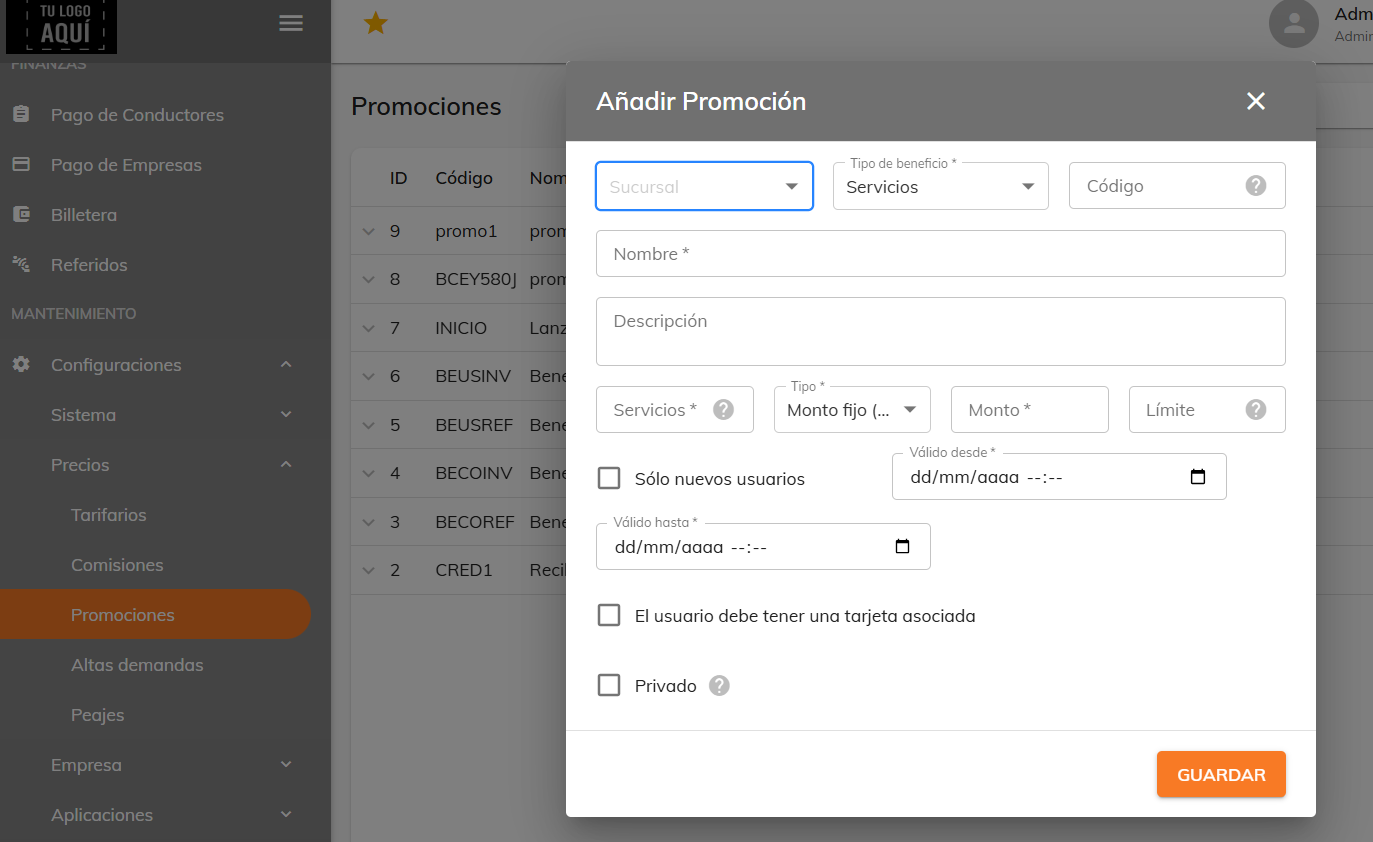
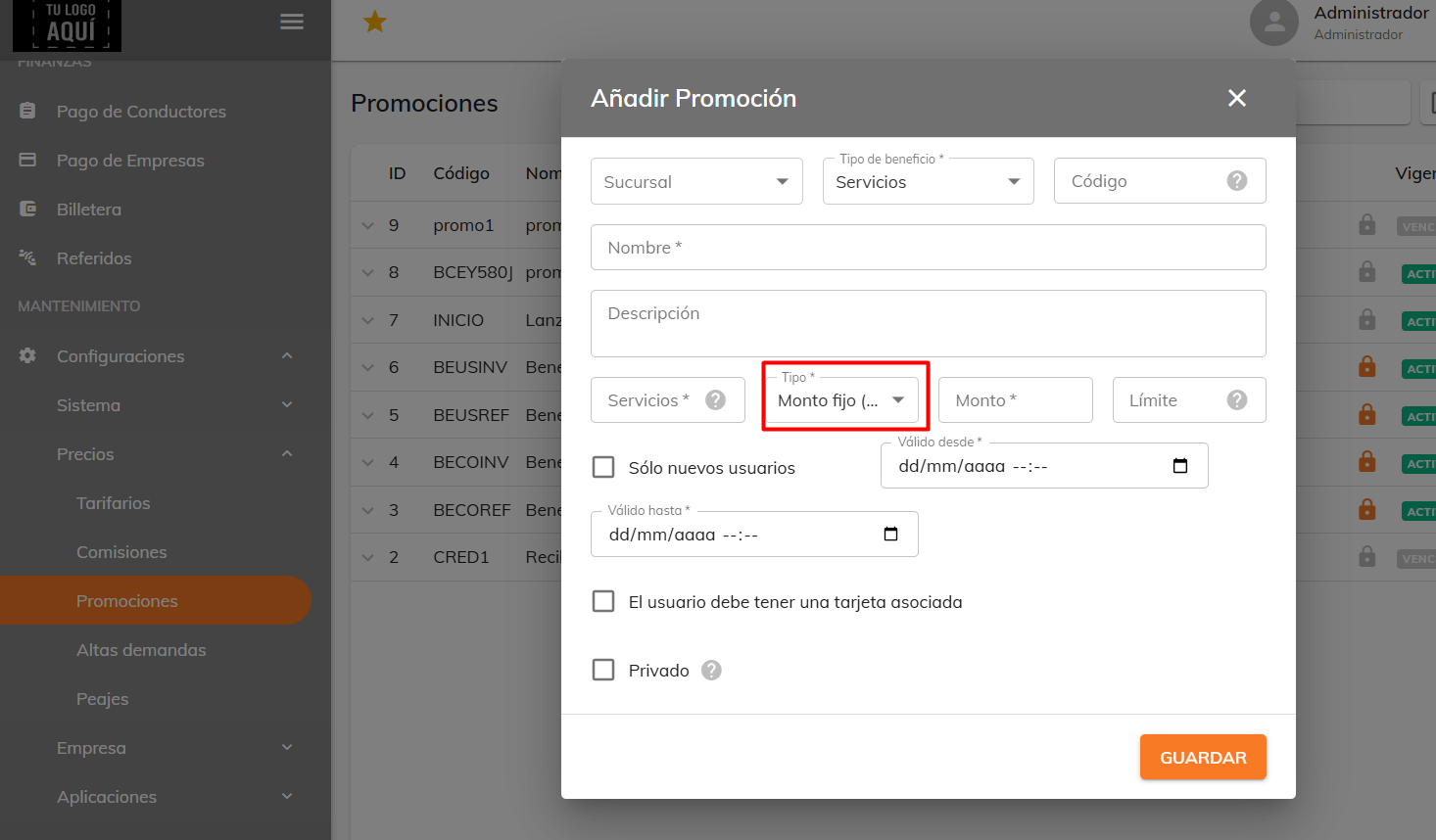
Depending on the type of benefit selected, different fields will appear for you to complete. If the benefit type is per trip, a field is enabled to set the number of trips the user can redeem the promotion on, along with the option to choose whether the discount is a fixed amount or a percentage.
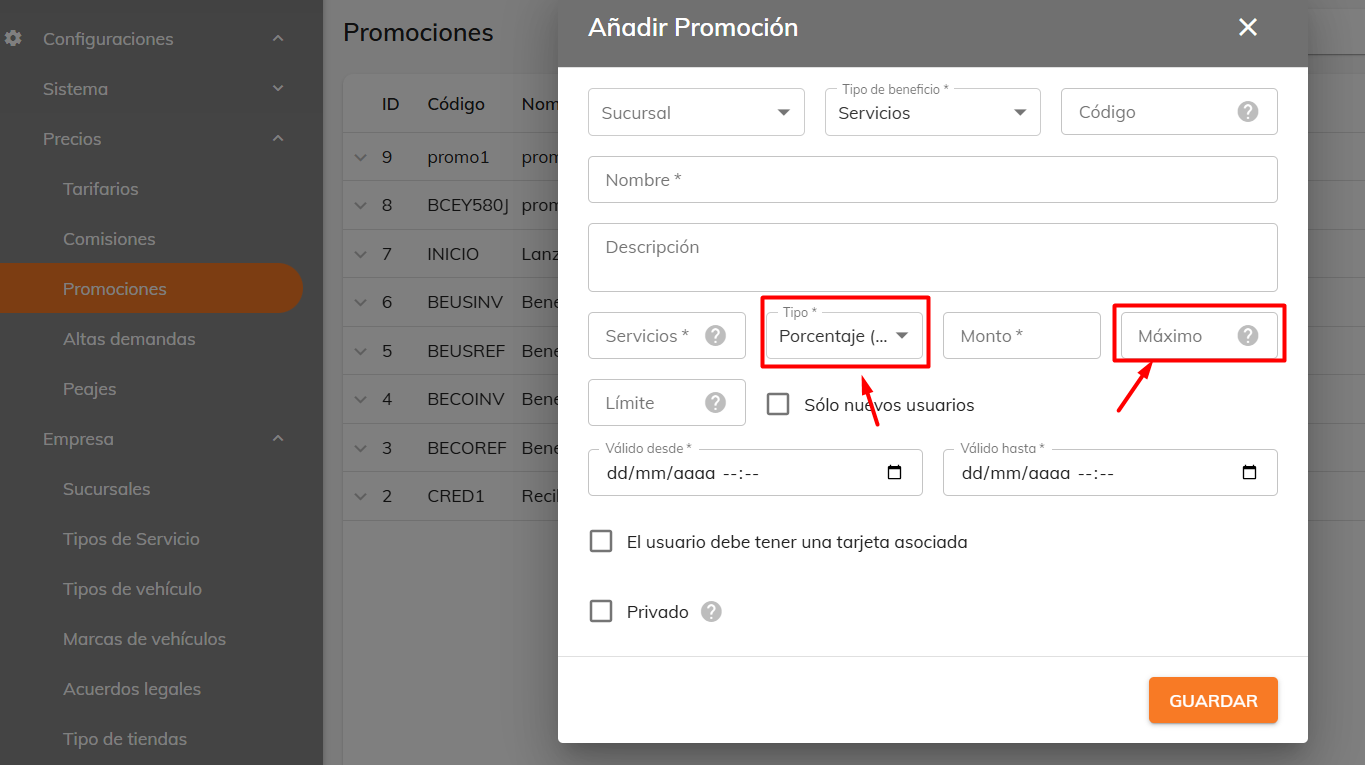
If you choose percentage as the type, an additional field appears to set the maximum amount that will be discounted from the trip.
If the benefit applies to the wallet, only the amount and limit fields are enabled.
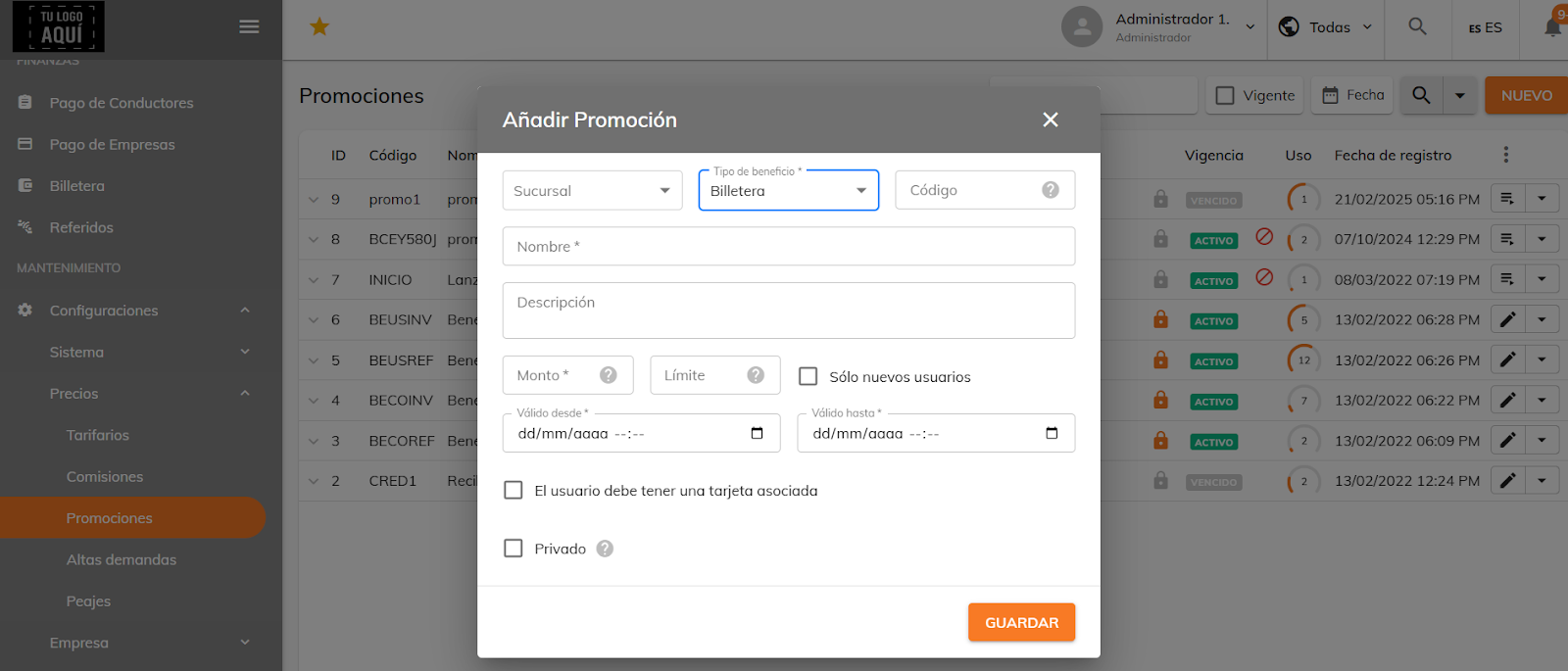
Likewise, every promotion has a validity period to define a date range, plus an option for whether the user needs to have a card on file. If you select the "Private" option, the promotion will be exclusive to referrals.
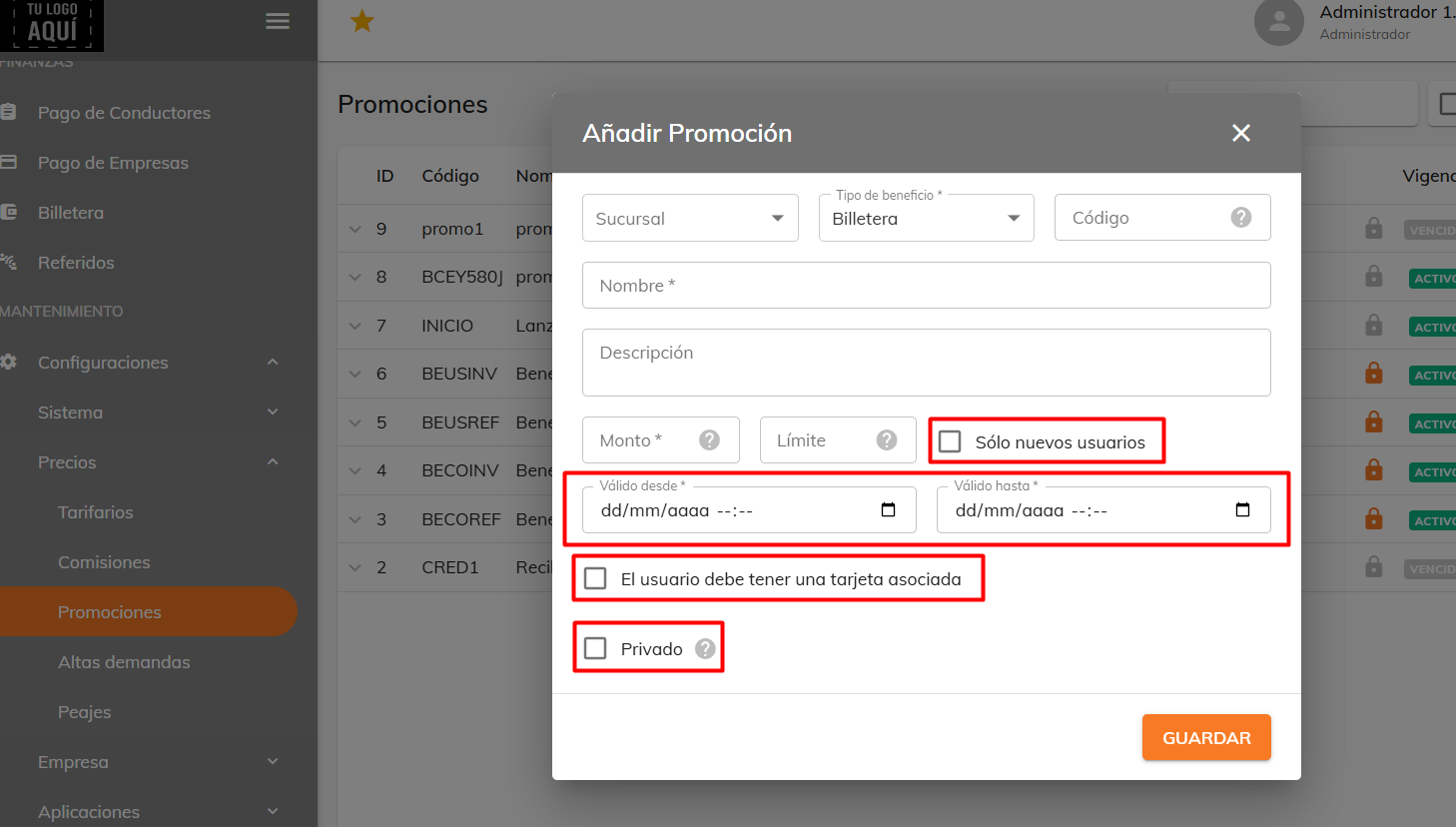
Once you've filled in the details, click "Save" and the code will be created. The code can be entered in the 'Payment' section of the app.
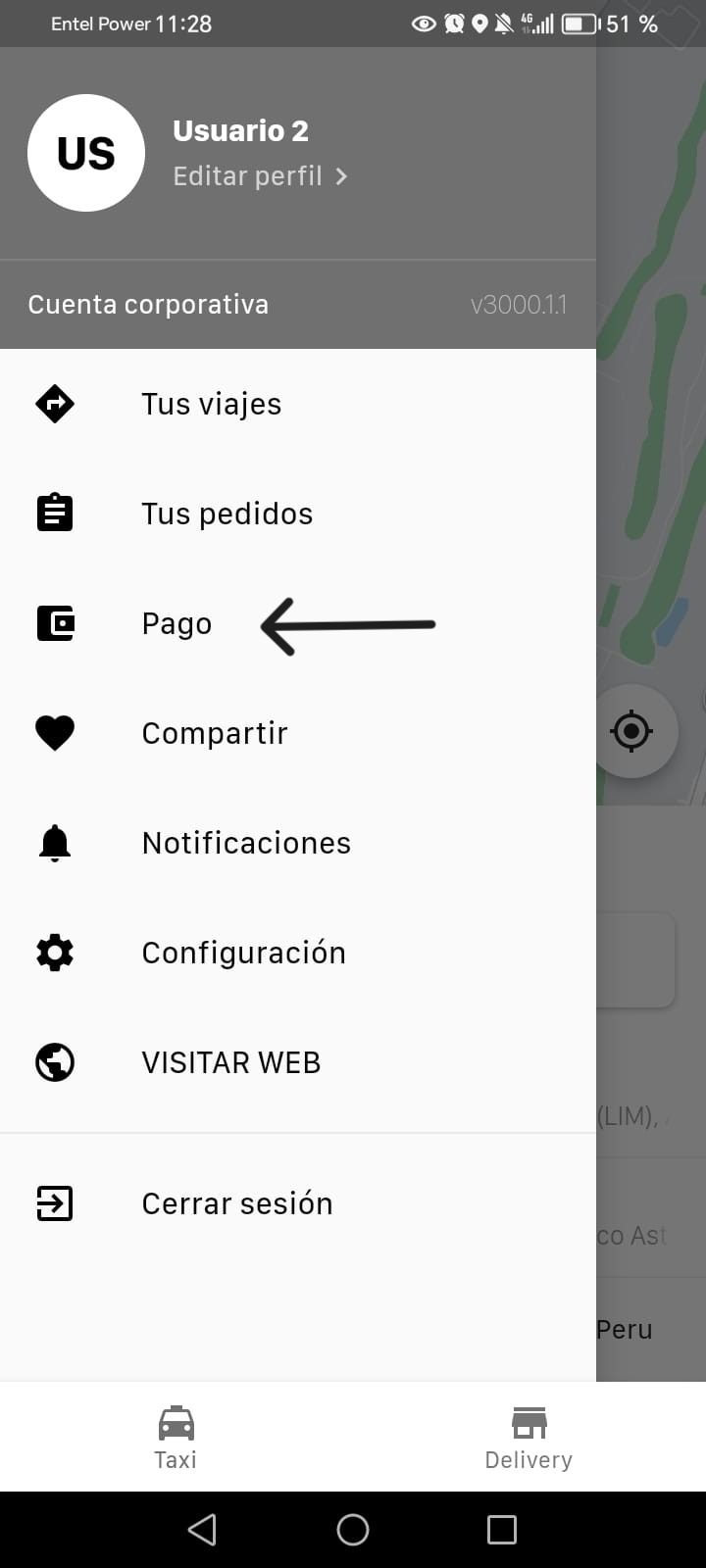
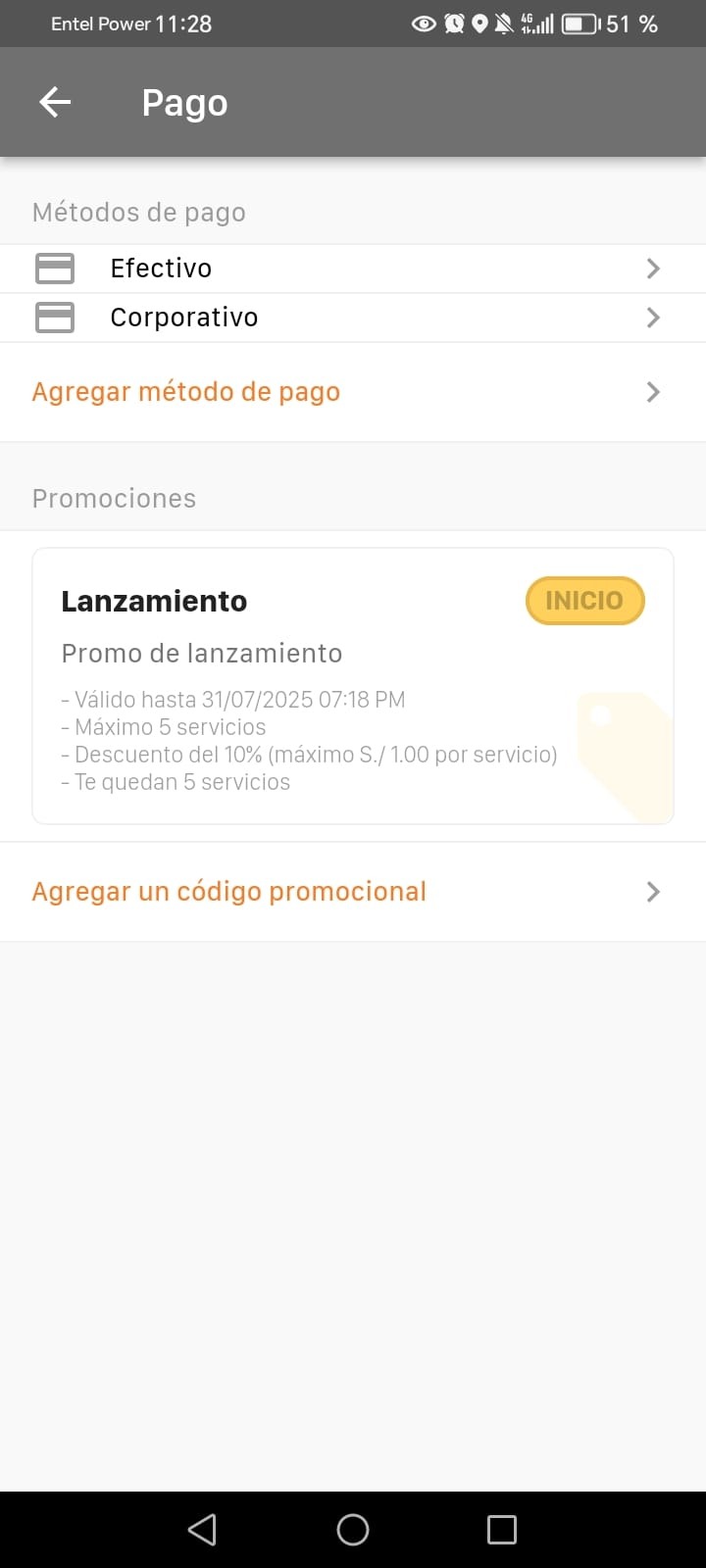
Click it and a promotions section appears with the option "Add a promo code". When you select it, the app asks for the code, and once entered, the promotion details appear, including the expiration date, the maximum number of uses allowed, and the applicable discount amount or percentage.
When you request the trip, the app shows the discount applied. If more than one promotion has been redeemed, the first one entered is used automatically.
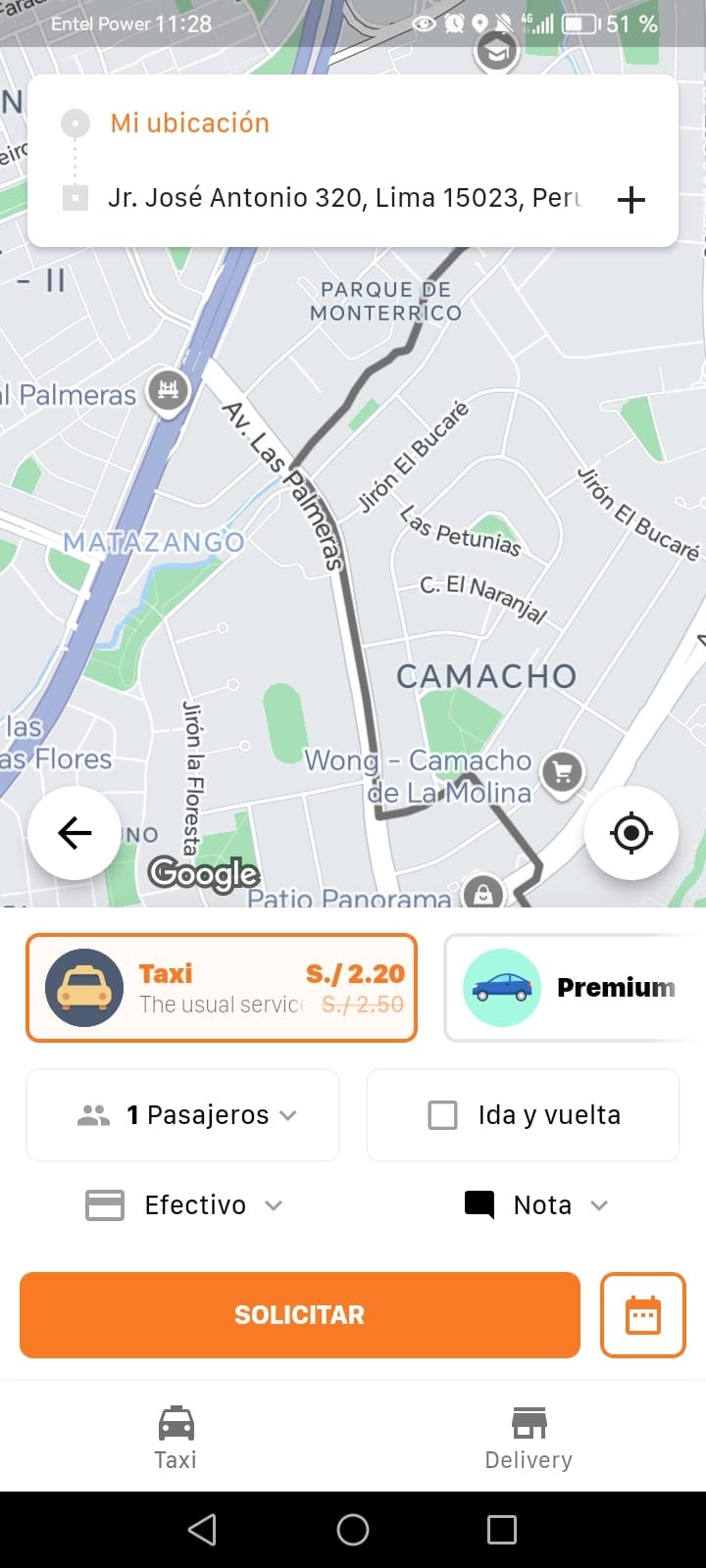
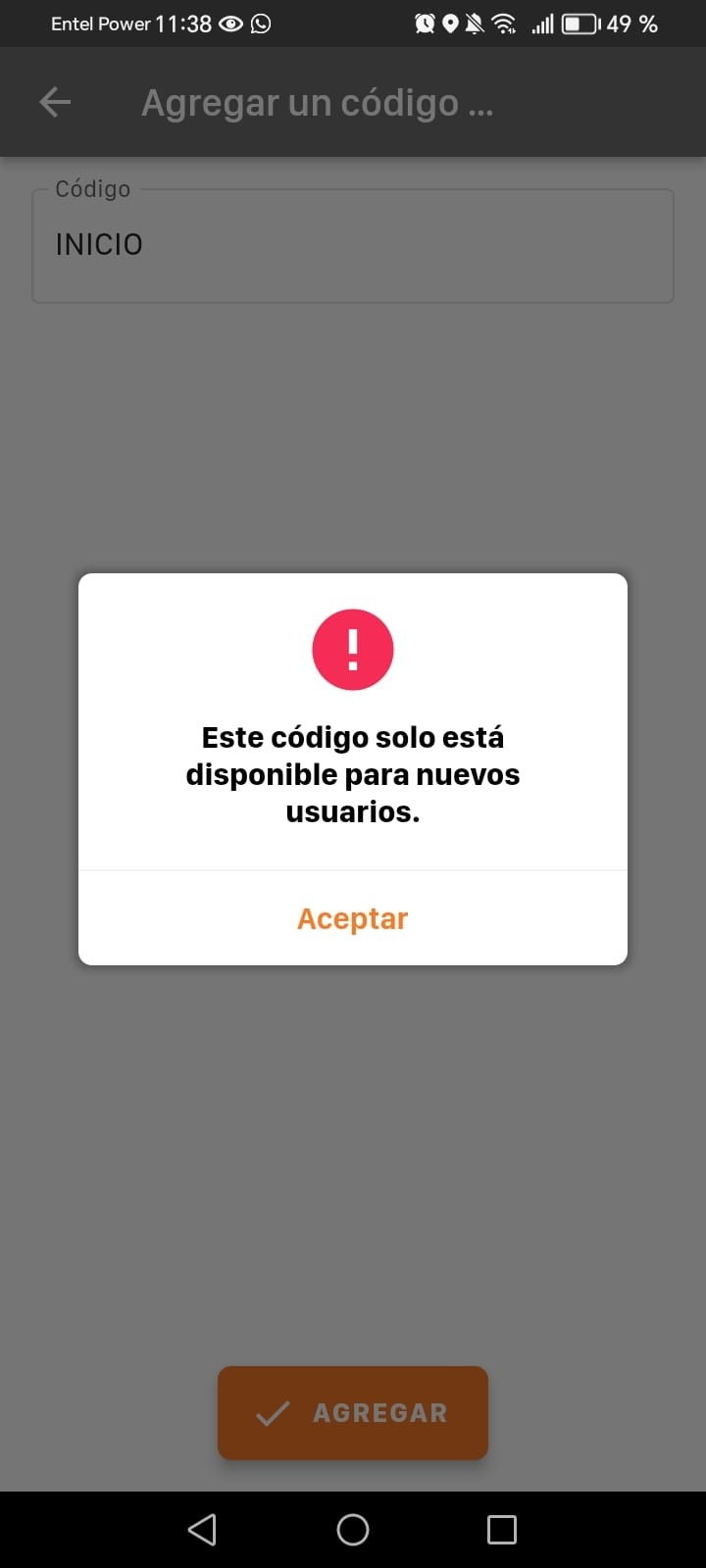
If the promotion is exclusive to new users, it can't be redeemed directly within the app. Instead, it must be added right after completing the new user registration. Otherwise, trying to redeem it will show a warning message indicating that it's not valid.
Was this article helpful?