
 Use cases
 Messaging
 Taxi Companies
 Private Transport
 Transportation Entrepreneurs
 Last Mile
 SuperApp
 Software
 Taxi dispatch
 Corporate transportation
 Auction
 Products
 Booking Software
 Dispatch Platform
 Driver App
 Passenger App
 Web Widget
 Functions
 Schedule & Booking
 Driver Management
 Custom
 Corporate Portal
 Security & Support
 Resources
 Learn
Learn



Driver settlement process (driver payouts)
ToolRides lets you automate and control the entire settlement process for the services performed by drivers, taking into account variables such as amounts collected, discounts, commissions, and outstanding debts.
🎬 Video: https://www.youtube.com/embed/jIdy12ZTsBw
Step 1: Open the settlements module
From the main panel, go to Settlements > New.
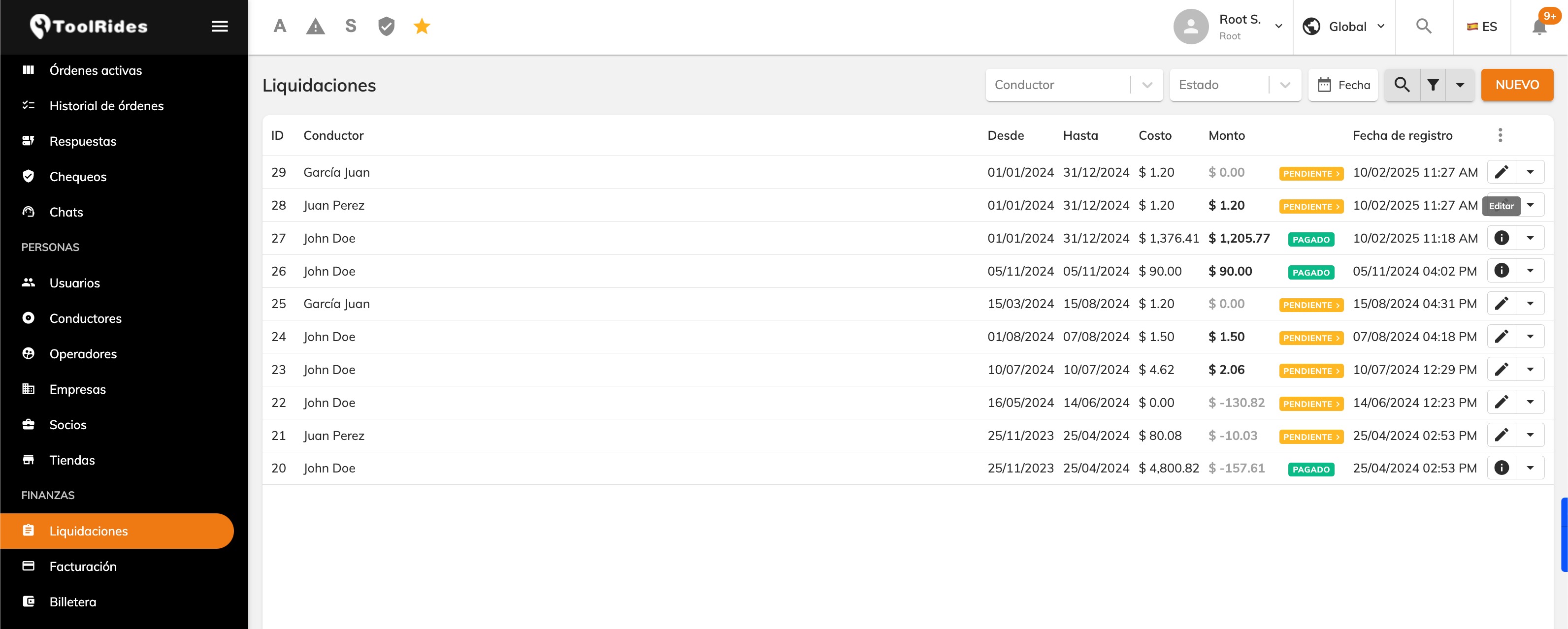
Select the date range you want to settle (for example, the 1st through the 15th of the month).
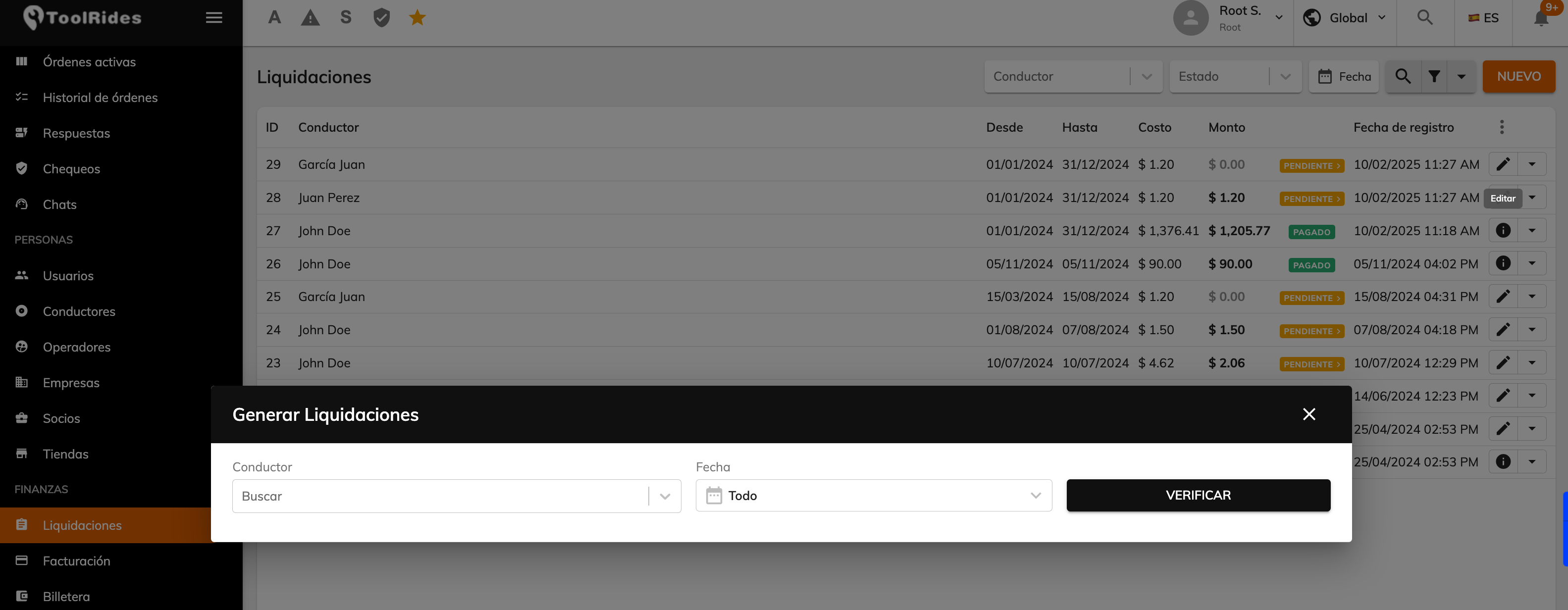
Filter by driver (if applicable).
Step 2: Review the pending services
The system automatically loads all the trips made by drivers during the selected period.
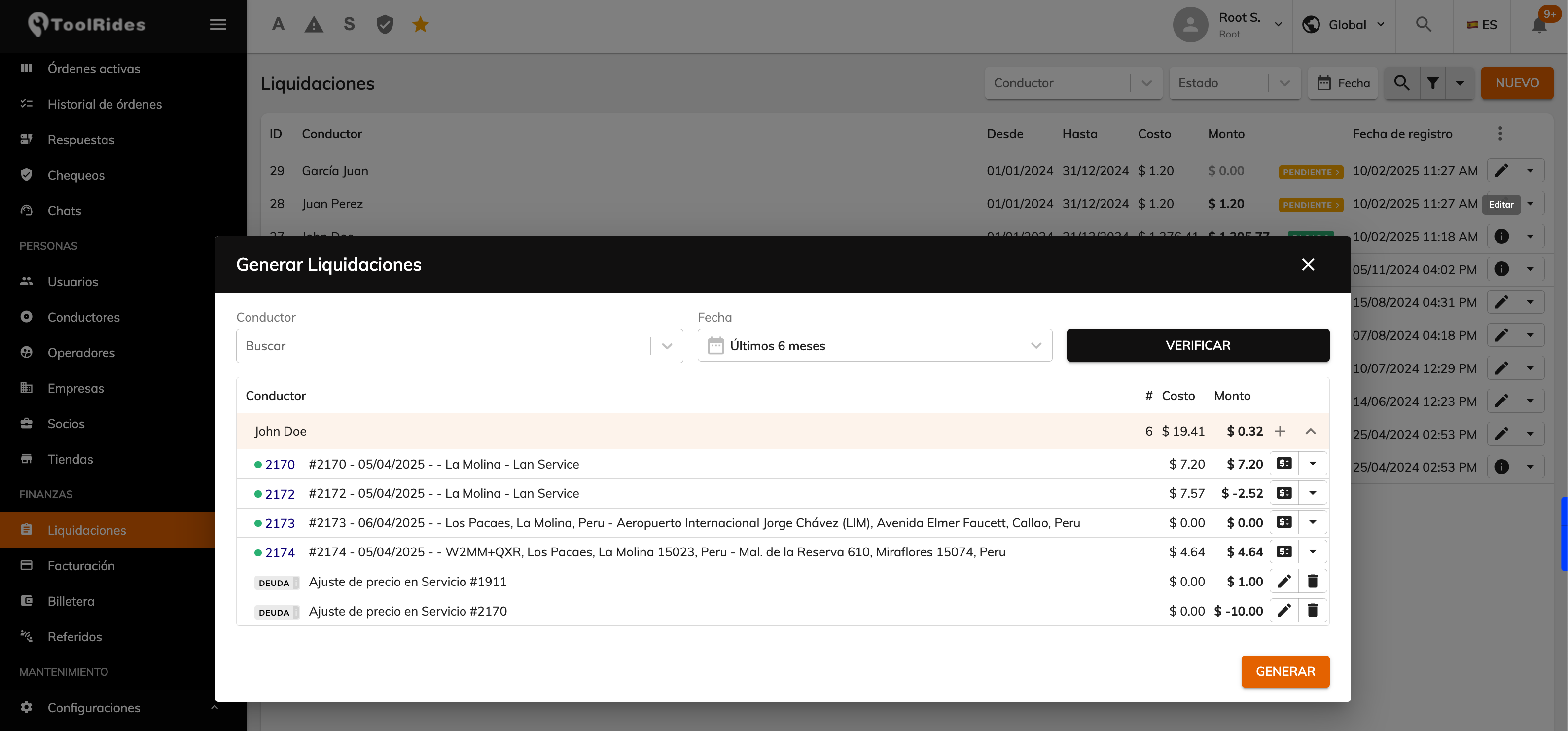
Each record includes:
Details of the related trip
Previous debt (if applicable)
Cost (driver earnings)
Amount collected/paid to the driver (cash/card/corporate)
Trip adjustment options
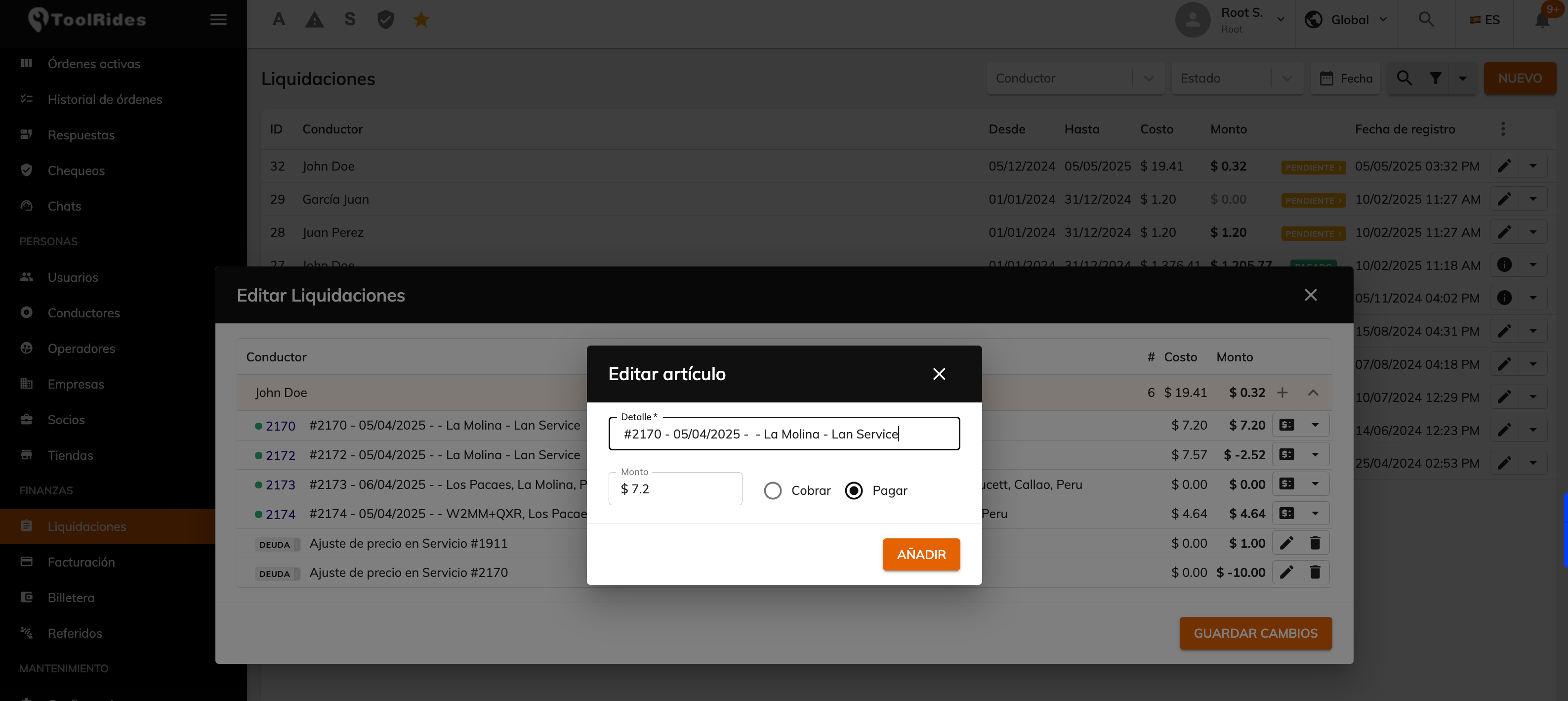
Step 3: Review and edit (if applicable)
Before generating the settlement, you can manually edit:
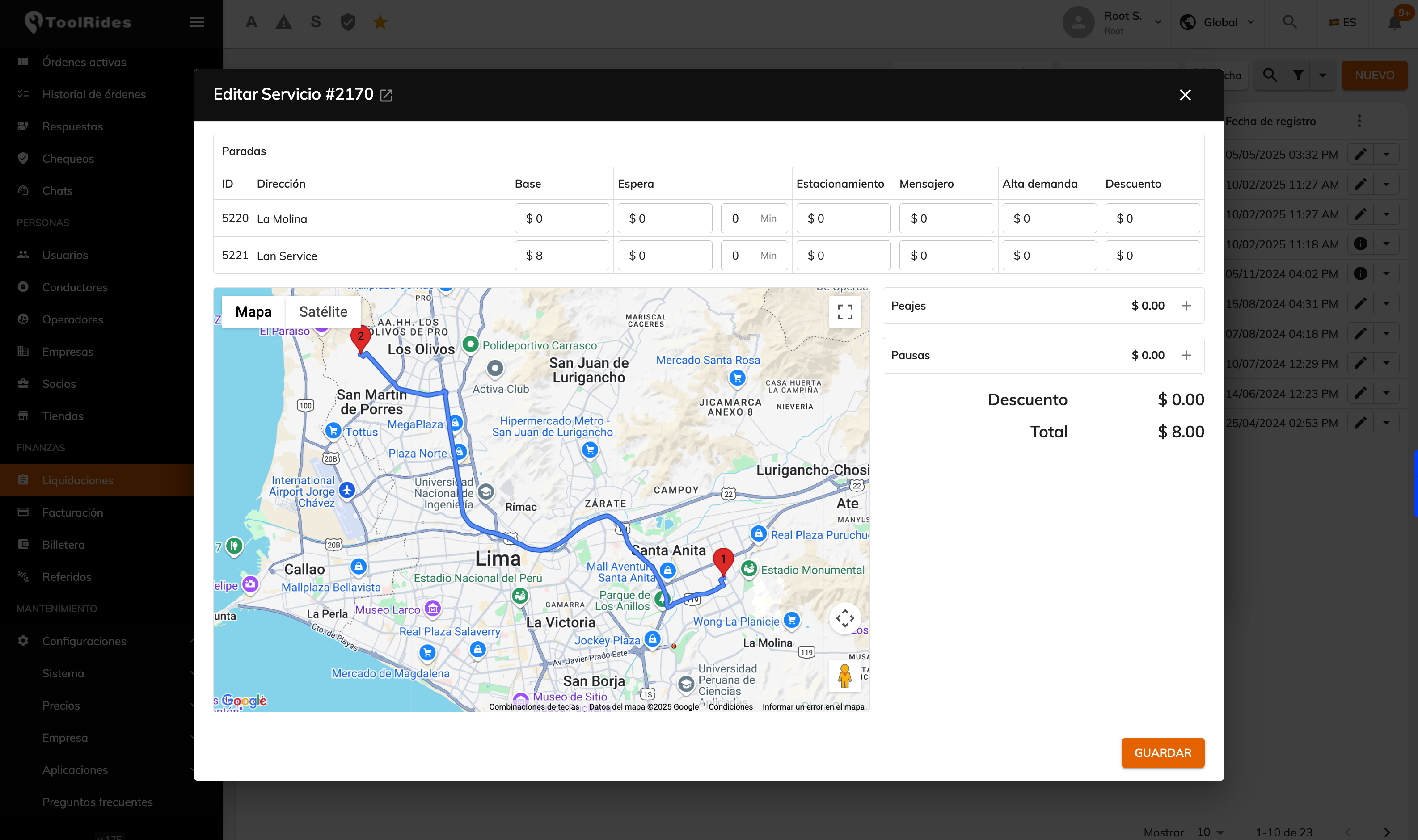
The final service amount (if there were adjustments)
Add discounts or one-off bonuses
Step 4: Generate the draft settlement
Once the services have been verified, click “Generate draft settlement”.
A preliminary document is created with a summary of:
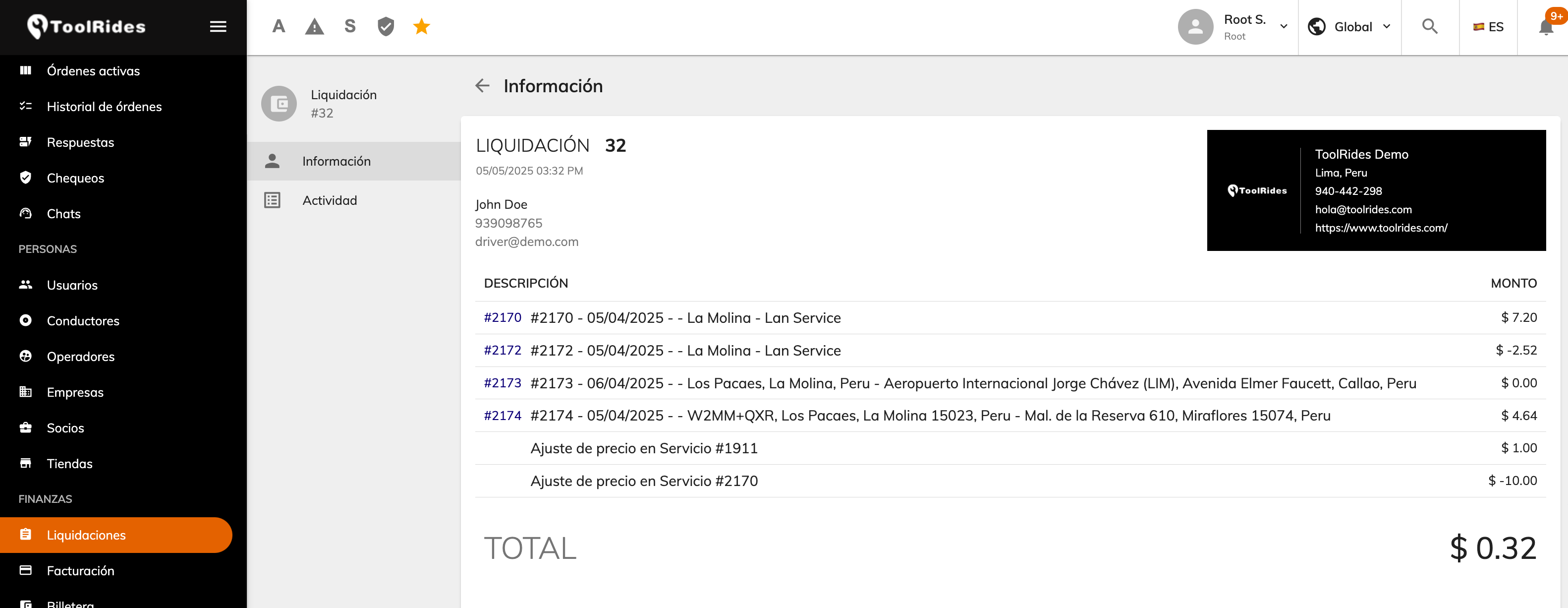
Service details
Total collected
Discounts and refunds applied
It shows the net amount to pay the driver and any outstanding balance in their favor or against them.
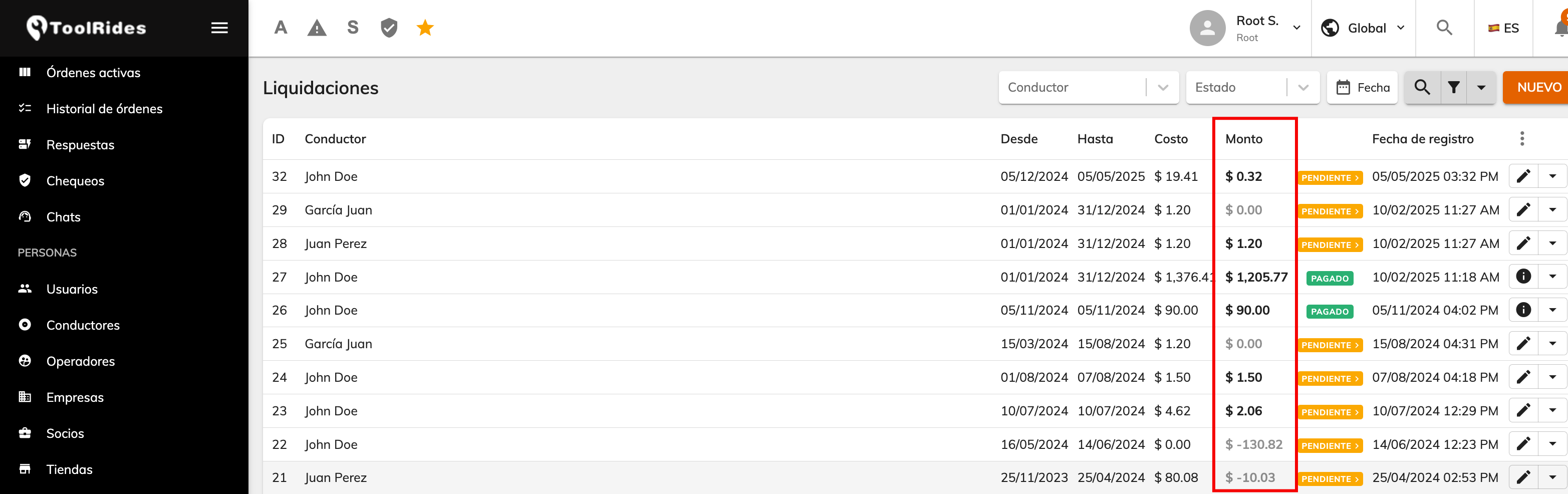
Step 5: Validate and close
Review the draft settlement together with the operations team (optional).
If everything is correct, click “Complete”.
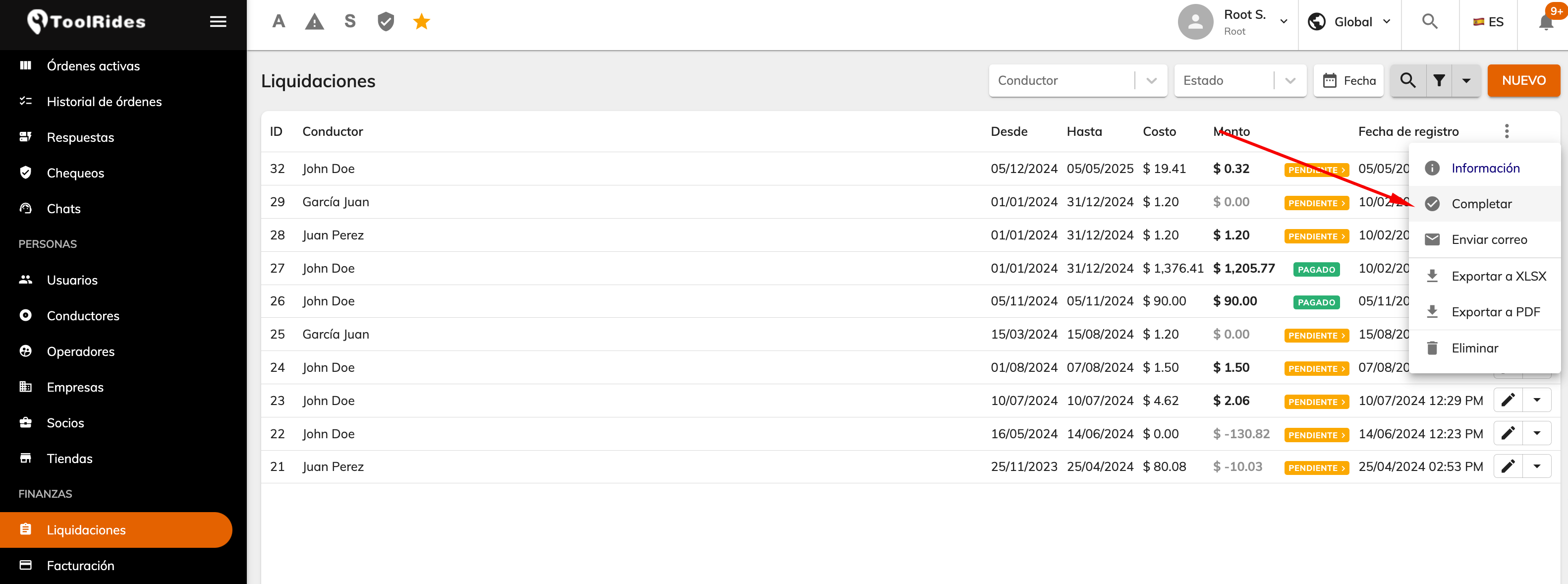
Step 6: Adjust services already paid (optional)
If, after closing a settlement that has already been paid, you detect an error or adjustment (e.g., overcharge, service logged incorrectly):
Go to the Service History module.
Select the affected service and click on info “[i]”.
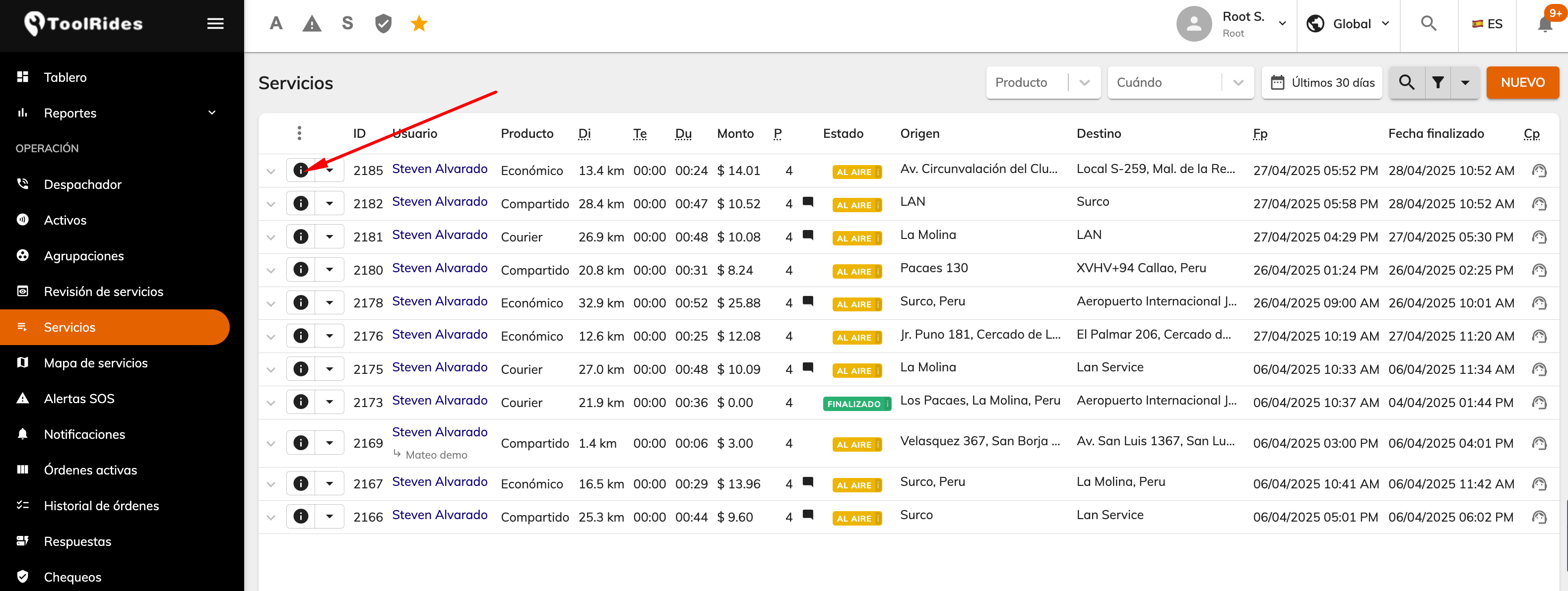
Edit the final amount of the service in question.
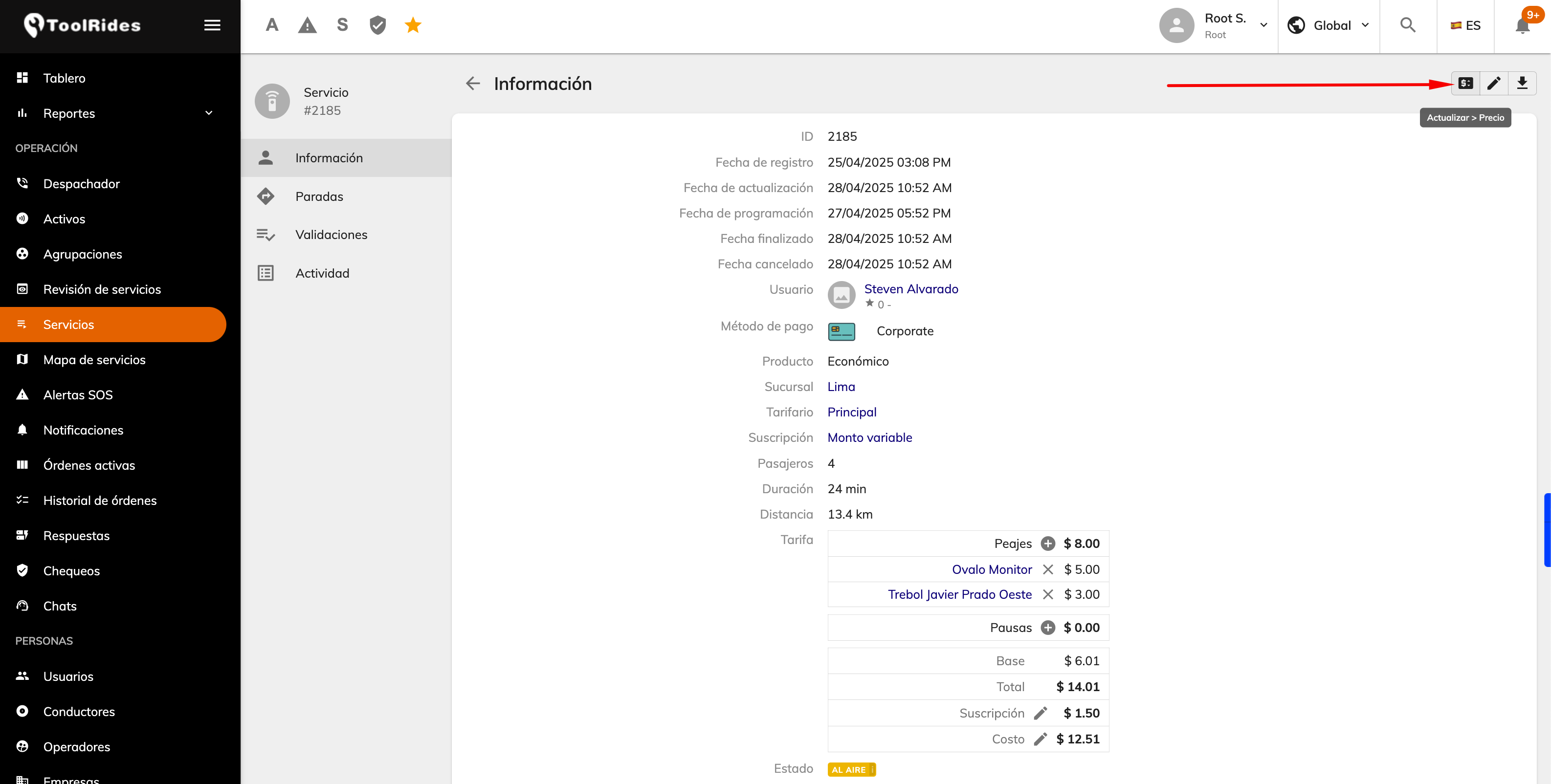
If the new amount is lower than what was paid, the difference is recorded as a driver debt.
If the new amount is higher than what was paid, the difference is recorded as a bonus in the driver's favor.
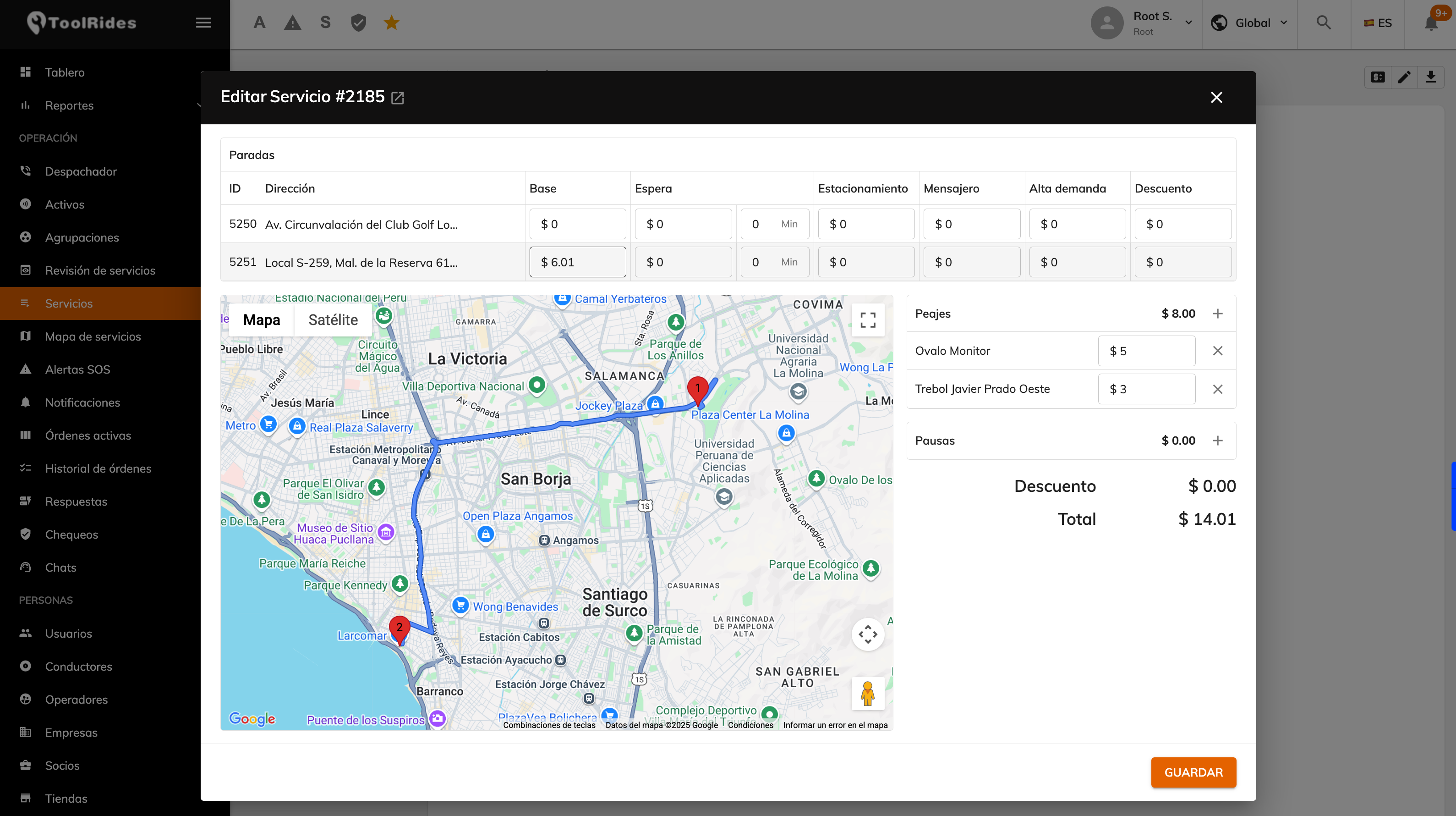
The system does not alter the original settlement that's already closed, but it:
- Automatically generates a debt/bonus in the next settlement.
- Reflects the difference in the driver's next settlement under the concept “Price adjustment ...”.
This ensures that:
- The history stays intact and traceable.
- The adjustment is offset without having to reprocess the entire previous settlement.
- The driver sees the adjustment clearly identified on their next statement.
Was this article helpful?