
 Use cases
 Messaging
 Taxi Companies
 Private Transport
 Transportation Entrepreneurs
 Last Mile
 SuperApp
 Software
 Taxi dispatch
 Corporate transportation
 Auction
 Products
 Booking Software
 Dispatch Platform
 Driver App
 Passenger App
 Web Widget
 Functions
 Schedule & Booking
 Driver Management
 Custom
 Corporate Portal
 Security & Support
 Resources
 Learn
Learn



Creating Customer Users from the Web Panel
Users (or Passengers) are the ones who request rides through the web platform or the mobile apps. This guide shows you how to create them from the Web Panel.
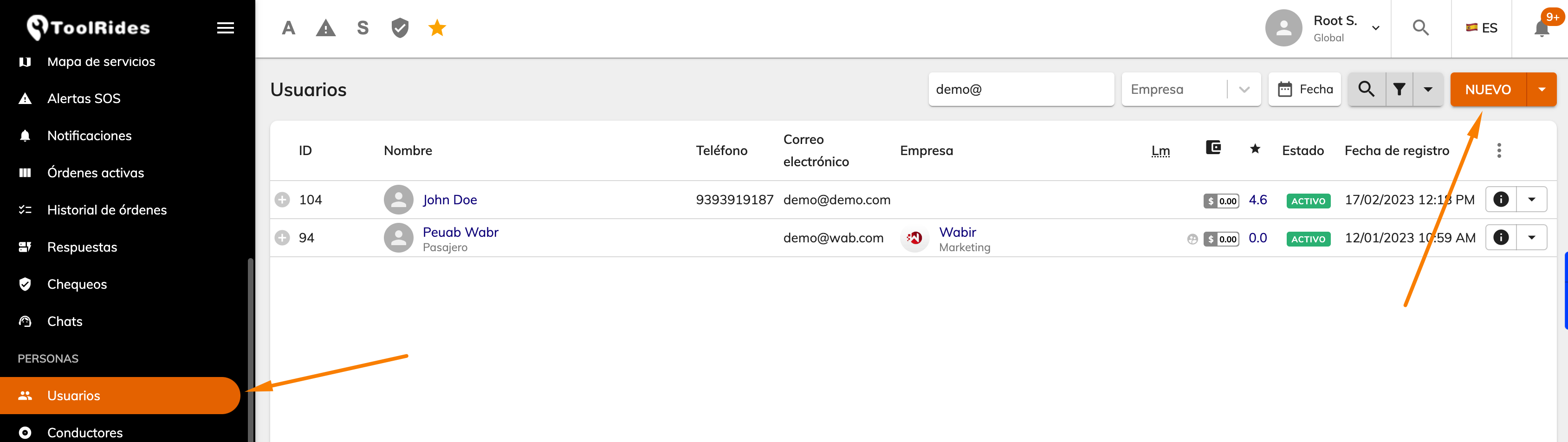
Enter the required fields (*); the remaining fields can be filled in as needed on the platform.
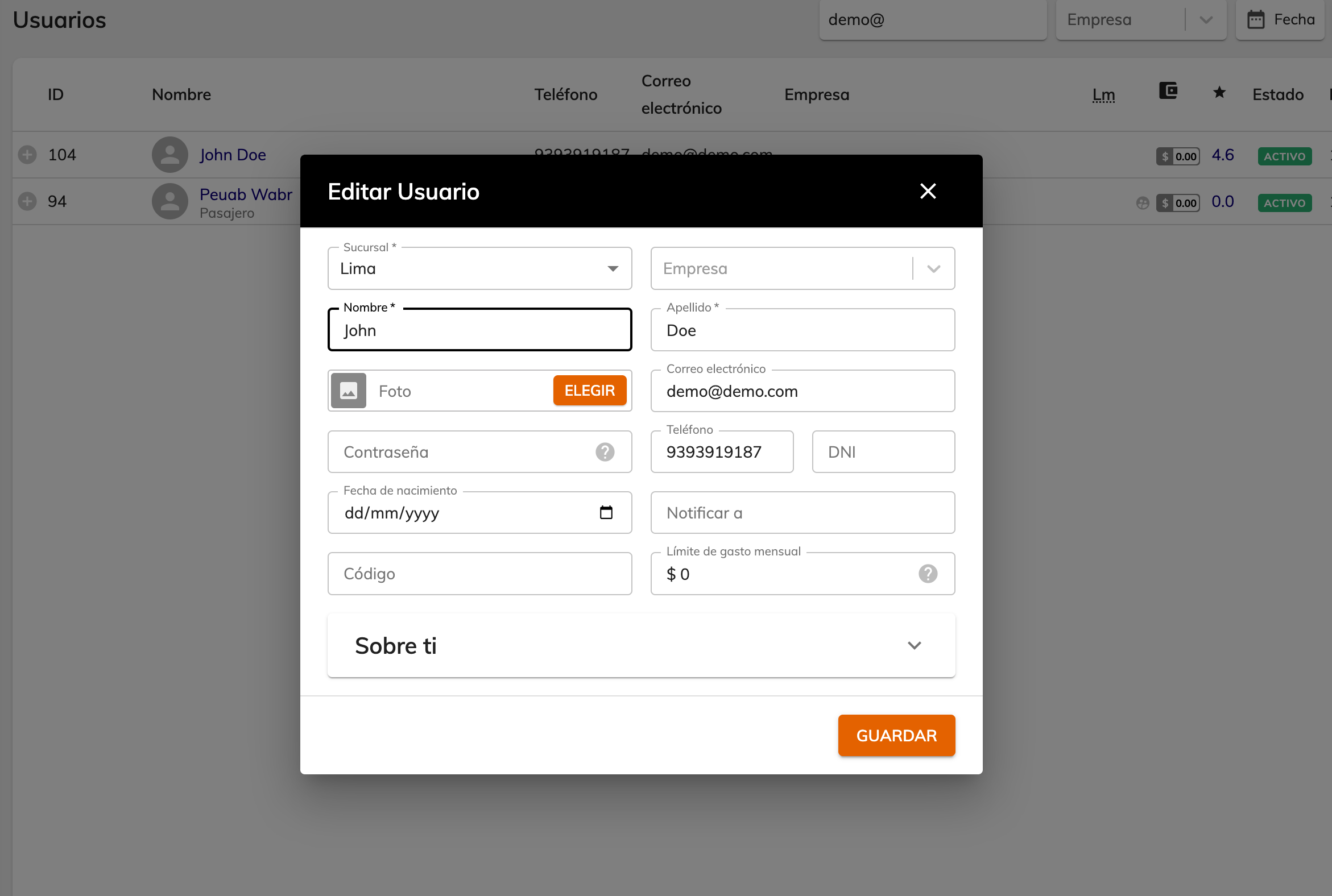
Branch: for reference only; it indicates where the user was registered. They can still request rides if they are at another branch.
Company: leave blank if this is an individual user.
First name / Last name: the user's name.
Photo: you can attach a profile photo for the user.
Email: the user's email.
Password: if left blank, the system will assign one.
ID number: the user's identification document. The label can be changed under Settings > System > Languages.
Code / Spending limit: applies only to Company users.
Custom fields: you can create new fields according to your company's needs by adding them under Settings > System > Forms
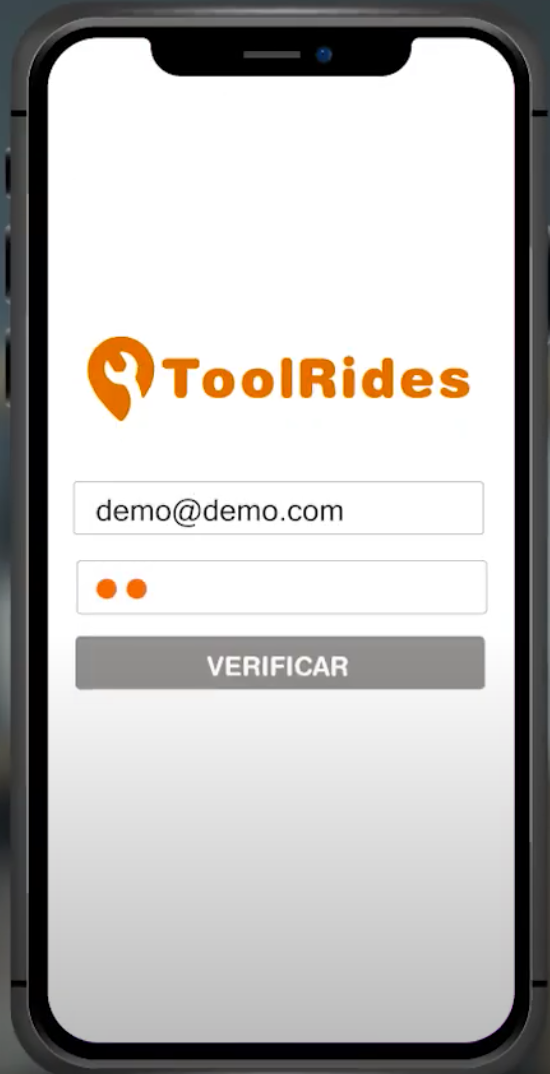
Once the user is created, they can log in from the app using the demo code (for testing), their email, and their password.
Was this article helpful?
Passenger Users
- User-Defined Saved Locations
- Creating Customer Users from the Web Panel