
 Use cases
 Messaging
 Taxi Companies
 Private Transport
 Transportation Entrepreneurs
 Last Mile
 SuperApp
 Software
 Taxi dispatch
 Corporate transportation
 Auction
 Products
 Booking Software
 Dispatch Platform
 Driver App
 Passenger App
 Web Widget
 Functions
 Schedule & Booking
 Driver Management
 Custom
 Corporate Portal
 Security & Support
 Resources
 Learn
Learn



Customizing terms and conditions for users and drivers
ToolRides' legal agreements module lets companies manage the acceptance of terms, policies, and contracts by drivers, customers, and any user registered on the platform in an efficient, centralized way.
What is this module for?
Accepting terms and conditions:
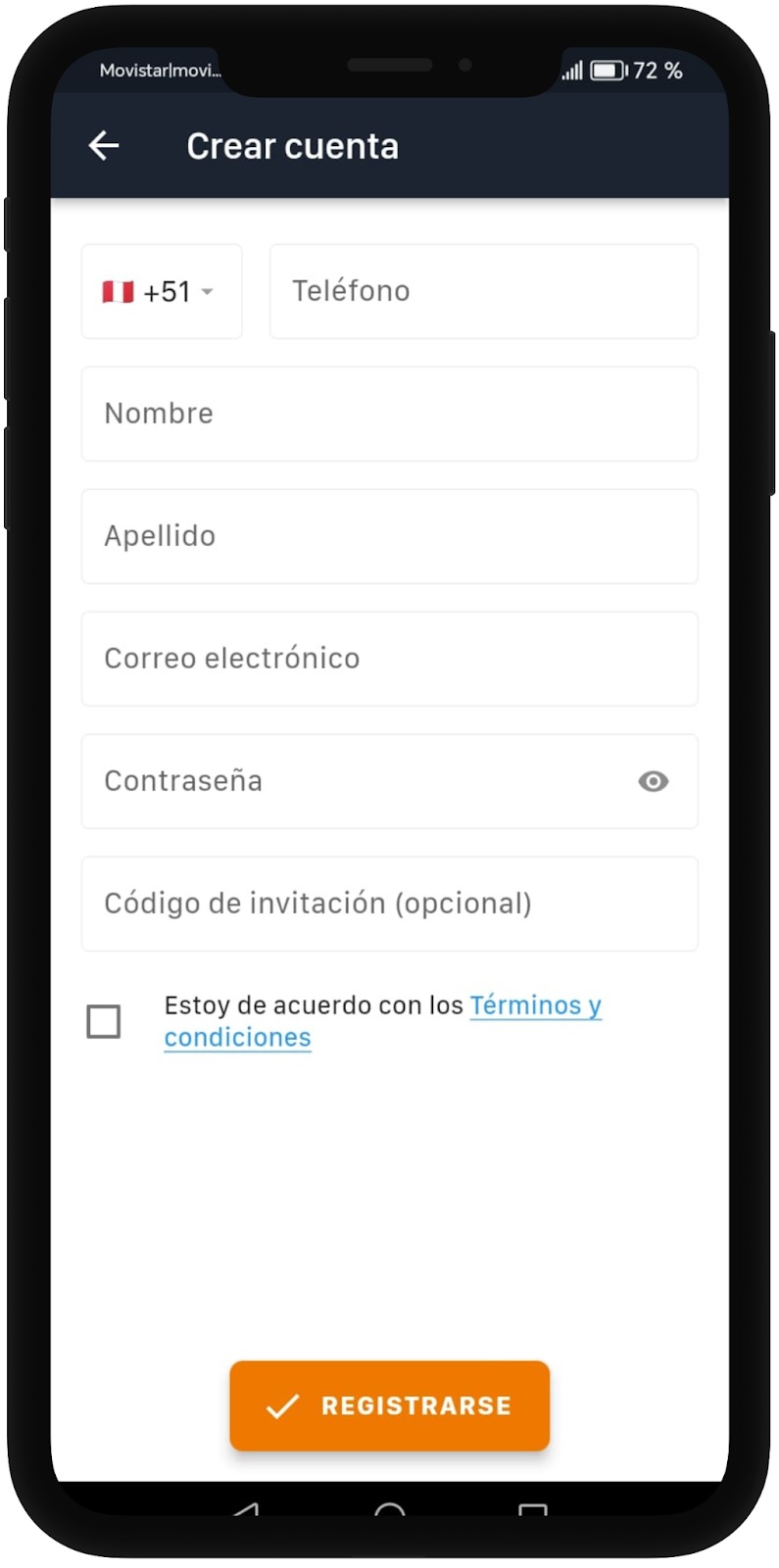
When signing up or logging into the app, users must read and accept the company's legal agreements by checking a mandatory box before they can continue.Informed consent:
Ensures that all users have given their consent for the processing of personal data, the use of the service, and the commercial terms.Regulatory compliance:
Makes it easier to comply with local and international regulations on data protection and digital contracts (for example, GDPR, LGPD, personal data protection laws, etc.).Updating policies:
Lets you update the legal agreements and request a new acceptance whenever the company's terms or policies change.Traceability and legal backing:
Keeps an electronic record of every acceptance, including the date and time, providing documentary support for any legal requirement or audit.
To edit or create terms and conditions for both users and drivers, the first thing to do is go to Settings -> Company -> Legal agreements.
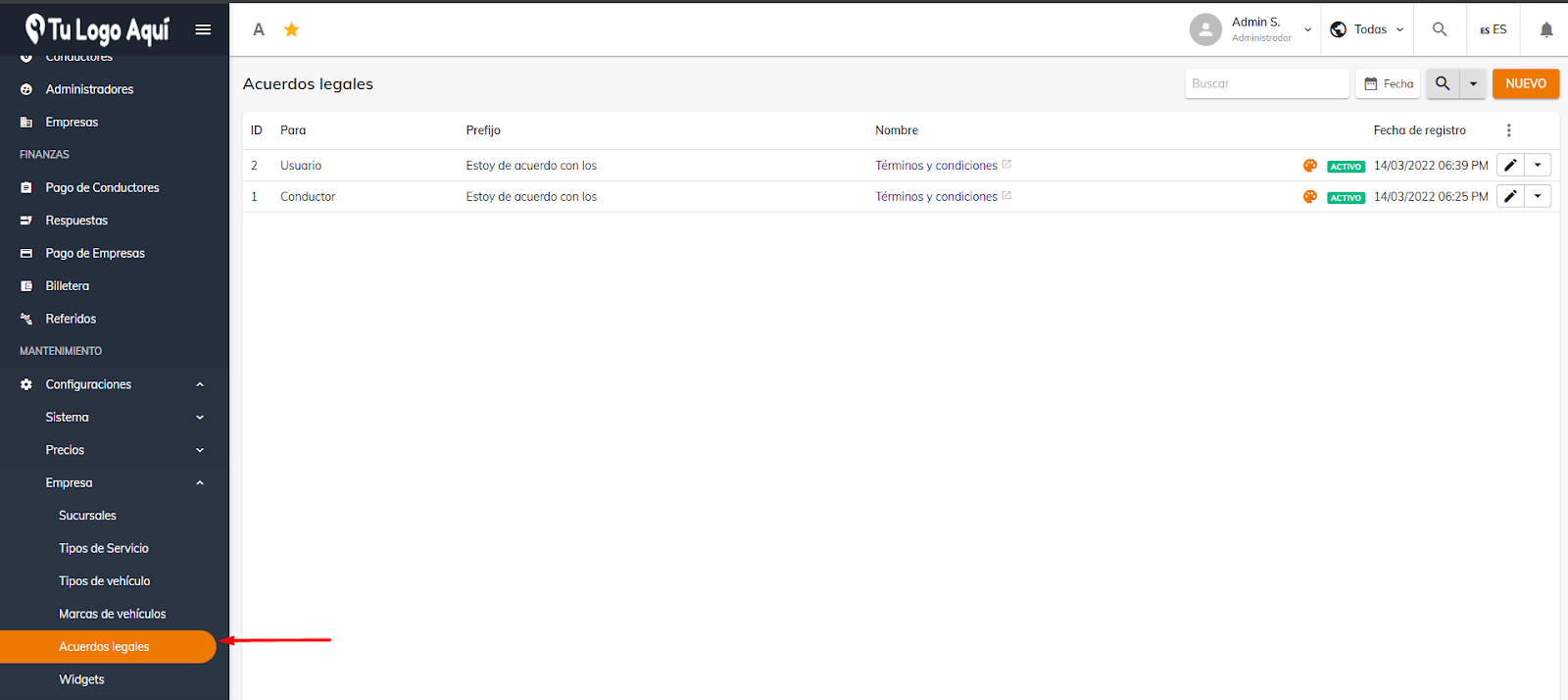
From here, you can edit the default terms for both users and drivers.
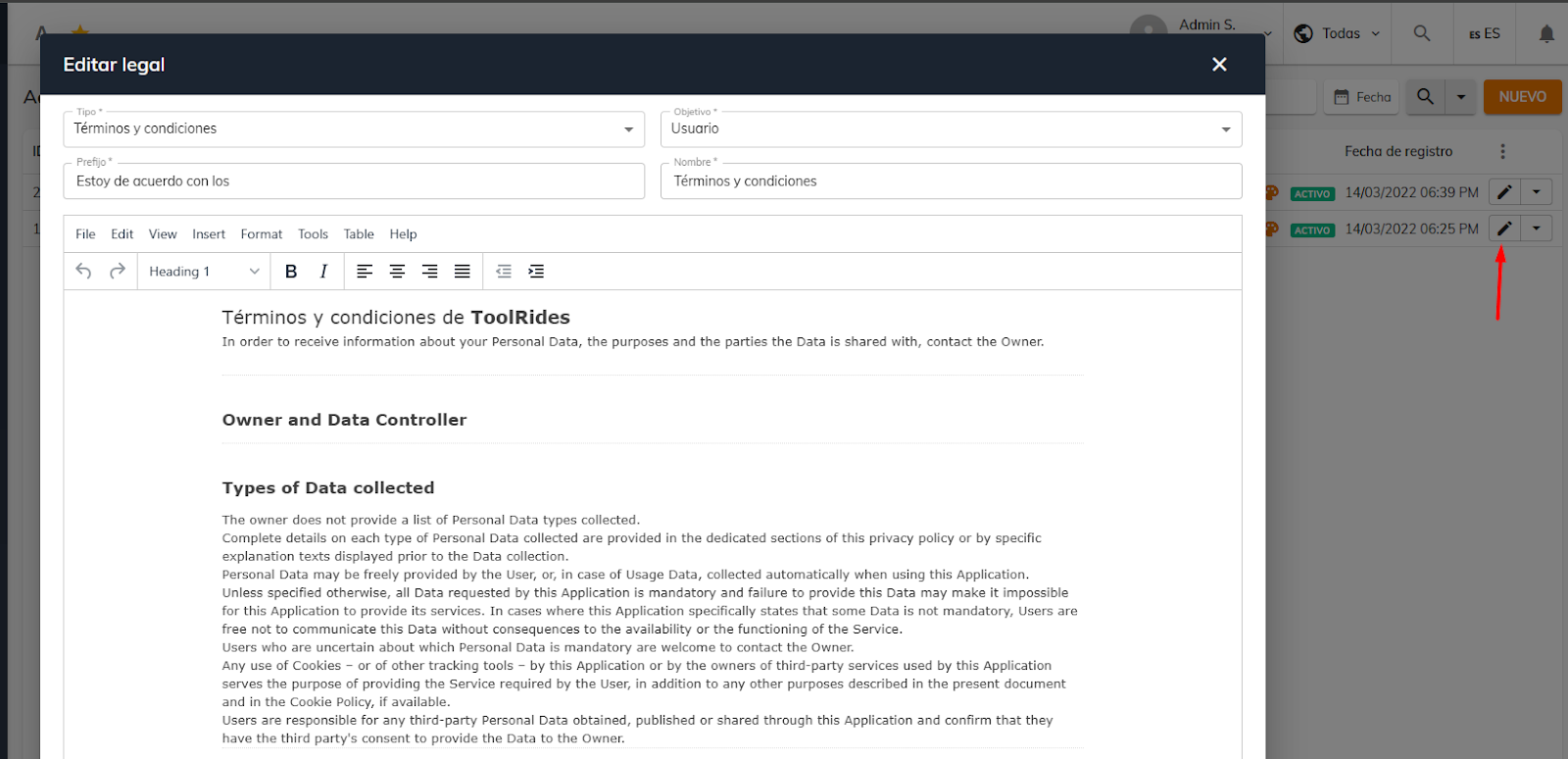
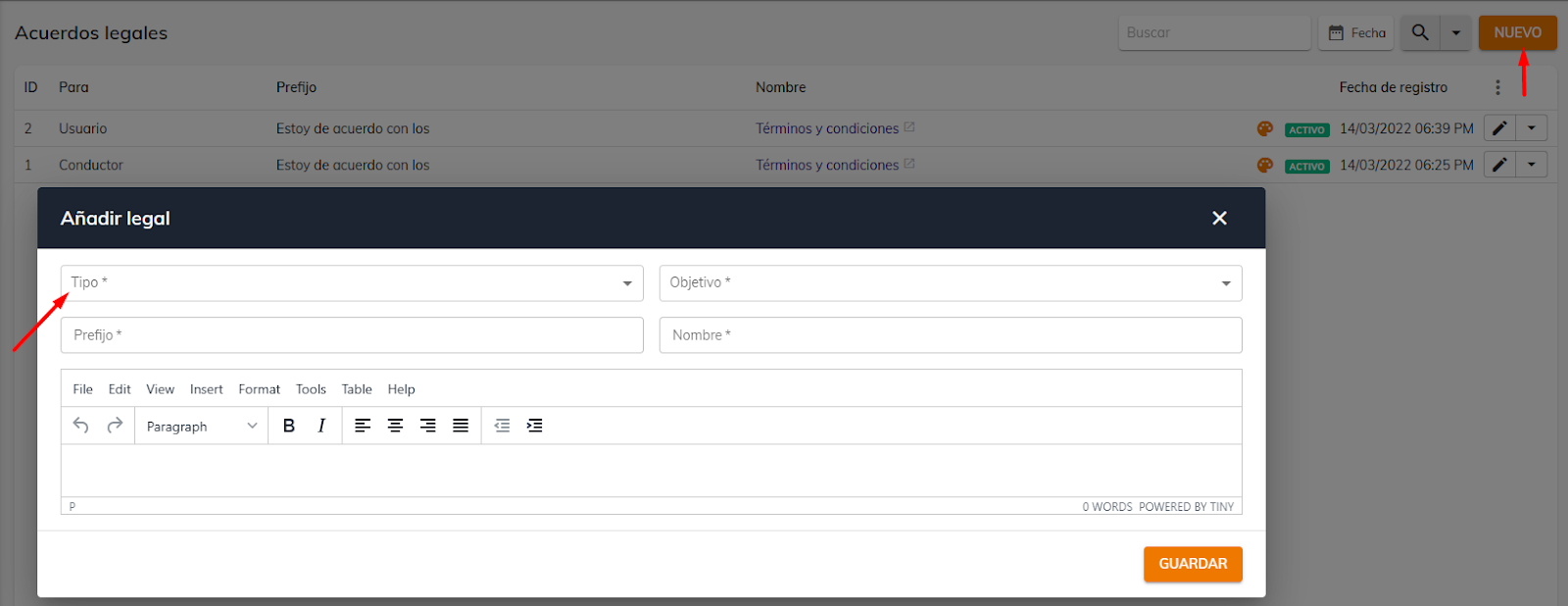
Or, if you prefer, you can create new ones—whether terms and conditions, a privacy policy, or others.
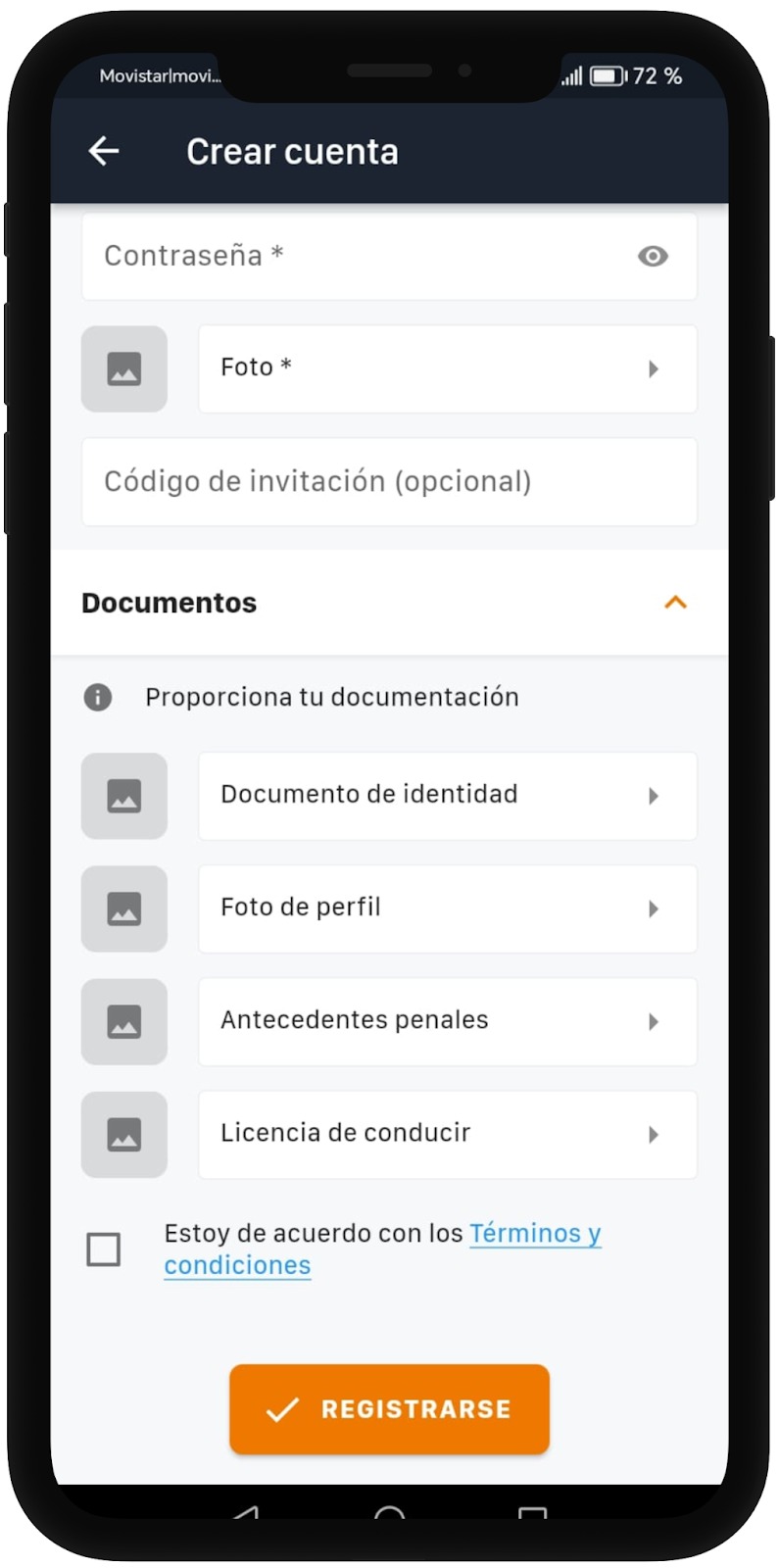
Here's how it looks in the driver and customer apps, respectively.
Was this article helpful?
Settings
- Create access profiles and assign them
- Locations: creating predefined locations
- Customizing terms and conditions for users and drivers
- Hide the fare from passengers and drivers