
 Use cases
 Messaging
 Taxi Companies
 Private Transport
 Transportation Entrepreneurs
 Last Mile
 SuperApp
 Software
 Taxi dispatch
 Corporate transportation
 Auction
 Products
 Booking Software
 Dispatch Platform
 Driver App
 Passenger App
 Web Widget
 Functions
 Schedule & Booking
 Driver Management
 Custom
 Corporate Portal
 Security & Support
 Resources
 Learn
Learn



Hide the fare from passengers and drivers
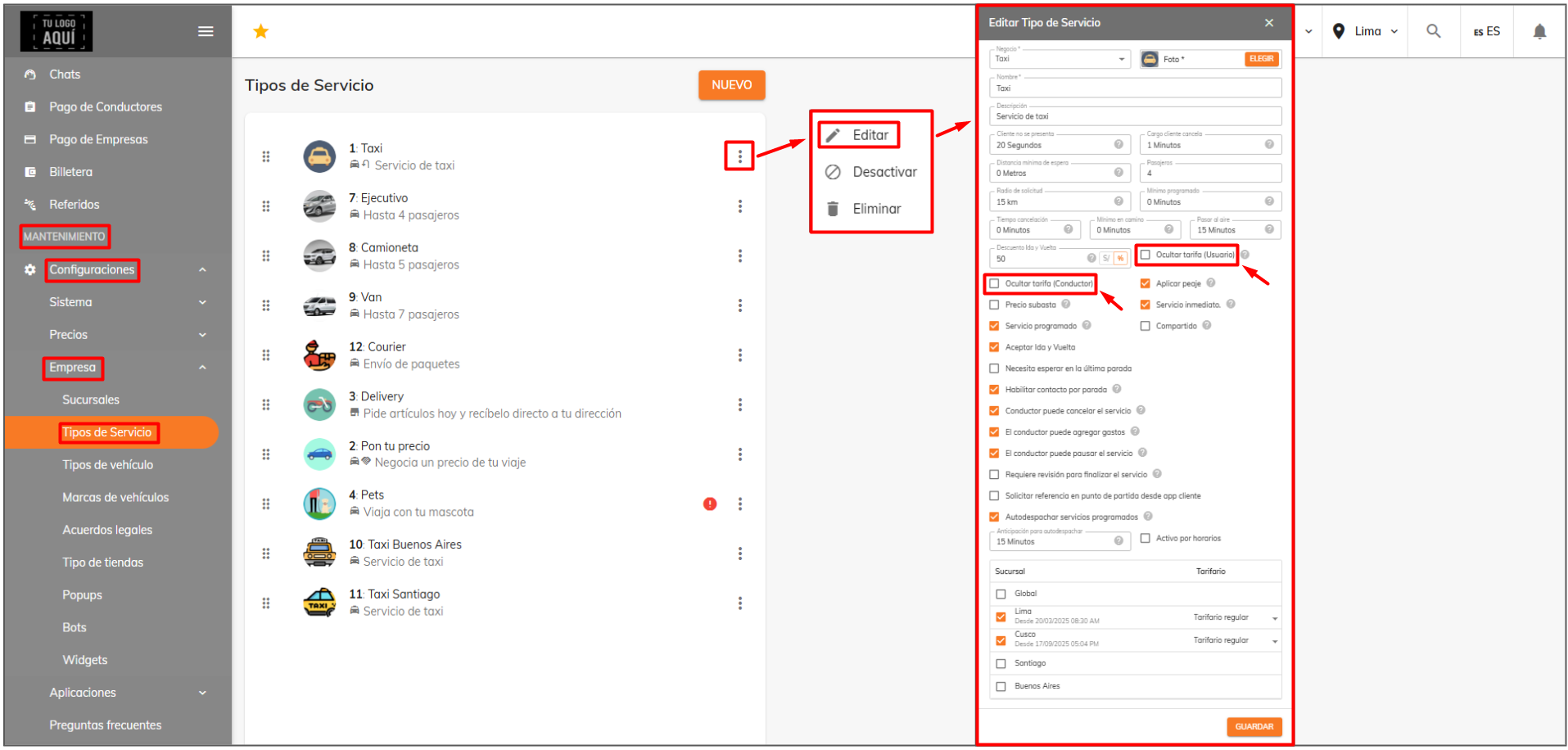
You can hide the fare from both drivers and passengers. To do so, go to Maintenance > Settings > Company > Service Types and enable these options.
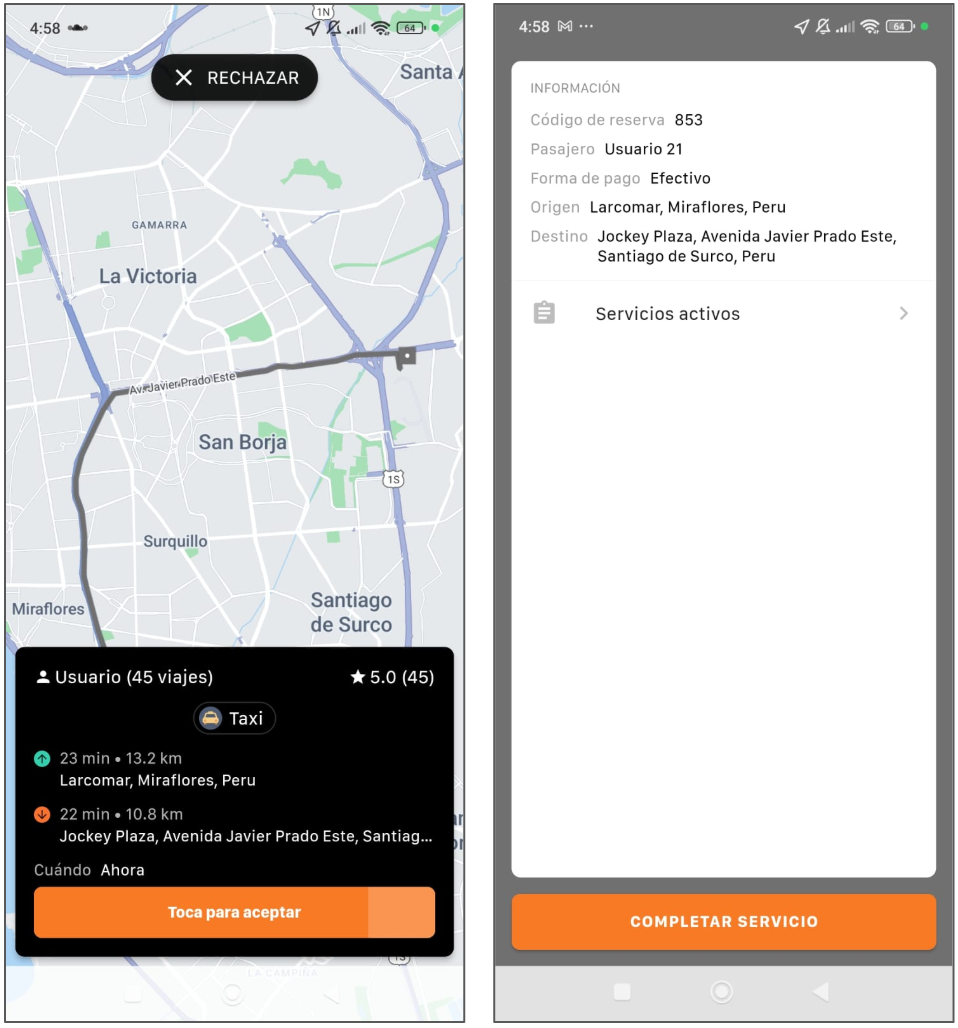
Once you've enabled them as needed, you can check, for example, the driver app, where the fare will no longer show in the alert or when the trip is completed.
Was this article helpful?
Settings
- Create access profiles and assign them
- Locations: creating predefined locations
- Customizing terms and conditions for users and drivers
- Hide the fare from passengers and drivers