
 Use cases
 Messaging
 Taxi Companies
 Private Transport
 Transportation Entrepreneurs
 Last Mile
 SuperApp
 Software
 Taxi dispatch
 Corporate transportation
 Auction
 Products
 Booking Software
 Dispatch Platform
 Driver App
 Passenger App
 Web Widget
 Functions
 Schedule & Booking
 Driver Management
 Custom
 Corporate Portal
 Security & Support
 Resources
 Learn
Learn



Driver app: self-assigning services
Self-assignment of services lets you configure parameters so drivers can claim an available service from their app.
You can access it from Maintenance > Settings > Pricing > Subscriptions. On this screen you can create a default subscription for drivers.
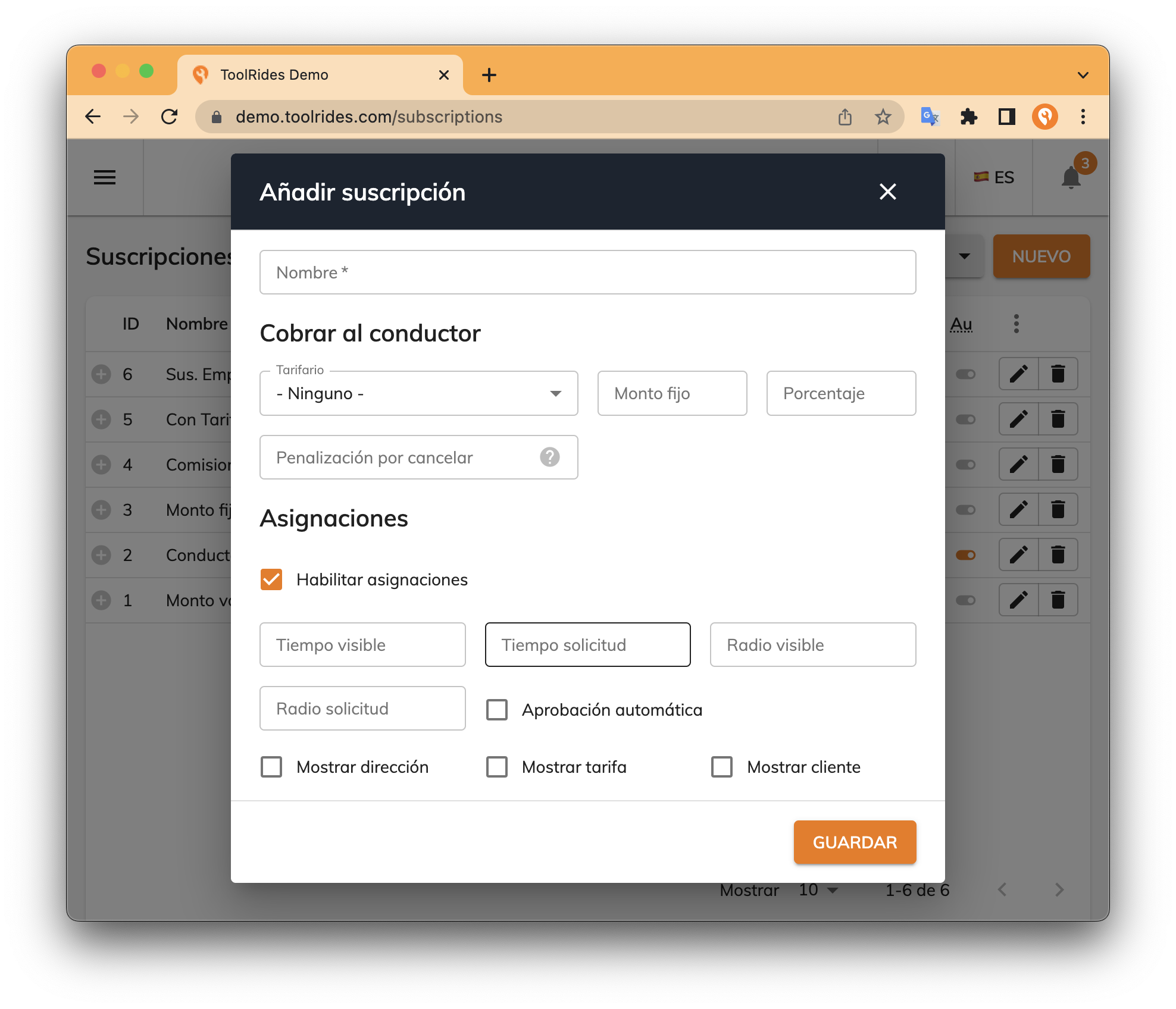
First, you need to enable assignments so the fields below appear.
- Visible time: the minimum time before scheduled trips are shown in the scheduled services list in the driver app.
- Request time: the minimum time before drivers can claim scheduled trips that appear in the scheduled services list in the driver app.
- Visible radius: the minimum distance before scheduled trips are shown in the scheduled services list in the driver app.
- Request radius: the minimum distance before drivers can claim scheduled trips that appear in the scheduled services list in the driver app.
- Automatic approval: when enabled, no operator approval from the web panel is required.
- Show address: displays the addresses in the driver app.
- Show fare: displays the fare in the driver app.
- Show customer: displays the customer's details in the driver app.
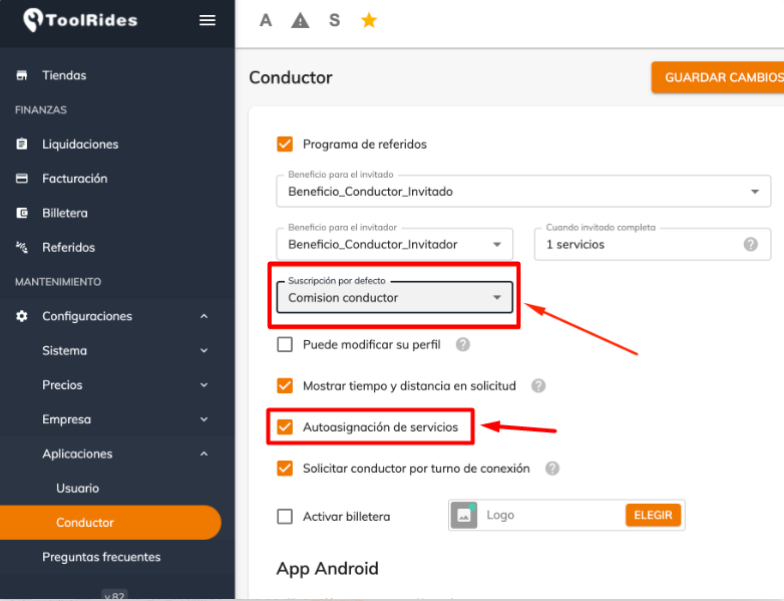
In Maintenance > Settings > App > Driver in the web panel, you can assign a subscription to apply the setting to all drivers without a default subscription and enable self-assignment.
Driver app
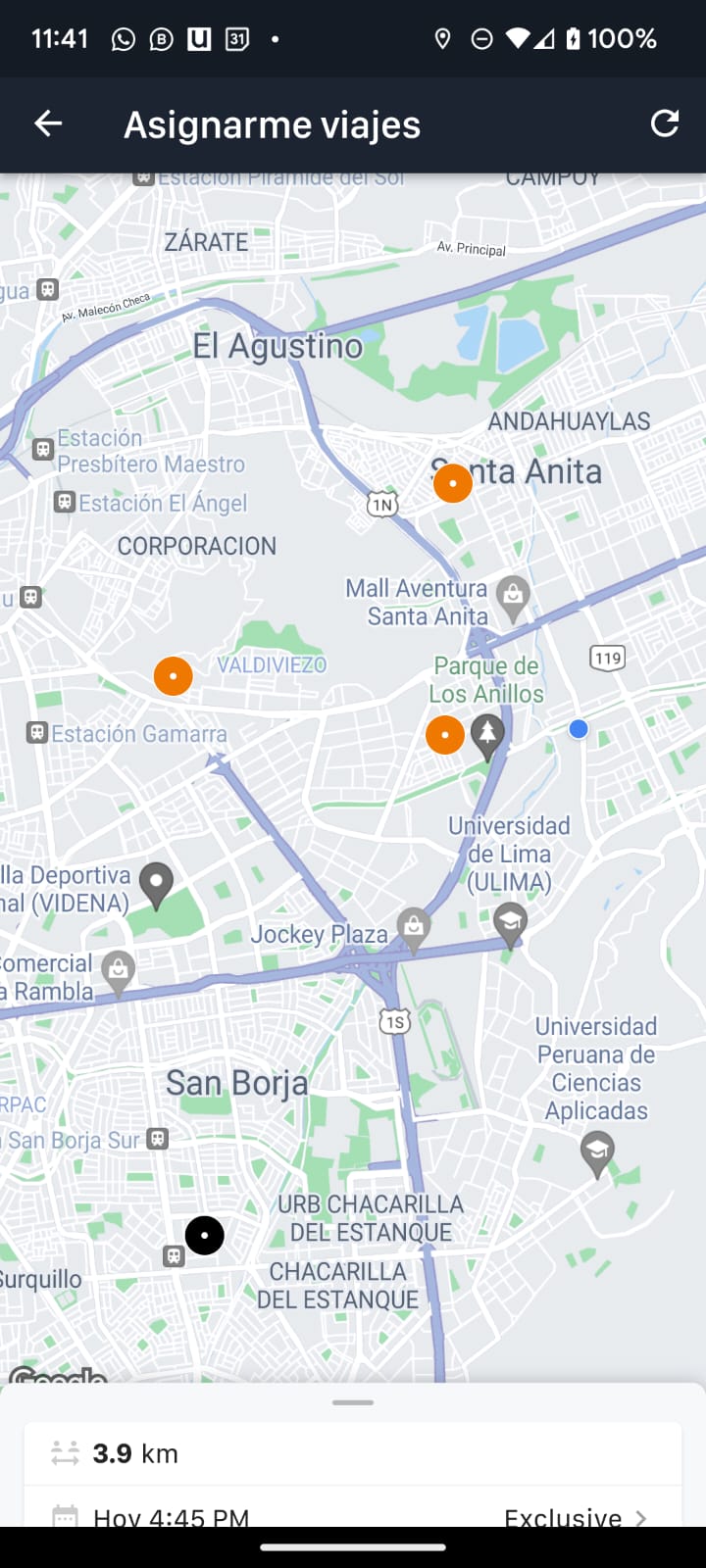
In the menu you'll find the "Assign me trips" section. If the option is enabled from the web panel, drivers will see a screen like this one, showing upcoming scheduled trips available to claim (in orange) and scheduled trips not yet available due to time or distance (in black).
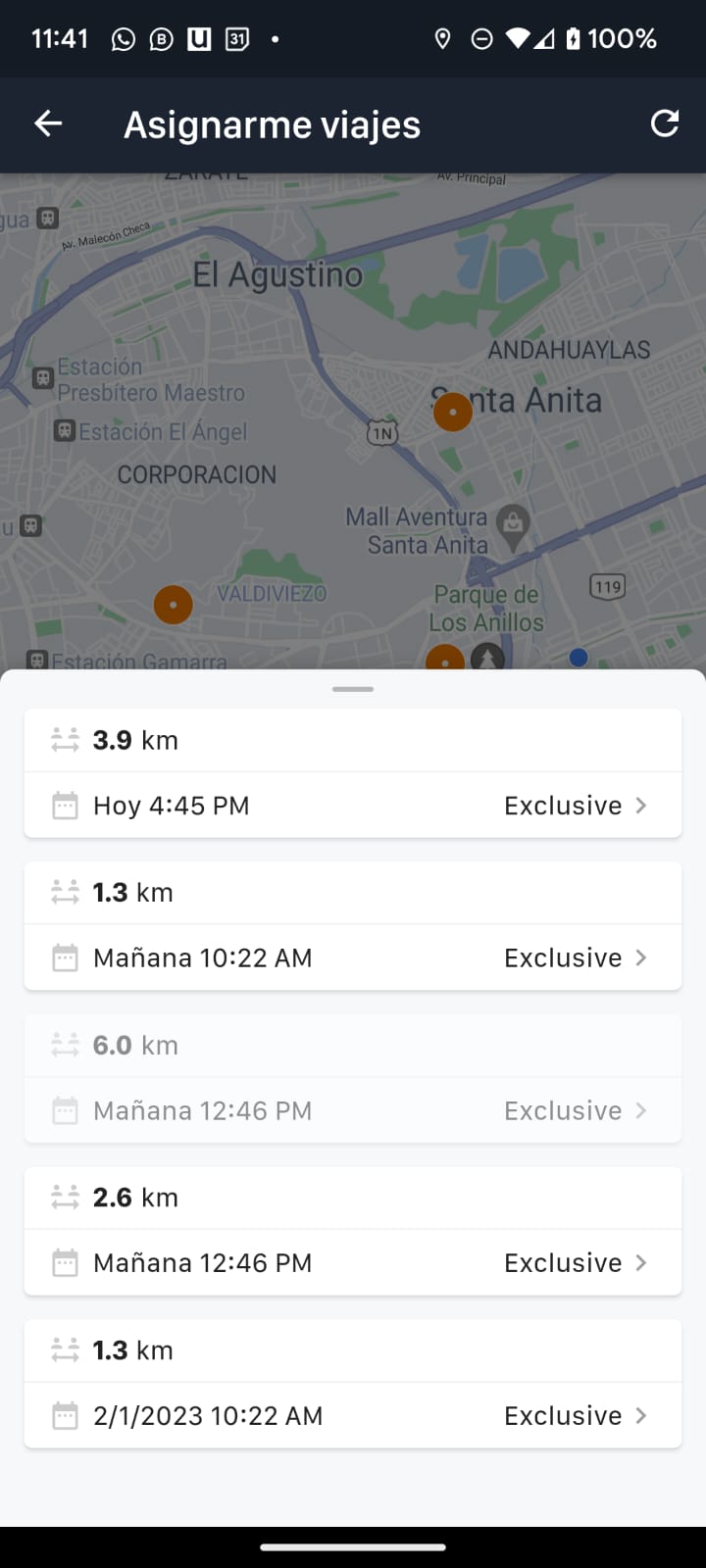
In the driver app you can check the map with the scheduled services, and at the bottom of the screen you'll find those services in a list; just swipe up to see more.
Was this article helpful?
Updates
- Update August 25, 2022
- Driver app: self-assigning services
- Widget for booking trips
- ToolRides Glossary of Terms