
 Use cases
 Messaging
 Taxi Companies
 Private Transport
 Transportation Entrepreneurs
 Last Mile
 SuperApp
 Software
 Taxi dispatch
 Corporate transportation
 Auction
 Products
 Booking Software
 Dispatch Platform
 Driver App
 Passenger App
 Web Widget
 Functions
 Schedule & Booking
 Driver Management
 Custom
 Corporate Portal
 Security & Support
 Resources
 Learn
Learn



How to integrate WhatsApp through Gupshup
🎬 Video: https://www.youtube.com/embed/d6-tdT_Ke3o??si=vKL6ua2gIBuM7PoH&wmode=opaque
For this integration, you need to create an account at: https://www.gupshup.io/channels/self-serve/whatsapp
Step 1
Create a Gupshup account.
Step 2
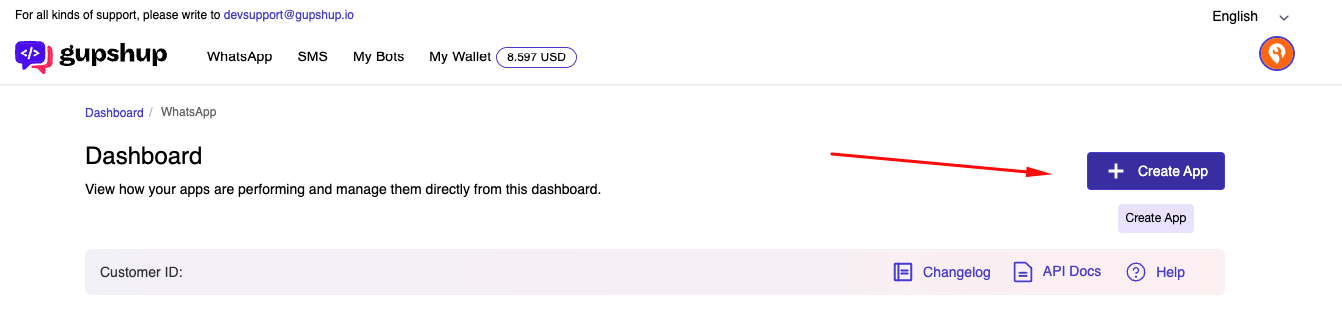
In the Gupshup tools panel, choose "Create App".
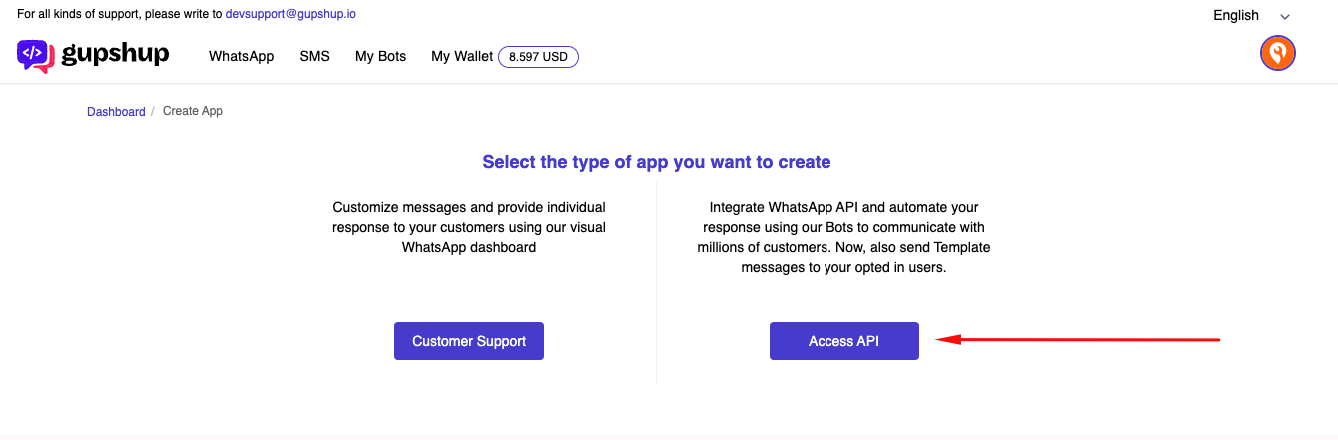
Choose the "Access API" application type.
Step 3
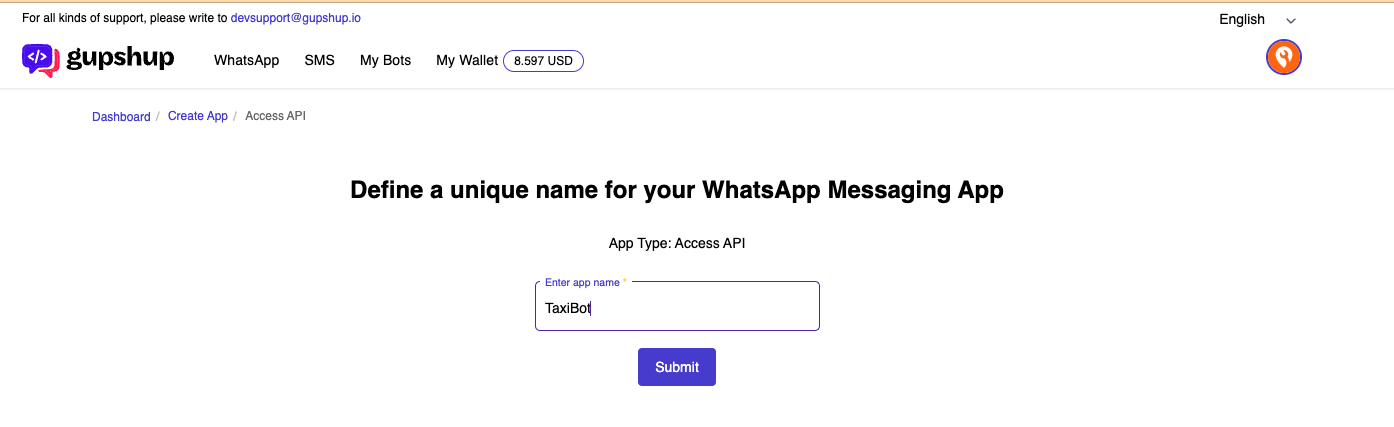
Choose the name you'll use for your WhatsApp application.
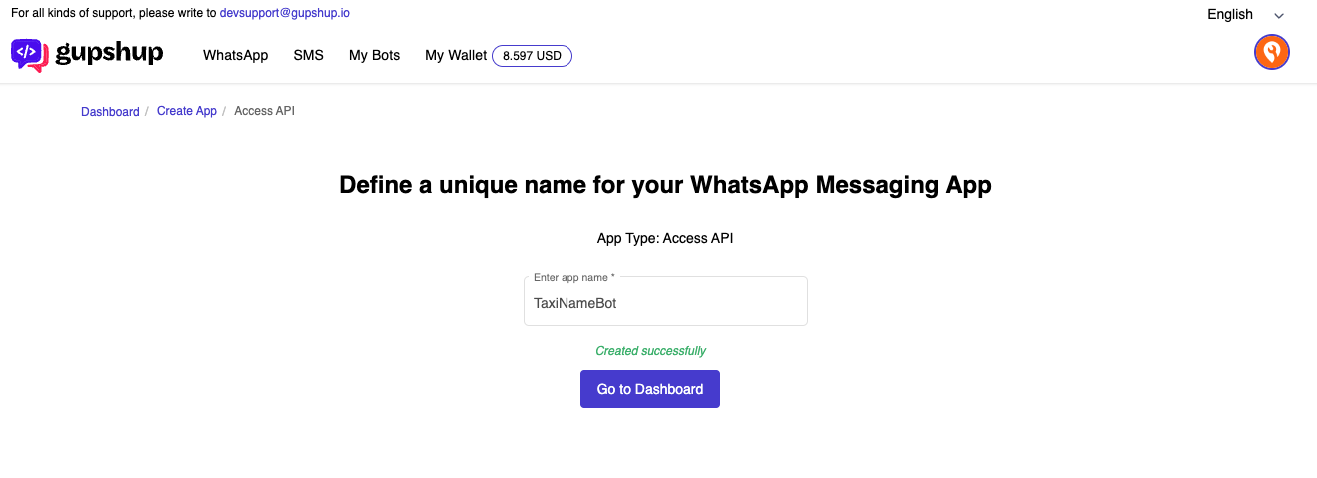
The last step now is to review the available options and click the “Go to dashboard” button.
Next, we can move on to Gupshup and fill in all the required information.
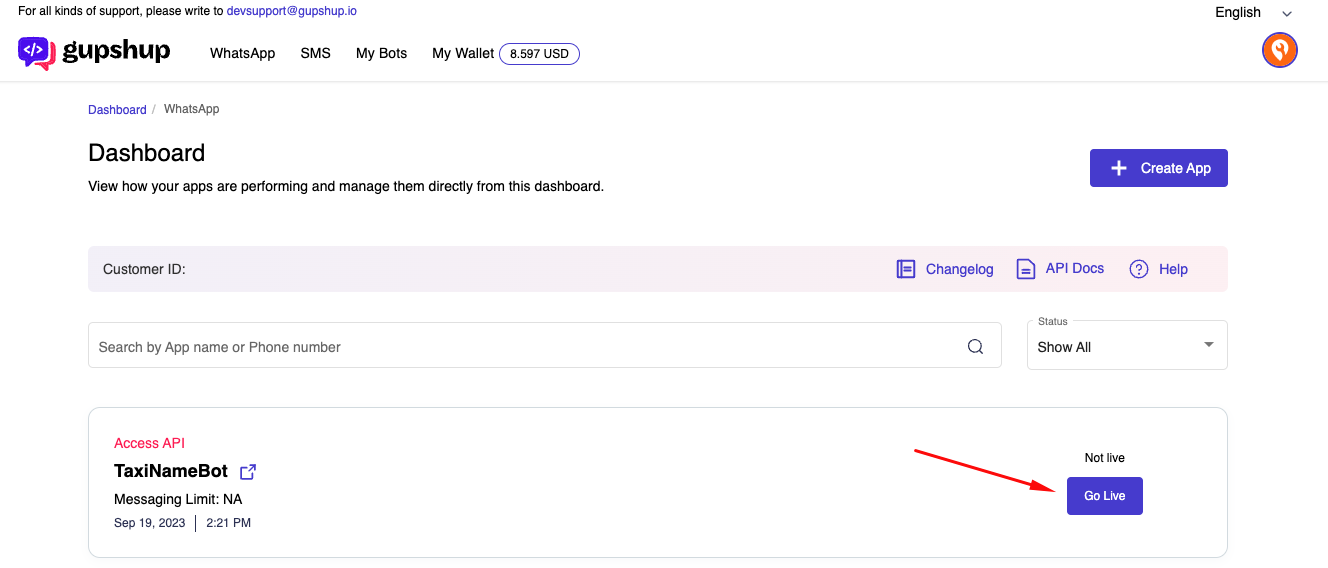
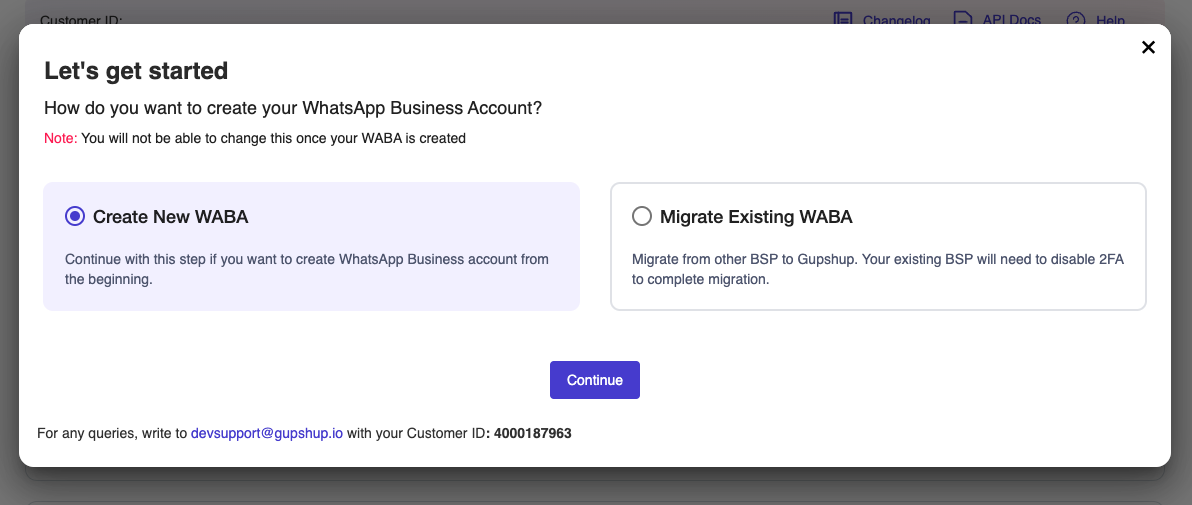
Choose the following option and click the "Continue" button.
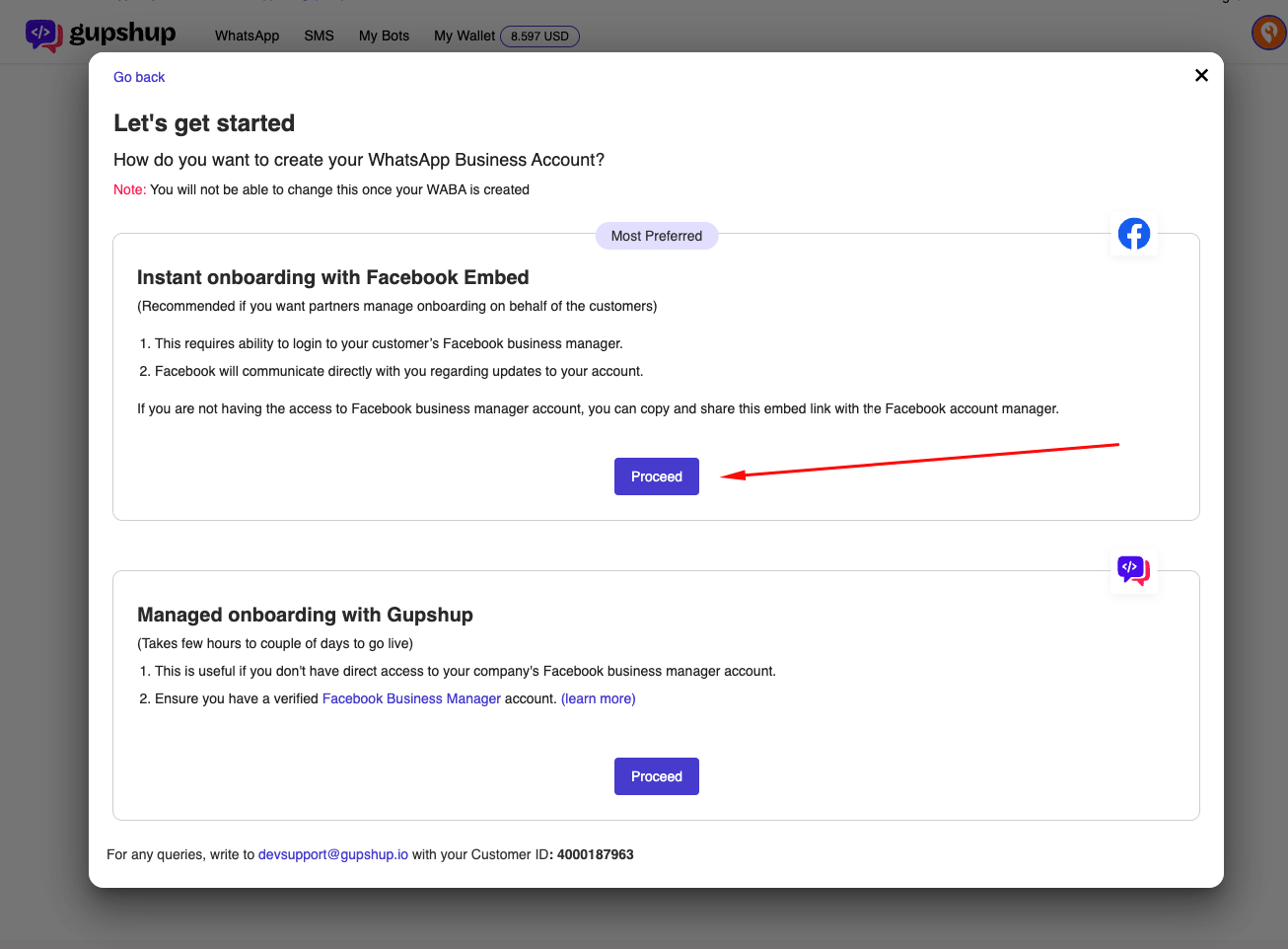
Select the option to do it manually.
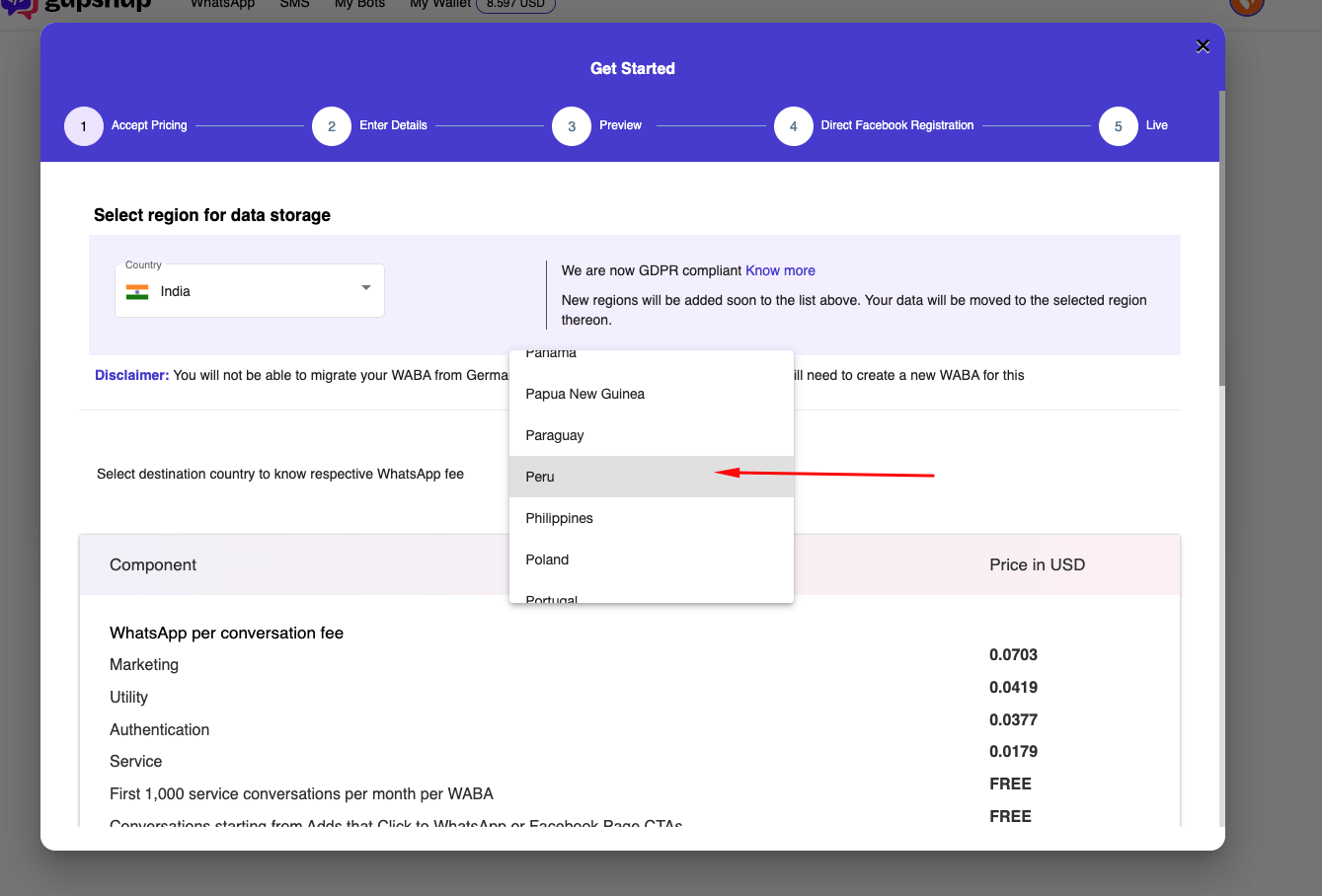
Select the destination country.
Enter the following details.
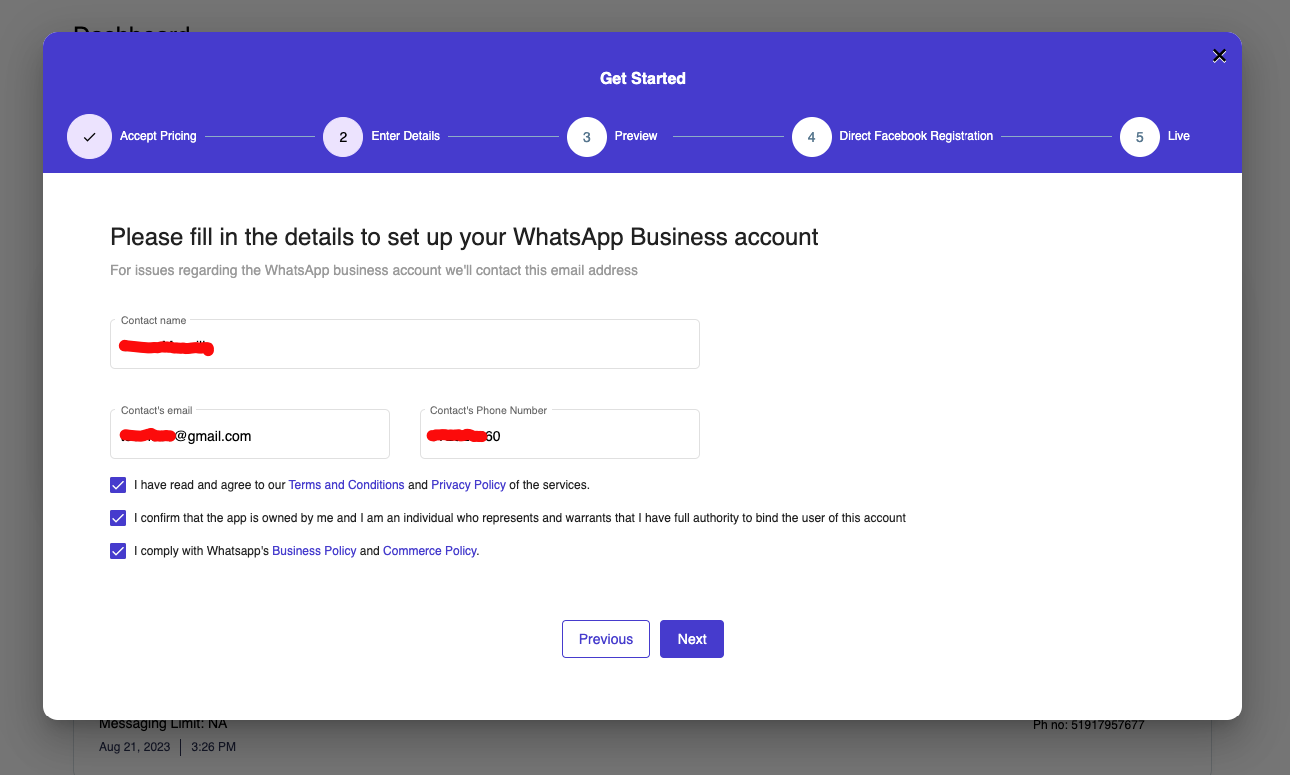
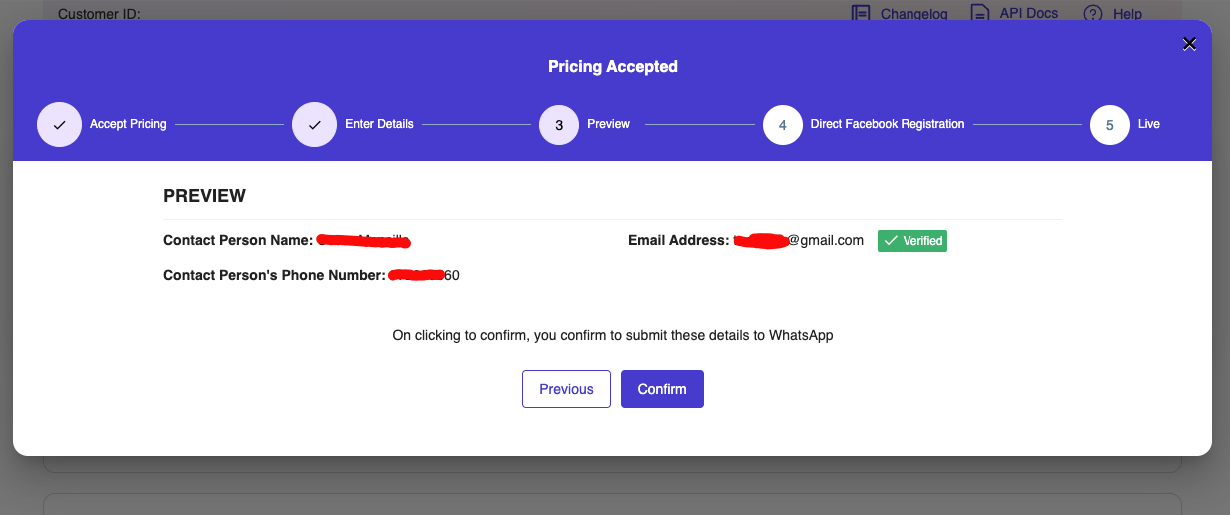
Click the "Confirm" button.
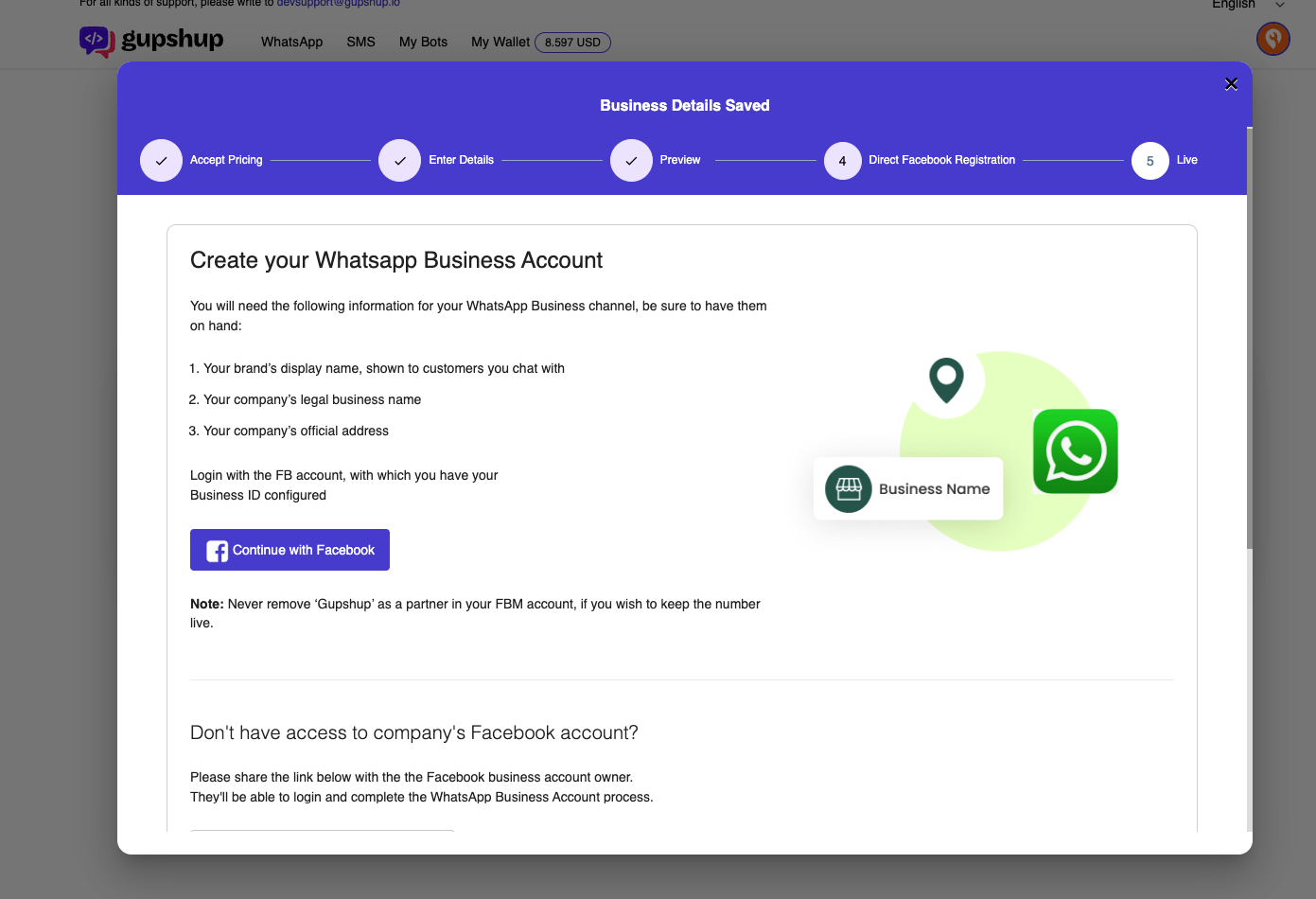
Link it to a Facebook account.
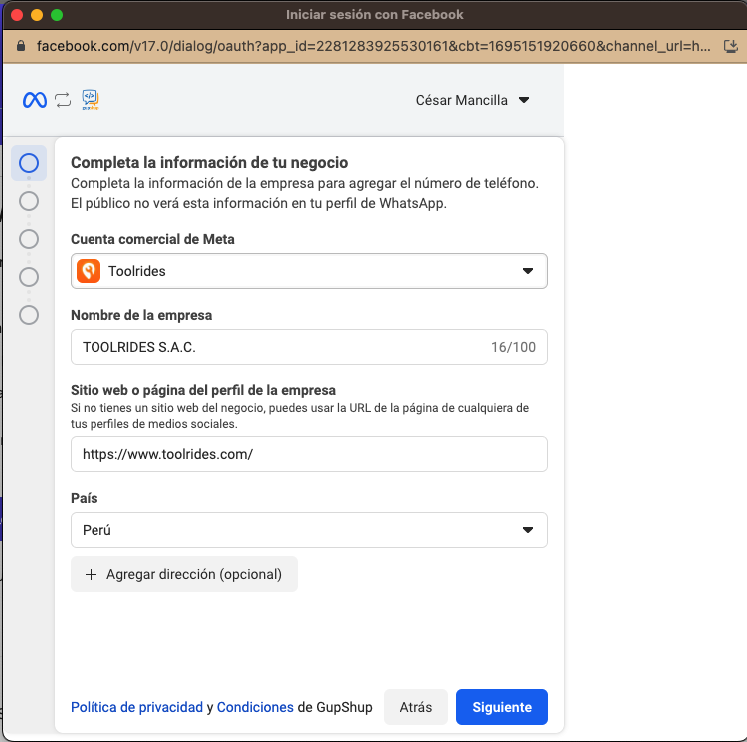
Follow the next steps until you complete the registration with Meta.
Your Gupshup app should show the "Live" status to confirm it's ready to use.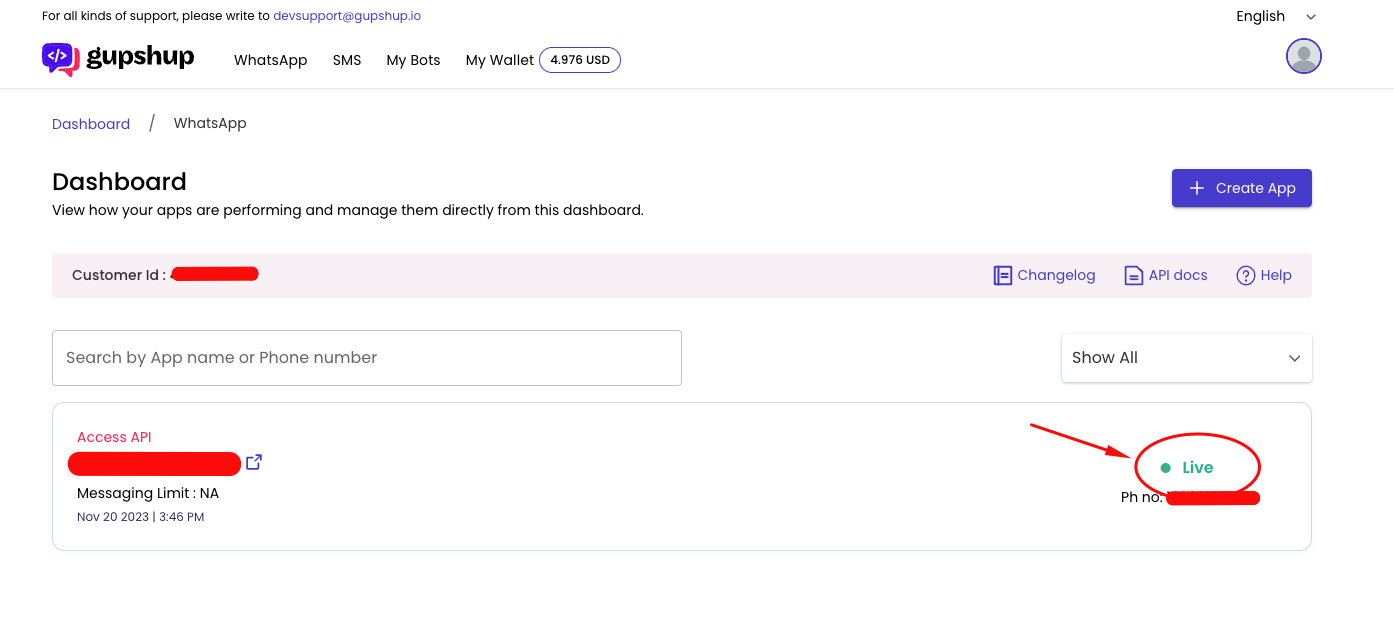
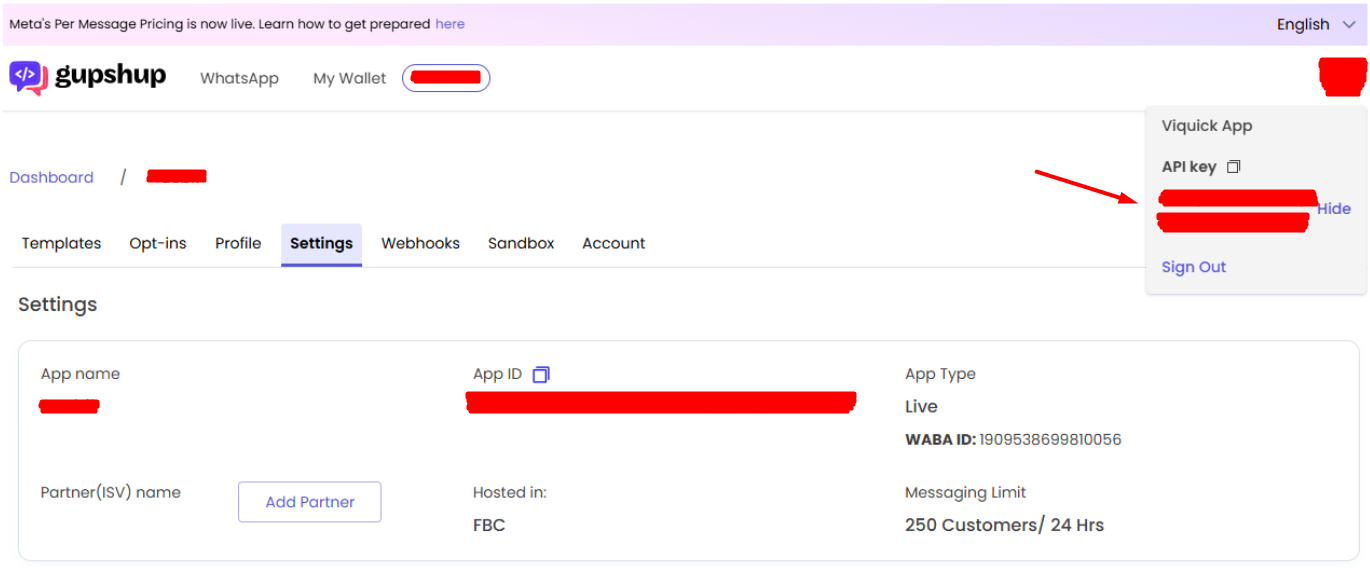
In the top right corner, you'll find the Gupshup account logo. Click there and copy the API key. Later, you'll enter the API key, along with the application name, in the web panel, as explained in Step 6.
Step 4
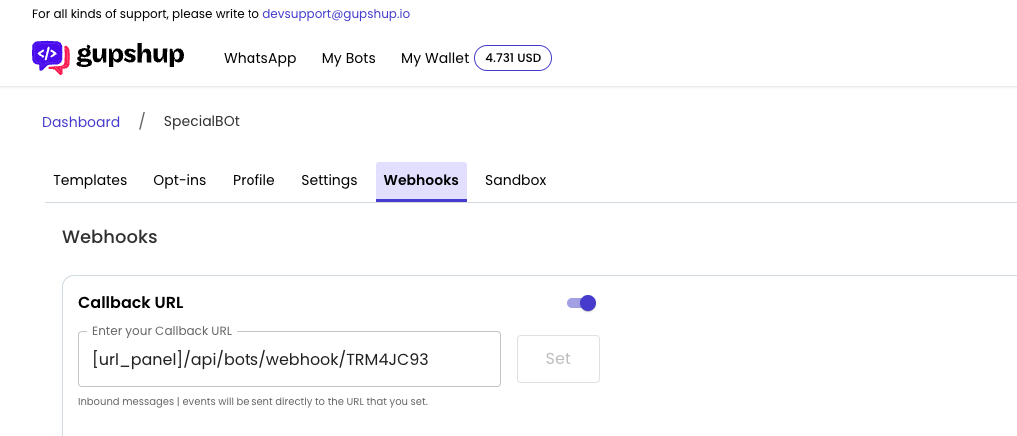
Set up the Webhook. To do this, go to the section below and enter the following in the Callback URL field: https://[web panel url]/api/bots/webhook/TRM4JC93
Step 5
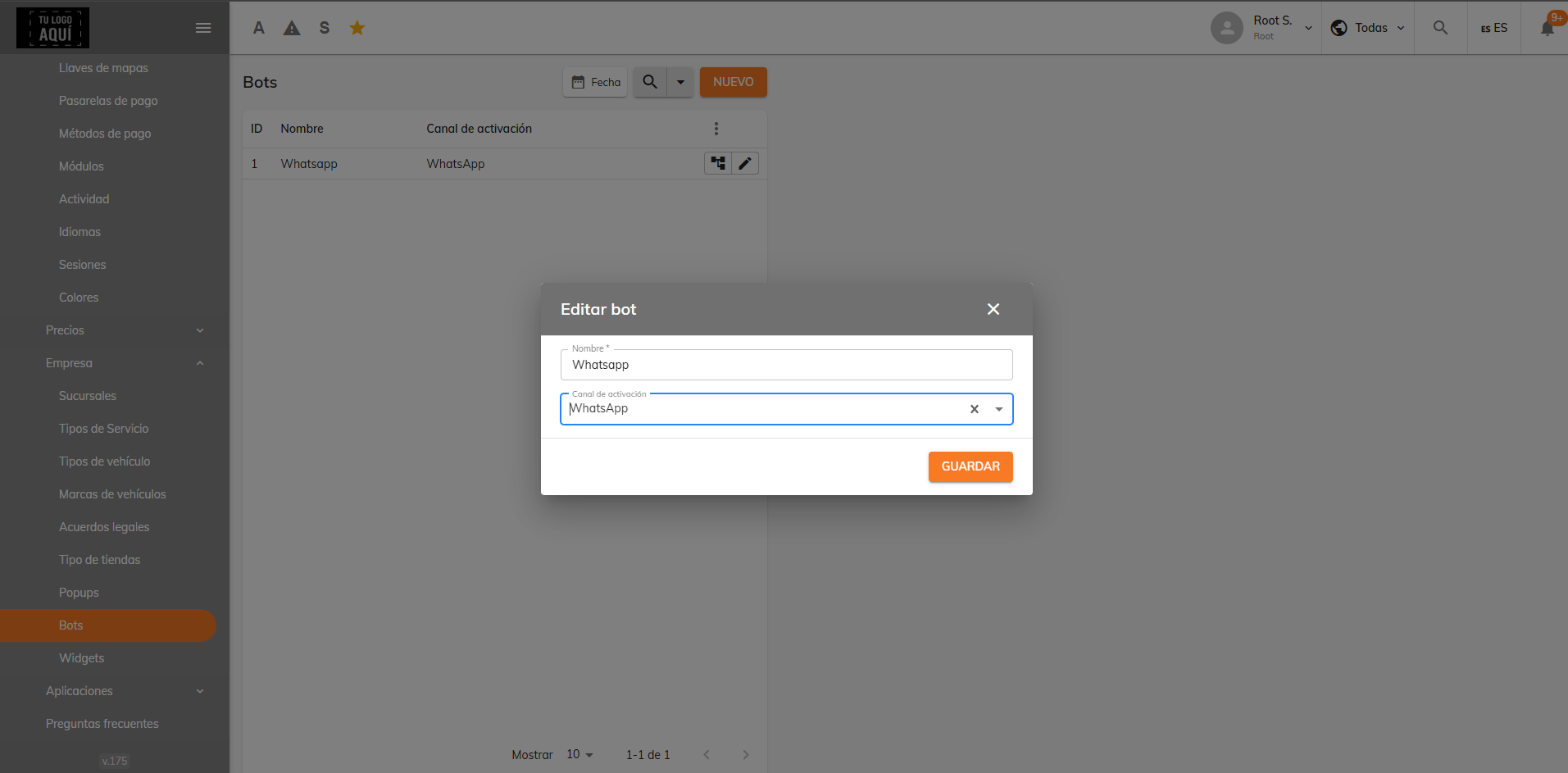
In the web panel, go to Maintenance > Settings > Companies > Bots, check that the flow is correct, and edit the bot's name and activation channel.
Step 6
In the web panel, go to Maintenance > Settings > System > APIs and enter the application name, the API key, and the mobile phone number.
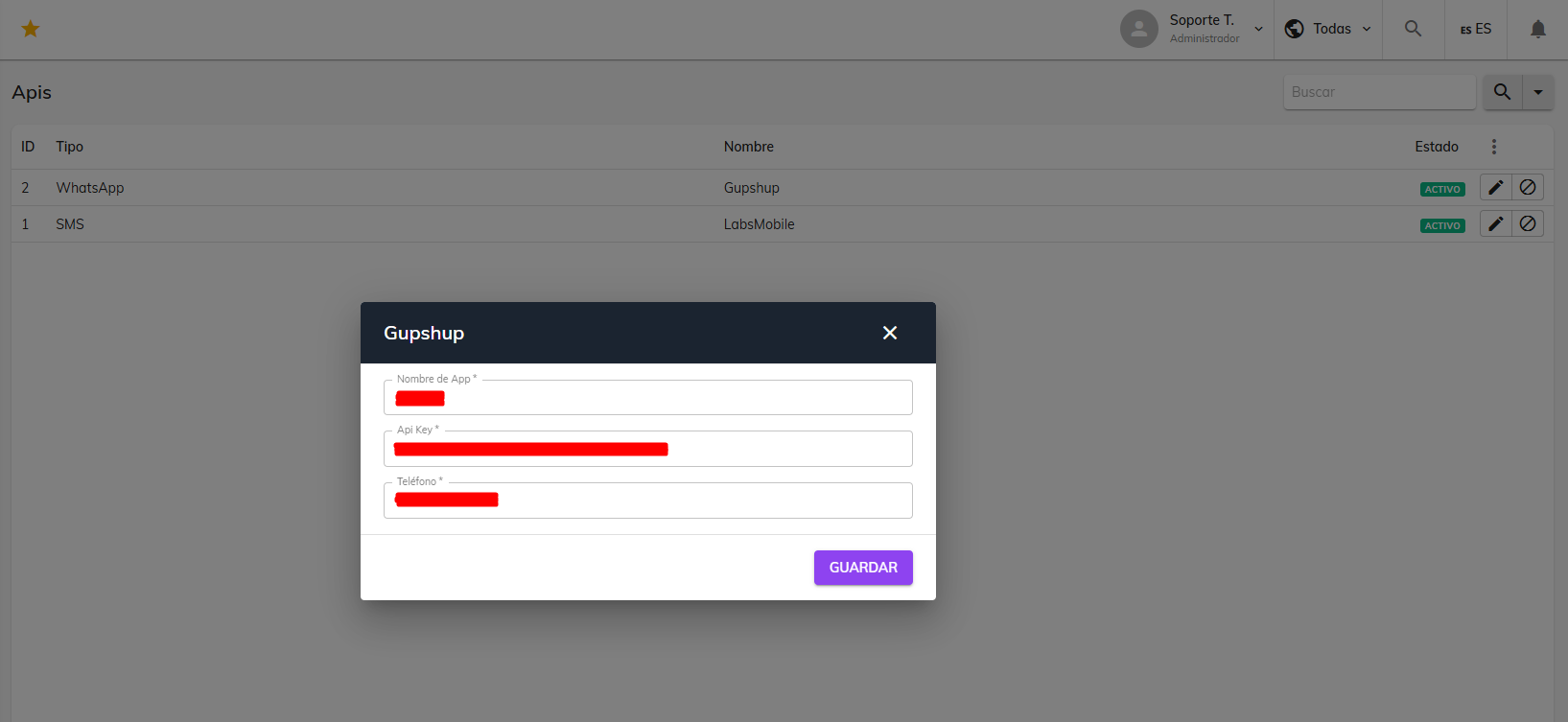
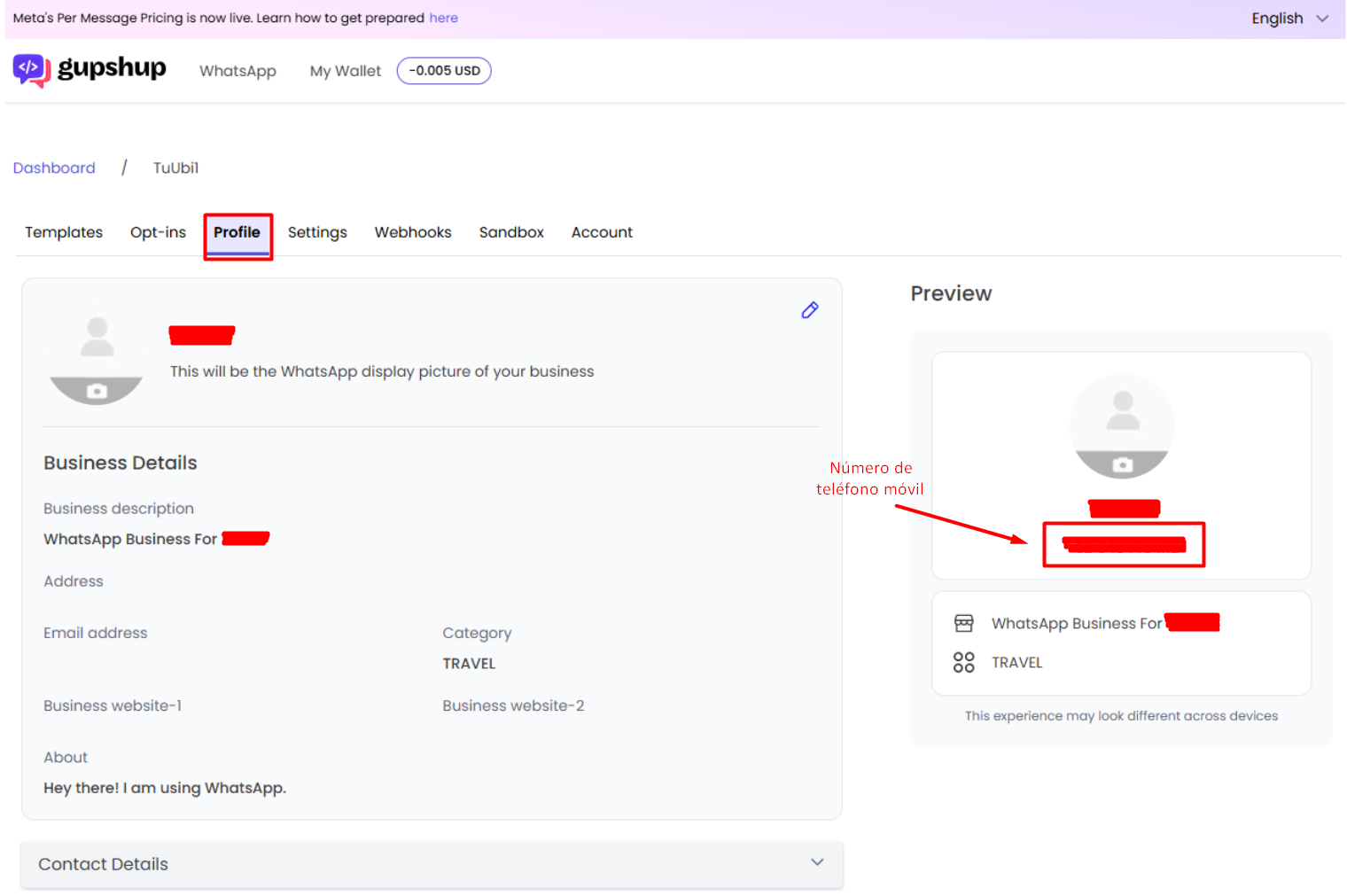
Step 3 explains how to create an API key and identify the application name. The mobile phone number is found in Gupshup's "Profile" module.
Possible issue
If you follow all these steps and then message the mobile phone number on WhatsApp to use the bot, but it doesn't reply, it may be because you don't have enough credit balance.
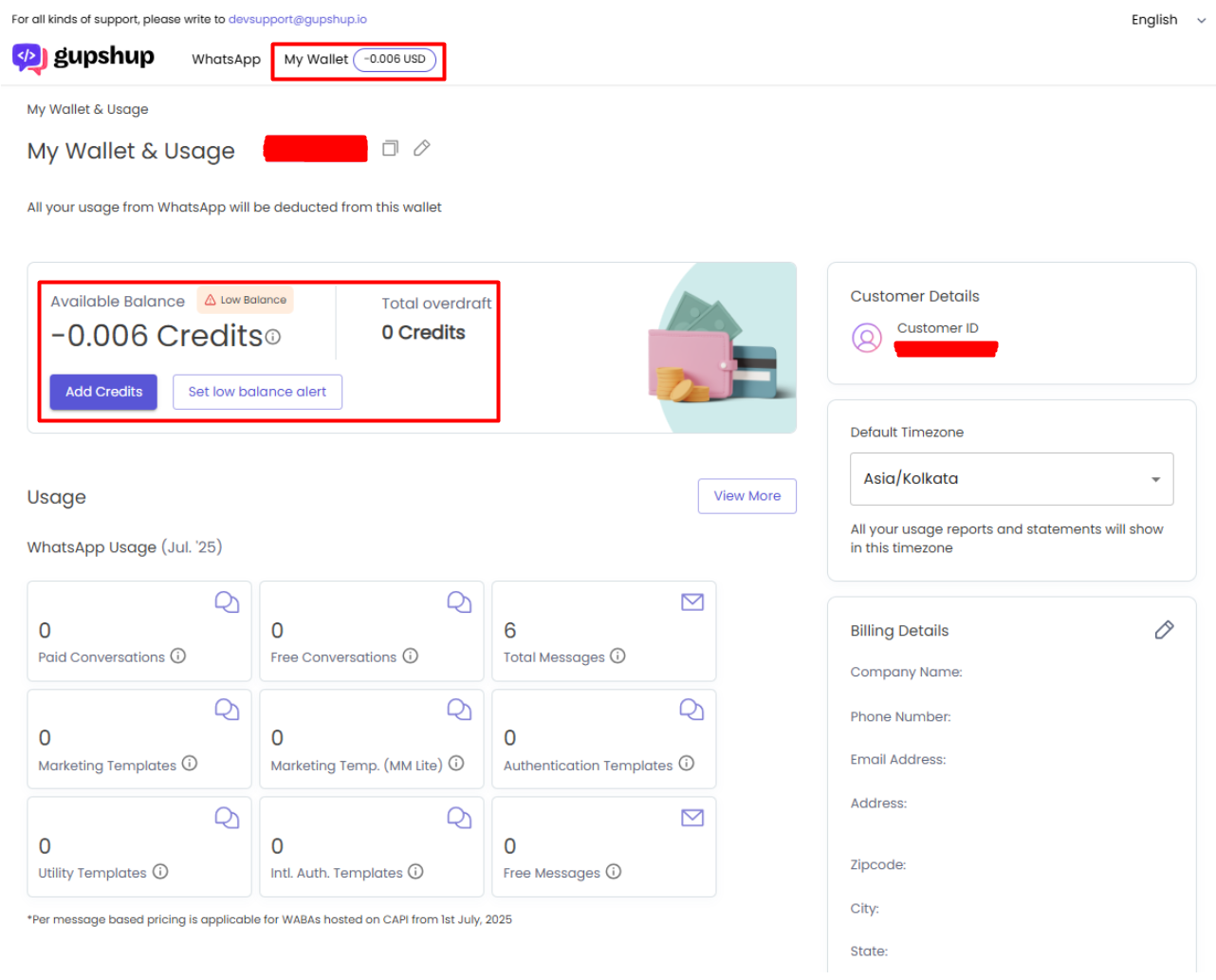
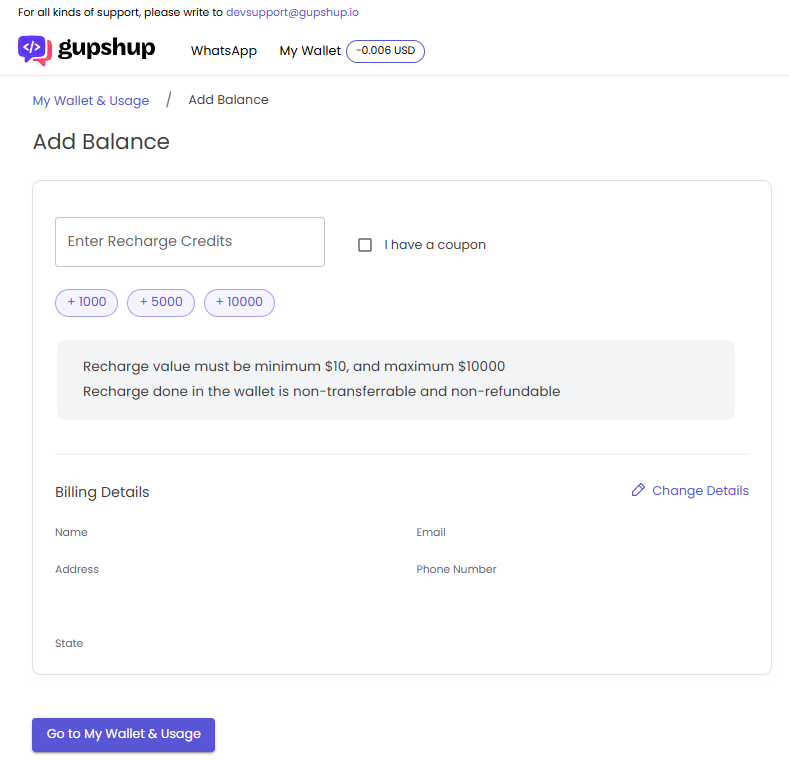
In that case, you would need to top up your credits by clicking "Add Credits".
Was this article helpful?