
 Use cases
 Messaging
 Taxi Companies
 Private Transport
 Transportation Entrepreneurs
 Last Mile
 SuperApp
 Software
 Taxi dispatch
 Corporate transportation
 Auction
 Products
 Booking Software
 Dispatch Platform
 Driver App
 Passenger App
 Web Widget
 Functions
 Schedule & Booking
 Driver Management
 Custom
 Corporate Portal
 Security & Support
 Resources
 Learn
Learn



Driver Commissions - Percentage / Fixed Amount / Custom
From the web panel you can set the commission that drivers will be charged for the rides they complete.
To do this, go to Maintenance > Settings > Pricing > Commissions > New.
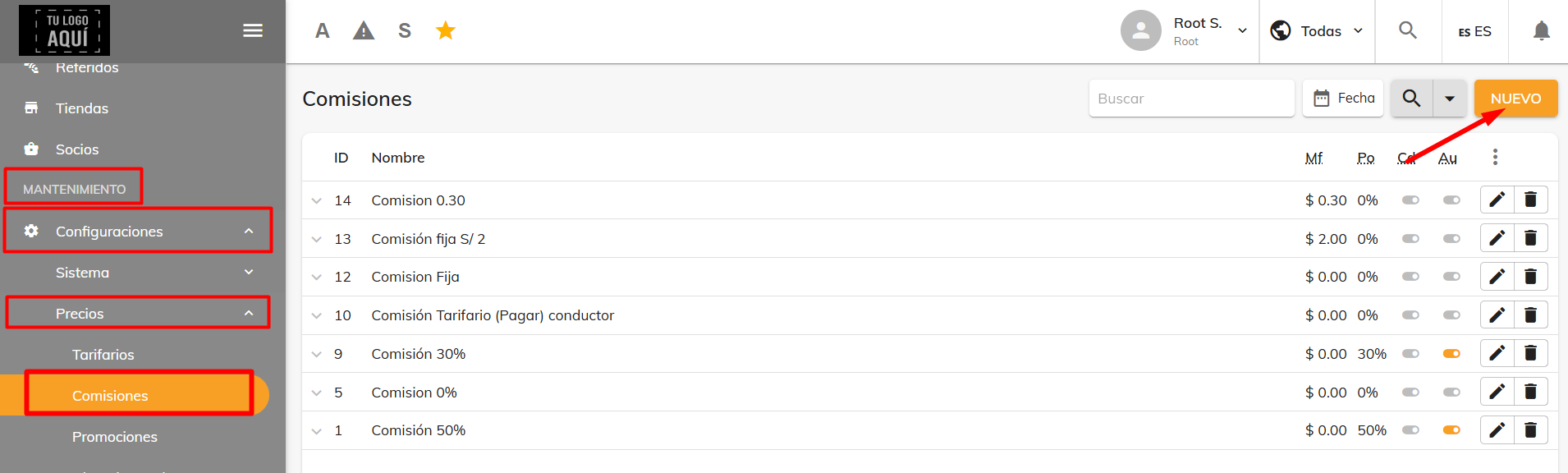
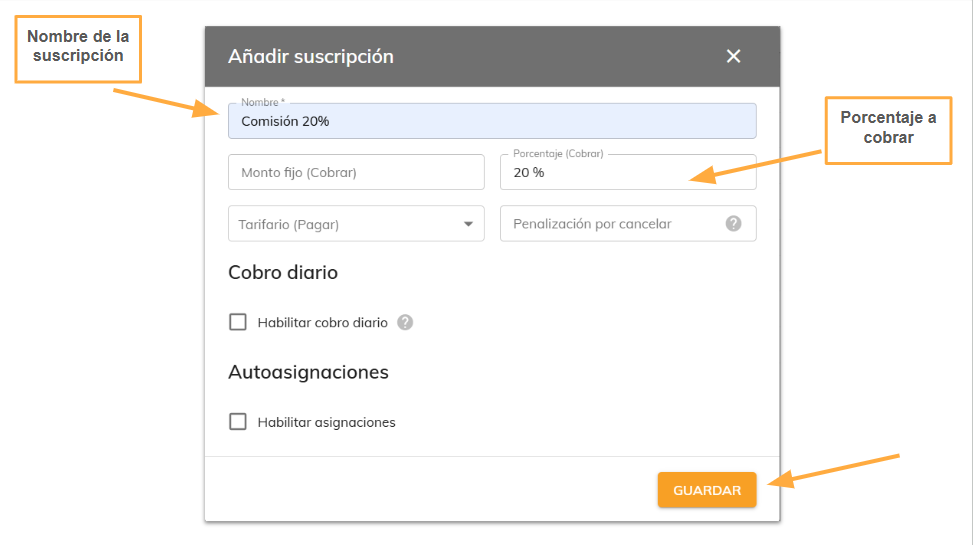
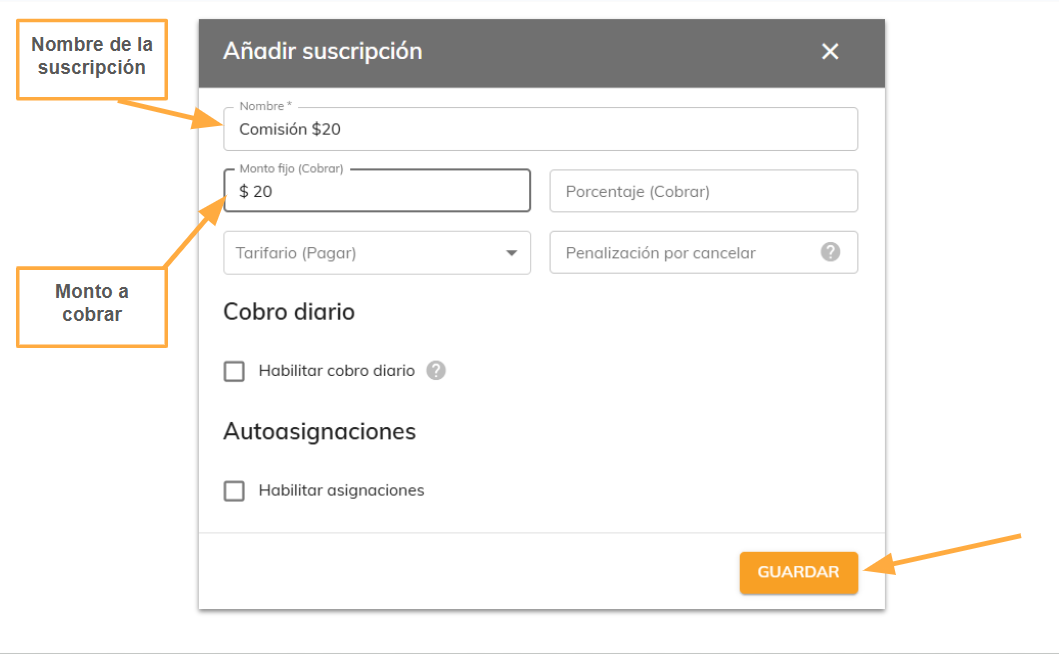
A window will open where you can set up two types of commission: Percentage or Fixed Amount.
Percentage Commission:
Fixed Amount Commission:
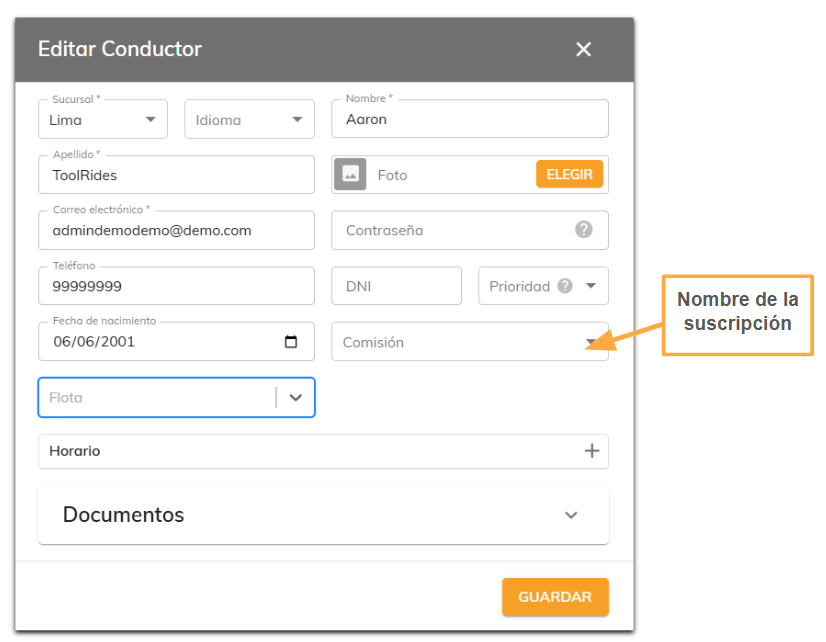
Custom Commission:
A custom commission is a special commission that can be assigned to drivers individually and overrides the general commission. It's set up driver by driver. To do this, go to Drivers, edit a driver, and select one of the custom commissions you've created for that driver.
Was this article helpful?
Pricing
- Corporate Rate
- Driver Commissions - Percentage / Fixed Amount / Custom