
 Use cases
 Messaging
 Taxi Companies
 Private Transport
 Transportation Entrepreneurs
 Last Mile
 SuperApp
 Software
 Taxi dispatch
 Corporate transportation
 Auction
 Products
 Booking Software
 Dispatch Platform
 Driver App
 Passenger App
 Web Widget
 Functions
 Schedule & Booking
 Driver Management
 Custom
 Corporate Portal
 Security & Support
 Resources
 Learn
Learn



Drivers aren't receiving alerts
The trip alerts that drivers receive can be sent manually from the dispatcher or trips-in-progress submodules.
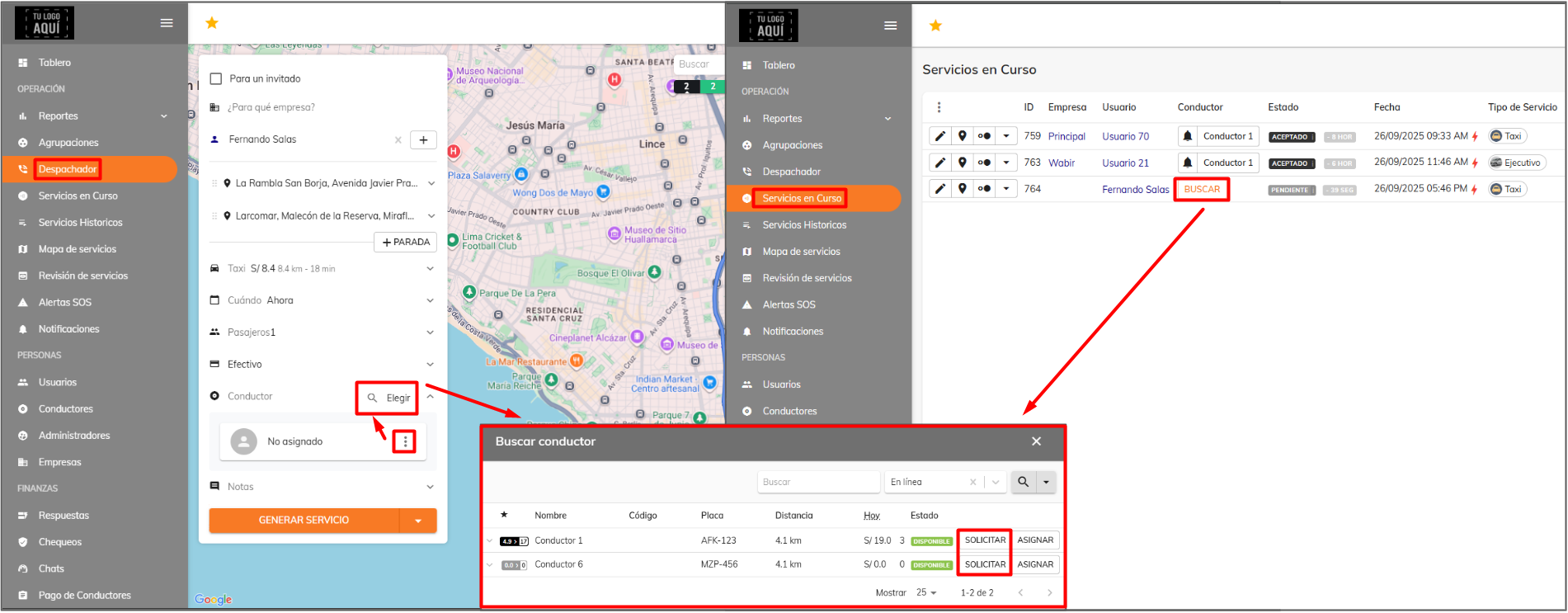
When a passenger requests a service from their app, alerts also go out to drivers; in this case, the alert reaches the driver closest to the passenger's pickup point first, and if that driver declines it, another alert is sent to the next closest driver, following the sequential request mode.
If the alert isn't reaching drivers, you can do the following:
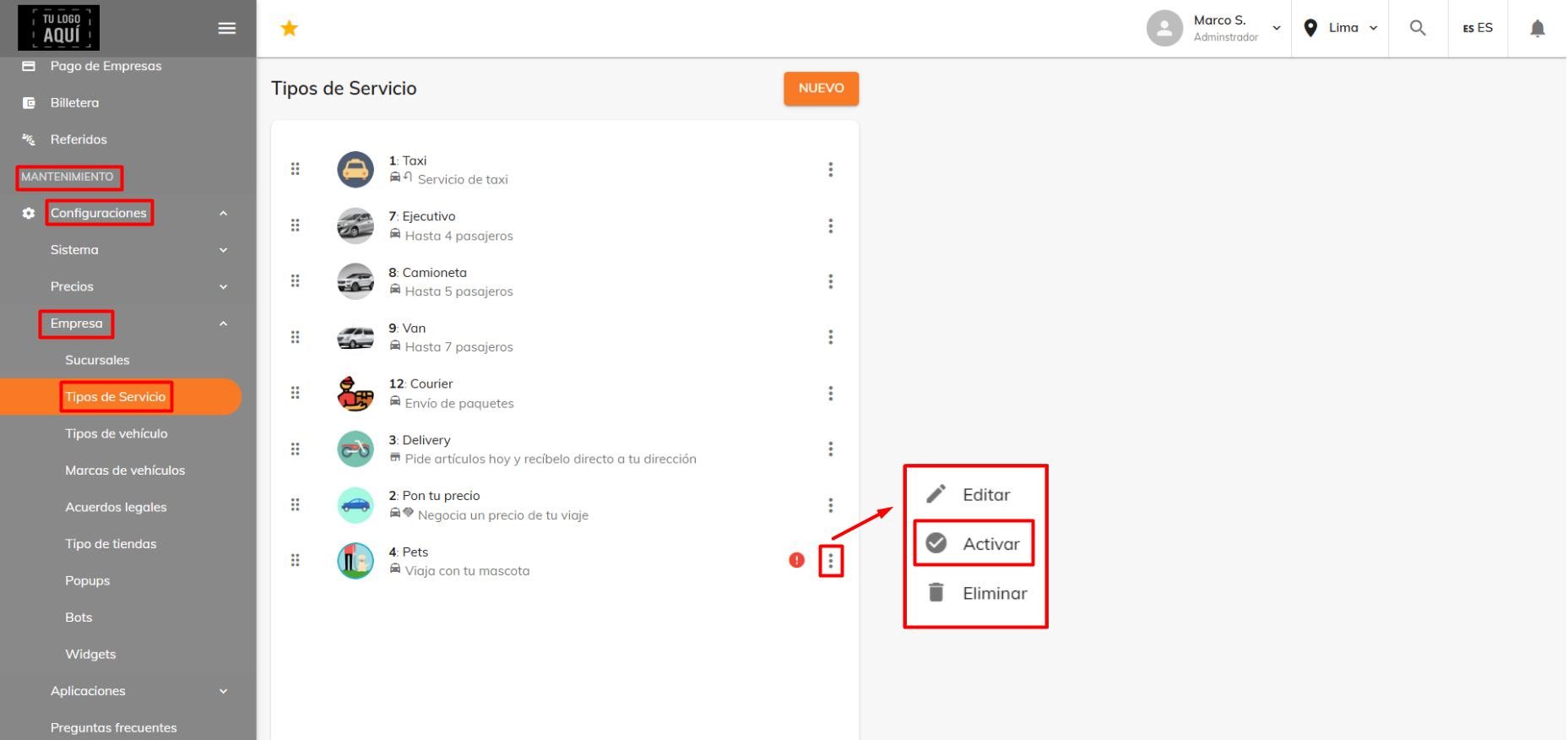
• If several vehicles have a service type assigned, make sure that service type is enabled. To check, go to Maintenance > Settings > Company > Service types.
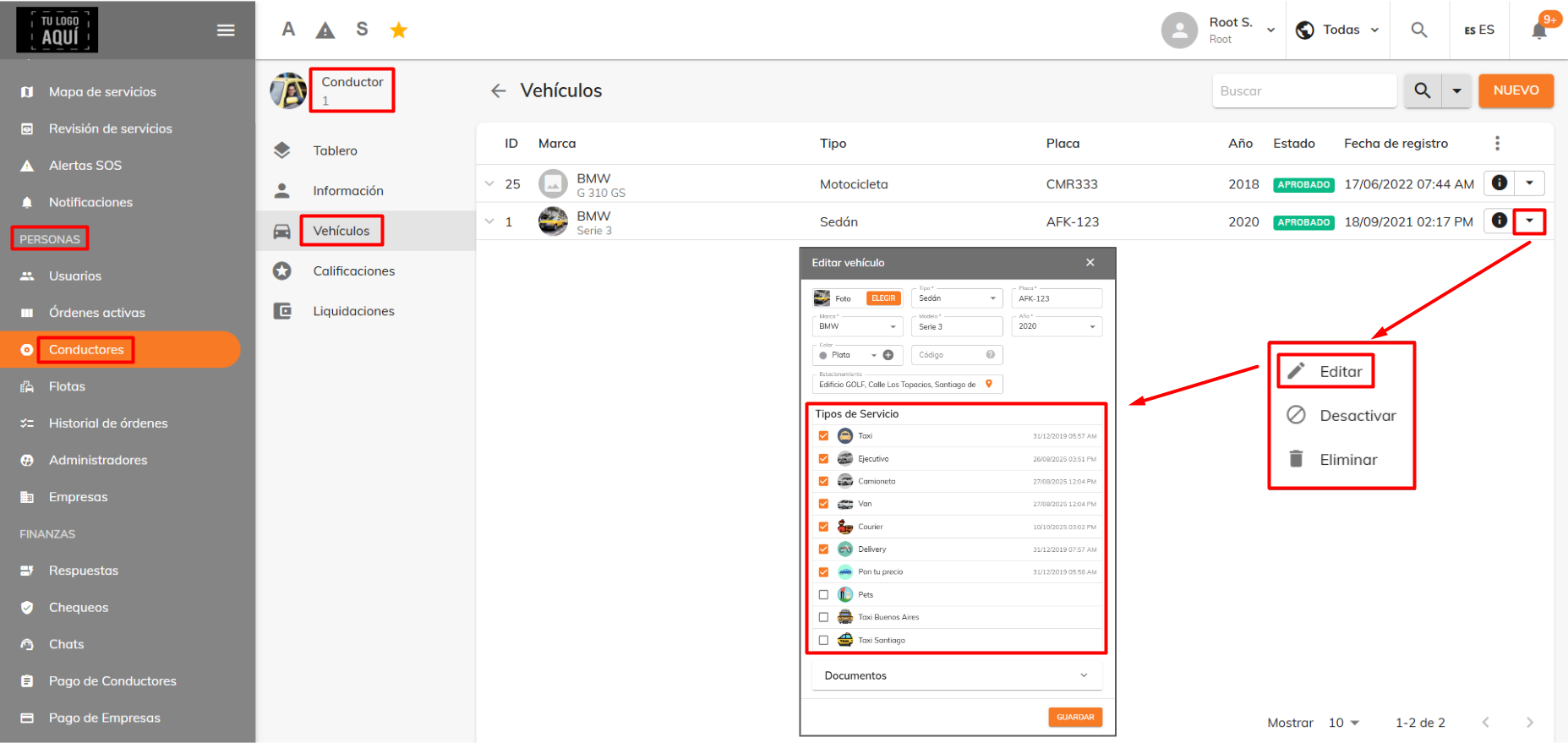
• The drivers' vehicles should have certain enabled service types associated with them. To do this, go to People > Drivers, click the driver's information (i) icon, go to the vehicles section, and edit one.
• For delivery, you'd need to check whether the vehicle has the delivery service type enabled.
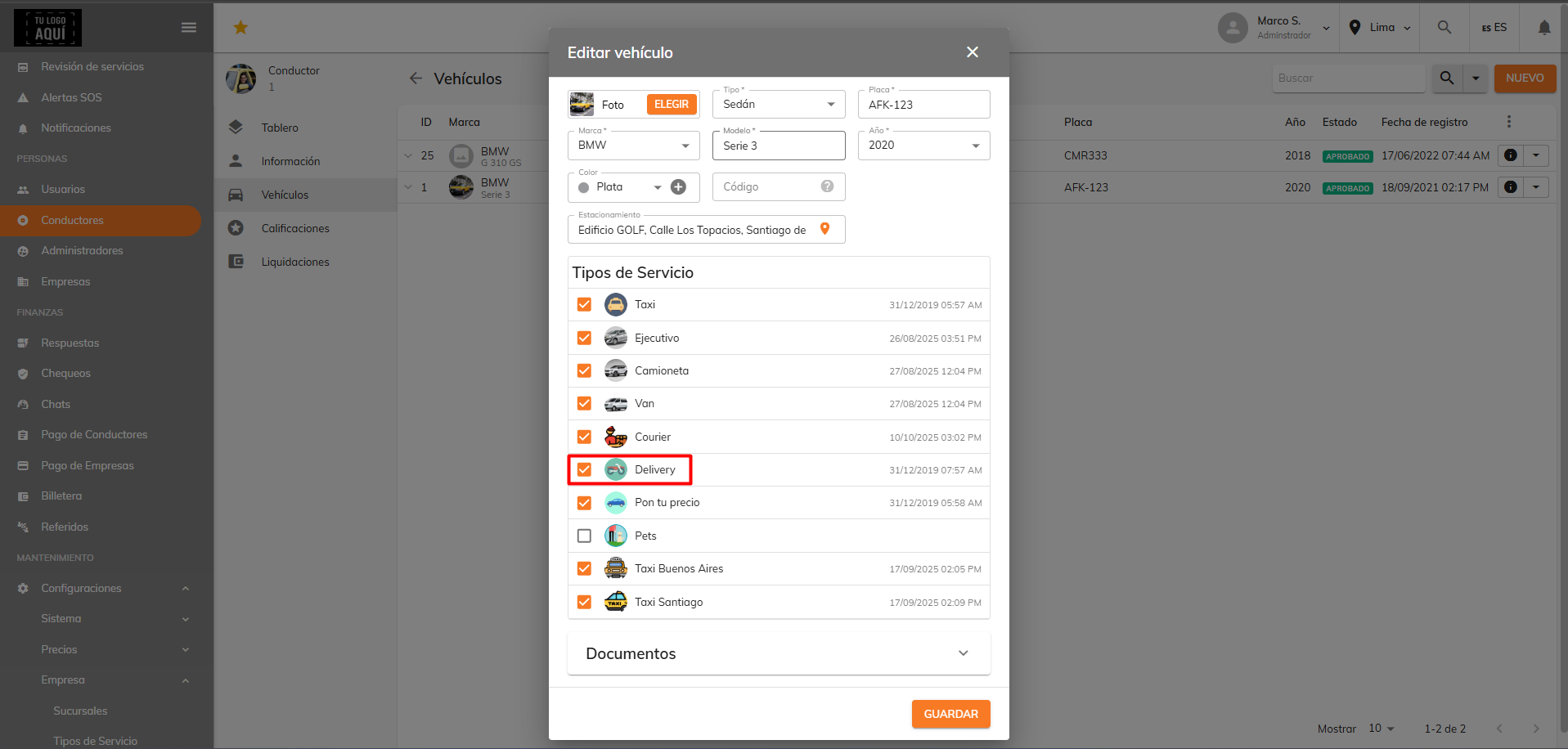
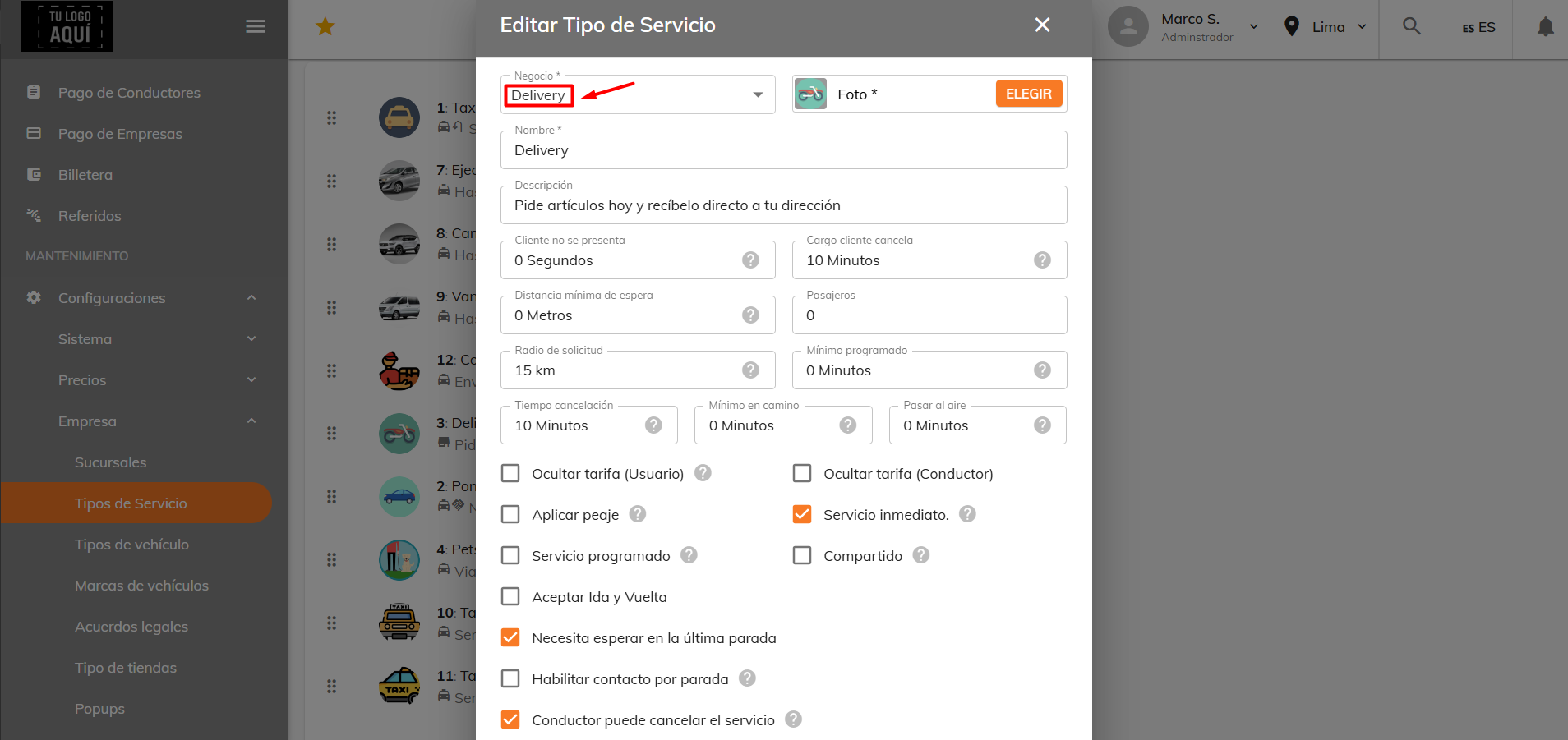
You'd also need to confirm that the business for that service type is delivery and not taxi. This way, all trips requested as delivery are routed to the active orders and order history submodules.
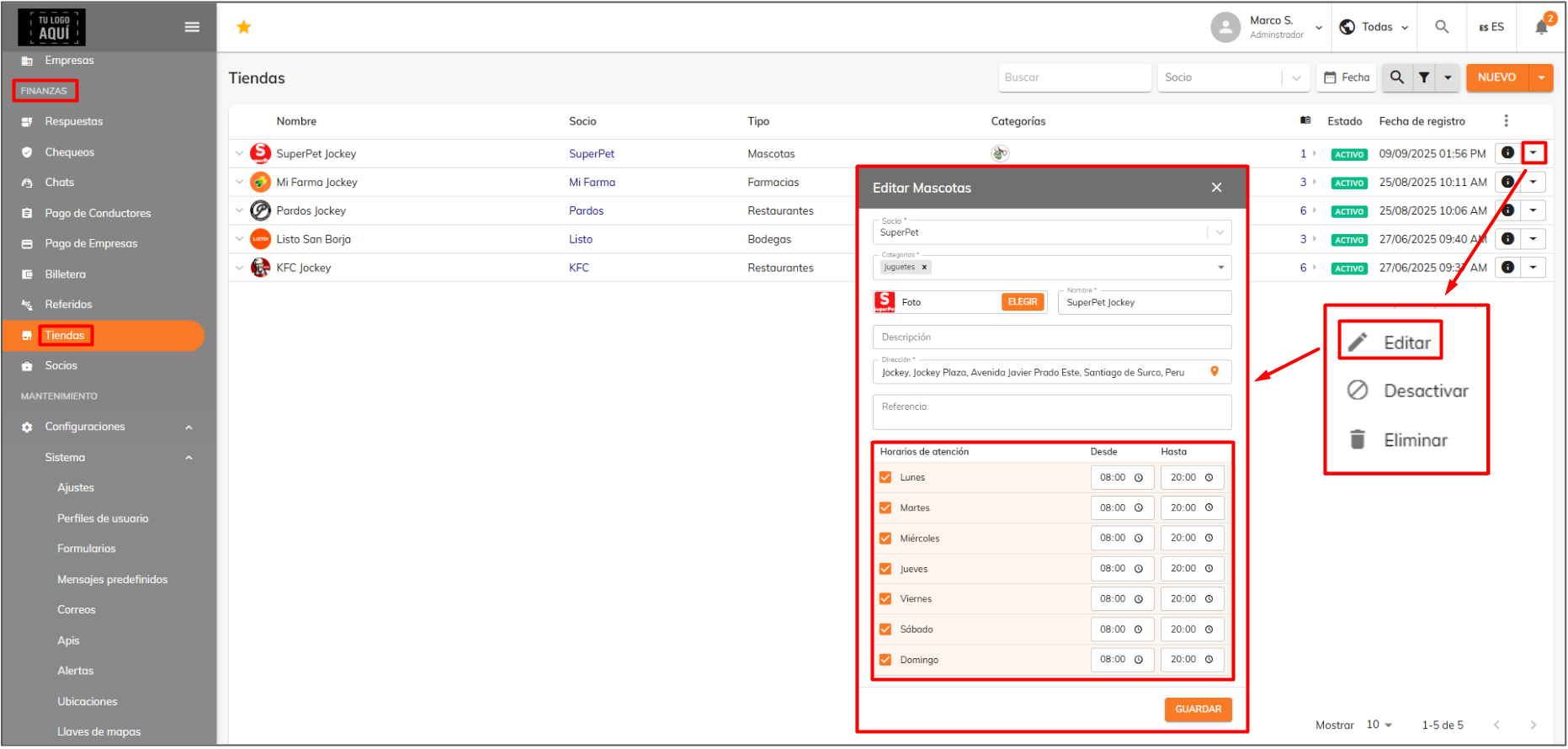
Likewise, you'd need to confirm that the stores' hours are available at the time orders are placed, so that alerts reach drivers. You can review the hours in Finance > Stores.
Was this article helpful?
Troubleshooting
- Drivers aren't receiving alerts
- The map won't load in the dispatcher and apps
- Errors when importing services
- Service type not available at that time
- Driver doesn't qualify for ride assignment
- No metrics showing on the dashboard
- Why you can't view services from all branches at once
- How the date filter works
- Promo code can't be used