
 Use cases
 Messaging
 Taxi Companies
 Private Transport
 Transportation Entrepreneurs
 Last Mile
 SuperApp
 Software
 Taxi dispatch
 Corporate transportation
 Auction
 Products
 Booking Software
 Dispatch Platform
 Driver App
 Passenger App
 Web Widget
 Functions
 Schedule & Booking
 Driver Management
 Custom
 Corporate Portal
 Security & Support
 Resources
 Learn
Learn



The map won't load in the dispatcher and apps
Sometimes the map in the dispatcher or the apps won't load, as shown in the image below, and prevents you from creating services.
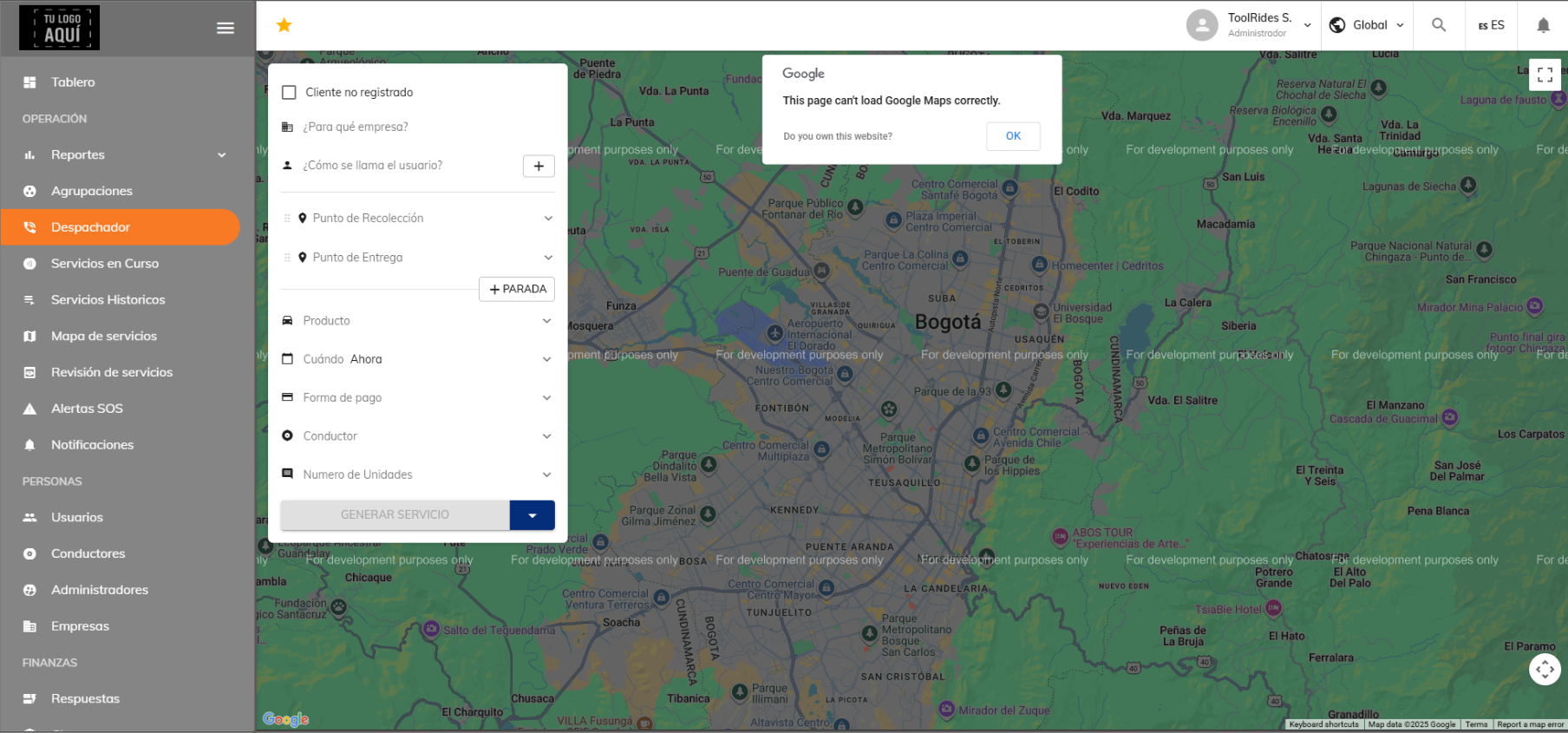
One possible cause of this problem is that the payment card linked to the Google Maps account in use has some kind of issue, for example, it has expired or some information needs to be updated.
It's important to check the Gmail inbox of that Google Maps account, since Google may share details about the problem.
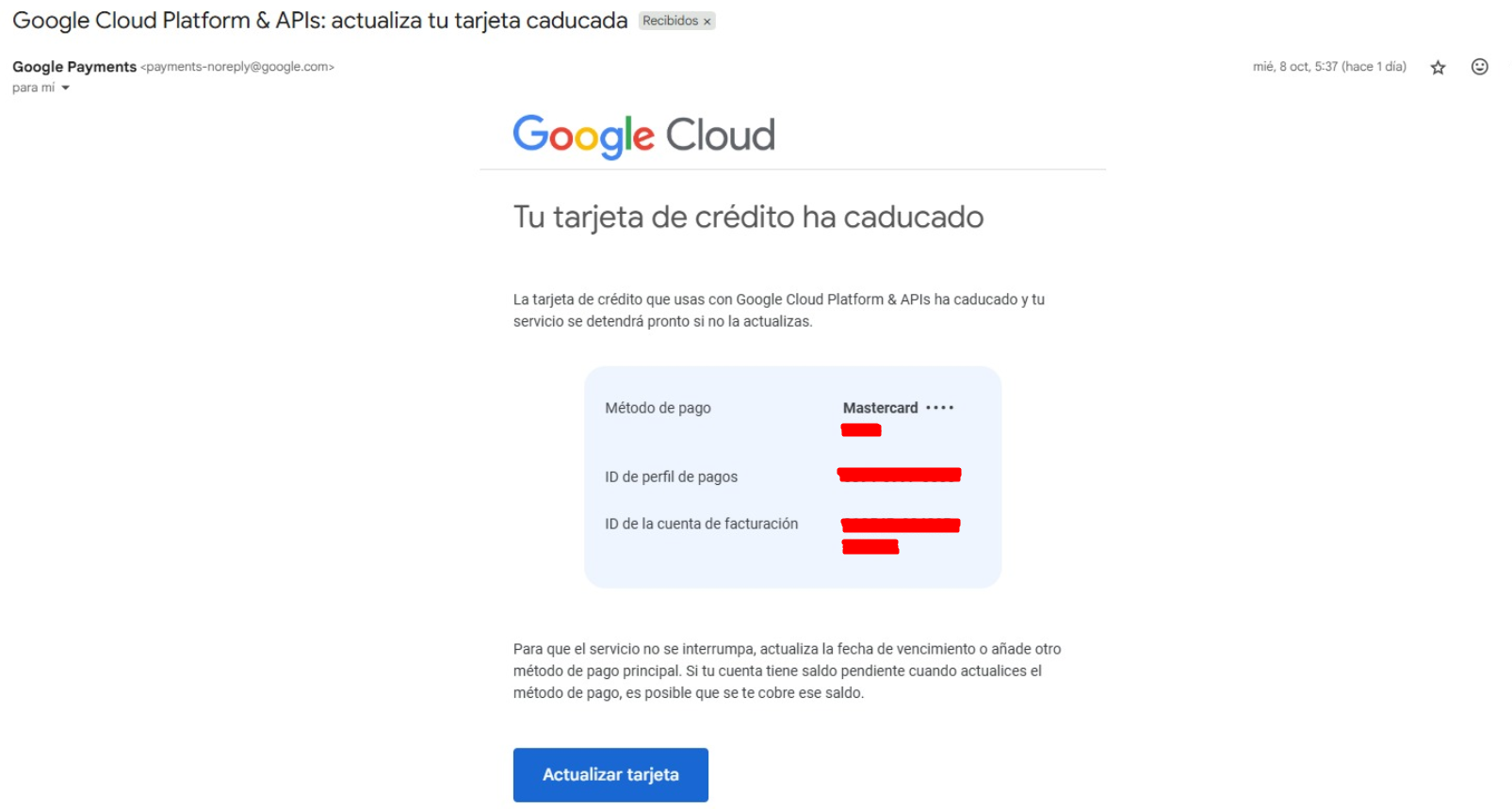
If you'd like to learn how to create a new Google Maps account, you can check out this article.
Was this article helpful?
Troubleshooting
- Drivers aren't receiving alerts
- The map won't load in the dispatcher and apps
- Errors when importing services
- Service type not available at that time
- Driver doesn't qualify for ride assignment
- No metrics showing on the dashboard
- Why you can't view services from all branches at once
- How the date filter works
- Promo code can't be used