
 Use cases
 Messaging
 Taxi Companies
 Private Transport
 Transportation Entrepreneurs
 Last Mile
 SuperApp
 Software
 Taxi dispatch
 Corporate transportation
 Auction
 Products
 Booking Software
 Dispatch Platform
 Driver App
 Passenger App
 Web Widget
 Functions
 Schedule & Booking
 Driver Management
 Custom
 Corporate Portal
 Security & Support
 Resources
 Learn
Learn



Errors when importing services
When you import services from the "Services in progress" submodule, errors may appear highlighted in red. Hovering over those errors shows the details of what needs to be fixed.
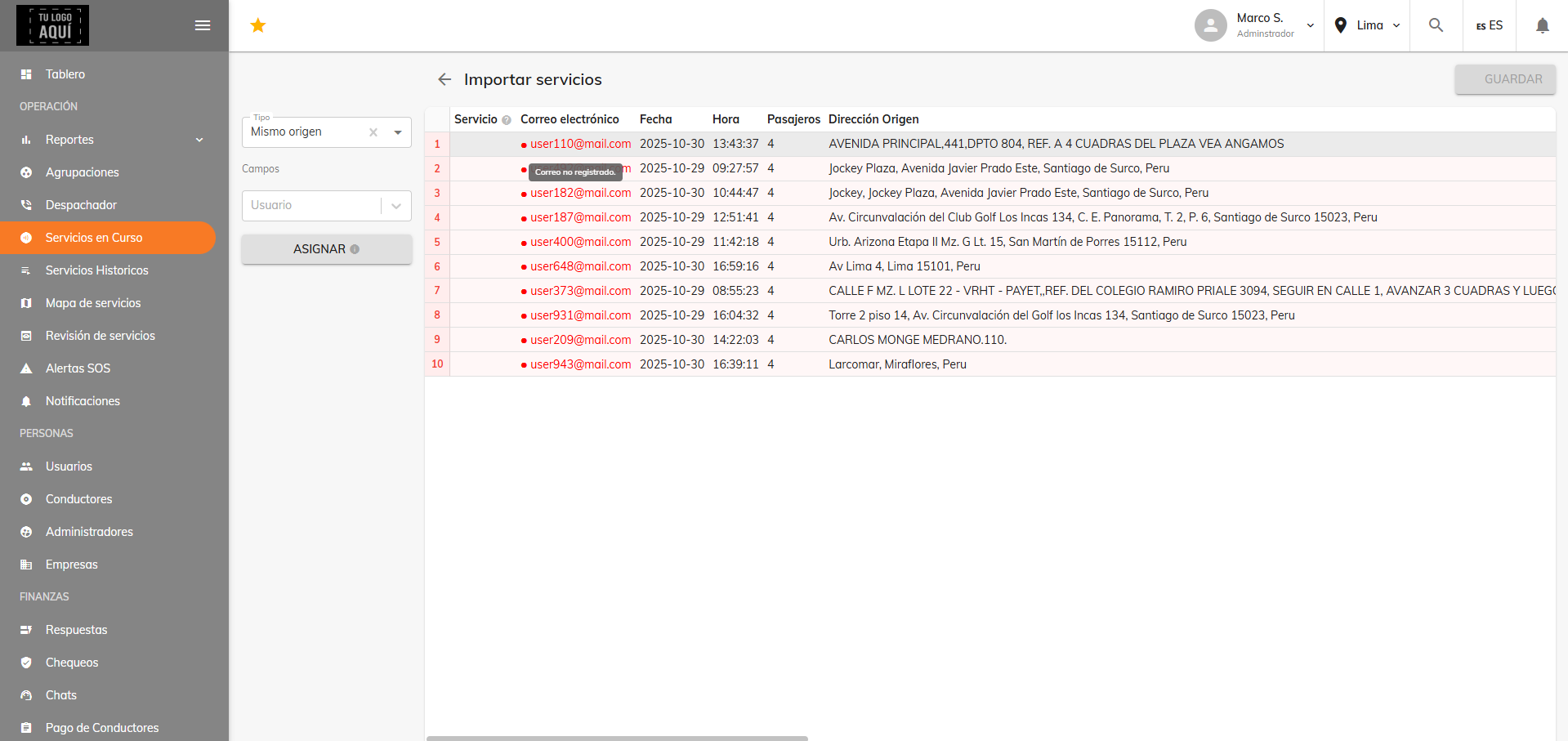
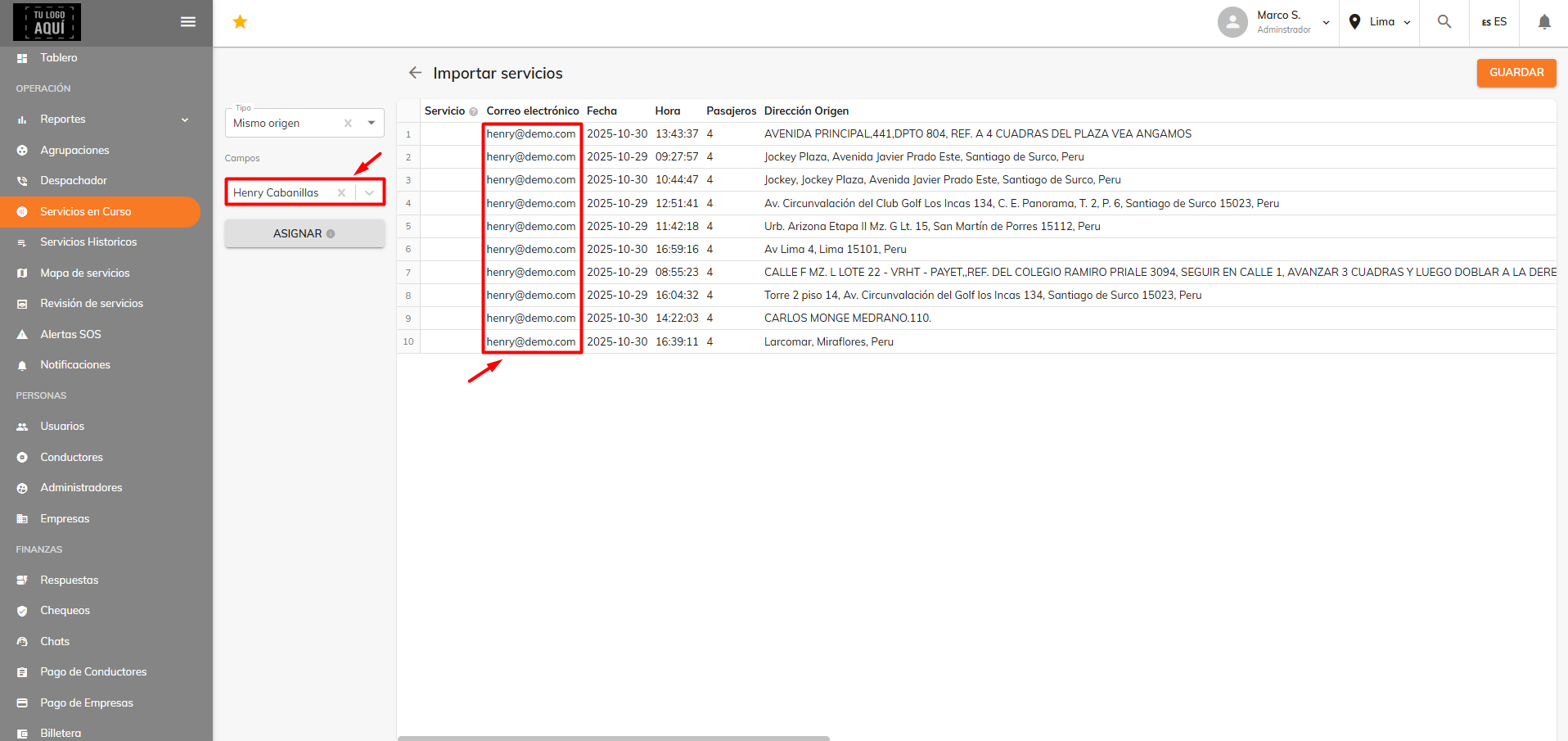
In the case of the image above, it was found that those email addresses in red are not registered as users in the web panel. That's why a "User" field appears on the left, letting you pick a registered user so that their value (in this case, their email) is assigned to all the services showing the error.
Was this article helpful?
Troubleshooting
- Drivers aren't receiving alerts
- The map won't load in the dispatcher and apps
- Errors when importing services
- Service type not available at that time
- Driver doesn't qualify for ride assignment
- No metrics showing on the dashboard
- Why you can't view services from all branches at once
- How the date filter works
- Promo code can't be used