
 Use cases
 Messaging
 Taxi Companies
 Private Transport
 Transportation Entrepreneurs
 Last Mile
 SuperApp
 Software
 Taxi dispatch
 Corporate transportation
 Auction
 Products
 Booking Software
 Dispatch Platform
 Driver App
 Passenger App
 Web Widget
 Functions
 Schedule & Booking
 Driver Management
 Custom
 Corporate Portal
 Security & Support
 Resources
 Learn
Learn



Monitor Rides in Progress (Active Services)
From this screen you can monitor and track rides in progress. As soon as a user requests a ride, it appears in this module—just go to "Active Rides".
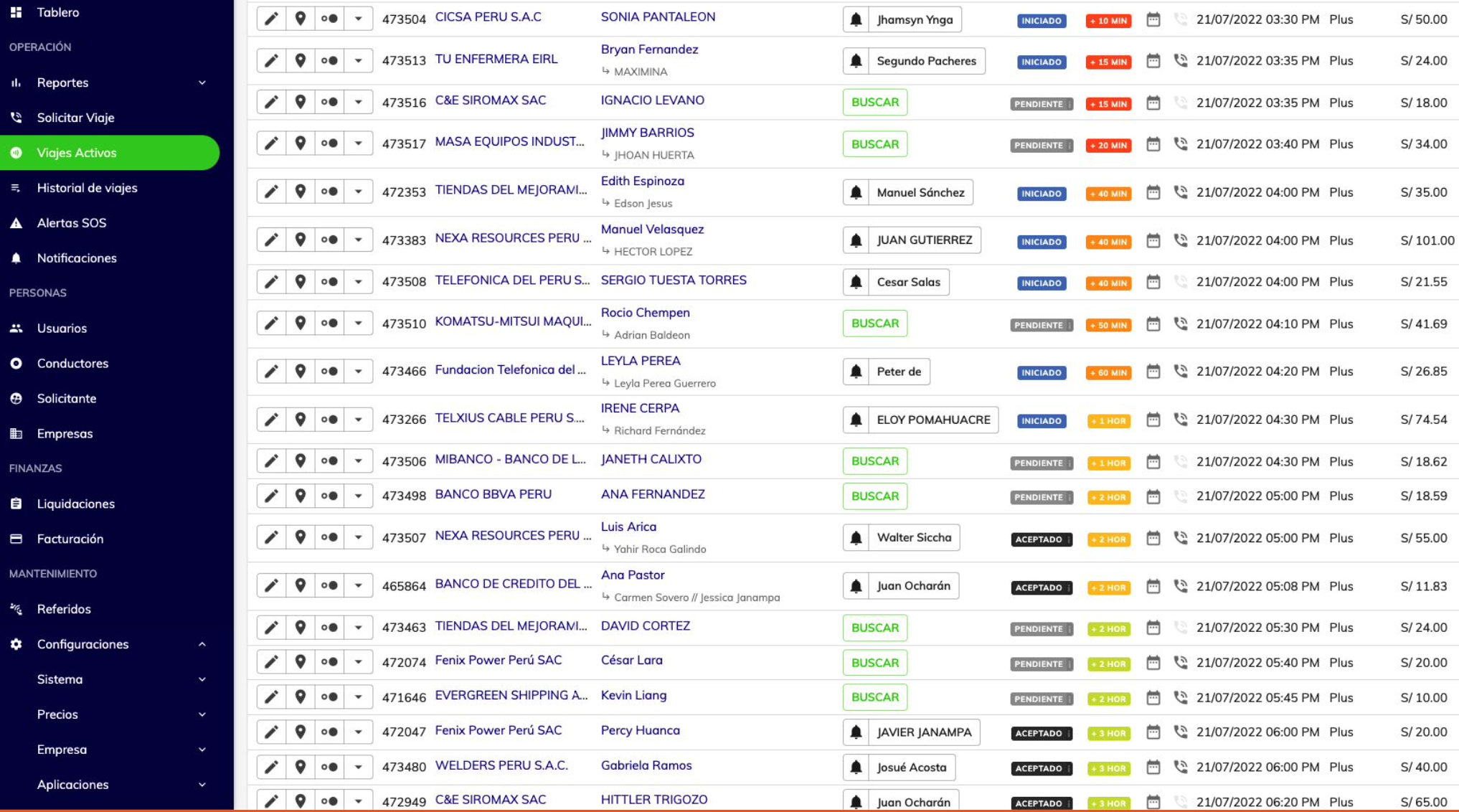
The system automatically searches for the nearest drivers. If none are available or none accept, you can also search for them manually using the "SEARCH" button in the Driver column.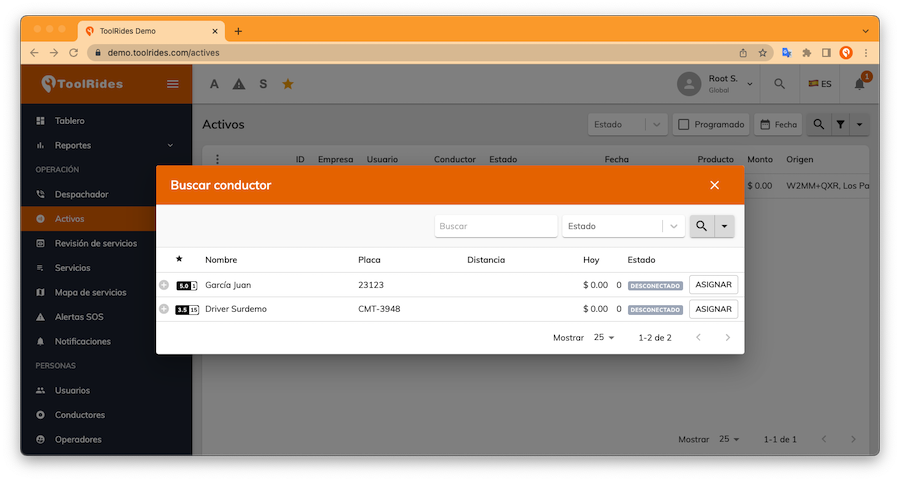
You can filter drivers by status and also search by name. For offline drivers, you can only assign the ride to them, since they won't be able to use the app to accept a request.
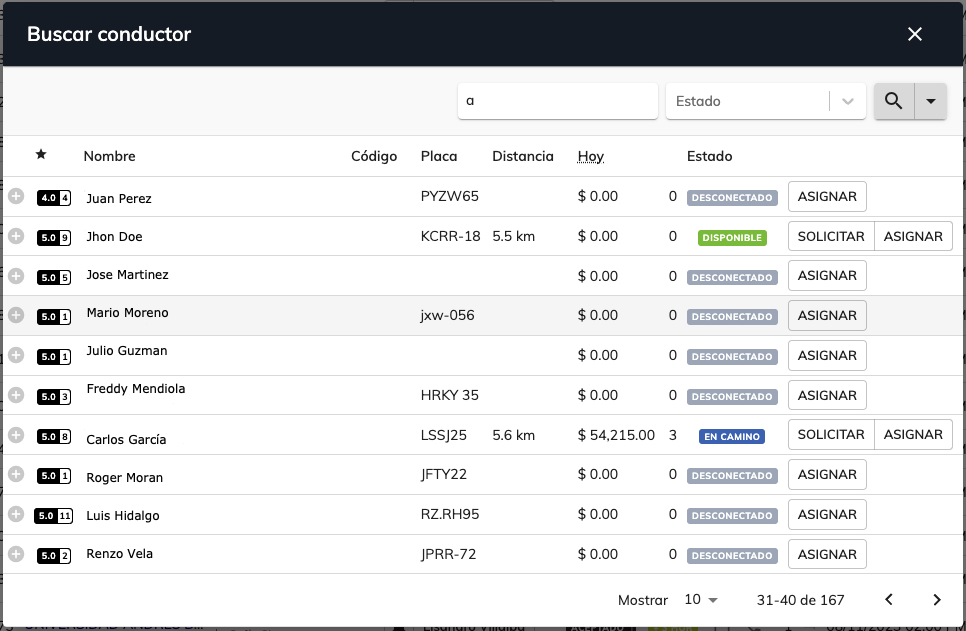
REQUEST: When you request a ride from a specific driver, they'll receive an alert to accept or reject it.
ASSIGN: When you assign a ride to a driver, they'll receive a ride-assigned notification. With this option, the driver can't accept or reject the ride.
Ride Statuses

Pending: The first status of a ride when it's requested.

Accepted: The status once the driver accepts the ride.

On the Way: The status while the driver is on the way to pick up the passenger.
 Waiting: When the driver reaches the passenger's pickup point and taps the clock button (arrived).

Started: The status once the passenger gets in the vehicle and the driver begins the trip to the destination.

Arrived: The status once the driver reaches the destination and is viewing the fare to charge the passenger.
Was this article helpful?