
 Use cases
 Messaging
 Taxi Companies
 Private Transport
 Transportation Entrepreneurs
 Last Mile
 SuperApp
 Software
 Taxi dispatch
 Corporate transportation
 Auction
 Products
 Booking Software
 Dispatch Platform
 Driver App
 Passenger App
 Web Widget
 Functions
 Schedule & Booking
 Driver Management
 Custom
 Corporate Portal
 Security & Support
 Resources
 Learn
Learn



Service history
The Service history lets you view every trip completed by a driver or entered manually.
This list includes filters such as date range, driver, users, and other useful fields for grouping trips.
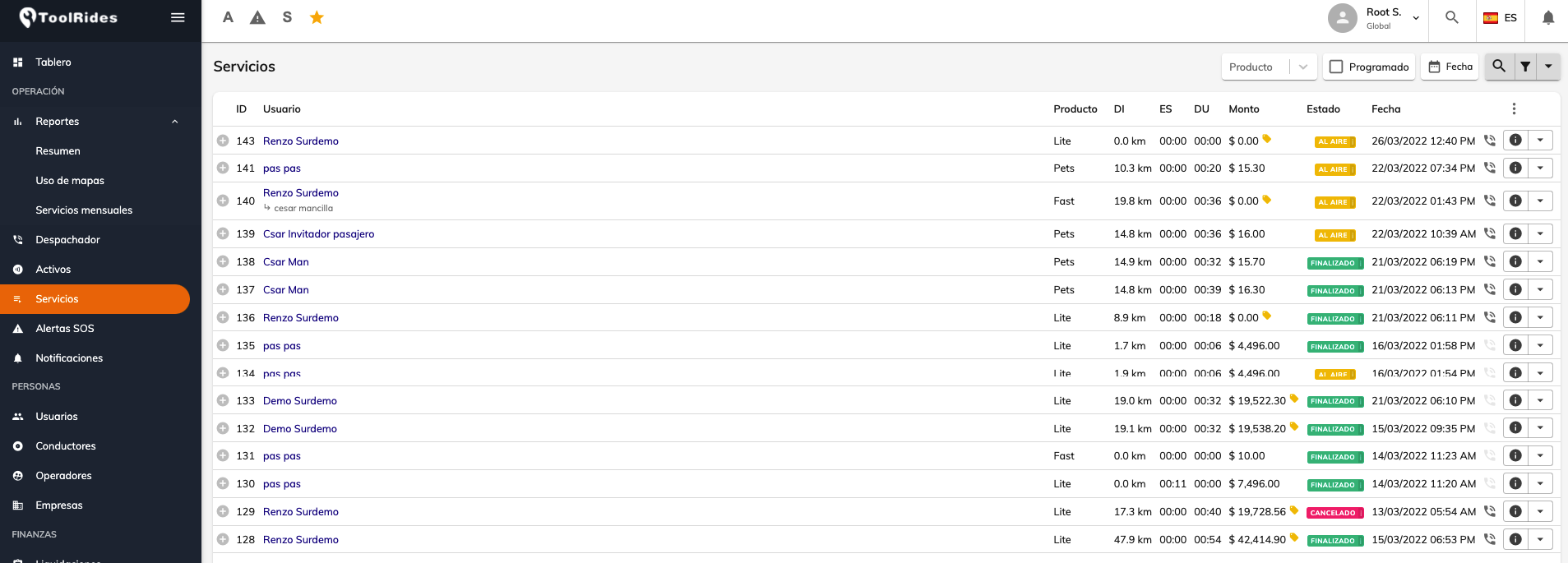
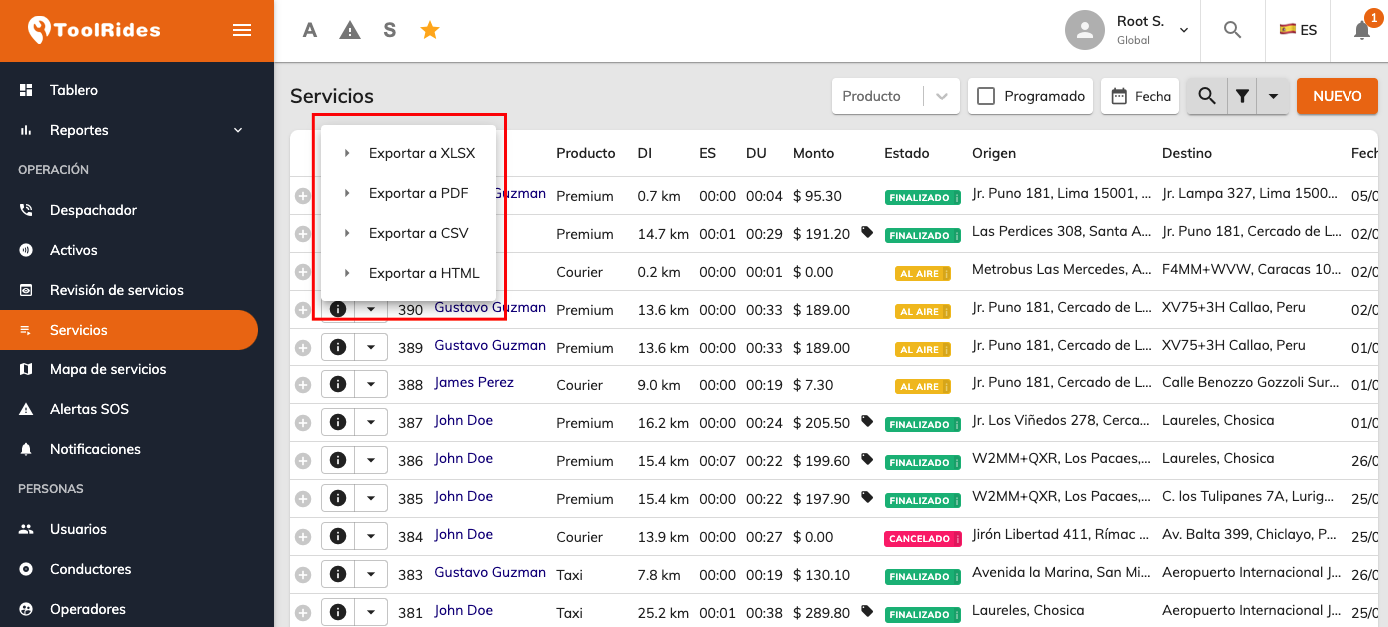
Using the button on the left of the list, you can export the full results to compatible formats such as Excel, PDF, CSV, and HTML.
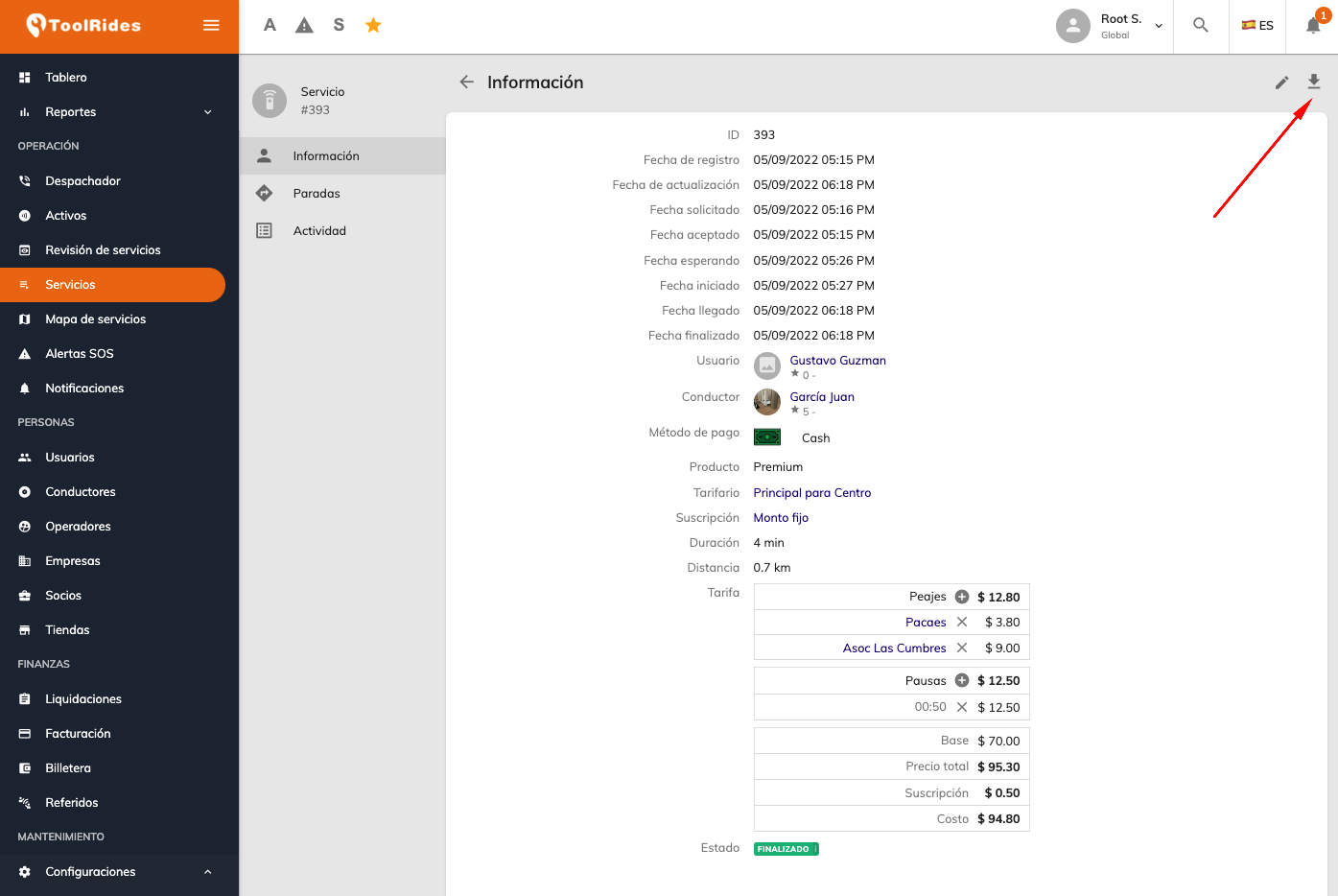
You can open the details of any trip by clicking the "i" button on the left of each row. From this detail view you can download a PDF with all the information.
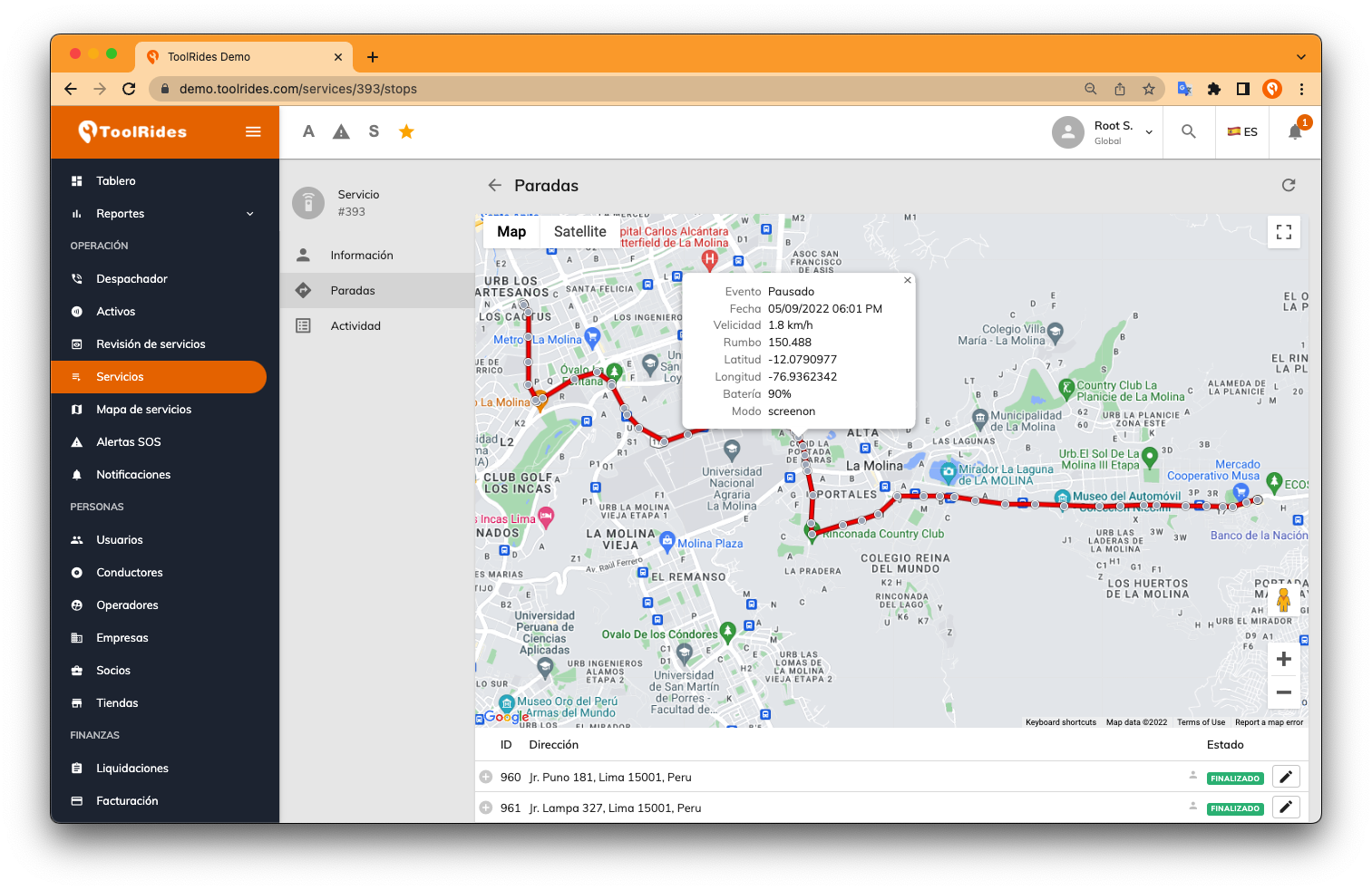
In the stops section you can see the driver's full tracking throughout the trip. At each point you can view information such as latitude, longitude, speed, battery percentage, and more.
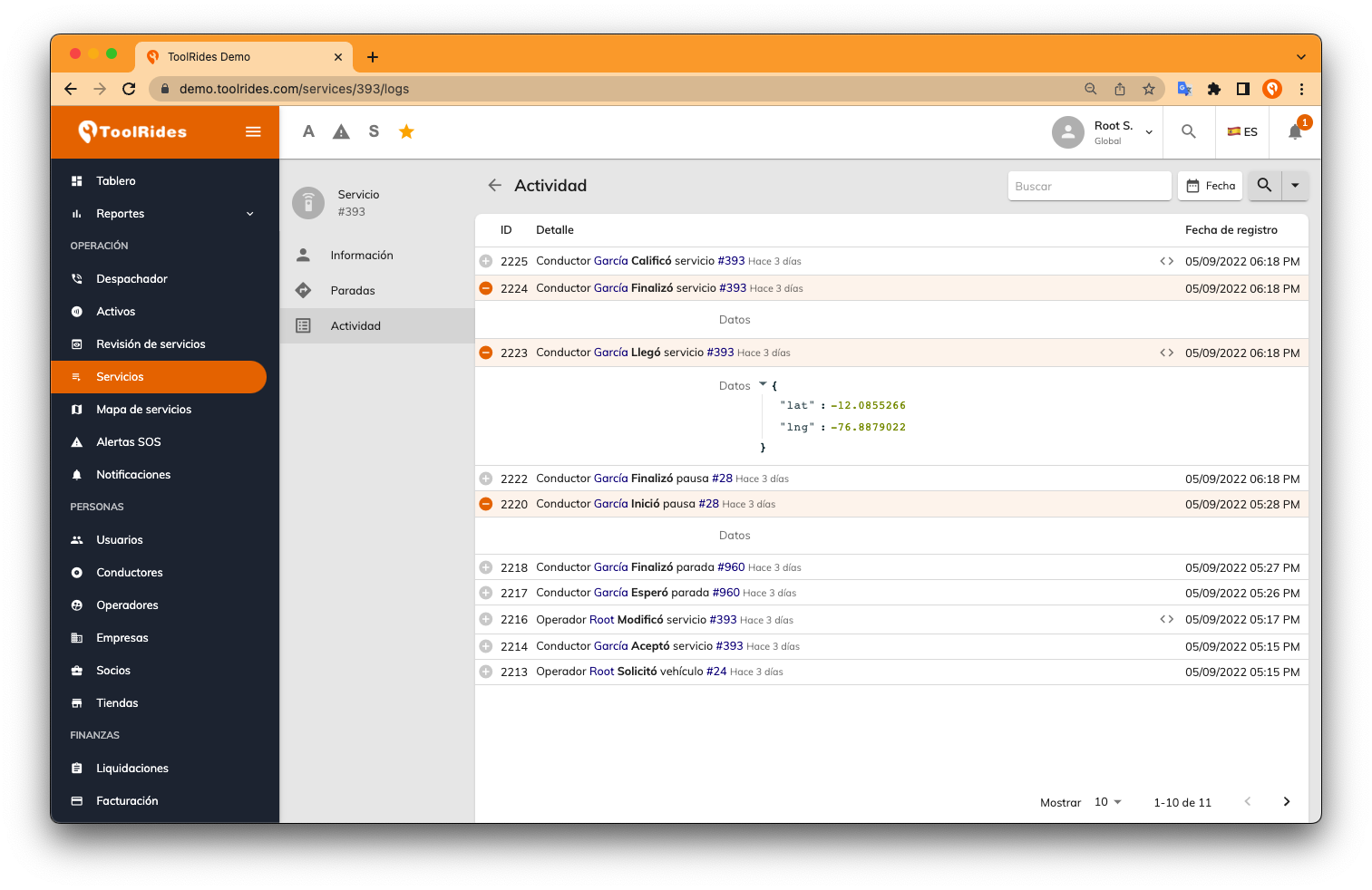
In the Activity section you can review every event that occurred during the trip, such as the exact time the trip was requested, when the driver arrived at the pickup point, when the trip ended, or when an operator edited the details.
Was this article helpful?