
 Use cases
 Messaging
 Taxi Companies
 Private Transport
 Transportation Entrepreneurs
 Last Mile
 SuperApp
 Software
 Taxi dispatch
 Corporate transportation
 Auction
 Products
 Booking Software
 Dispatch Platform
 Driver App
 Passenger App
 Web Widget
 Functions
 Schedule & Booking
 Driver Management
 Custom
 Corporate Portal
 Security & Support
 Resources
 Learn
Learn



Request a trip from the Web Panel
🎬 Video: https://www.youtube.com/embed/CXkb9KRPer0?si=G8mrMgA4bzeozRJY
Open the Dispatcher.
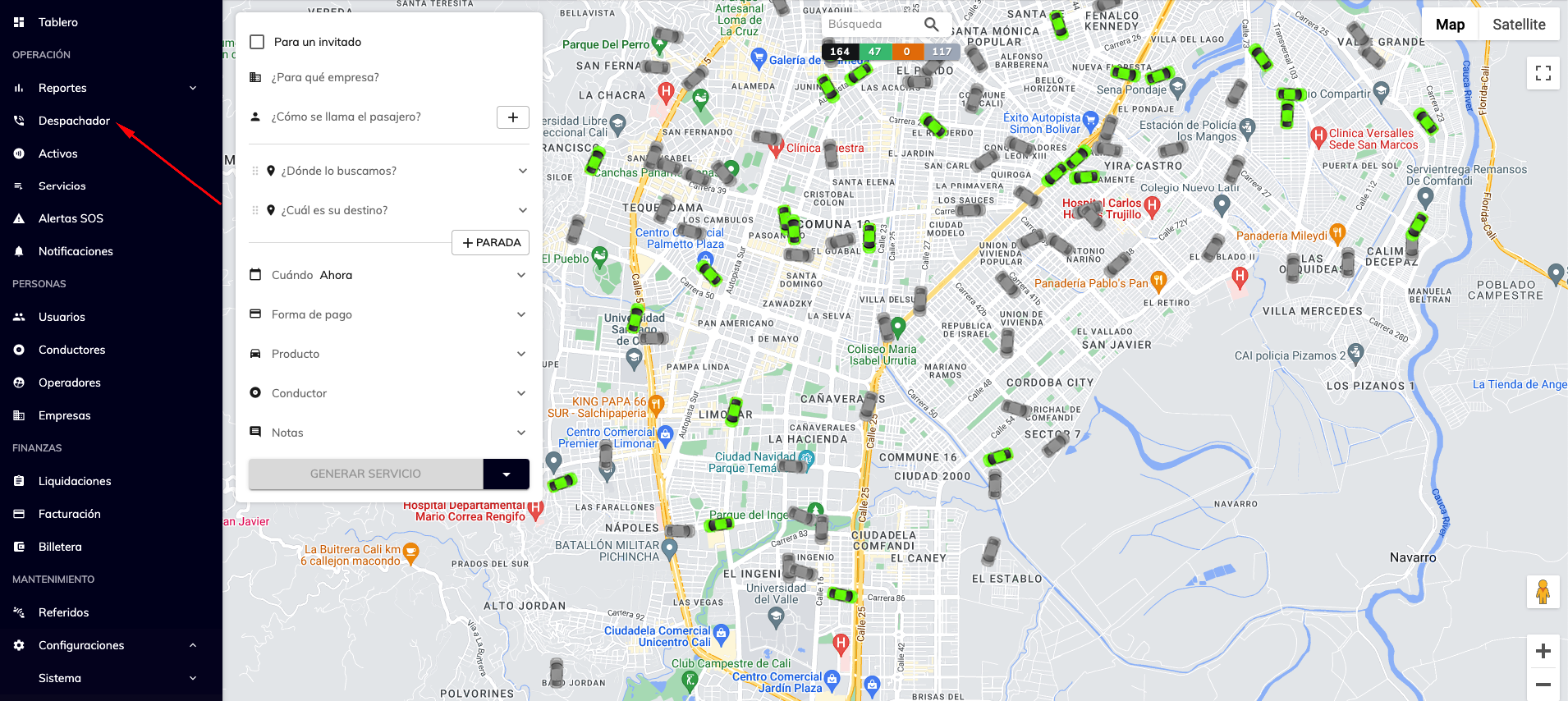
For a guest:
Used to enter someone else's details (when the service isn't for the user placing it).
Company:
Lets you group your customers by company, which would be your corporate clients (this field doesn't apply to mass-market services).
Passenger:
The person the trip will be assigned to. If you can't find them by name or phone number, you can register them by tapping the + button.
Where are we picking up:
Field to enter the pickup address.
What's the destination:
Field to enter the destination address. You can add more stops with the + STOP button.
When:
You can choose "Now," in which case the system automatically searches for a driver. You can also choose "Scheduled" to pick the date and time for the trip. The service can be assigned manually or automatically, depending on the time configured in the "Product."
Payment method:
Cash is selected by default, and if a payment gateway provider has been integrated, you'll be able to choose card. For company-type users, a new method called "Corporate" is added, which can be used as credit billing with the client company.
Product:
These are the services your company offers; you can customize them from the "Products" section.
Was this article helpful?