
 Use cases
 Messaging
 Taxi Companies
 Private Transport
 Transportation Entrepreneurs
 Last Mile
 SuperApp
 Software
 Taxi dispatch
 Corporate transportation
 Auction
 Products
 Booking Software
 Dispatch Platform
 Driver App
 Passenger App
 Web Widget
 Functions
 Schedule & Booking
 Driver Management
 Custom
 Corporate Portal
 Security & Support
 Resources
 Learn
Learn



Setting up service types
In the service types section, also known as products, found under Settings > Company > Service Types or Product, you can configure different fields to match the needs of each service. Below are some of the available options:
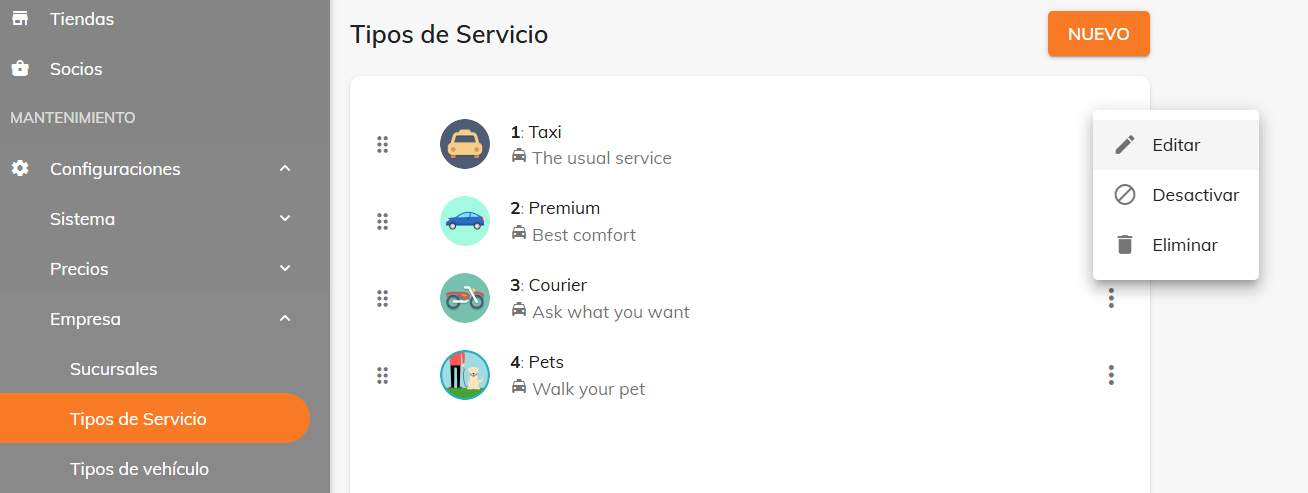
Customer no-show:
The amount of time required to unlock the “customer no-show” option, which the driver can use once they arrive at the pickup point. The penalty charged to the customer in these cases is set under Maintenance > Settings > Pricing > Rate Plans.
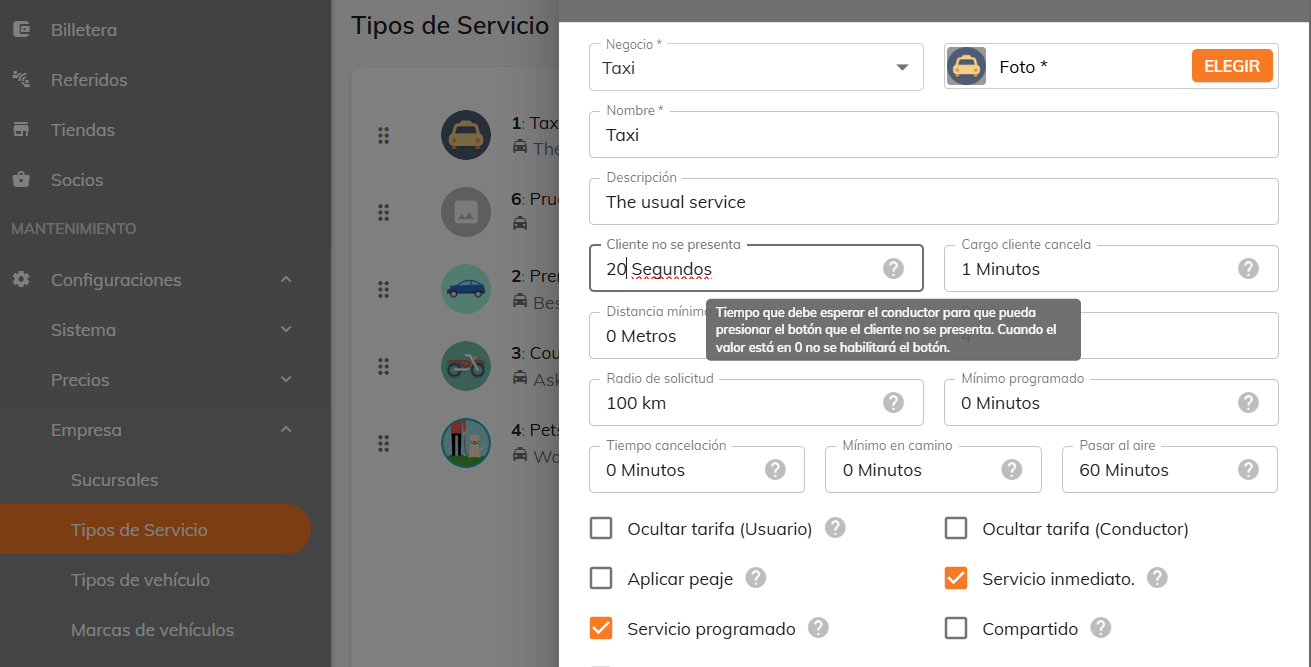
Scheduling minimum
You can set this value to control how far in advance services can be scheduled, based on the service type and the vehicle availability you have.
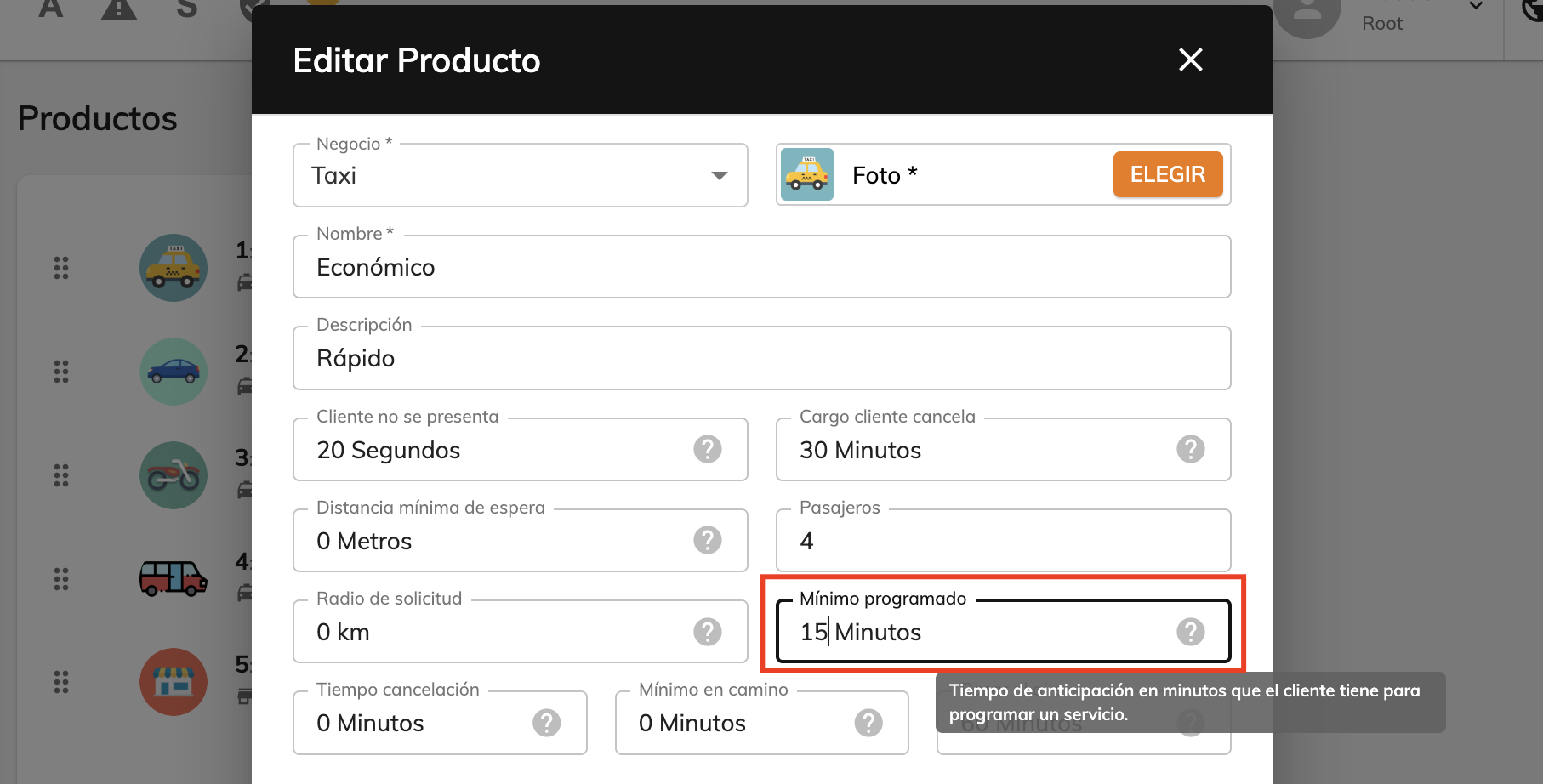
Customer cancellation fee
A penalty is charged if the customer cancels within the time window set before the trip.
For example, as shown in the image, if the customer cancels more than 1 minute after the driver arrives at the pickup point, they will be charged; but if they cancel 5 minutes or more in advance, no penalty applies.
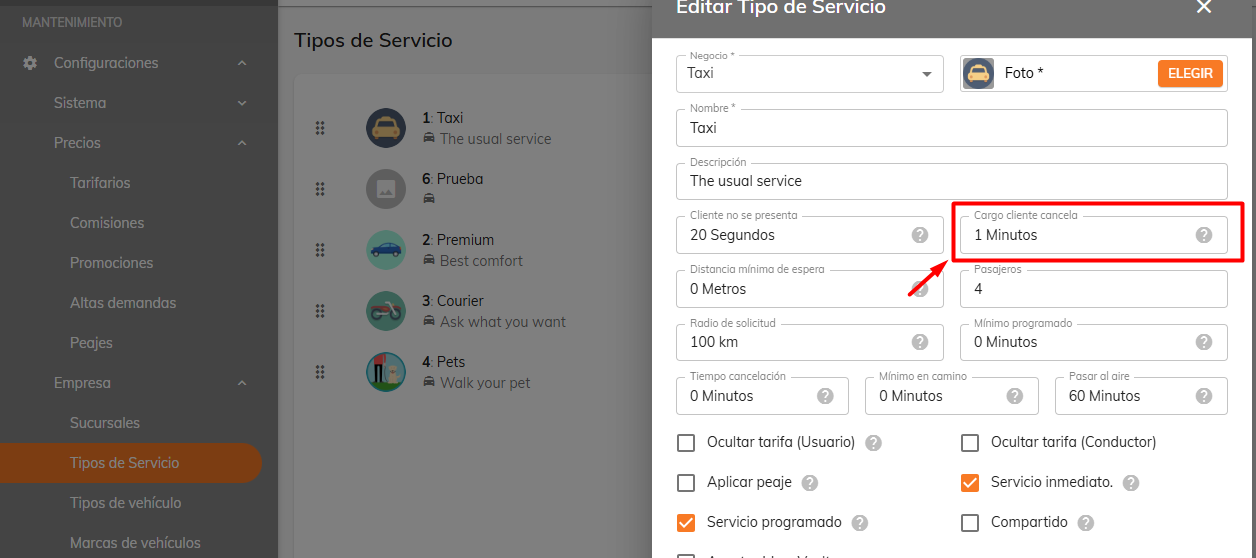
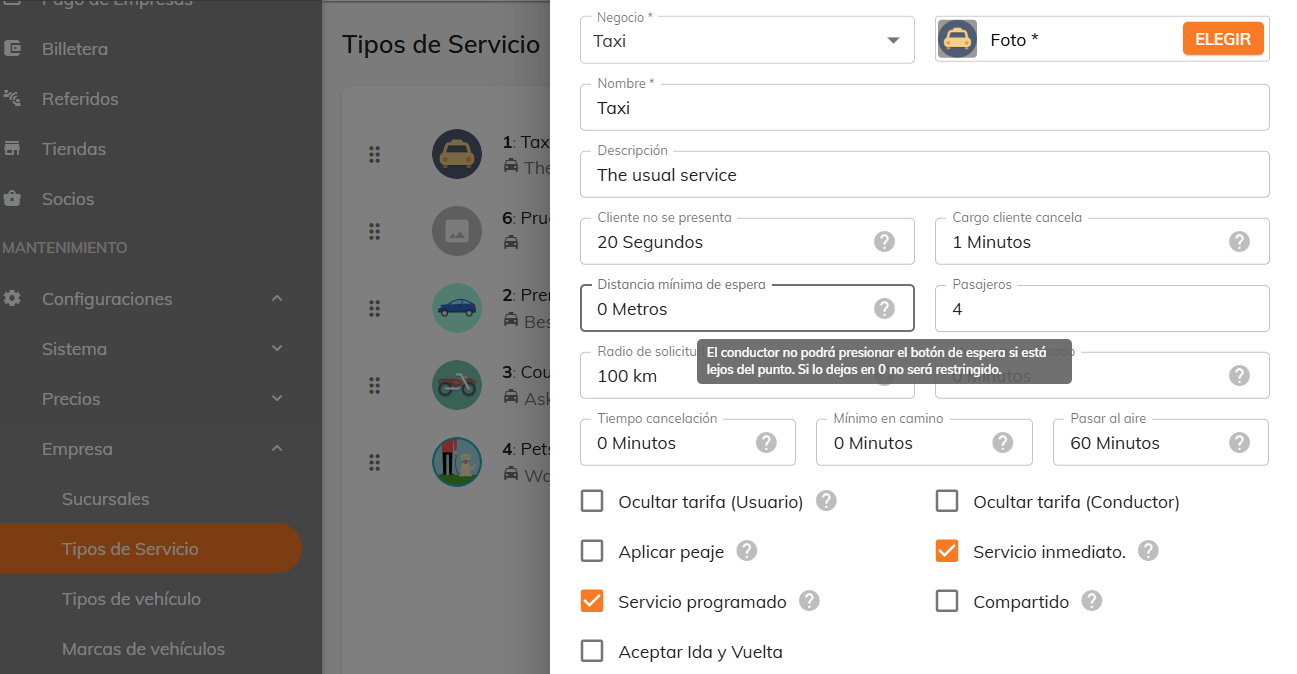
Minimum wait distance
The “Waiting for the customer” option will be disabled for the driver if they are not within the distance previously configured relative to the pickup point.
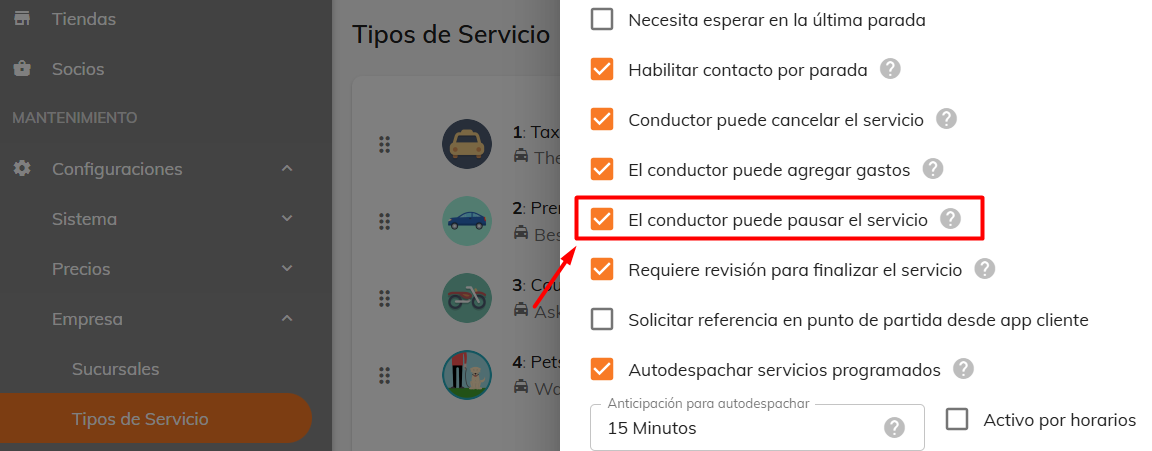
Allow the driver to pause the service
This option lets the driver pause the service, and once the wait time ends, that time is charged to the customer.
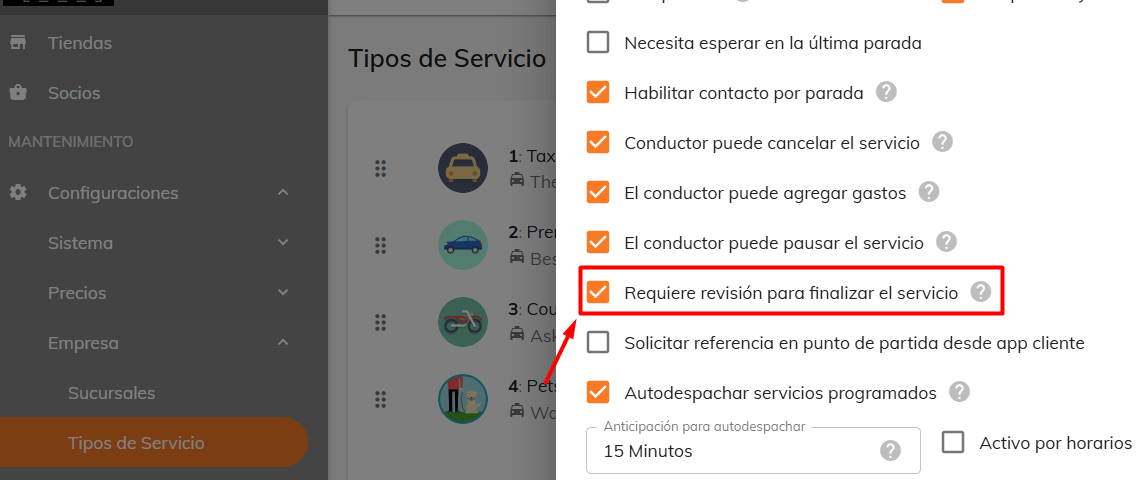
Requires review before the service can be completed
When this option is enabled, the driver can mark the trip as finished, but it won’t automatically move to the Completed status. Instead, it stays in a review status so the administrator can verify and approve the service closeout.
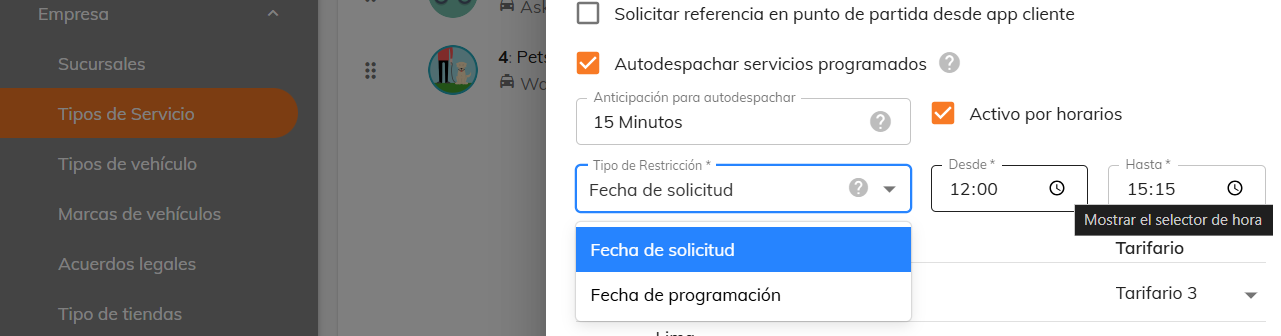
Time-based restrictions
There are two types of restrictions:
- By request date: the service can be requested within the chosen time window, and booking outside that window is restricted.
- By scheduled date: the service can be requested within the chosen time window, but it cannot be scheduled outside that window.
In both cases, you define an interval with a “From – To” time range.
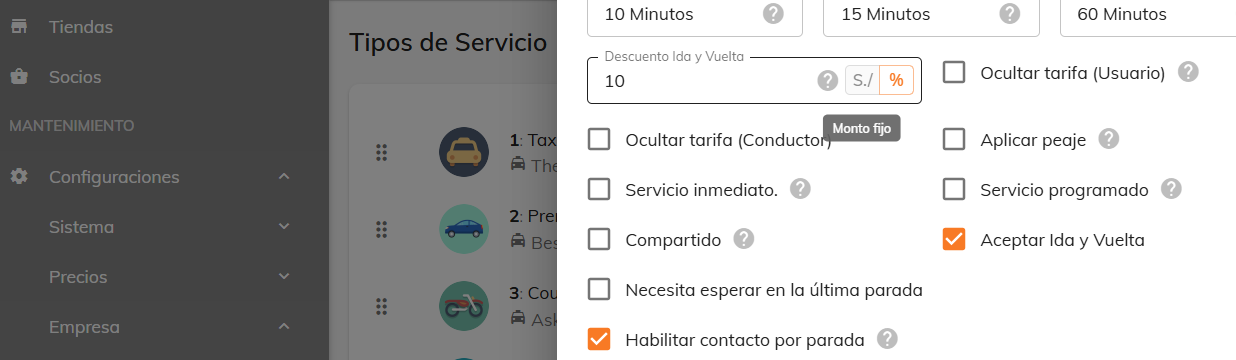
Round-trip discount
When you enable this option, a discount is shown in the customer app widgets, in the APIs, and also in the final fare in the app, just like with promotions.
Auto-dispatch scheduled services
This allows, for example, alerts to be sent automatically to connected drivers 15 minutes before a scheduled trip begins, so the service is assigned without manual intervention.

Was this article helpful?
Getting Started
- General Settings
- Customize your company information
- Create branches and assign rate tables by service type and company
- Setting up a distance-based fare (price per KM)
- Tolls (Tags): Setting Up Zones and Pricing
- Setting up zone-based pricing
- Setting up service types
- Trip grouping settings
- Configure your time settings in the panel