
 Use cases
 Messaging
 Taxi Companies
 Private Transport
 Transportation Entrepreneurs
 Last Mile
 SuperApp
 Software
 Taxi dispatch
 Corporate transportation
 Auction
 Products
 Booking Software
 Dispatch Platform
 Driver App
 Passenger App
 Web Widget
 Functions
 Schedule & Booking
 Driver Management
 Custom
 Corporate Portal
 Security & Support
 Resources
 Learn
Learn



Trip grouping settings
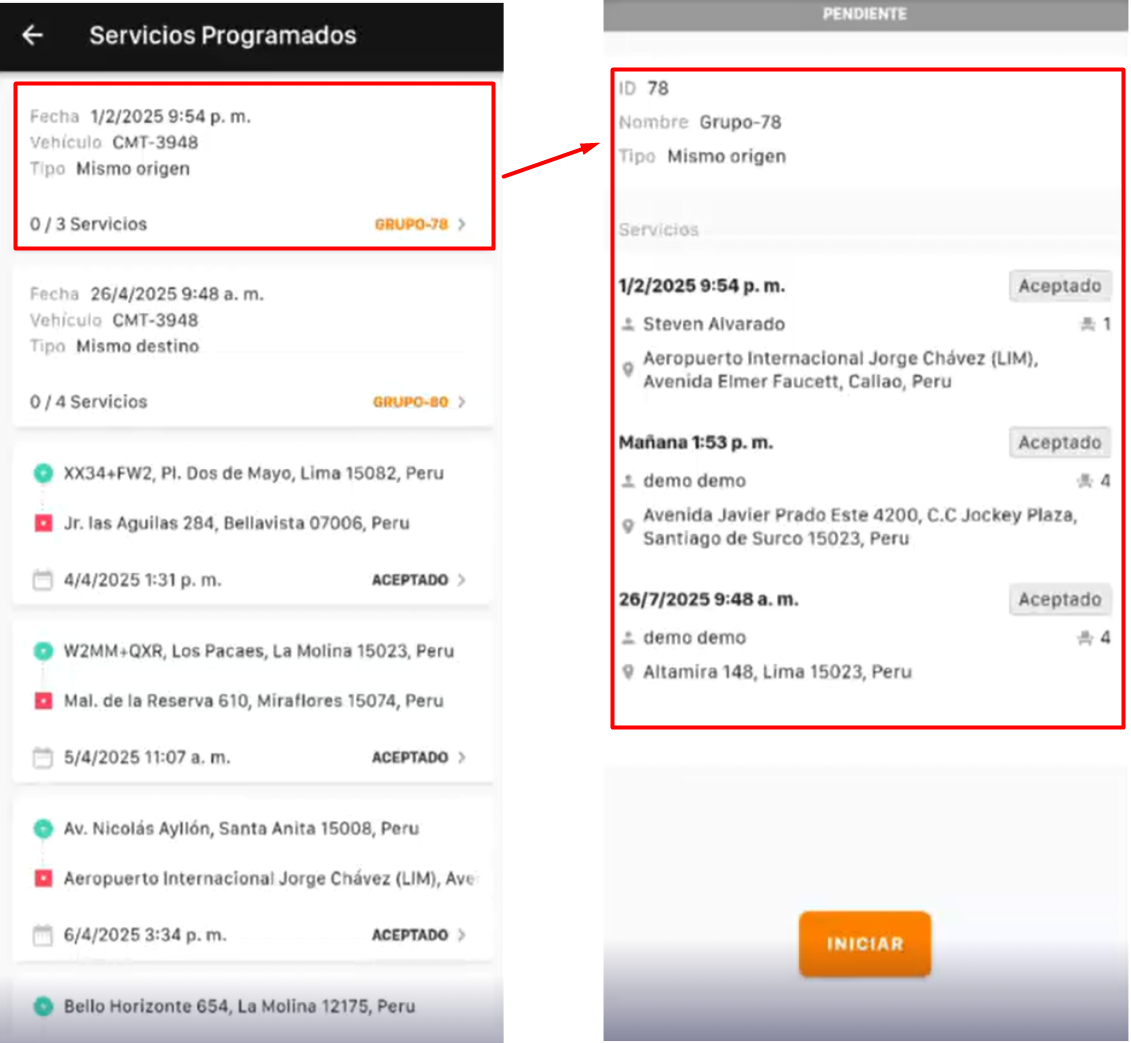
In the "Groupings" section you can group several trips together. This is useful when you need to transport multiple people who booked a trip on the same vehicle, for example a bus. Another example is the airport: a van with several seats can pick up multiple passengers in a single service. Everyone can depart from the same place or head to the same destination, and there can be several stops along the way. Once trips are grouped, the driver knows exactly who to pick up.
The driver can view the scheduled services in the driver app.
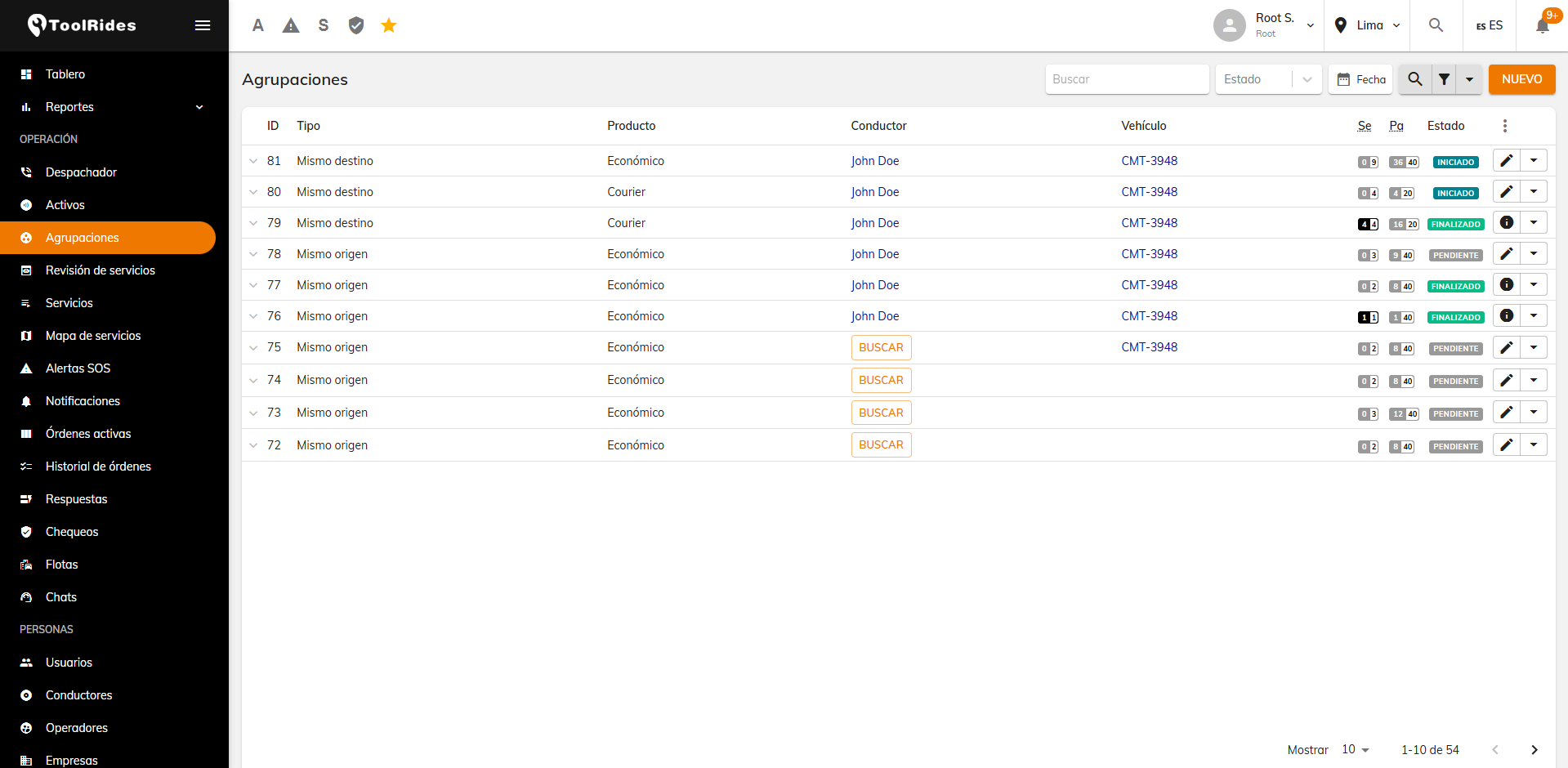
If you want to see the groupings in progress, you can apply the Pending or Completed filter in the web panel.
If the grouping has the same origin point and several destination points, the fare for the trips is calculated from the initial origin point. To have the trip cost calculated for each stop, we recommend using the dispatcher and adding the different stops you need.
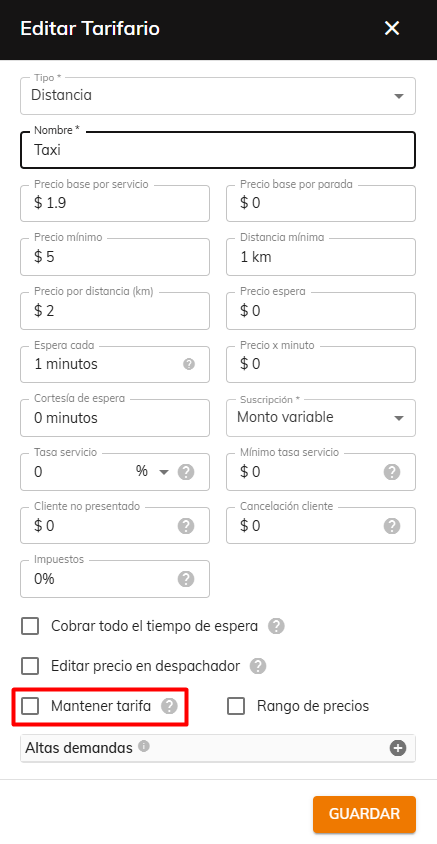
When the vehicle reaches point 1 and moves on to point 2, the fare is recalculated. To prevent this and have the passenger pay the same initial cost, you need to turn on the keep-fare option.
Was this article helpful?
Getting Started
- General Settings
- Customize your company information
- Create branches and assign rate tables by service type and company
- Setting up a distance-based fare (price per KM)
- Tolls (Tags): Setting Up Zones and Pricing
- Setting up zone-based pricing
- Setting up service types
- Trip grouping settings
- Configure your time settings in the panel